Changing Your Instagram Username: Profile Links and Effects
- There is no documented Instagram policy that suppresses accounts for changing a username. The reach drops people report are anecdotal and have an ordinary explanation.
- The real cost is link rot: every URL, every old tag, every mention of your former handle now points at a profile that doesn't exist.
- Your followers, posts and verification stay with the account — those are tied to the account, not the handle.
- The safe version is a migration, not a rename: claim the old handle, update your own links first, and tell people before you switch.
You've outgrown the handle. It has your birth year in it, or a niche you left, or a typo you've been quietly resenting for two years. And every time you're about to change it, you find a blog post claiming Instagram punishes handle changes, and you close the tab and keep the bad name for another six months.
So let's separate what actually happens from what people fear happens, because they are not the same list, and the real list is more actionable.
The suppression story: what's actually behind it
Search this and you'll find accounts of engagement halving after a rename. Those reports are real in the sense that people genuinely observed the numbers. What's missing is any documented Instagram policy that penalises renaming, and any explanation of why a platform would build one.
There's a much simpler account of the same data. People rename when something is already changing — a pivot to a new niche, a rebrand, a period of posting less. The rename is the memorable event, so it becomes the cause. Meanwhile the audience that followed you for the old thing is being served the new thing, and responding to it less. That produces exactly the curve people attribute to a penalty.
When one visible action gets blamed for a drop that had five invisible causes, the action becomes folklore. Ask what else changed that week.
What genuinely breaks — the damage list
1. Every link to your old URL dies. instagram.com/old-handle stops resolving to you. Your website footer, your email signature, your link in every other bio, the press mention from last year, the QR code on your business cards, the Linktree you set up and forgot — all of it now points at "User not found." This is the actual cost, and it's larger than people expect because nobody keeps an inventory of where they've published their own handle.
2. Old @mentions and tags break. Every comment, caption and story where someone tagged the old handle now leads nowhere. You cannot fix these; they belong to other people's posts.
3. Search recognition resets. People who find you by typing a half-remembered handle won't. This one recovers, but it takes time proportional to how established the old name was.
4. Someone can take the old handle. Once released, it's available. If your old name had any recognition, expect it to be claimed — sometimes by someone who benefits from the confusion.
What doesn't break
- Your followers. They stay. They may not recognise you in feed for a week, which is a different problem with a different fix.
- Your posts, saves, archive and insights. All attached to the account.
- Verification. Tied to the account, not the handle — it carries over.
- Your DMs and follow relationships. Untouched.
How to change it without losing what you built
Treat this as a migration with a checklist, not a settings toggle.
- Inventory where your handle lives before you touch anything. Website, other bios, email signature, YouTube description, business cards, any partner or press page. Write the list down.
- Create a second account and claim your old handle the moment you free it up. Park it, pin one post pointing at the new name. This single step neutralises the biggest risk — someone else picking up your recognition.
- Change the handle, then update your own links immediately, working from the list. The ones you control should be fixed within the hour.
- Tell your audience in the places they'll see it — a story, a pinned post, your bio's first line for a couple of weeks. "Same account, new name" removes the recognition gap.
- Don't also change your profile picture and your content niche the same week. If you change everything at once and reach falls, you'll have no way to know which change did it — and you'll spend a month blaming the rename.
That last one is the practical heart of it. Most of the "renaming killed my account" reports are really "I changed four things simultaneously and can't tell which one mattered."
If you run several accounts, decide the naming scheme once
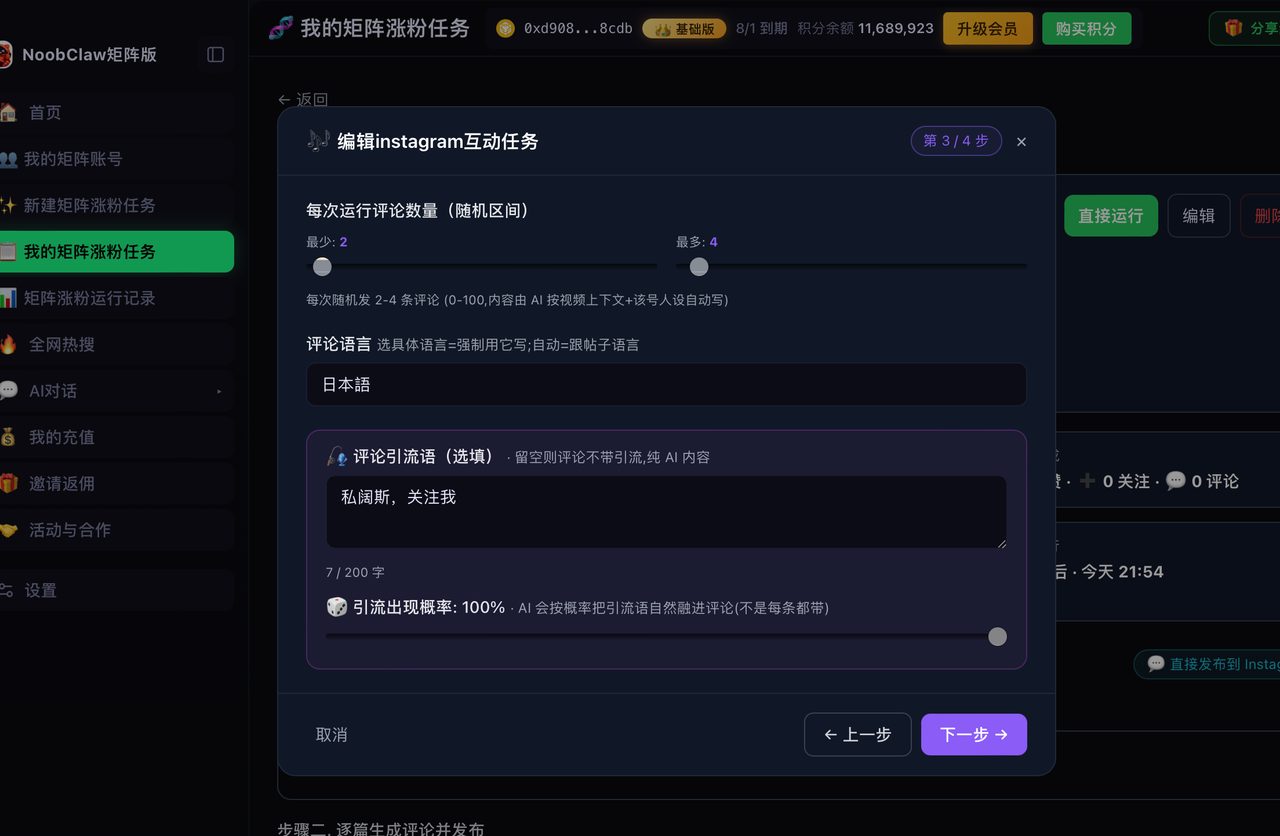
Renaming is painful enough as a one-off. Across a set of accounts it compounds, and the usual cause is that the names were chosen one at a time with no scheme — so the third account has to be renamed to match the first two, and now you've got link rot in three places.
Decide the pattern before you register anything: how the niche appears in the handle, whether numbers are allowed, whether the accounts are supposed to look related at all. If they're meant to read as different people, near-identical handles are the fastest way to make that obvious to anyone who looks. In NoobClaw, each account carries its own niche, persona and keywords, which makes the naming question concrete — the handle should follow the persona, not the operator.
FAQ
How many times can I change my Instagram username?
Instagram allows handle changes, with rate limiting to prevent rapid cycling — you may find yourself locked out of another change for a period after switching. The practical constraint isn't the platform's limit; it's that each change resets your link inventory. Two renames in a year means doing the migration checklist twice.
Will I lose followers if I change my username?
Not mechanically. What you can lose is recognition — people scrolling past a name they don't know and not stopping. That's why the "same account, new name" announcement matters more than it sounds like it should. Give it two weeks of visible signposting.
Can I get my old username back if I change my mind?
Only if nobody has taken it, which is exactly why the park-it-with-a-second-account step is worth the five minutes. Once someone else registers the handle there is no process that returns it to you on the basis that you had it first.
Related reading: professional vs personal accounts, why Reels stop reaching non-followers, the "stuck at X views" myth and what editing after posting really costs.