Social Media Automation Passwords and Access
- Password-free connections can still grant account authority.
- Compare password handling, token scopes and browser capabilities separately.
- Check removal controls and task requirements; local execution is not a security certification.
Social media automation does not always require giving a tool your platform password. An official authorization flow can grant a token, while a browser-based workflow can act inside an account you have already signed in to. The useful question is what authority the connection gives the tool, where that authority is stored, and how you can remove it.
For an operator managing several accounts, a reassuring sign-in screen is an incomplete basis for choosing software. A tool that never receives the password may still be able to publish, read account information or operate an authenticated browser. Our recommendation is to assess the access model before the publishing features, then connect only the accounts and capabilities needed for the intended task.
Judge the access you grant, not the reassuring phrase on a sign-in button.
What access does each automation model receive?
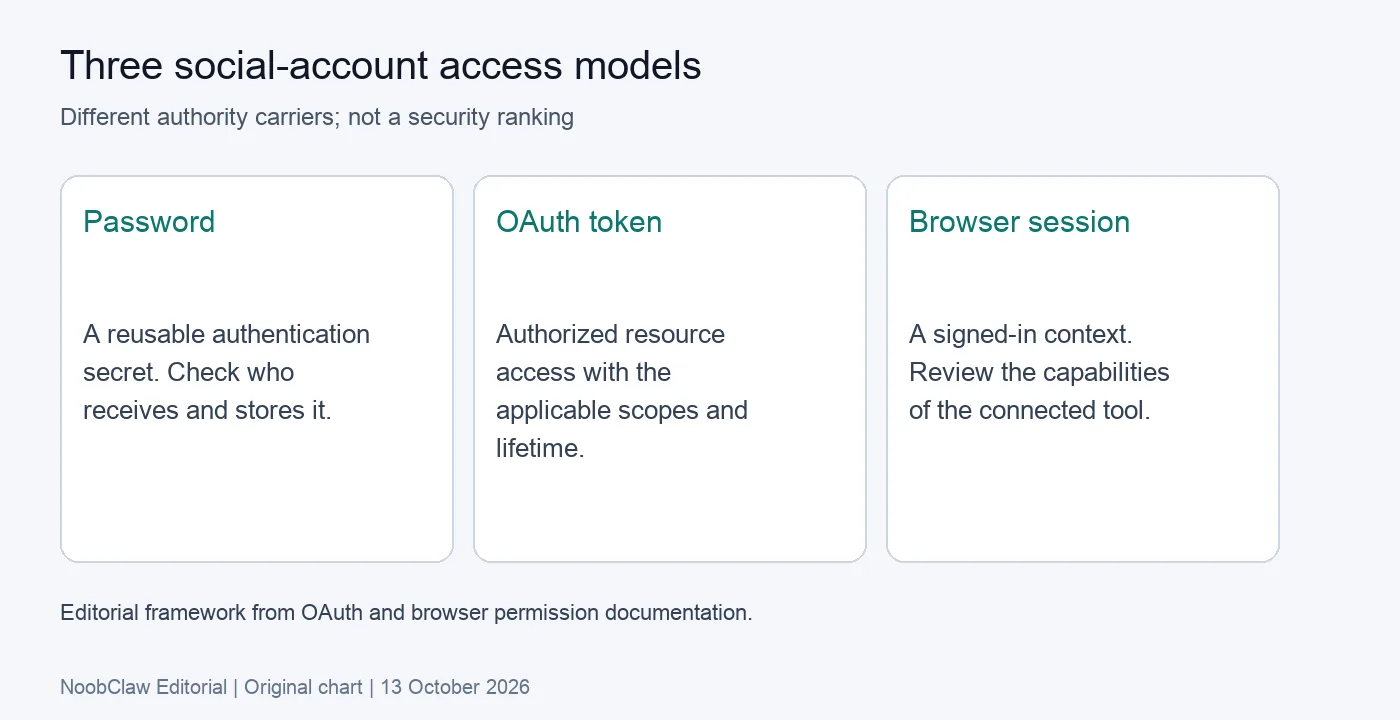
A password is a reusable authentication secret. Entering it on a platform's own sign-in page is different from sending it to an unrelated service. Check the actual destination, not just a familiar logo embedded in the interface. If a vendor asks to hold the secret, ask what requires that arrangement and how storage, access and removal are handled.
OAuth is a different model. The OAuth 2.0 authorization framework describes access tokens used to access protected resources, with authorization scope and lifetime. A token can therefore represent useful authority without revealing the account password. The absence of password sharing does not make that authority disappear.
A signed-in browser is another access context. If a connected tool can interact with the session, assess the actions it can perform and the pages it can access. Compare these models by authority and removal controls rather than declaring one universally safe. An official integration may offer appropriate scoped access; a browser workflow may fit a task that needs local context. Each still needs a clear boundary.
Why does a local browser still need a permissions review?
The Chrome extension permission documentation explains how declared API and host permissions enable browser capabilities. Depending on the permissions involved, extensions may interact with matching sites, inject scripts or use APIs that access cookies. That is a reason to inspect the requested capabilities, not proof that every extension performs every possible action.
For each permission, identify a concrete task that needs it. A narrowly scoped content helper and a workflow operating across several signed-in sites have different requirements. Ask why access is needed across those sites, what happens when access is withheld, and whether the requested authority extends beyond the accounts you intend to use. A familiar publisher name is useful context, but does not answer those questions.
A documented NoobClaw desktop test illustrates a related distinction. The tested video wizard required an existing connected profile even though the chosen output was a local file. The record establishes that prerequisite and one export; it does not establish a complete security audit, prove that all processing stayed offline, or show a social post being published.
Local storage and local execution answer only part of the review. Also ask where supplied text, media and logs go. For the documented online-video workflow, internet access was required. Treat claims about data handling separately from claims about where a finished file is saved.
What do NIST's password numbers actually mean?
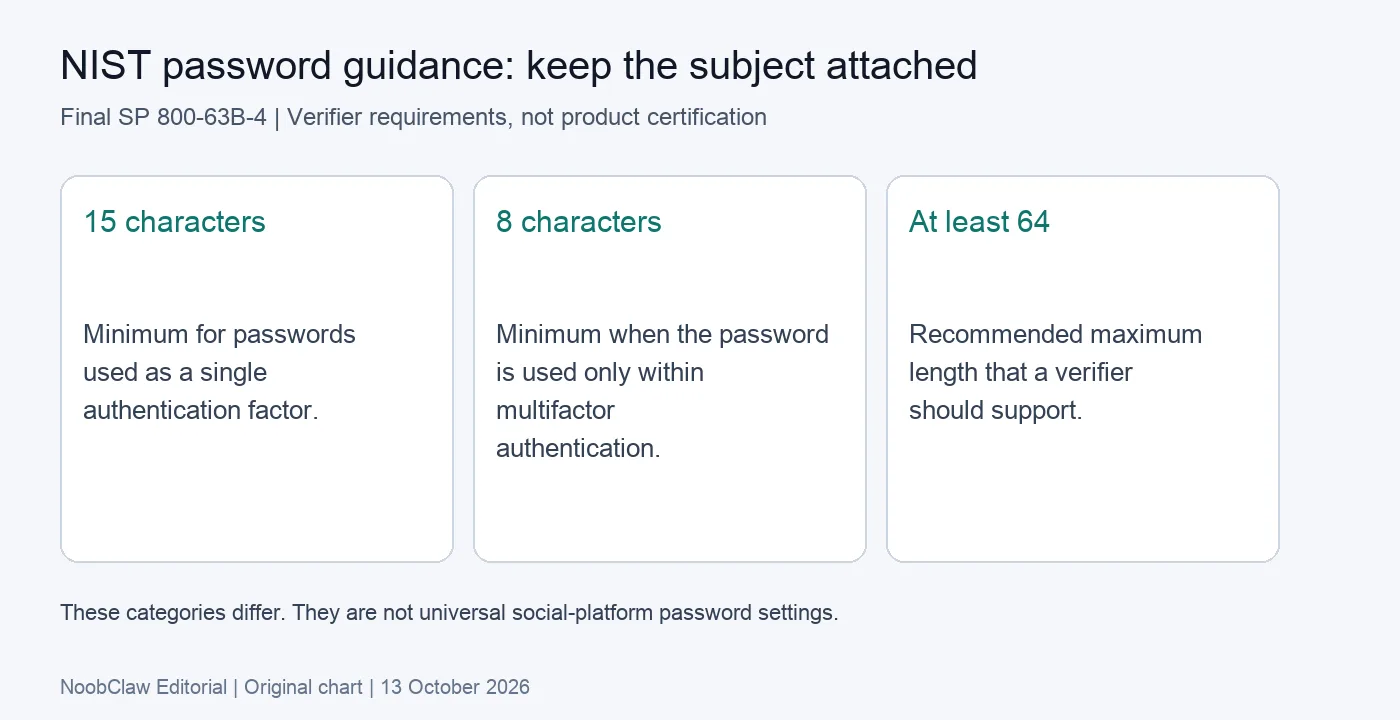
The final NIST SP 800-63B-4 guidance provides a useful example of precise scope. For centrally verified passwords, it requires a minimum of 15 characters when the password is used as a single factor. Passwords used only within multifactor authentication may be shorter, but must contain at least 8 characters. It recommends supporting a maximum length of at least 64 characters.
These are requirements and recommendations for verifiers in that guidance. They do not mean every social platform uses those settings, nor that a tool meets NIST requirements because its marketing page mentions long passwords. The third number describes supported password length, not a universal instruction to make every password exactly that long.
The practical lesson is to read a security statement with its subject attached. “Our sign-in uses this control,” “the connected platform uses this control,” and “the operator should enable this control” are different claims. Ask which system enforces the control and what evidence supports the vendor's description. A strength indicator beside a form does not evaluate browser-session authority or the permissions granted to an integration.
How should you assess a tool before connecting accounts?
Start with the action you need. Writing an editable caption, assembling a video file and publishing to an account involve different authority. If the immediate job is drafting, assess whether a text-only workflow satisfies it before granting publishing access. This reduces the gap between the task you want and the authority you have to evaluate.
Then ask for a traceable description of the connection. Record the account owner, the authorization route, the requested capabilities and who can change the settings. A team member should be able to explain what was granted without asking another person to send a password through chat. Keep that record associated with the account rather than relying on a shared vendor login as the only explanation.
Check the removal path before the first live task. For an integration, look for the connected-app controls offered by the platform and the vendor's disconnection behavior. For a browser workflow, inspect the relevant extension access and connected browser profile. Revoking one kind of access is not evidence that every other connection has also been removed.
Test the smallest useful task and inspect its result. If a draft-only option is available, verify that the task actually stayed in draft mode. Review the destination account and final action before enabling publication. This is an operational check, not a promise that a small task cannot fail or that a particular action is permitted on every platform.
Be specific about the evidence you did not obtain. A successful login confirms that authentication completed at that moment. It does not establish a vendor's entire storage architecture, incident response, logging practices or future behavior. Request the relevant current documentation when those properties matter to your decision.
Plan disconnection before you grant access
An access review is incomplete without an owner for removal. Decide who can disconnect the tool, which account controls they need, and where the connection record will be kept. When a task or team role ends, review the actual permissions and sessions involved rather than assuming that closing the application removes all authority.
Also separate access management from publishing policy. X's developer policy addresses direct requests for users' credentials, alongside other requirements for applications. A connection method and a platform's permitted uses are separate questions. Neither a password-free interface nor a local browser profile establishes permission for every automated action.
For NoobClaw, begin with the current workflow Guides and the documented requirements of the task you want. The product can be considered for supported content and browser workflows, but this article does not endorse a blanket security claim. The account-role planning article helps separate the owner, content brief and publishing decision. The content-generation analysis distinguishes text drafting from a rendered video output.
Leave the review with a decision you can explain: the task needs these capabilities, the account owner approved this connection, and this is the tested removal path. That is a more useful operating record than a general statement that a tool is safe because it runs locally.
FAQ
Does “no password required” mean the tool has no account access?
No. A token or signed-in browser session may provide access without the tool receiving the platform password. Examine the authority granted and the actions available. A draft-only text tool may need less account context than a publishing workflow, but assess the specific implementation and current requirements.
Is browser automation inherently safer than an official integration?
This article does not establish that comparison. Browser permissions, account sessions and data handling matter, while an integration's scopes and removal controls matter too. Compare the actual task, requested access and supporting documentation. Do not use execution location alone as a complete security assessment.
What does the NoobClaw video test prove about account access?
It records a connected-profile prerequisite and one local video export under specified settings. It does not prove a security certification, entirely offline processing or platform publishing permission. Check the current task requirements before deciding which account context to connect.
Sources
- Digital Identity Guidelines: Authentication and Authenticator Management — NIST, final revision 2025; checked 13 October 2026.
- The OAuth 2.0 Authorization Framework — IETF, October 2012; checked 13 October 2026.
- Declare permissions — Chrome for Developers, live documentation; checked 13 October 2026.
- Developer Policy — X, live documentation; checked 13 October 2026.
- Documented local-video workflow — NoobClaw, 10 October 2026; one test with explicit limits.
Correction, 13 October 2026: this English page replaces a Chinese-language body. Unsupported personal anecdotes and blanket claims about local-browser safety have been removed. The article now distinguishes password handling, delegated access and browser sessions.