Instagram Tagged Posts Not Showing? Check Tag Approval
- If manual approval is on, tagged posts sit in a pending queue and never reach your profile until you approve them — this is the most common cause by far.
- A post can also be tagged and simply hidden by you, or come from a private account that most viewers cannot see.
- The tagged tab is a public surface you do not control the input to, which is exactly why the approval setting exists.
- For anyone running accounts commercially, leaving approval on is the cheap version of reputation management.
A friend tags you. You go to your profile expecting to see it in the tagged tab. Nothing. You check the post itself — your handle is right there in the tag.
Four different mechanisms produce this exact symptom, and they are quick to tell apart. One of them accounts for most cases and takes ten seconds to check.
The four causes
| Cause | What you would see | Fix |
|---|---|---|
| Manual approval is on | Tags exist but nothing new ever appears; there is a pending queue waiting for you | Approve them, or accept the queue is doing its job |
| You hid that post | One specific post is missing, others fine | Unhide it from your tagged options |
| Tagger's account is private | You can see it; most visitors cannot | Nothing you can change from your side |
| The tag was removed or the post deleted | Gone for everyone including you | Nothing to recover |
The first row is the answer for most people, and it usually surprises them because the setting was turned on months ago — often during a wave of spam tags — and then forgotten. It works silently: no badge shouting at you, no notification saying "three posts are waiting". The tags simply never arrive.
A queue that never notifies you is indistinguishable from a feature that is broken.

The thirty-second check
- Look for the pending queue. If manual approval is on, tagged posts wait somewhere for review rather than appearing. Finding a queue with items in it ends the investigation immediately.
- Open your profile from another account. What you see and what visitors see differ — particularly when the tagger's account is private. This step separates "not showing to me" from "not showing to anyone".
- Check the post itself is still live. If the original was deleted or the tag removed, there is nothing to display.
That second step is the one people skip, and it is the one that produces the largest category of false diagnosis. It is the same discipline that resolves Collab posts that appear to vanish — four mechanisms that look identical from your side.
Why the approval setting is worth keeping on
Once people find the setting, the instinct is to turn it off so tags flow through. For a personal account, fine. For anything commercial, that is a mistake, and here is the reasoning.
The tagged tab is a public surface on your profile whose contents are chosen by strangers. That is an unusual arrangement — everywhere else on your profile, you decide what appears. Anyone who wants to associate their content with your name can put it one tap away from your bio.
What actually flows through an unmoderated tagged tab: reposts of your own content by fans (good), unrelated promotional posts using your name for reach (bad), competitor content tagging you for visibility (worse), and occasionally something you would not want adjacent to your brand at all.
Manual approval turns that surface from open to curated at the cost of about a minute a week. It is the cheapest reputation control available on the platform, and it is off by default.
The trade you are actually making
Being honest about the downside: approval on means genuine mentions from happy customers also wait in a queue, and if you do not check the queue they never appear. You are trading automatic social proof for control, and the trade only pays if you actually process the queue.
So the workable rule is a pair, not a single setting:
- Approval on, so nothing lands on your profile without your say-so.
- A fixed weekly moment to clear the queue, so real mentions do not die in it.
Without the second half, the first half quietly deletes your best social proof.
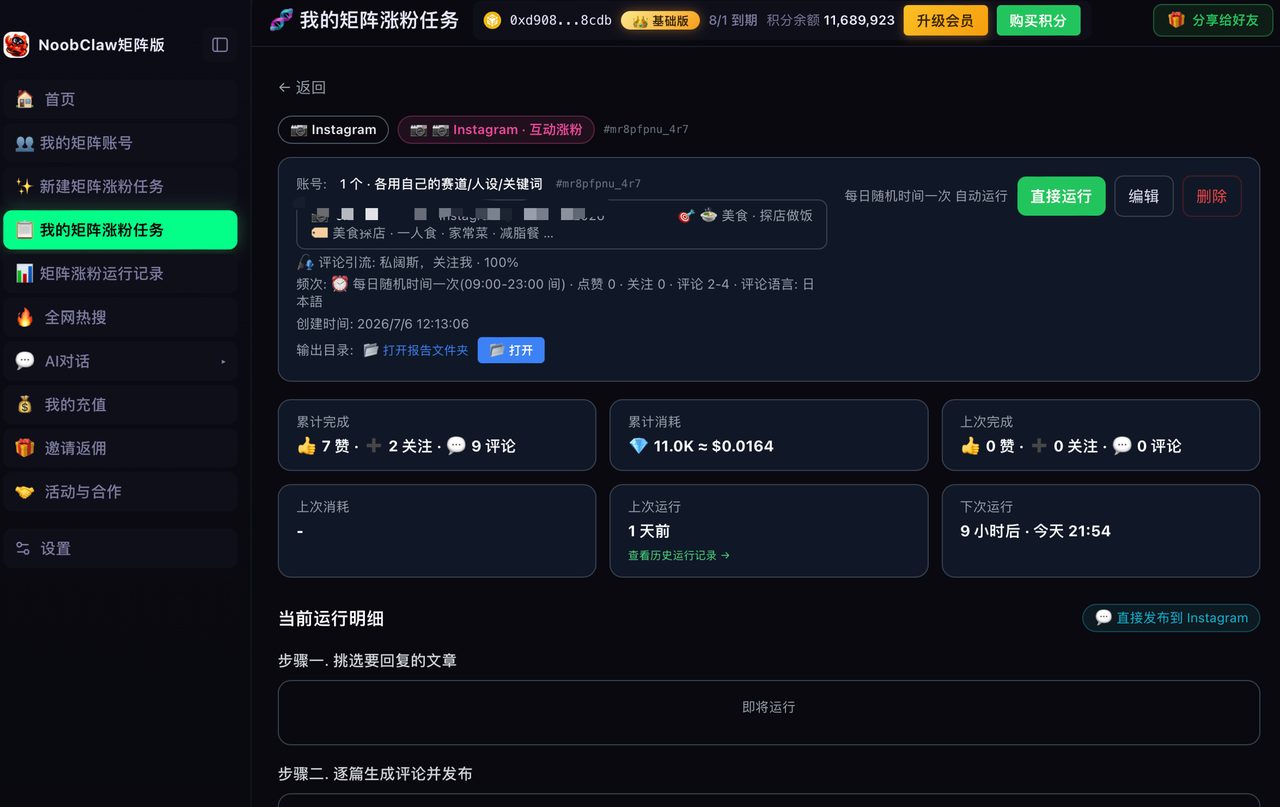
At portfolio scale, this is a per-account job
If you run several accounts, note that this setting is per-account and defaults to off. A new account starts with an open tagged tab, and nobody thinks about it until something unwelcome shows up there.
Two things follow. First, adding "set tag approval" to whatever checklist you use when spinning up an account costs ten seconds and prevents a category of problem entirely. Second, the queues themselves need a rotation — a weekly pass across accounts rather than per-account vigilance, which nobody sustains.
This is one of many small per-account states that quietly accumulate across a portfolio: tag approval, comment filters, story visibility, who can mention you. None of them is hard; all of them are forgettable. Our own model treats account setup as configuration rather than memory, with each account carrying its own settings alongside its own niche and persona — because the failures in multi-account work are almost never dramatic, they are things nobody remembered to set on account number seven. If you are structuring a portfolio, the number you found probably counts something else is a useful starting point.
The tagged tab as an asset, not just a liability
Everything above treats the tagged tab as something to defend. It is also the one part of your profile that carries third-party proof, and almost nobody uses it deliberately.
Consider what an approved tagged tab looks like to a stranger deciding whether to follow or buy: a wall of other people showing your product, your venue, your work — none of it produced by you. That is more persuasive than anything in your own grid, precisely because you did not make it. A curated tagged tab is the cheapest social proof surface on the platform, and it costs a weekly minute of approvals.
Which reframes the setting entirely. Manual approval is not censorship, it is curation — the same job you already do on your grid, applied to a surface someone else supplies the raw material for. Approve the genuine mentions, ignore the promotional noise, and the tab becomes an argument rather than a risk.
Two things make this work in practice:
- Ask for the tag explicitly. People will happily tag you and mostly will not think to. A line in your caption or your packaging converts a lot of silent customers into visible proof.
- Approve selectively, not exhaustively. The tab is a highlight reel, not an inbox. You are not obliged to approve everything genuine — only what makes the argument you want made.
This is the same logic that applies to building leads without paid ads: the assets that convert best are usually the ones other people made about you, and the work is collecting them rather than producing more of your own.
FAQ
Why can I see a tagged post but nobody else can?
Most often because the account that tagged you is private — their content is visible to their approved followers, not to your profile visitors. Checking your profile from a logged-out view confirms this in seconds.
Does hiding a tagged post remove the tag?
Hiding controls whether it appears on your profile. Removing yourself from the tag is a separate action. If your goal is dissociation rather than tidiness, hiding is not enough — the tag still exists on their post.
Should I turn tag approval on or off?
On, if your account represents a business or a public identity — but only if you commit to clearing the queue weekly. Approval without review is just a slower way of hiding everything.
Take this away
The tagged tab is the one part of your profile that strangers can write to. Approval on, queue cleared weekly. That pair costs a minute a week and closes the only unguarded door on your profile.