Web3 AI Engagement Tools: Compare the Actual Job
- Compare the missing deliverable before comparing vendor labels.
- Current features and billing units differ across products.
- No head-to-head account, follower or conversion experiment is established.
An AI social-media engagement tool comparison for a Web3 team should start with the missing job. Creating an accurate explanation, organizing a publishing calendar and managing a platform-native community feature are different requirements. This review compares documented offers and their limits rather than reporting a four-tool trial in which only one kept accounts untouched. No such experiment is recorded. NoobClaw is this article's publisher and a vendor in the comparison. Prices are dated advertised offers, not equivalent-feature benchmarks, and the discussion does not recommend an investment or forecast a project's commercial results.
A comparison is useful when it answers the job, units and remaining work.
Four approaches answer different purchasing questions
The first approach is a content-creation task: a team needs a reviewable explanation or local video draft from original material. NoobClaw's public case demonstrates one local script-to-video output with limitations, not a community deployment. The second approach is a planning and publishing workspace. Buffer's current documentation includes AI Assistant, analytics, community features and API access alongside scheduling. Describing it as a timer without AI would erase capabilities that may matter to the purchaser.
The third approach is Hypefury's currently advertised writing and scheduling offer. Its official channel list includes Bluesky, Threads, LinkedIn, Instagram and TikTok, while the explicit FAQ says it no longer supports X. Legacy Twitter references remain elsewhere on the page and should not override that current answer. The fourth approach is a destination's own documented feature, such as Square's native schedule or Orbit's stated synchronization conditions. These are service-specific options, not interchangeable third-party tools.
Choose among those approaches by the actual missing deliverable. A hypothetical team with reviewed assets but no shared calendar needs a different evaluation from one missing an accurate video explanation. An official native feature can also narrow what needs buying, subject to its actual conditions. This comparison does not claim that one product replaces every stage or that every advertised channel uses an identical publishing method. Request the account-specific capability and evidence for the task instead of assigning a universal engagement winner.
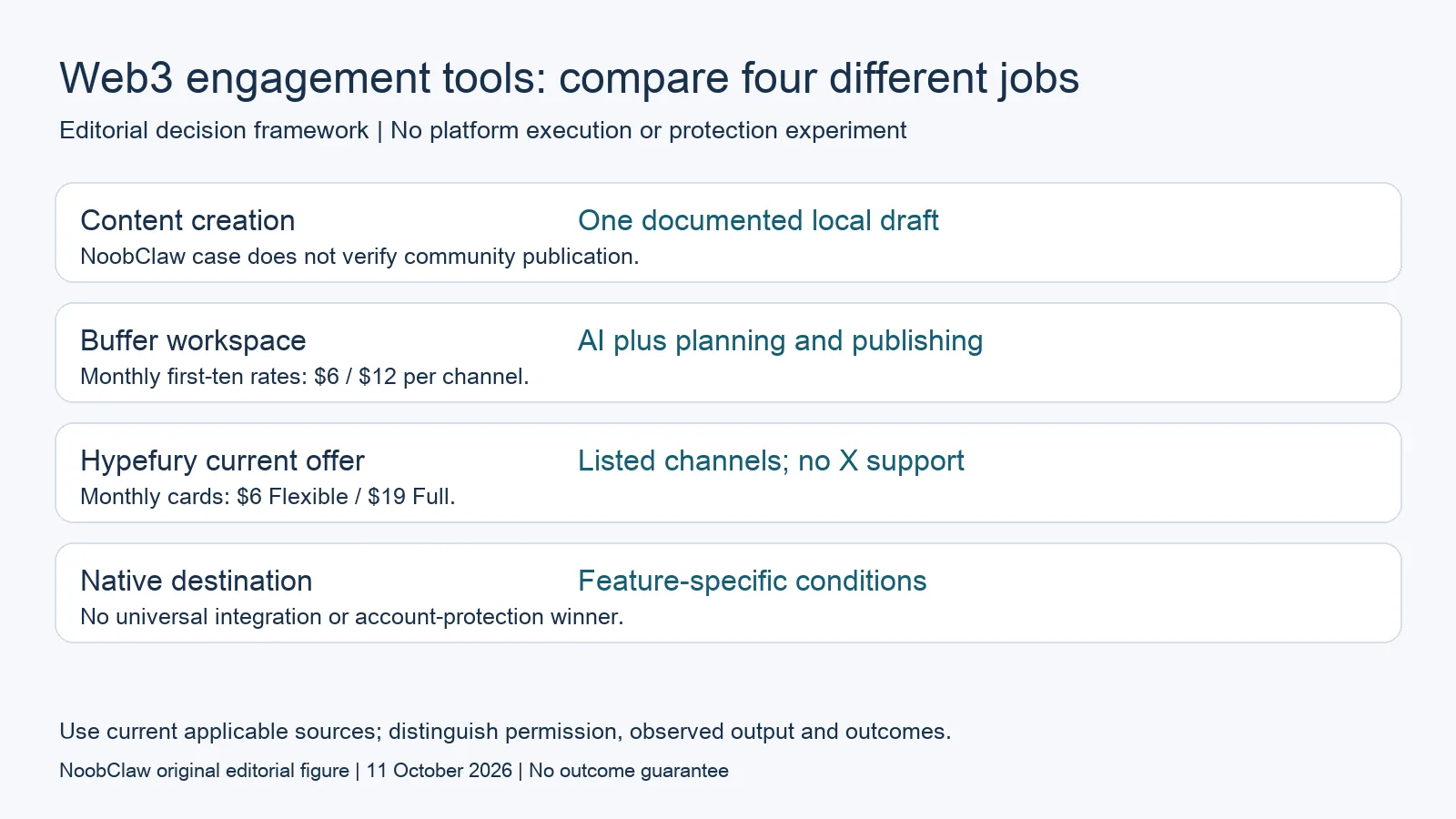
- Content creation: One documented local draft. NoobClaw case does not verify community publication.
- Buffer workspace: AI plus planning and publishing. Monthly first-ten rates: $6 / $12 per channel.
- Hypefury current offer: Listed channels; no X support. Monthly cards: $6 Flexible / $19 Full.
- Native destination: Feature-specific conditions. No universal integration or account-protection winner.
Put current prices and units in the same decision sheet
Buffer's support table lists the first ten channels on monthly billing at six dollars per channel for Essentials and twelve for Team. A hypothetical three-channel base subscription is therefore eighteen or thirty-six dollars monthly, before other costs or feature equivalence. Its Free plan connects three channels and queues ten posts per channel. Annual billing has different charges and must not be described as the same monthly checkout. Larger channel tiers have separate discounts, so use the current calculator for the actual workload.
Hypefury's current monthly cards show Flexible at six dollars for one channel, describing six dollars for each additional platform, and Full at nineteen dollars with the listed channels included. NoobClaw's current English page shows Basic at $9.90 monthly with six million credits and four accounts per platform, Pro at $29.90 with twelve million and fifteen, and Max at $79.90 with fifty million and fifty. These are different billing and capacity units. Advertised capacity is not measured throughput or a destination's permission.
Do not convert those starting offers into a cost per accepted post without a defined workload. A hypothetical budget needs review effort, remaining production, the actual in-app task units and any separate publishing arrangement. This article has no measured cost for the local video case and no equal-feature timing benchmark. A lower number on one plan card cannot establish better value for a different deliverable. Keep the included task, limits, payment interval and missing work with the quote before making the purchase decision.
Exclude prohibited engagement and unmeasured protection from the score
X's automation rules prohibit non-API website scripting and automated likes, with additional conditions for replies. Reddit's community policy prohibits coordinated vote manipulation, including manual or programmatic coordination. These conditions matter if an engagement brief asks a tool to manufacture signals or contact people automatically. The product's ability to attempt an action is not approval. Do not score a vendor higher because an unsupported story says that its delays, profiles or accounts escaped detection.
A destination-native feature also has a specific scope. Square scheduling and Orbit synchronization do not authorize every connected method, and the current Orbit FAQ says there is no public Orbit API and video uploads are not yet supported. An exchange trading API does not settle community publishing. A hypothetical Web3 team should use an accurate educational brief and a verified destination method, rather than substitute financial or account-survival promises for an actual contribution.
A useful pilot reports the accepted deliverable and its limitations. Draft acceptance, confirmed permitted publication, genuine questions, qualified interest and paid conversion need separate observations. This review measures none of the later outcomes and supplies no follower-growth ranking. The related AI-content and automation comparisons explain their own stages, so a purchaser can identify the remaining requirements. A tool can be suitable for a bounded job without being declared the safest or fastest path to demand.
For the related content and workflow decisions, read AI Content Generation for Social Media: Drafts to Video and Blotato Alternatives: Choose by the Workflow You Need. Each review has its own evidence and scope.
The one recorded product example, without a comparative result
NoobClaw sells content tools and publishes this review. Its public execution record shows a supplied script producing one local MP4 draft, with stated file properties, sampled subtitle checks and production limitations. The record includes no Buffer or Hypefury trial, community publication, account matrix or paid conversion measurement. Some stock imagery required better relevance, and audio presence did not establish complete quality approval. Inspect that example as evidence of a creation stage and preserve the work needed after export. The operating guide documents the task separately. A hypothetical purchasing decision should compare that actual deliverable with the documented job the other service offers, rather than invent a head-to-head winner. No lower subscription starting price, local output or quiet account period proves platform approval, equivalent quality or a commercial result.
Inspect the public script-to-video execution record and the script-to-video operating guide. Check the current product offer against the task you need.

Frequently asked questions
Which tool won the four-tool account test?
No documented four-tool trial exists in this review. The comparison uses current official offers and a bounded NoobClaw record, not a protection ranking.
Does Buffer lack AI or community features?
No. Its current official table includes AI Assistant, analytics, community capabilities and API access. Check the relevant plan and channel conditions for the actual task.
Is the cheapest starting plan automatically best?
No equivalent workload or feature result is established. Compare billing units, the deliverable, missing work and destination conditions, then use current checkout information.
Sources
Official material reviewed on October 11, 2026. Document conditions apply to their stated service and scope; the editorial examples are explicitly hypothetical.