Bulk Instagram Post Schedulers: Accounts and Publishing
- Almost every scheduler publishes through the official API, which means they share the same underlying constraints — comparing them on "supported features" mostly compares marketing pages.
- The three things that actually differ: the account ceiling versus the volume ceiling (you pay for whichever you hit first), whether content can vary per account, and whether a failed post fails loudly
- API-based tools and browser-based tools are two categories, not two brands. API tools are stable and constrained; browser tools reach more surfaces and carry more responsibility.
- Takeaway: five questions to ask before you subscribe, and a note on the pricing trap that catches multi-account operators specifically.
You have twenty posts ready and four accounts to put them on. Every scheduler's pricing page looks identical: tiers, a number of accounts, a number of posts, a monthly figure.
They are not identical. They differ on three things, none of which appear on the pricing page, and all of which you find out about in month two.
First, the thing they mostly have in common
Most Instagram schedulers publish through the official API. That is not a criticism — it is the stable, sanctioned route, and it is why these tools are reliable. But it means they inherit the same constraints: which post types can be scheduled, what can be edited after publishing, which account types are eligible, and how carousels and Reels behave.
So when two tools list the same features, they are frequently describing the same underlying capability with different words. Feature-list comparison is close to useless here. Compare on the three things below instead. The audio-side version of this constraint is in Instagram audio API limitations.
Difference one: two ceilings, and you pay for whichever you hit first
Every tool prices on some combination of connected accounts and volume (posts, credits, or AI generations). Almost nobody checks both.
Take a concrete published example. Blotato's Starter tier is $29/month with 1,250 AI credits and 20 social accounts; Creator is $97/month with 5,000 credits and 40 accounts (verified on their pricing page, 29 August 2026). If you run 30 accounts at modest volume, the credit allowance on Starter is more than enough — but the 20-account ceiling alone forces you to $97, and you will never use the extra credits.
Many accounts at low volume is the exact profile that credit-based pricing serves worst, and it happens to be the standard shape of multi-account work. Price both ceilings against your real usage before you compare monthly figures. We ran this calculation across several tools in Blotato alternatives compared by the ceiling you hit first.
The number on the pricing page is the price of the plan. The price you pay is set by whichever ceiling you hit first.
Difference two: can the content differ per account?
This is the question that separates "bulk scheduler" from "multi-account tool", and it is almost never on the comparison table.
- Queue-and-syndicate. You upload once and it goes to every connected account. Correct for a brand with regional accounts. Wrong for separate presences — you have made N accounts publish one identical feed.
- Per-account queues. Each account has its own queue and you fill each one. Honest, and it does not pretend to solve the content problem — you still have to write N times.
- Per-account generation. Each account produces different content from its own topic and voice. The only category that addresses the actual bottleneck rather than the publishing step.
Work out which one you need before you shortlist, because a tool in the first category can never be persuaded into the third.
Difference three: how loudly does a failed post fail?
The under-tested one. Posts fail — expired tokens, media rejected, account re-auth needed. What the tool does next matters more than any feature:
- Silent failure is the worst outcome. The dashboard says scheduled, nothing published, you find out four days later.
- Failure that stops the queue is safe but expensive: one bad post and everything behind it stalls.
- Failure that is isolated and notified is what you want: that post fails, others carry on, you are told immediately.
Test this deliberately in the trial: schedule something that will fail, and see what the tool tells you and when.
API tools versus browser tools
Worth naming clearly, because it is a category difference and not a quality difference:
- API-based: stable, sanctioned, limited to what the API exposes and to eligible account types. If everything you need is inside those limits, this is the lower-maintenance choice, and you should take it.
- Browser-based: acts through a real browser session on your machine, so it reaches surfaces the API does not — including platforms with no public API at all. In exchange, you carry more responsibility for behaving like a person rather than a script.
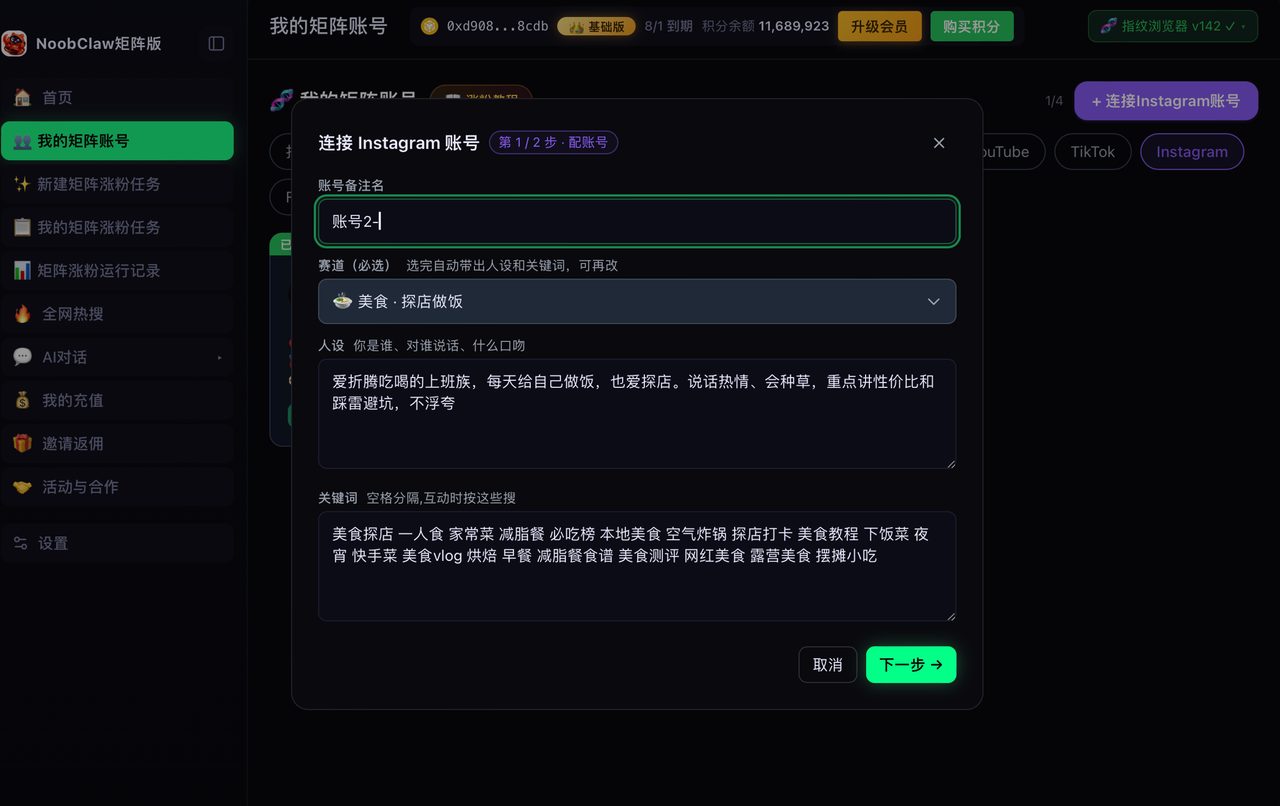
NoobClaw is the second kind, and it is worth being direct about the trade: it runs locally, signs into your own accounts through per-account fingerprint browser profiles, generates different content per account from each account's own niche and persona, and spreads actions across randomised intervals rather than firing them on the hour. That reaches platforms an API tool cannot and keeps accounts genuinely distinct — but if your entire operation is three Instagram business accounts posting the same brand content, an API scheduler is simpler and you should use one. See free social media schedulers for the budget end.
The two things trials never show you
Seven or fourteen days is enough to see the interface and not much else. Two failure modes only appear later, and both are worth deliberately provoking while you are still in the trial window:
- Token expiry and re-authentication. Platform connections expire. Some tools re-auth quietly, some email you, some just stop publishing and keep showing a green tick. This is the single most common way a queue silently dies, and it typically happens weeks in — long after you have committed. During the trial, disconnect one account deliberately and watch what the tool does.
- What the queue does under load. Ten scheduled posts behave differently from two hundred. Rate limiting, ordering, and whether the interface stays usable at volume are all things you find out at the moment you least want to. If you can, load a realistic month into the trial rather than a token few posts.
There is a third worth checking that is not about failure at all: can you get your data out? An export of your queue and history means switching tools later is a migration rather than a rebuild. Tools that make export difficult are telling you something about how they expect to retain customers.
Five questions before you subscribe
- Which ceiling do I hit first — accounts or volume? Price that one, not the headline.
- Can content differ per account, or does it syndicate one post?
- What happens when a post fails — and how fast do I find out?
- Where does authentication live? An official API connection, or my credentials on someone's server? The second is worth avoiding regardless of price.
- What happens to my queue if I downgrade? Discover this before, not during, a cash-flow month.
FAQ
Can I schedule Instagram posts in bulk for free?
Meta's own business tooling covers basic scheduling at no cost for eligible account types, which is enough for a single brand with a handful of accounts. Free third-party tiers usually cap accounts rather than posts, so they run out precisely when multi-account work begins.
Does using a scheduler reduce reach?
There is no credible evidence that publishing through the official API is treated differently from posting in-app. What does affect performance is the behaviour scheduling encourages: identical content across accounts, and everything firing on the hour.
How many posts should I queue at once?
Fewer than you can. A three-week queue means three weeks of not reacting to what performed. Two weeks is a reasonable ceiling for most people — enough buffer to protect against a busy period, short enough that you are still steering.