Facebook Automated Behavior Warning: What to Check
- A warning alone does not identify the cause or prove that a named scheduler is responsible.
- Review your own sessions, permissions and security controls.
- Use the support route shown for your account; no automatic restoration or universal AI-support access is promised.
If Facebook displays an automated-behavior warning, first preserve the exact wording and where it appeared. A warning, an unfamiliar login and a disabled publication action are different observations. This article offers a bounded review process, not a diagnosis of Facebook's internal detection system. Neither randomized timing nor a browser session establishes permission to automate an action, and no product here is certified to prevent or reverse a restriction.
Editorial rule: a notice identifies an observation; its cause and resolution require separate evidence.
Read the notice before assigning a cause
Save the notice's wording, timestamp, affected account and the action you were attempting. Include any review or security instruction visible with it. Do not turn a screenshot from someone else's account into a universal explanation for your own. A notice can establish that the interface displayed a message; it cannot, by itself, establish which tool, session or activity caused the message.
Meta's current Safety Center describes account-security controls including Security Checkup, login alerts, two-factor authentication, recent sessions and permission review. Its 2022 malicious-app report documented credential-theft applications and recommended protective account steps. That historical report is not a current finding that a named legitimate scheduler steals credentials or that every third-party sign-in is malicious. Review the exact access requested rather than assuming all integrations are equivalent.
Separate three questions in your record: what happened, what access is currently present, and what route the account offers for help. A scheduler's architecture does not answer all three. Local operation does not prove that a tool never collects credentials, and an API integration does not prove that a particular restriction was caused by that integration. This article provides no independent credential audit of NoobClaw or any named competitor, so it makes neither assurance.
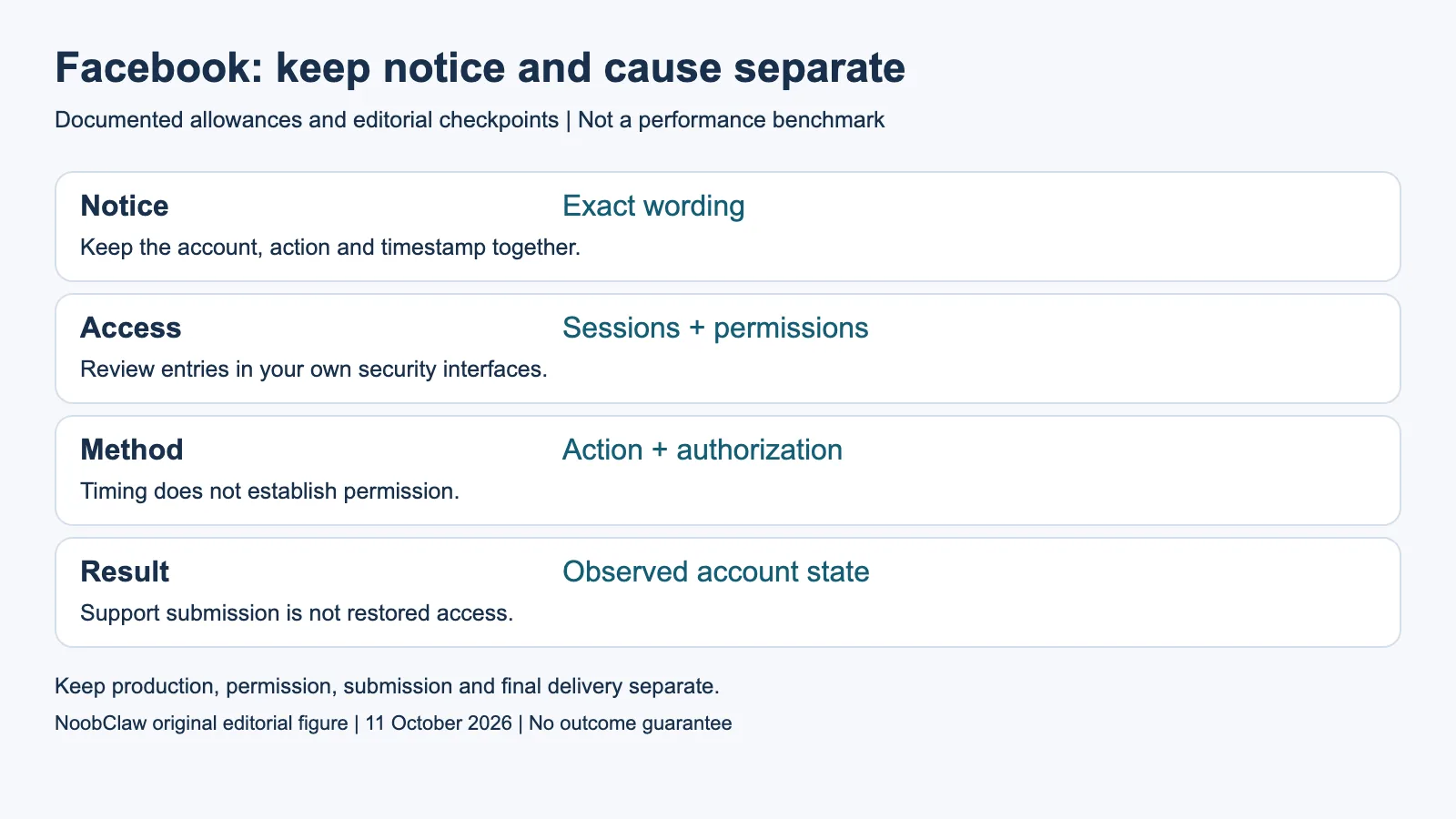
- Notice: Exact wording. Keep the account, action and timestamp together.
- Access: Sessions + permissions. Review entries in your own security interfaces.
- Method: Action + authorization. Timing does not establish permission.
- Result: Observed account state. Support submission is not restored access.
Review access with a clear scope
Use your own account's security interfaces to review unfamiliar sessions and connected permissions. Consider whether a recent change corresponds to an access grant you intended to make. If you see an entry you do not recognize, follow the relevant account-security guidance rather than handing another service your password to obtain a diagnosis. Keep any observation about access separate from a claim about enforcement causation.
An illustrative access log has a row for each session or integration you actually reviewed, the displayed date or device description, whether you recognize it, and the action you took. This is an editorial record format, not a live account test or a forensic finding. For a client account, involve the authorized owner before changing access. Do not copy passwords, session cookies, recovery codes or complete tokens into the record or into an article's screenshot.
Meta's support announcement, updated in March 2026, describes expanded AI assistance for support where available and a limited account-access rollout beginning in the US and Canada. Availability varies by issue and rollout. The presence of that announcement does not prove that your account has the assistant, that it can address your restriction, or that a result will arrive within a particular time. Use the options actually shown to the affected account.
Review the proposed automation, not just its timing
Inventory the precise actions a tool would perform: generating a draft, accessing an account, submitting a publication, reading data or interacting with other people. These are different tasks. A product that prepares text or exports a local video does not thereby have permission to execute every account action. Evaluate the method and action against the platform's applicable conditions before treating a successful button click as authorization.
Changing the interval between actions can alter execution timing, but it does not establish permission, remove a restriction or prove that detection has been avoided. This article does not recommend disguising automation as human activity. Keep the diagnostic task narrow: identify the permitted workflow you need, review the account's notice and avoid extending a test merely to see how many unsupported actions the platform will accept.
NoobClaw's public example records a 441-character English script and a local 32.6-second export at 1080 by 1920 pixels and 30 fps. Audio and subtitles were observed; the footage's relevance and asset rights were not approved for release. That is evidence of local production with limitations, not Facebook publication, account protection or warning resolution. Use it to understand the content-production stage, not to infer an account-safety benefit.
Define a bounded next step and document the result
Once you have the notice and access observations, choose the smallest relevant next step. That might be completing an account-security instruction, using a review option visible with the notice, or correcting an unsupported workflow before asking the authorized owner to proceed. Record what you did and what the account displayed afterward. Do not combine a security review and a content change into a single claim that the warning was cured.
An acknowledgement from support is a submission result. Restored access, if observed, is a separate result with its own date and affected function. A publication that succeeds does not prove every account capability was restored. Similarly, a failed publication does not show which suspected cause was responsible. Preserve those distinctions when you report the work to a client or evaluate whether to keep a tool in your workflow.
No recovery guarantee, punitive escalation rule or successful-appeal percentage is established here. The cited current Meta pages do not provide a universal explanation for every automated-behavior warning. Where the account offers no applicable review option, record that exact limitation without inventing an exception or claiming the situation is irreversible. Better evidence can justify a later conclusion; an alarming label alone cannot.
For the related content and workflow decisions, read Post to Multiple Social Media at Once: Methods and Checks and Free Social Media Posting API: Access, Limits and Costs. Each review has its own evidence and scope.
NoobClaw publishes this article. Its script-to-video guide and public creative execution record document a local video result, not external-platform publication. Check the current product offer against the supported action you need.

Frequently asked questions
Does a warning prove my scheduler caused it?
No. Preserve the notice and examine relevant access and activity. A notice or third-party anecdote does not isolate a particular cause.
Does human-paced browser automation avoid the problem?
No verified prevention or recovery effect is established. Timing and browser architecture do not determine whether the method and action are authorized.
Will Meta’s AI support restore my account?
Use support options actually available to the account. Meta describes staged availability and a limited account-access rollout; an announcement is neither universal access nor a restoration guarantee.
Sources
Official sources checked on October 11, 2026. Current Help pages, program dates and limited rollouts are distinguished from historical reports. Documentary worked examples are illustrative, not tests of account enforcement, notification delivery, restoration or payment. The linked local-production record has a separate observed scope and limitations.