Pinterest Scheduled Pin Limits: Queues and Tool Options
- Pinterest’s own help centre: "you can only schedule one Pin at a time, you can have up to 10 Pins scheduled for the future", up to 30 days in advance.
- You also cannot swap the image or video of a Pin once it is scheduled — only the date, title, board, description and link.
- Ten Pins is roughly a week and a half of a normal posting rhythm. The gap between that and a real content calendar is the entire business model of Pinterest scheduling tools.
- Before you pay to widen that gap, check what the tool is actually selling you: Tailwind sells symmetrical three-platform sets, not accounts.
You built a month of Pins on Sunday afternoon. You got eleven into the scheduler and the twelfth refused. No error you could Google, no upgrade prompt, no explanation — just a queue that would not take another one.
Nothing is broken. You hit a published number, and it is smaller than almost anyone expects.
The number is ten, and Pinterest says so out loud
From Pinterest's own help documentation on scheduling Pins, in one sentence: "While you can only schedule one Pin at a time, you can have up to 10 Pins scheduled for the future."
Two separate constraints are hiding in that sentence, and confusing them is why people think their account is glitching:
- One at a time — you build and schedule Pins individually. There is no native bulk import, no CSV, no "schedule these forty".
- Ten in the future — the queue itself holds ten. Publish one, a slot frees up. It is a standing capacity, not a daily allowance.
The same page adds the window: "You can schedule a Pin up to 30 days in advance." And a detail that quietly ruins a lot of Sunday planning: once a Pin is scheduled, you can change the publish date, title, board, description and link — but "You cannot edit the image or video content of your Pin." Wrong image means delete and rebuild.
Ten scheduled Pins is not a bug, a beta limit, or something a Business account lifts. It is the product working exactly as designed — and the design leaves a gap you were always going to feel.
Ten Pins is a week and a half. That gap is somebody's entire business
Do the arithmetic that Pinterest never puts on the page. At one Pin a day, ten is a week and a half. At the three-to-five a day that most Pinterest advice recommends, the native scheduler holds two or three days — and you can only load it one Pin at a time.
So the ceiling is not really "ten". The ceiling is ten, entered by hand, one at a time, refreshed every couple of days. That is the thing people are actually buying their way out of.
This is worth sitting with, because it reframes the whole tool decision. You are not shopping for a better Pinterest experience. You are buying back a specific, measurable gap that Pinterest chose to leave open. Once you see it that way, the only sensible next question is: what is the tool charging me per unit of that gap?
Before you pay: check what the tool is counting
Here is the part almost no comparison article does. Every Pinterest scheduling tool prices itself on a different unit, and the units are not interchangeable.
Tailwind — the default answer to this question for a decade — does not sell accounts. Its paid tiers (checked first-hand on 2026-09-05) grant accounts as symmetrical three-platform sets: 1 Pinterest + 1 Instagram + 1 Facebook, then 2+2+2, then 3+3+3. You cannot buy unevenly. If you run four Pinterest accounts and zero Instagram accounts, you are paying for four Instagram slots you will never connect. Its cost per account also does not fall smoothly with volume — the top tier works out more expensive per account than the middle one.
Planoly sells a "social set", which its pricing page defines as "up to one of each social channel, including Instagram, Facebook, X (formerly Twitter), Pinterest, LinkedIn, YouTube, Threads and TikTok" (checked 2026-09-06). One set is not one account — it is a bundle of eight. Divide a price by "social sets" and you get a number that means something completely different from dividing it by "accounts".
So the honest way to compare, if all you need is Pinterest:
- Count how many Pins per week you genuinely publish. Not aspirationally — look at last month.
- Subtract what the free native queue covers (ten standing, 30 days out).
- Price the remainder. If the remainder is small, the native scheduler plus one weekly refill session is free and finished.
- If the remainder is large, compare tools on the unit you will actually consume, not on headline monthly price.
The thing the ten-Pin cap does not tell you
There is a second ceiling on Pinterest that has nothing to do with scheduling, and people conflate the two constantly: how many Pinterest accounts you may hold. Pinterest documents the surrounding rules in unusual detail — one email connects one account at a time, account switching only survives inside the same browser session, Business Manager tops out at 20 businesses — and never states an account-count limit at all. We wrote that one up separately in How Many Pinterest Accounts Can You Have? and Pinterest Business Manager: 20 Businesses.
Keep them apart in your head. The ten-Pin cap is a published number. The account cap is a published silence. Different problems, opposite evidence.
A different route: publish from your own browser instead of a queue
Every scheduling tool in this category works the same way underneath — it holds your content and pushes it through a platform's publishing interface on your behalf, which is why each one inherits that platform's quotas and approval rules. It is a real, well-understood trade, and for a single brand it is usually the right one.
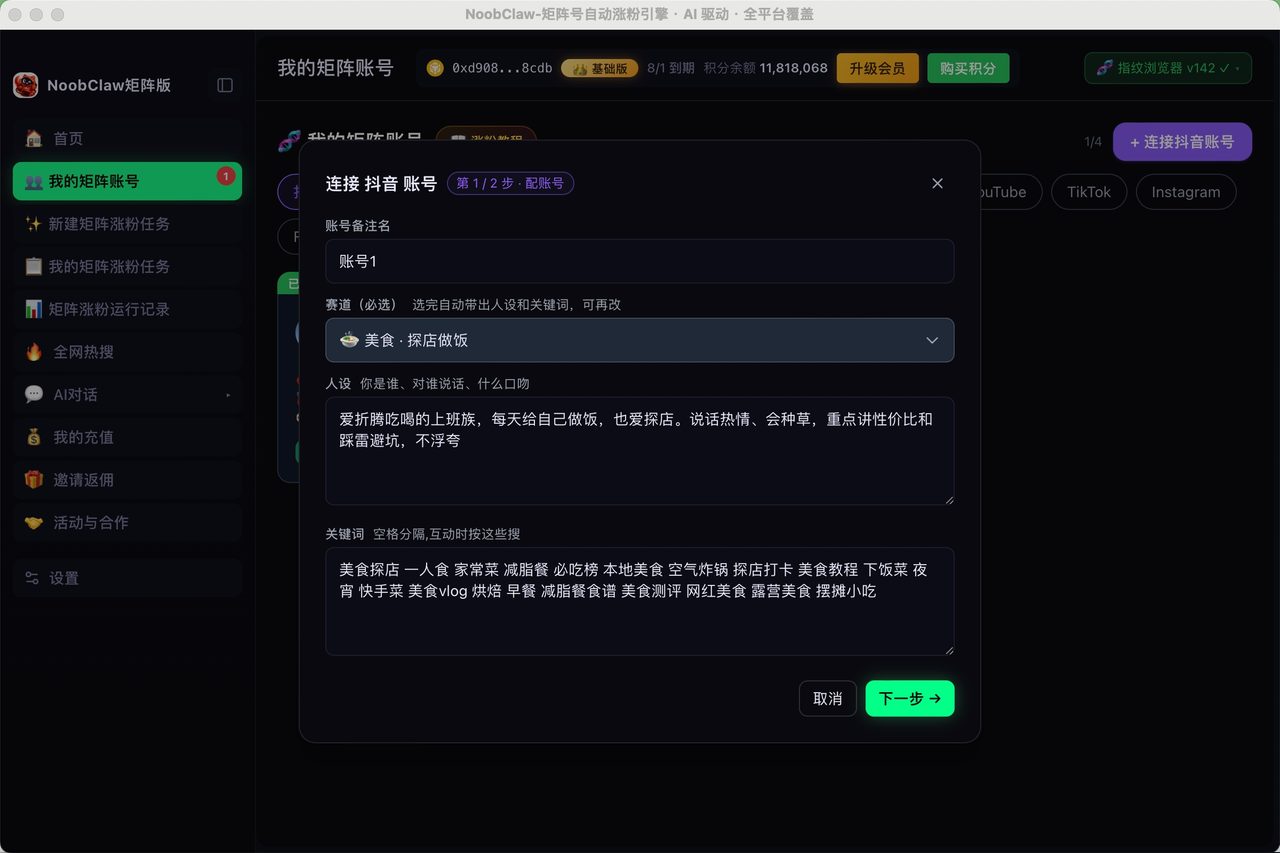
It stops fitting when the shape of the work changes: many accounts, each needing its own angle, each needing something different to say. That is a different problem from "my queue only holds ten". NoobClaw is built for that second shape — an AI matrix growth engine that runs on your own machine, signs into your own accounts in a fingerprint-isolated browser, and generates a distinct piece of content per account from that account's own niche and persona, instead of pushing one calendar out to everyone. Whether that is what you need depends entirely on whether your bottleneck is queue depth or content variety. If it is queue depth, the free native scheduler and a weekly refill habit will serve you better than any subscription.
FAQ
Can I schedule more than 10 Pins with a Business account?
No. The ten-Pin figure in Pinterest's help documentation is not tied to account type, and there is no upgrade path inside Pinterest that raises it. Published Pins free up their slot, so the practical workaround is refilling the queue every few days rather than trying to load a month at once.
Why can't I change the image on a scheduled Pin?
Because Pinterest explicitly excludes it. The help page lists what you can change after scheduling — publish date, title, board, description, link — and states that you cannot edit the image or video content. If the creative is wrong, delete the scheduled Pin and build it again.
Do third-party schedulers get a higher Pinterest limit?
They work through a different publishing route than the in-app queue, so the ten-Pin in-app cap is not what constrains them — their own plan limits are. That means the ceiling you feel simply moves from Pinterest's product to your subscription tier, which is why it matters so much what unit that tier is counting. Check that unit before you compare prices; for Tailwind it is a locked three-platform set, for Planoly it is an eight-channel bundle.