Multiple Pinterest Accounts: Email, Switching and Limits
- One email address can be connected to one Pinterest account at a time; that constraint is not a global account entitlement.
- Connected-account switching and business hierarchies are distinct workflows with their own access conditions.
- Business Manager’s up-to-20 wording applies to adding businesses at one time, not a documented universal total account maximum.
- Current guidelines restrict inauthentic or mass account creation and require explicit approval for automation; a browser workflow is not an exemption.
Pinterest documents ways to connect accounts and manage business hierarchies, but those help pages do not establish a universal unlimited account entitlement or a safe account count. Read the email, switching, ownership and policy conditions separately. In particular, a number attached to one Business Manager invitation operation is not a total account quota. This review explains the current official scope and an editorial inventory for accounts you actually own or are authorized to manage. It does not certify bulk creation, offer enforcement avoidance or diagnose a particular account.
A convenient switcher, a business permission and an account policy answer different questions. Count the work you are authorized to do before counting profiles in a tool.
What the email rule does and does not establish
Pinterest’s merge-accounts help says accounts cannot be merged and an email can be connected to only one account at a time. Temporary deactivation does not free that email for another account. These are specific account-management conditions. They do not prove that email availability is the only constraint or that any number of accounts is permitted.
For an existing set of legitimate accounts, make an inventory before changing anything: account identifier, owner, contact route, required task and current access. Keep sensitive login information outside the document. Do not close or deactivate an account just to make an inventory look simpler. A connection or email problem calls for checking the actual settings and official help for that account. Treat a remembered password, visible profile and authorized administrative role as separate observations; none should be invented to complete a spreadsheet.
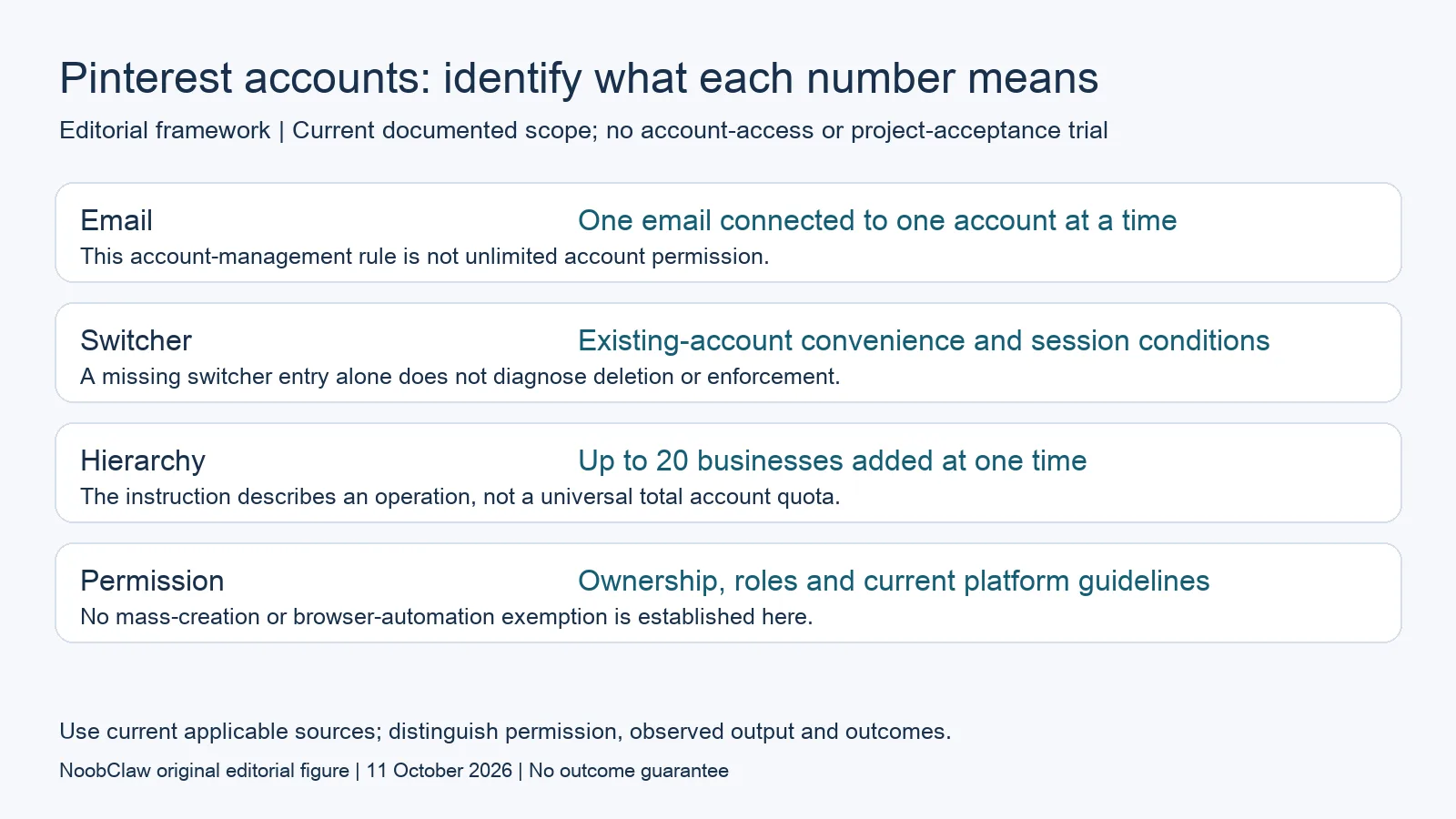
- Email: One email connected to one account at a time. This account-management rule is not unlimited account permission.
- Switcher: Existing-account convenience and session conditions. A missing switcher entry alone does not diagnose deletion or enforcement.
- Hierarchy: Up to 20 businesses added at one time. The instruction describes an operation, not a universal total account quota.
- Permission: Ownership, roles and current platform guidelines. No mass-creation or browser-automation exemption is established here.
Connect existing accounts without assuming legacy links
The current connect-accounts help describes adding an existing account with a different email and offers desktop and app switching paths. Its browser-session conditions explain why changing devices or clearing cookies can affect the switcher. It also says the earlier linked-business-account model is no longer supported. Do not present an old linked personal/business setup as the current general instruction.
Check which account and workflow you are looking at before interpreting a missing entry. An account disappearing from a convenient switcher does not, by itself, prove that the account was deleted or that a particular cache event caused the problem. Record the device, exact screen and notice, then compare that observation with the relevant current help. If a legacy account notice is shown, use the official account-specific explanation. This review has not inspected your login state and cannot promise that refreshing a browser or purchasing an account-management tool will recover access.
Read Business Manager numbers within the stated operation
Pinterest’s business hierarchy documentation describes parent and child accounts. Its Add business instruction allows up to twenty businesses to be invited at one time. That is the scope of the stated number; it should not be recast as a universal maximum for every Pinterest identity or as proof that there is no maximum elsewhere. The document also says businesses should add child accounts they own and keep client-owned accounts independent.
Permissions remain important after adding a child business. The help requires an Organization Manager and distinguishes access across a hierarchy from access that an ordinary user has been granted. Use the permission needed for the actual task. In a hypothetical agency worksheet, a client-owned profile might be listed as an independent client account with a specific authorized role, rather than absorbed into an agency-owned hierarchy. That example is an organizational decision aid, not confirmation that Pinterest approved a particular structure or that every employee can view every child account.
Account-management features do not override policy
Pinterest’s current Community Guidelines prohibit inauthentic accounts, creating accounts en masse and using multiple accounts to manipulate the platform. They also require explicit Pinterest approval for automation. The current page is dated May 2026; its displayed November 12, 2026 update is a future preview at this review date. We apply the current text, not the preview, and identify no exemption based on using a browser instead of an API.
A different account name, niche or posting rhythm is not evidence that an activity complies. Evaluate the purpose, authorization and actual content rather than proposing a numeric safe threshold. For example, a real shop can document which team member owns a product demonstration and whether the destination accurately matches it. That hypothetical record helps review the work; it does not prove that another shop can clone the activity across more accounts or evade a platform decision. Keep any actual notice separate from speculation about hidden detection rules or predicted reach.
Plan content and tool costs around authorized work
Build an editorial inventory from the tasks you can legitimately perform. A hypothetical small retailer might need one product explanation for one owned profile and a different instructional asset for an authorized client project. Record the audience question, required format, reviewer and destination for each. This is a workload example, not an experiment showing that different content prevents enforcement. Review the finished asset for relevance and source accuracy, and retain the actual account permission beside the publishing plan.
If a scheduling service is part of that work, count its current billing unit separately from Pinterest identities or Business Manager invitations. A connected-channel price and a per-account product price can describe different purchases. Neither grants platform permission. If you instead need a narrated demonstration, inspect the creative output before considering distribution. The bounded NoobClaw example below documents one local export; it does not show Pinterest posting, account linking, independent identities or an approved automation integration. Report any later click or sale under its actual destination and measurement window.
For the related content and workflow decisions, read Social Media Tool Pricing Models: Compare Workflow Costs and Join TikTok One: Eligibility, Project Access and Invite Checks. Each review has its own evidence and scope.
A creative output is separate from account access
NoobClaw publishes this article. Its public October 10, 2026 execution record documents one local creative run: 441 English input characters became a 32.6-second video at 1080 × 1920 pixels and 30 frames per second. This establishes one input and exported file. It does not establish account access, platform publishing, brand selection, copyright clearance or payment. Generic or off-topic footage needs scene-by-scene review; voice quality and footage rights were not independently approved. Treat this as a bounded production example, then assess the actual asset and destination separately.
The script-to-video guide and public creative execution record document a local video result, not external-platform publication. Check the current product offer against the supported action you need.

Frequently asked questions
How many Pinterest accounts am I allowed to have?
The reviewed help pages describe account-management workflows without establishing a universal unlimited entitlement or safe count. Read the requirements for your actual account and task, including ownership and current guidelines; do not infer permission from a switcher or available email addresses.
Does Business Manager allow only twenty businesses in total?
The cited Add business instruction says up to twenty at one time. This review does not turn that per-operation wording into a total hierarchy limit or a universal limit on personal accounts. Confirm any separate limit for your specific workflow.
Does a separate browser or different niche make automation permitted?
No such exemption is established here. The current guidelines require explicit approval for automation and address inauthentic and mass account creation. A tool feature, browser session or content variation does not grant that approval.
Sources
Official material reviewed on October 11, 2026. Document conditions apply to their stated service and scope; the editorial examples are explicitly hypothetical. TikTok help is dated July 2026; the Pinterest guidelines are the current May 2026 text, not the November 12 preview.