Human-Like Automation: Execution Is Not Account Approval
- Describe the action and method instead of relying on ‘human-like.’
- Consent, ownership and platform permission are separate requirements.
- An observed local output does not establish account or audience outcomes.
Human-like automation is a product description, not evidence that a platform approves a workflow or that accounts are protected from restrictions. Evaluate what the software attempts, which method it uses, who has authorized the action and what result was actually observed. Those questions remain relevant even when a task runs locally or includes delays. This analysis supplies no detection-evasion benchmark, safe action count or recovery promise. No multi-platform account experiment was performed for this article.
Natural-looking timing cannot replace a permitted task and a verifiable result.
Turn a reassuring adjective into specific questions
A purchaser can ask a vendor to replace ‘human-like’ with a concrete explanation: what input does the task accept, what action does it attempt, what access does it need and how can the operator stop it? These questions make the software description testable. A claim that an interval looks natural does not explain whether the intended action is permitted, whether a recipient requested it or whether the account owner understands the work being performed.
For a hypothetical creator, generating candidate introductions from an original script is a different proposal from sending automated replies to strangers. The first has an editorial output that can be inspected before publication. The second involves a destination, a method and other people. A vendor should not treat the creator's approval of a draft as blanket authorization for the second task. Keeping the stages separate allows the buyer to accept useful preparation while declining an unresolved account action.
Operational controls can be meaningful on their own terms. A configured limit can bound attempted work and a pause can allow review. The purchaser can inspect whether the report accurately distinguishes attempts and results. Such observations do not measure how a platform classifies the activity. A product evaluation should not become a search for a hidden detection threshold or a reason to make activity appear unrelated to its real operator.
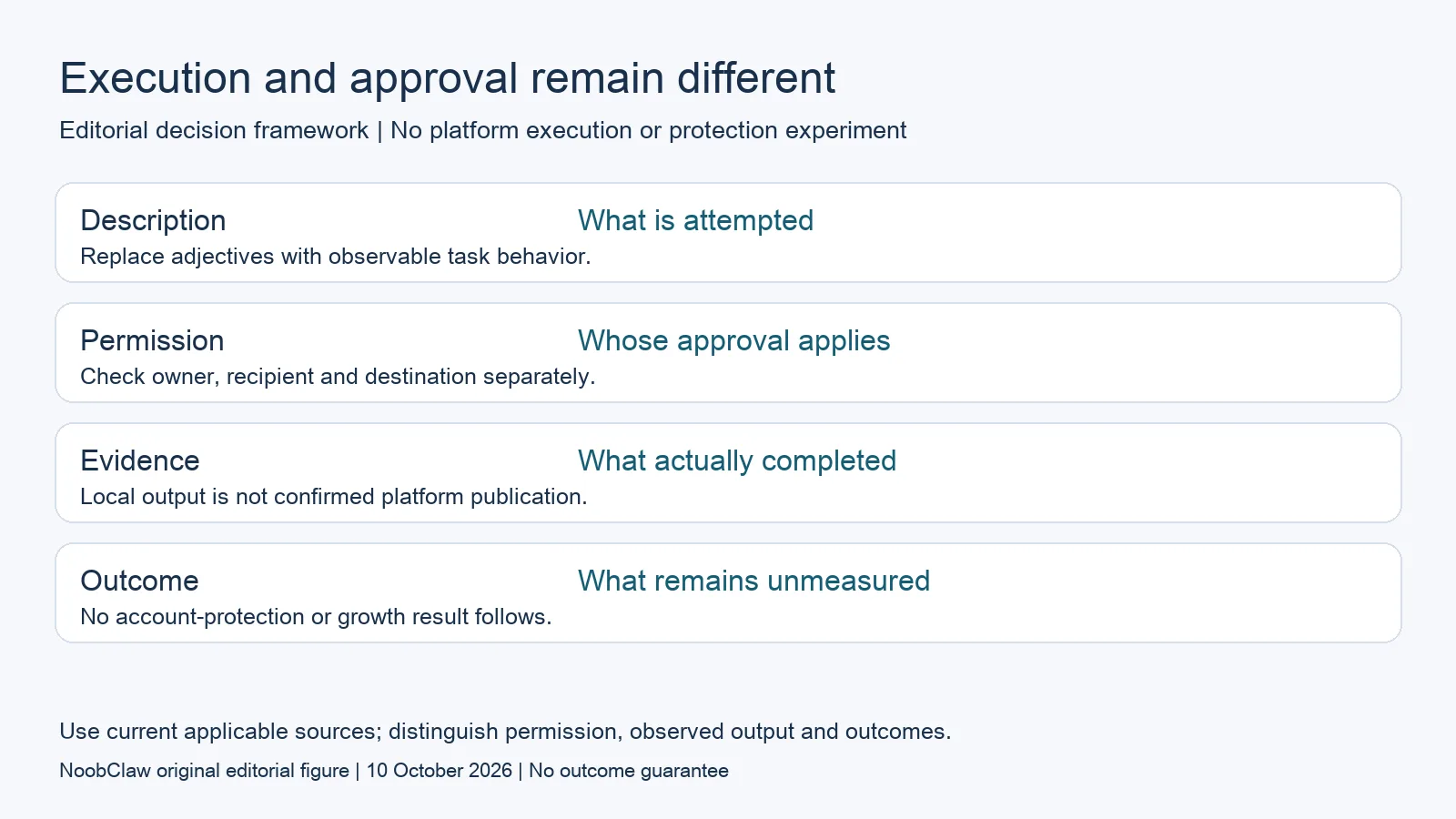
- Description: What is attempted. Replace adjectives with observable task behavior.
- Permission: Whose approval applies. Check owner, recipient and destination separately.
- Evidence: What actually completed. Local output is not confirmed platform publication.
- Outcome: What remains unmeasured. No account-protection or growth result follows.
Read method and action requirements at the destination
X's current official automation guidance restricts website scripting, prohibits automated likes and includes conditions for automated replies. This is a concrete example of why a familiar browser interface does not settle permission. Read the destination's current requirements for the actual task rather than converting that example into a rule for every service. An account being accessible and an action being authorized are different findings; neither should be silently substituted for the other.
Separate the account owner's consent from recipient expectations and platform permission. In a hypothetical customer-support workflow, an owner may approve a tool while a recipient has never asked for an automated message. A different recipient might request help while the proposed execution method remains unverified. The organization should identify each applicable requirement and evidence for it. A single checkbox or local login cannot be assumed to complete all these reviews.
Record source limitations. If current official guidance cannot be accessed, preserve that as an unresolved requirement rather than quoting an old search result as current permission. If a platform notice supplies an account-specific condition, examine the actual notice and the relevant official route. A generic product promise should not overwrite either source. The goal is a decision that can be inspected, not a more persuasive explanation of why the task supposedly escaped a platform's detection.
Measure the task without inventing a protection result
A hypothetical team can define a permitted acceptance task with original, non-sensitive material, a clear output and a stopping point. Its report should identify the software version, input, action attempted and result returned. A local creation task might end with an artifact that an editor accepts or rejects. A publication task needs confirmation at the intended destination. These are useful observations, but each conclusion must remain within the task that was actually evaluated.
Account-security organization is another question. Chrome's profile guidance distinguishes browser information while warning that device access can permit profile switching. It does not certify an automation method. A hypothetical agency should therefore connect account owners, access responsibilities and approved content rather than treating the number of working contexts as evidence of protection. Ordinary organization can reduce ambiguity in a team's review without establishing any measured change in platform outcomes.
Content has its own limits. The analysis of AI content generation separates drafts, local production and later publication. The repurposing review separates an adaptation from rights and original contribution. Use those distinctions when asking what a tool's demonstration proves. An output file is not a viewer, a response is not a qualified lead, and a click is not a purchase. A commercial-result claim needs evidence beyond a task log and should not be implied by a successful attempt.
For the related content and workflow decisions, read AI Content Generation for Social Media: Drafts to Video and Repurpose YouTube for TikTok and Shorts: What to Verify. Each review has its own evidence and scope.
Our public case supports a narrow creation claim
NoobClaw publishes this analysis and sells content tools. Its public execution record documents one supplied script producing a local MP4 draft. Sampled subtitles and the presence of an output were observed, while some stock visuals were not closely matched to the script. That is a concrete creation result with review needs. It does not demonstrate an approved platform publishing method, automated engagement, account protection or audience growth. An editor can inspect the local artifact and decide whether it should be revised. A buyer evaluating another task needs a separate description of the permitted method and an actual destination-specific record. The product guide contains the operating instructions for the documented creation stage; it is not a platform approval certificate. Keeping that boundary visible makes the evidence useful without turning a limited demonstration into a claim about a workflow that was never executed or measured.
Inspect the public script-to-video execution record and the script-to-video operating guide. Check the current product offer against the task you need.

Frequently asked questions
Does human-like timing prevent bans?
No measured protection result is established here. A delay is an execution setting. It does not supply ownership, recipient consent or a destination's approval of the action and method.
Is local browser execution automatically permitted?
No. Read the actual destination's current requirements. X provides an explicit example of method restrictions; that example should not be generalized into a rule for every other platform.
What is a useful vendor demonstration?
A bounded permitted task with inspectable input, output and stopping behavior. State the version and limitations. Do not enlarge a local artifact into a publishing, account-survival or commercial-outcome claim.
Sources
Official material reviewed on October 10, 2026. Document conditions apply to their stated service and scope; the editorial examples are explicitly hypothetical.