Cheaper Metricool Alternatives: Match Brands and Workflow
- Identify why Metricool is expensive for your workload: the brand step, a required feature, an add-on or a bundle you do not need.
- Compare the same currency and billing term. Starter covers five or ten brands; Advanced covers fifteen, twenty-five or fifty.
- Buffer bills channels with graduated rates; Postiz hosted plans bundle channels. Neither billing unit alone proves the lowest total for your actual inventory.
- NoobClaw addresses bounded creative tasks evidenced by text and a local video record. Do not assume that it replaces reporting, approvals or supported publishing integrations.
A cheaper Metricool alternative depends on which job and which inventory you need to replace. A small multi-network brand, many separate profiles and an agency requiring client approvals can produce different eligible plans even when someone describes all three as social media management. Start with the necessary work, then compare matching base prices, add-ons and limitations. This review uses current public Metricool, Buffer and Postiz offers without a universal cheapest claim or a speculative price-change story.
Compare the actual brands and profiles, the same billing period and the required functions. A smaller advertised starting price does not prove a cheaper equivalent workflow.
First establish the current Metricool baseline
Starter offers capacities of five or ten brands, while Advanced offers fifteen, twenty-five or fifty. On current monthly USD billing, Starter five is $25 and ten is $45; Advanced fifteen is $67, twenty-five is $107 and fifty is $210. Annual monthly equivalents are separately quoted at $20/$36 for Starter and $53/$85/$159 for Advanced. These base rates exclude applicable VAT and selected extras; keep the billing term beside every number.
The twenty-five-brand EUR annual equivalent is €69 with a matching USD annual equivalent of $85. The $107 quote belongs to the monthly USD view. That term difference does not document a dollar price changing between two historical days. Read the actual matched cards rather than treating a mixed capture as evidence that the vendor’s currency column is unstable.
The eligible tier depends on capabilities as well as brand count. The official overview puts approval, team and role management, and API access in Advanced or Custom. LinkedIn is available on paid plans, and X is a separately billed paid-plan add-on. An alternative comparison must keep the required function in scope: a basic publishing price does not stand in for an approval-enabled or API-enabled plan.
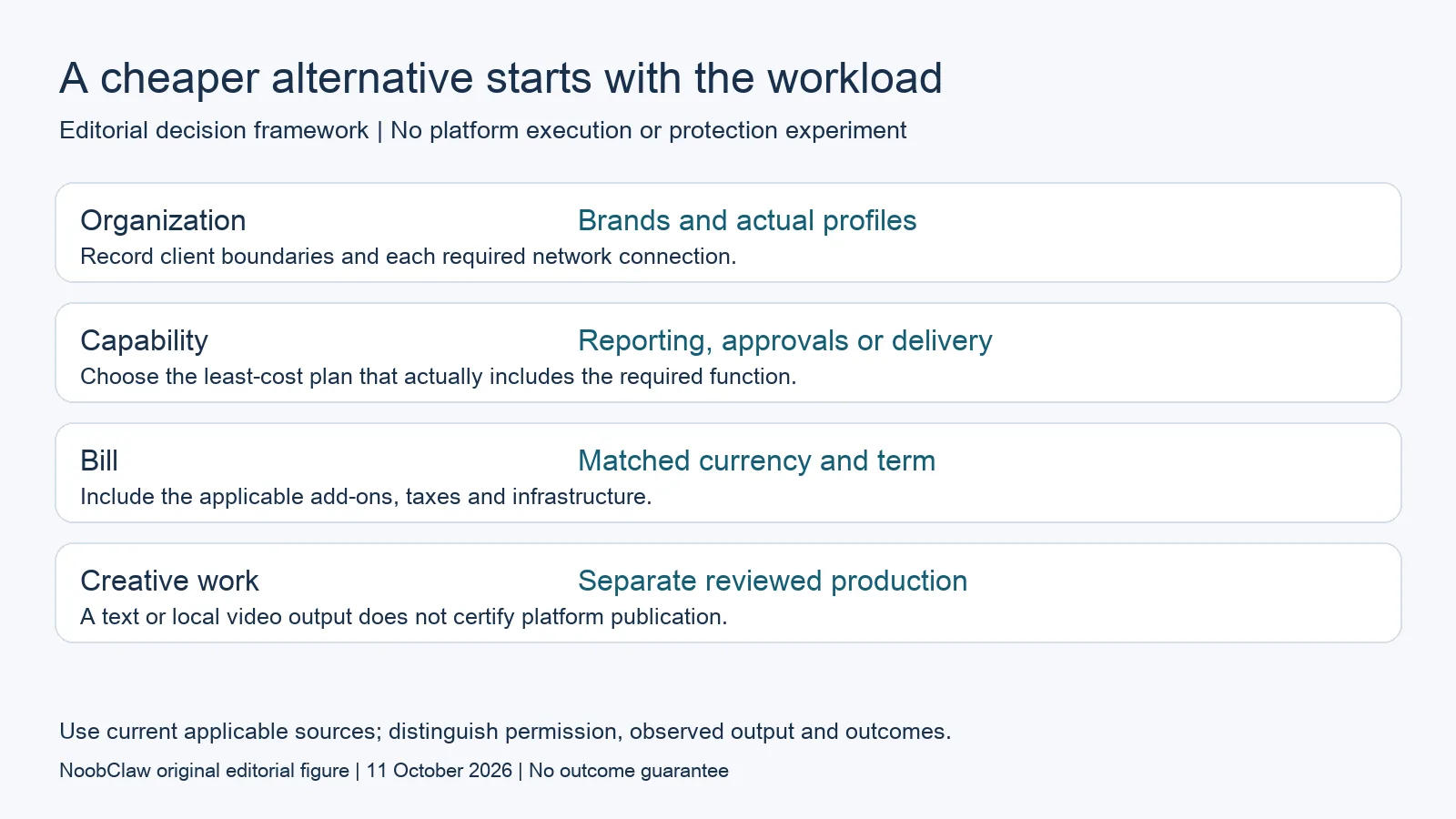
- Organization: Brands and actual profiles. Record client boundaries and each required network connection.
- Capability: Reporting, approvals or delivery. Choose the least-cost plan that actually includes the required function.
- Bill: Matched currency and term. Include the applicable add-ons, taxes and infrastructure.
- Creative work: Separate reviewed production. A text or local video output does not certify platform publication.
Translate brands into the profiles you actually manage
Metricool allows one profile per social network inside each brand. A business with one Instagram, one Facebook Page and one TikTok profile can have three profiles organized under one brand. Ten separately managed Instagram profiles require a different brand inventory. Use this definition to map your connections instead of multiplying every brand by all theoretically supported networks to invent a low unit cost.
Buffer defines a channel as one connected social account and bills its paid plans by channels. Postiz’s hosted plans also specify channel capacity, with several bundle sizes. A brand is therefore not equivalent to a channel. A brand-based subscription can compare favorably when several required profiles belong together, while a channel-based plan can fit a smaller set of individual connections. The actual inventory and required functions determine the calculation.
Write a worksheet with the client or business, network, profile type, necessary publishing format, approval requirement and reporting requirement for each connection. Profile type matters because automatic publishing, reminders and analytics can differ across supported destinations. A vendor’s headline list of networks is not a guarantee that the exact action you need works identically on every profile type.
Buffer: compare graduated channel rates and collaboration gates
Buffer’s current public pricing markdown lists Essentials monthly rates of $6 for channels one through ten, $4 for eleven through twenty-five, $3 for twenty-six through fifty and $1 thereafter. The rates are progressive, not one flat rate applied to all channels after reaching a threshold. Its displayed examples give five Essentials channels at $30 monthly and twenty-five at $120 monthly. Annual equivalents are a different comparison, not the same invoice.
Team includes approval workflows, access controls and unlimited team members. Its first ten channels are $12 each monthly, with published progressive rates beyond that band. The examples give five Team channels at $60 and twenty-five at $180 monthly. If approvals are required, comparing Essentials with a collaboration-enabled Metricool tier would omit a relevant feature gate. Keep the appropriate plan and the exact connection count on both sides.
Free Buffer offers three simultaneous channels and ten waiting scheduled posts per channel, with a slot becoming reusable after publication. That is a queue meter, not Metricool’s calendar-month publication meter. Buffer also documents AI drafting, refining and repurposing, so it is inaccurate to exclude content generation from the entire scheduler category. Compare the specific creation controls and output review you need instead of assuming all scheduled content must be identical.
Postiz: hosted bundles, trial boundaries and non-equivalent totals
Current Postiz monthly hosted cards quote Standard at $29 for five channels, Team at $39 for ten, Pro at $49 for thirty and Ultimate at $99 for one hundred. The current page describes a seven-day trial and a paid hosted subscription after it. The trial is not a permanent free hosted tier. The plan cards also list creative features and APIs; availability on a card is not a benchmark of output quality or equivalent reporting depth.
For an illustrative workload of five businesses with Instagram and Facebook for each, Metricool Starter five represents five brands and ten profiles. Its monthly USD base is $25. Ten Buffer Essentials channels cost $60 under the first rate band, while ten Postiz channels fit the $39 Team bundle. These base totals describe a particular inventory before tax or extras. They do not establish full feature parity, supported publishing formats or a universal ranking of the products.
For a second illustrative workload of ten separate profiles on one network, Metricool’s definition requires a different brand count: Starter ten has a $45 monthly USD base. The same ten-channel base examples remain $60 for Buffer Essentials and $39 for Postiz Team. Even then, the choice depends on required analytics, access and delivery features. Self-hosting Postiz is a separate operational option, not a promise of no infrastructure cost or immediate provider approval.
Reduce unused scope or separate the creative job
If you already use Metricool and only need fewer brands or less scope, evaluate the lower eligible tier before migrating. Check the official downgrade and cancellation behavior, the brands you will retain and the functions you would lose. A lower tier can save money only when the actual work fits it; removing active client brands to reach a price step is not a harmless accounting adjustment. Preserve needed information before changing a production account.
NoobClaw publishes this review and supplies a different creative route. Its public local-only video record used 441 supplied English characters and exported one 32.6-second file at 1080 × 1920 pixels and 30 frames per second. Those observations support a local creative input/output example. They do not show replacement of Metricool reports, an approval chain, social publishing or a lower total operating cost for your team.
The record flags generic or off-topic stock footage requiring scene-by-scene inspection; voice quality and stock licensing were not independently approved. Evaluate the caption, hook and spoken-script tools for the separate text job under their current allowance conditions. If you need a scheduler or reporting system as well, retain that cost and permission check in the worksheet. Splitting jobs helps only when the combined workflow still meets the actual requirements.
Choose the output you need: post-caption drafts, opening-line drafts or spoken-script drafts. These text tools have a limited anonymous allowance; they do not transcribe or publish a video.
For the related content and workflow decisions, read Metricool Free Plan Limits: Brands, Posts and AI Credits and Metricool Pricing: EUR, USD and Annual vs Monthly Billing and Postiz Self-Hosted Costs: Server, Providers and Maintenance. Each review has its own evidence and scope.
Two inventories can reverse the apparent cheaper choice
The five-business, two-network example uses five Metricool brands and ten scheduler channels, while ten separate profiles on one network use ten brands under Metricool’s stated definition. With current monthly USD base cards, the Metricool totals change from $25 to $45, while the ten-channel examples stay $60 for Buffer Essentials and $39 for Postiz Team. These are hypothetical inventory calculations, not customer outcomes. Choose the eligible features, confirm each connection and inspect checkout before treating any difference as a saving.
NoobClaw publishes this article. Its script-to-video guide and public creative execution record document a local video result, not external-platform publication. Check the current product offer against the supported action you need.

Frequently asked questions
Which product is always cheaper than Metricool?
This review does not establish one. The eligible functions, brand/profile inventory, billing term and add-ons can change the total; the defined examples are not universal rankings.
Are Buffer Free and Metricool Free limits directly comparable?
They use different meters. Buffer describes waiting queue slots per channel; Metricool’s specific Free FAQ describes publications per calendar month and counts each network destination separately.
Can NoobClaw replace a reporting suite in this comparison?
The public evidence here demonstrates text and one local video output. It does not verify reporting-suite replacement, approved client collaboration or external publication; evaluate the creative step separately.
Sources
Official material reviewed on October 11, 2026. Document conditions apply to their stated service and scope; the editorial examples are explicitly hypothetical.