Is TikTok Automation Safe? Separate the Questions
- Define the action and execution method before judging a tool.
- Local sessions and pacing are not platform authorization.
- A documented local draft does not prove a publishing or growth result.
TikTok automation has no universal safety answer based on a tool running in a browser or using random delays. Identify the specific task first: preparing a draft, accessing an account, publishing content and producing engagement are different activities. Evaluate each against its evidence and the destination's current requirements. This article explains that decision boundary without claiming a safe daily quota, a measured ban rate or approval for a particular browser workflow. No platform automation or enforcement experiment was performed for this review.
An execution setting answers what the tool attempts, not what the platform approves.
Split a vague safety claim into observable requirements
A creator asking whether a tool is safe may mean several things: will it expose account access, will it perform an unwanted action, will its output contain a false statement, or does the destination permit the proposed use? A single reassuring answer conceals these separate requirements. Record the action, account owner, input material, output destination and approval responsibility. That gives a reviewer something concrete to accept, change or reject. ‘Works like a human’ does not identify any of those requirements.
Take a hypothetical creator preparing three introductions for one original video. The first review is editorial: do the drafts accurately describe the video, avoid an invented personal experience and fit the intended viewer? The next question is whether any material has appropriate rights. Publishing is another decision with another method. It is possible to find a useful draft while deciding not to use a proposed publishing connection. The value of the drafting stage should not depend on pretending that it certifies all later stages.
Security controls serve a defined purpose. TikTok's official Security Checkup describes backup authentication, two-step verification, device review, suspicious-activity alerts and passkeys. These help organize an account-security review. They do not provide an approval list for third-party automated tasks. Keep a notice about unfamiliar access with the security investigation; keep a question about permitted publishing with the publishing decision. Neither can be settled merely by the presence of the other.
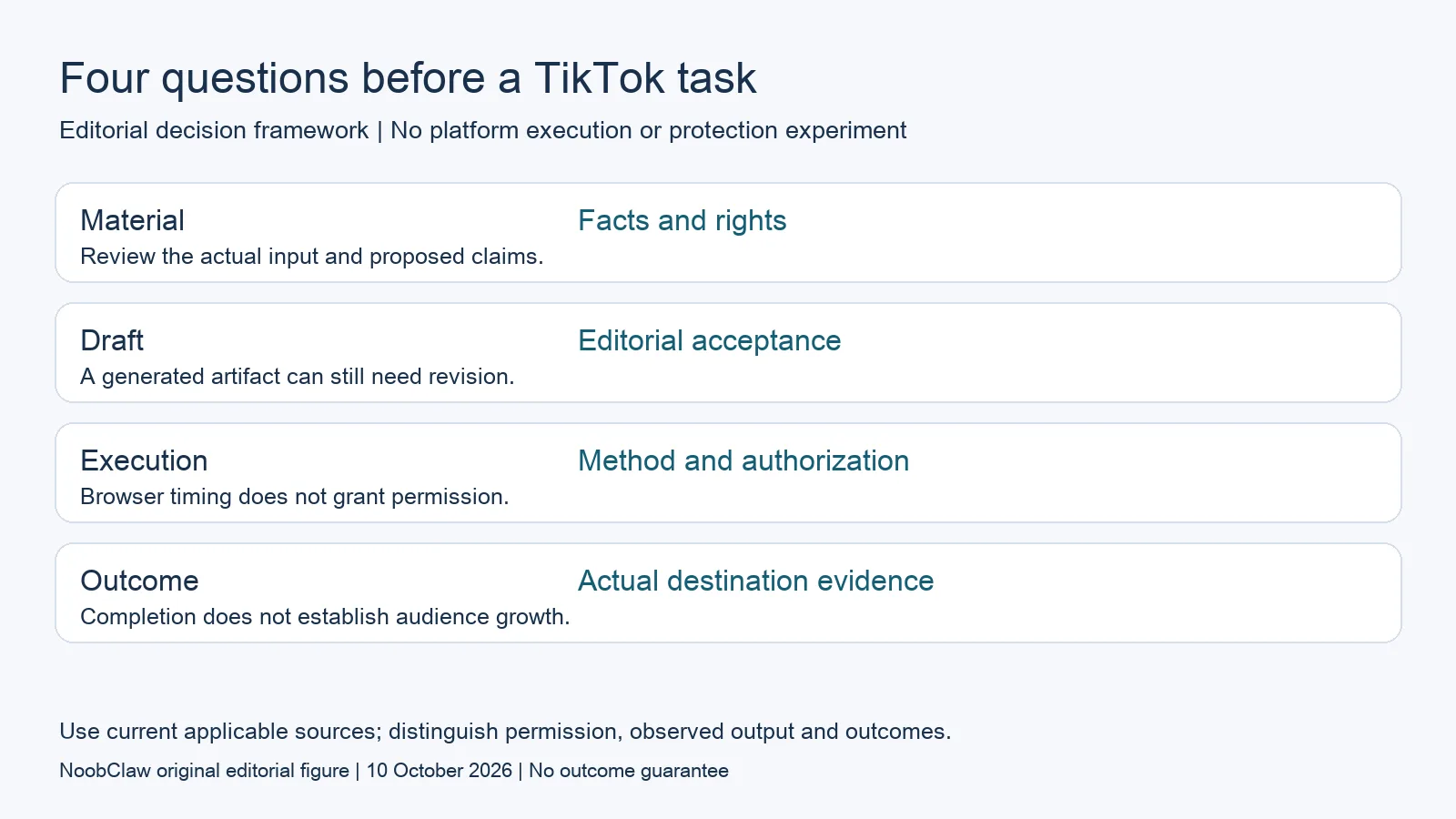
- Material: Facts and rights. Review the actual input and proposed claims.
- Draft: Editorial acceptance. A generated artifact can still need revision.
- Execution: Method and authorization. Browser timing does not grant permission.
- Outcome: Actual destination evidence. Completion does not establish audience growth.
Ask what the software can actually demonstrate
A product demonstration should show its actual input, attempted action and returned output. If the demonstration ends with a local file, the evidence ends there. If a task tries to publish, inspect the destination and the actual result separately. A report saying that an attempt ran is not the same as a confirmed post, an eligible recommendation or an audience response. The operator should be able to locate the evidence without relying on a sales story about accounts surviving for months.
Request a precise description of controls. A cancellation button can be evaluated for whether it stops the attempted work. A configured limit can be compared with a run report. Those observations are meaningful operational checks. They are not measurements of a platform's hidden detection system. Do not translate a visible setting into a safe number of likes, comments or follows. No count offered here has been validated as a TikTok-approved quota, and we do not infer permission from an account having no visible warning during a short period.
Current source access also has limits. The TikTok security documents cited here were directly readable on the review date. A direct reread of the current guideline destination was unsuccessful, so this article does not present an old search snapshot as a verified current rulebook. Before authorizing a platform action, consult the destination's current official requirements through an accessible official channel. That remaining check is more honest than filling a missing source with a confident theory about invisible behavioral thresholds.
Design a review that can stop at the drafting stage
For a hypothetical small brand, a useful workflow can begin with an original demonstration and a clearly defined viewer question. An editor requests candidate hooks, checks the proposed claims against the demonstration and selects one to revise. The approved text stays associated with the source material and the person responsible for it. That workflow has an observable output even if the team has not selected any automated publishing method. Separate approval stages prevent the desire for efficiency from answering an unresolved permission question.
A browser profile can help distinguish working contexts, but Chrome's documentation does not turn profile separation into account immunity. It describes separate browser information and warns that someone with device access can switch profiles. Treat the account label as a way to reduce an operator's ambiguity. Do not claim that it makes automated activity undetectable or changes a platform's requirements. Hardware, a session label and a delay setting cannot substitute for a permitted use case.
Measure the stage you actually completed. Draft acceptance, local export, confirmed publication, viewer response and a qualified inquiry need different records. A creator can reject an inaccurate draft without diagnosing account health. A team can also pause an unverified execution method while continuing useful editorial work. For the content side of the decision, the caption, hook and script analysis distinguishes the required drafts; the AI content review separates drafting, local production and publication without claiming audience results.
For the related content and workflow decisions, read TikTok Caption vs Hook vs Script: Choose the Right Draft and AI Content Generation for Social Media: Drafts to Video. Each review has its own evidence and scope.
A real local draft is narrower than an account-safety test
NoobClaw is the publisher and a content-tool vendor. Its public script-to-video record documents one local output, with observations about the supplied script, exported file and sampled subtitles. It does not demonstrate a TikTok publishing method, automated engagement, moderation approval or customer acquisition. Some stock visuals were not closely matched to the script, which is a reason to review the draft rather than treat completion as acceptance. The case is useful because its limit is visible: an editor can inspect a created artifact and decide whether it meets the intended story. It would be misleading to extend that result into a zero-ban claim for another task. Readers looking for the specific creation controls can use the separate product guide. Readers evaluating an account action need an additional, task-specific authorization and execution record, not a stronger adjective attached to the same local file.
Inspect the public script-to-video execution record and the script-to-video operating guide. Check the current product offer against the task you need.

Frequently asked questions
Is browser automation automatically safer than an API?
No universal comparison is established by running locally. Inspect the permitted method, the action and the account-access arrangement. A local session is not a platform authorization document or a measured protection result.
What daily action count is safe?
This article establishes none. A software limit describes configured work; it is not a published platform-approved quota. Do not increase activity to search for an invisible threshold or use another account to escape a restriction.
Can I still use AI to prepare content?
Evaluate the drafting task separately. Check factual accuracy, rights and intended audience, then review the applicable requirements for publication. One useful stage does not certify every later stage.
Sources
Official material reviewed on October 10, 2026. Document conditions apply to their stated service and scope; the editorial examples are explicitly hypothetical.