
Create a narrated video draft from your script
NoobClaw’s desktop stock-video workflow combines a supplied script, selected voice, online visuals and subtitles into a local MP4 for review.
For creators who already have an explanation to tell and want help assembling a narrated draft. Use your own editor or footage when precise visual control is the priority.
Download NoobClaw · Check plans and credits
What one actual run produced
On 10 October 2026, we supplied a 441-character English script and chose one local-only output. The exported MP4 measured 32.6 seconds at 1080×1920 and 30 frames per second, with an AAC audio stream. Sampled frames showed English subtitles.
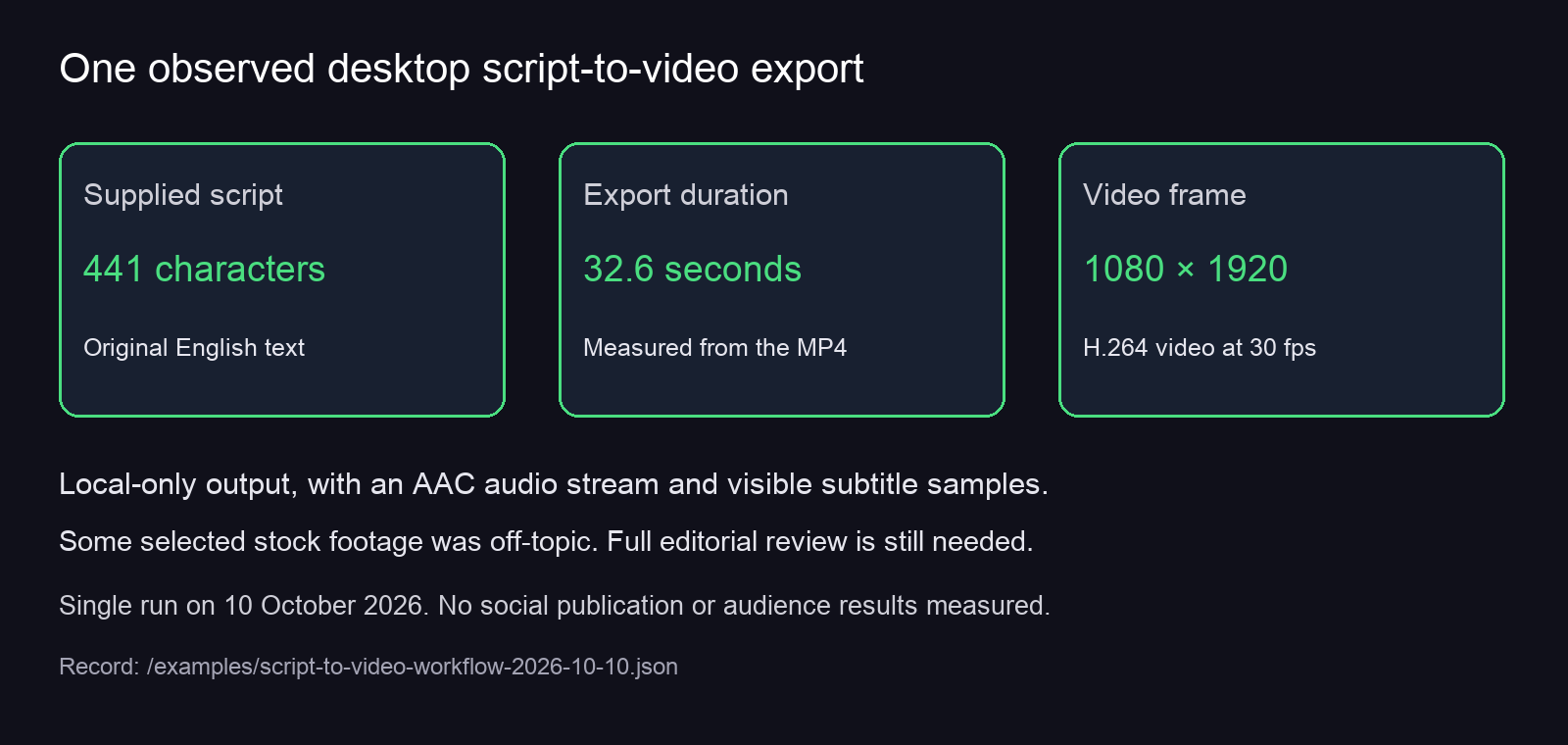
Some selected footage was generic or off-topic. We verified an export; we did not approve every scene, pronunciation or timing boundary, and did not publish it to a platform. These measurements describe one run, not a promised speed or quality level.
What you can configure
- Script mode: strict reading of supplied text, or a separate AI-reference writing mode. The test used supplied text.
- Visual source: online stock material or local uploads. We tested online material, with 9:16 output and the 4-second shot-pace option.
- Voice and subtitles: the test used American English Jenny on the Edge voice path and burned-in subtitles. The interface offered subtitle size, position, color and outline controls.
- Output decision: choose local-only saving separately from platform uploading. Our task was one output with no repeat schedule.
Configuration controls do not guarantee that each automatic choice is suitable. Review the produced file and the provenance and reuse conditions of its material.
Check the prerequisites
This is an installed desktop workflow, not a browser video generator. In the tested wizard, an existing connected account profile was required even for local-only saving. The strict-reading field displayed a 200–800-character range. Internet access was needed for the online workflow.
Free downloading and a free voice option do not mean unlimited free video production. Review current plans, credits and task charge information in the app before starting. The walkthrough was verified in the Chinese interface, using English text and an English voice.
Choose the workflow that fits your missing step
If you only need a post description, use the caption tool. For an opening, use the hook tool; for spoken text, use the script tool. These web tools return text and have separate allowances.
Use this desktop workflow when you need a narrated video draft from supplied text. Our test does not establish automatic long-video clipping, perfect scene matching, offline AI or a complete publishing-and-approval suite.
Follow the tested setup and local-export Guide · Review plans and credits