AI Tools for Content Creators: Choose the Missing Stage
- Match the tool to an accepted output, not a broad AI category.
- A caption, opening hook, spoken script and rendered video are different deliverables.
- Keep content review, destination confirmation and audience response separate.
Choose an AI creator tool by the missing output in your workflow. If you need a caption, inspect a caption; if you need a narrated video, inspect the actual file. Account capacity and an AI label cannot answer those questions. NoobClaw offers web text tools and a documented desktop script-to-video workflow, which meet different needs and have different operating conditions. This guide maps a concrete brief to the right stage, shows how to review the output and explains where current products overlap. It does not present an unrecorded cross-platform trial or promise that browser automation protects an account.
Compare the accepted artifact and remaining work for the same brief.
Write a small brief that makes the requested output testable
Consider a hypothetical creator explaining a new product feature. The brief includes the correct specification, one audience question, the intended format and a clear purpose. It may need a short description under a video, a spoken opening and the full narration. These are three related pieces of work, not three interchangeable names for one generator. Define which one is missing before choosing a tool. An attractive description cannot replace the spoken explanation that viewers actually hear.
A caption tells the reader what the accompanying post offers and provides necessary context. A hook opens the explanation and gives the audience a reason to continue. A script supplies the sequence that the opening promises. A useful review asks whether each part is accurate and whether the later content delivers on the beginning. This is an editorial criterion, not evidence that a particular phrase increases retention. A creator can reject a punchy opening that the supplied material cannot support.
Keep the input packet short enough to inspect: the source, the accepted product facts and the intended audience. Label unresolved specifications instead of asking the generator to fill them with a plausible answer. For an announcement, the output should preserve units, dates and availability conditions. If those facts are not yet confirmed, change the brief or ask for clarification before publishing. Fluent copy does not validate the source, and a tidy outline does not prove that the stated feature exists.
Specify what would make the draft unacceptable. Examples include a missing condition, an unsupported statistic, an opening unrelated to the source or a request the product cannot fulfill. These criteria help compare candidate drafts without an invented numerical quality score. Keep the rejected version alongside the accepted one when evaluating a tool. If the revision took substantial work, record that work rather than reporting only the time spent pressing Generate. The accepted artifact is the useful comparison unit.
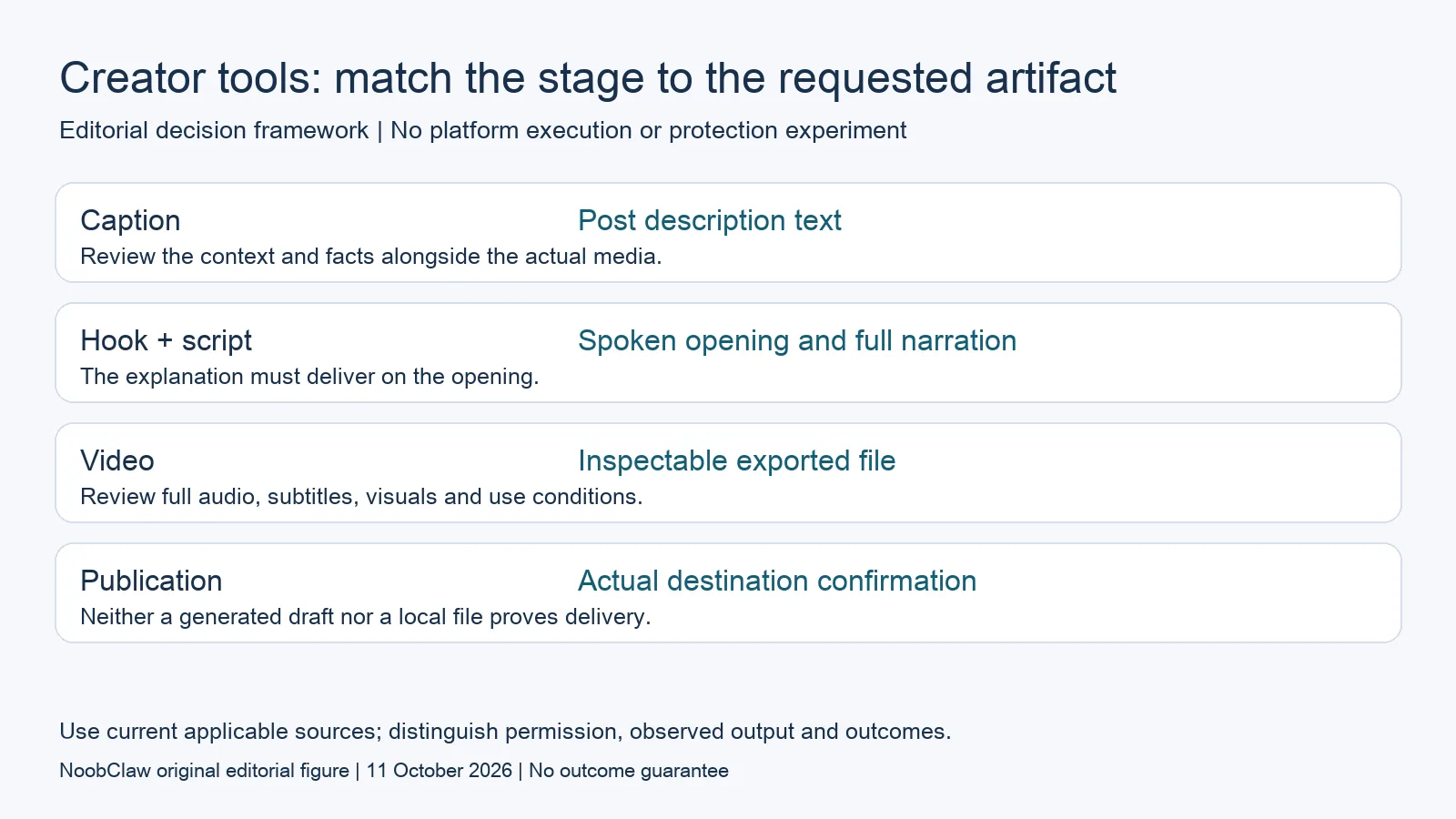
- Caption: Post description text. Review the context and facts alongside the actual media.
- Hook + script: Spoken opening and full narration. The explanation must deliver on the opening.
- Video: Inspectable exported file. Review full audio, subtitles, visuals and use conditions.
- Publication: Actual destination confirmation. Neither a generated draft nor a local file proves delivery.
Choose text assistance or a rendered-video workflow
NoobClaw's current TikTok caption, hook and script tools produce text for these different briefs. The desktop script-to-video guide describes another stage: turning supplied narration into a local video with voiceover, stock visuals and subtitles. A text-tool visit does not establish that a video was rendered, and a local file does not establish that a destination received it. Use the existing tool or guide for the stage you need instead of expecting a similarly named blog article to perform the task.
Current alternatives overlap in useful ways. Buffer's AI Assistant helps generate and refine post text; Hootsuite's Wisdom also describes drafting and content generation, with people retaining publication control. Some Wisdom integrations are still labeled coming soon. This is a dated reading of advertised capability, not a comparative account test. It rules out the blanket claim that a management tool cannot create content while leaving the exact output and operational fit to be checked.
For a text task, request alternatives from the same source and compare them against the acceptance criteria. Look for a clear explanation, accurate claims and a tone appropriate to the audience. Repeating the exercise with another brief can expose different limitations, but a few drafts do not establish a long-term winner. Preserve the prompt, selected candidate and edits. Do not infer an account-protection advantage or guaranteed engagement from a draft that sounds more natural.
For a video task, inspect the actual exported file. Check spoken words, subtitle timing, readability, visual relevance and whether the media can be used for the intended purpose. A screenshot of a completed progress bar cannot answer these questions. Review the entire artifact before using it publicly, even when sampled frames look correct. A stock image can be visually polished and still misrepresent the explanation. Request a different media approach when the brief requires a precise demonstration the available stock material cannot show.
Build one complete content packet before expanding the process
Use one reviewed source to assemble a packet with the accepted script, selected opening, description and any rendered media. Include the source date and the changes needed during review. A hypothetical product demonstration can then be evaluated as a complete explanation rather than a stack of unrelated generated fragments. This is a proposed working method, not a claim that we operated an account campaign. The packet makes it possible to identify what remains before distribution.
If you adapt the packet for another destination, check the audience, supported format and meaning again. A short caption and a longer article may need different context, but adaptation should not introduce new product facts or an unsupported result. Avoid changing merely a few words to manufacture a supposedly distinct explanation. Ask what the second audience needs to understand and what evidence supports it. Then preserve the adapted version and its own review decision.
When a tool offers publishing or interaction, separately verify the current permitted method and the account's requirements. The X automation rules, for example, prohibit non-API website automation. The fact that a desktop task can operate a browser is not a platform permission or an immunity claim. Check the specific service and action rather than carrying an assumption across destinations. This article establishes no safe daily quota, approved pause pattern or long-term account-survival result.
Finally, distinguish readiness from an audience outcome. An accepted packet may still require an authorized connection and a confirmed public result. Exposure, questions, follower changes and business events should be recorded at their own stage and time. A click is not a paid sale. If the required reporting or attribution is unavailable, mark that limitation rather than guessing a return. Expand the process after checking the actual completed stage, so the tool choice stays attached to a useful deliverable.
For the related content and workflow decisions, read TikTok Caption vs Hook vs Script: Choose the Right Draft and AI Content Generation for Social Media: Drafts to Video. Each review has its own evidence and scope.
Our inspectable example: a supplied script became a local video
NoobClaw's public execution record documents one supplied 441-character script producing a 32.6-second local MP4 at 1080 by 1920 and 30 frames per second. Sampled subtitle checks were recorded. Some stock visuals were imperfectly matched, and full audio and visual review remained necessary. The example is useful for inspecting a creation output, including what still needed checking; it is not a destination upload, long-video clipping or translated-voice test. It contains no Buffer or Hootsuite trial and no campaign, account-survival or sales observation. NoobClaw publishes this guide and sells the tools, so readers should keep that vendor interest visible and request an example matching the actual brief they intend to produce.
Inspect the public script-to-video execution record and the script-to-video operating guide. Check the current product offer against the task you need.

Frequently asked questions
Can a caption generator produce the whole video?
The current web caption tool returns text. The documented desktop script-to-video workflow is a different task with its own setup and review conditions.
Are AI schedulers unable to create content?
No. Current Buffer and Hootsuite materials describe AI creation assistance. Evaluate the exact deliverable and feature status instead of treating all products as identical.
Does human-like browser activity protect an account?
No protection result or permission is established by a browser interface or random timing. Verify the applicable platform rules before executing a task.
Sources
Official material reviewed on October 11, 2026. Document conditions apply to their stated service and scope; the editorial examples are explicitly hypothetical.