Douyin LIVE Comment Automation: Check the Actual Permission
- Read Douyin-specific terms; TikTok rules are not interchangeable.
- Automated access, account use and comment content need specific review.
- No multi-account LIVE trial or safe comment quota is established here.
A Douyin LIVE comment automation proposal should begin with the action and the applicable permission. A story about thirty-four accounts or five methods does not answer that question, and this review has no recorded multi-account LIVE experiment. Douyin's current user agreement addresses automated access and information processing, unrelated or excessive promotional information, and account use. Those conditions deserve a direct reading before connecting a tool to a live audience. Preparing an accurate host brief can be a separate content task. It does not authorize software to enter comments, impersonate participants or manufacture interest.
A prepared answer is useful; a fabricated viewer is a different claim.
Identify the actual LIVE action before comparing methods
A hypothetical host preparing a product demonstration may need a running order, a concise explanation or draft answers to expected questions. Those are editorial artifacts that can be reviewed before the broadcast. A proposal to access live comments, collect participants' information or post through several accounts is a different action with different requirements. Write each action separately. The fact that one task needs no connection to Douyin does not establish that a connected task is allowed.
Douyin's agreement is explicitly for Douyin and its stated related products. It was updated on February 13, 2026 and effective on February 20. It also notes that enterprise or institution account terms take priority for those account types and that additional platform rules apply. Do not substitute an English TikTok policy or a vendor's generic automation statement for that scope. The operator needs to check the actual account type and feature, not only recognize that both products distribute short videos.
Section 5.1 addresses third-party tools and automated access, collection or processing in its network-security provisions. Section 4.6 addresses spam, excessive marketing and information unrelated to the commented content. These are relevant conditions for a comment proposal; a tool offering randomized wording or timing does not resolve them. This review does not infer that every form of content drafting is prohibited, nor does it supply permission for a specific live integration. Keep the source's conditions attached to the action being considered.
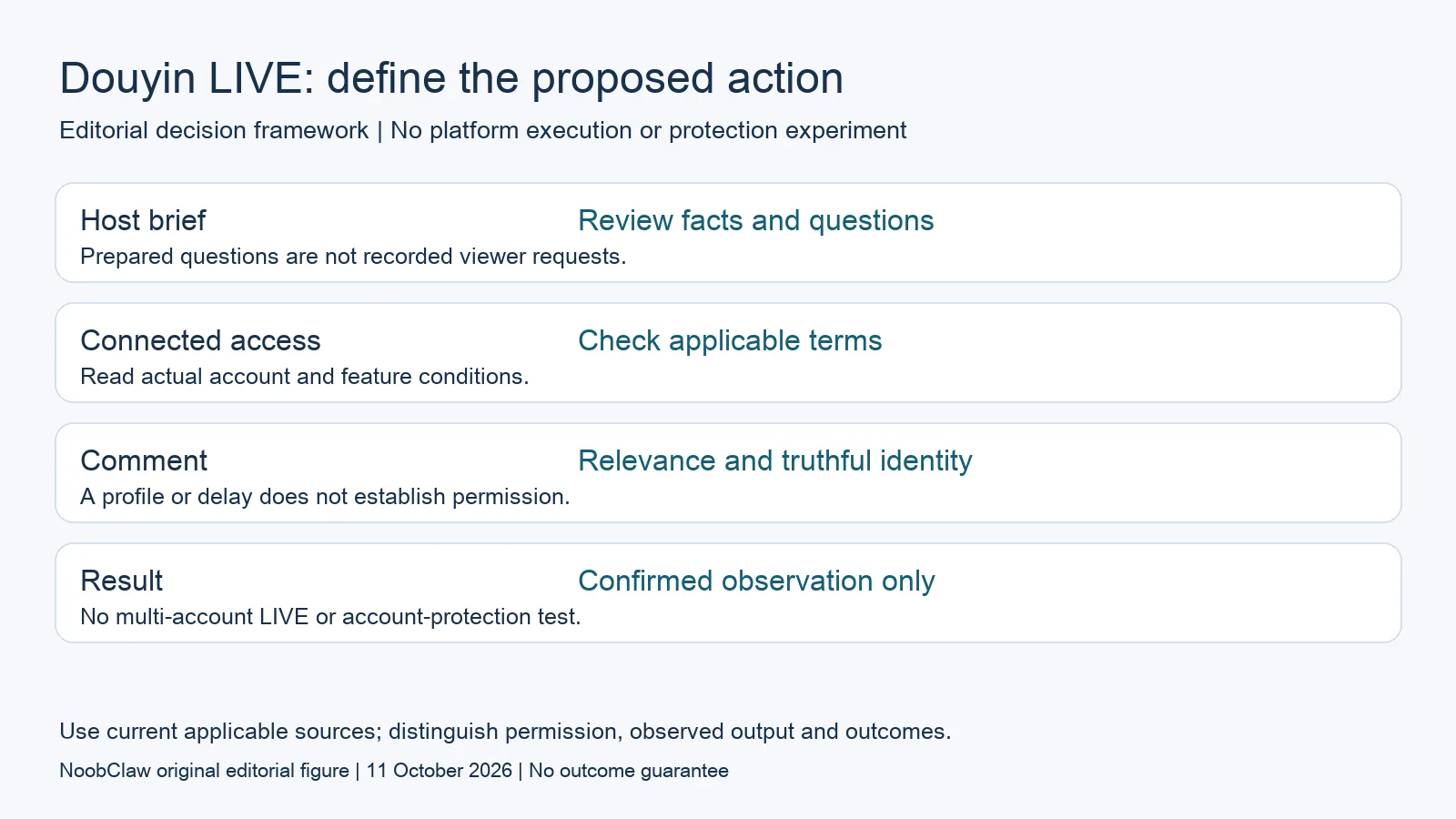
- Host brief: Review facts and questions. Prepared questions are not recorded viewer requests.
- Connected access: Check applicable terms. Read actual account and feature conditions.
- Comment: Relevance and truthful identity. A profile or delay does not establish permission.
- Result: Confirmed observation only. No multi-account LIVE or account-protection test.
Make host assistance useful without fabricating audience activity
For a hypothetical broadcast explaining an original product feature, an editor could prepare the host's factual outline and a list of uncertainties to disclose. Each factual statement should trace to the actual demonstration or documentation. The host can then distinguish an observed capability from an aspiration. That gives the assistant a concrete content job without inventing comments that appear to come from independent viewers. It also helps a reviewer reject inaccurate claims before they are spoken to an audience.
An FAQ draft should be labeled as prepared material, not a transcript of questions viewers actually asked. If a hypothetical viewer question is used to structure a demonstration, preserve that label in the brief. Do not populate a live stream with fictitious testimonials, manufactured demand or copies of a promotional line across accounts. A draft can help the host answer a real question, but it should not be sold as evidence that the community already asked it or endorsed the product.
The agreement includes conditions for clearly labeling certain non-real AI-generated or otherwise confusing media. Apply the stated scope to the actual content; do not claim that a label approves all automated account behavior. A video draft with generated narration needs factual and production review alongside the relevant disclosure decision. Content disclosure, account access and permission to post are separate responsibilities. None is established simply because the generator returned a file or because the operator intends a commercial benefit.
Keep account access and a proposed deployment reviewable
A hypothetical organization should identify who owns the account and which terms govern its use before inviting an operator or connecting another service. Douyin's user agreement restricts personal account transfer, lending and other use by another person; organization accounts require their relevant terms. This article provides no workaround for those conditions. A legitimate business requirement should be reviewed through the applicable official arrangement, rather than treating possession of a password as sufficient authorization.
Chrome's profile documentation explains separate browser information and warns that someone with device access can switch profiles. A label can help an operator identify a working context; it does not turn that context into a separate person or establish permission to act through it. A profile, proxy or interval setting also cannot prove that a live comment is relevant, truthful or wanted. Require the actual permission and content evidence for the proposed task instead of choosing the method that sounds most human.
If an appropriately authorized task is later attempted, preserve its input, actual destination, returned result and any unresolved notice. Distinguish a prepared host script from a confirmed comment and from genuine audience response. This review has no verified live publishing result, account-enforcement comparison or follower measurement. The linked content and automation analyses address their own narrower scopes. A team can finish a useful editorial brief while postponing an unverified connection; that is a concrete output, not a claim that a hidden threshold was discovered.
For the related content and workflow decisions, read Douyin AI Content Bots: Permission, Drafts and Limits and Blotato Alternatives: Choose by the Workflow You Need. Each review has its own evidence and scope.
A local video record does not establish a LIVE integration
NoobClaw is this article's publisher and a content-tool vendor. Its public example records a supplied script producing one local MP4 draft with stated dimensions, duration, sampled subtitle checks and production limitations. It includes no Douyin LIVE session, comment collection, account connection or multi-account execution. Some visuals needed better relevance, and audio presence did not establish complete quality approval. That evidence can inform an editor considering a draft asset for a later reviewed brief. It cannot substantiate a claim that one comment method protected thirty-four accounts or created audience engagement. The creation guide explains the local task separately. Before any destination use, the team still needs the material's rights, accurate claims, appropriate disclosures and an applicable authorized method. No safe daily amount or restoration guarantee follows from this example.
Inspect the public script-to-video execution record and the script-to-video operating guide. Check the current product offer against the task you need.

Frequently asked questions
Which LIVE commenting method is guaranteed safe?
None is established by this review. Read the current Douyin-specific conditions for the actual action and account; a timing setting or local session does not grant permission.
Can AI help prepare a host brief?
Evaluate the offline content task separately: verify facts, label hypothetical questions and review the actual media. That does not authorize connected collection or posting.
Do profiles make each commenter an independent viewer?
No such identity or approval result is established. Chrome profiles separate browser information and can be switched by someone with device access. They do not substantiate an independent endorsement.
Sources
Official material reviewed on October 11, 2026. Document conditions apply to their stated service and scope; the editorial examples are explicitly hypothetical.