LinkedIn Post Edits: Edited Labels, Articles and Notifications
- Feed posts display Edited; article updates follow different rules.
- Article updates do not generally notify connections, but new mentions can notify the mentioned member or Page.
- Text, attached media and audience settings have different editing limits.
LinkedIn does not have one editing rule for every publishing format. A feed post and a published article are different objects. If you are correcting a typo, replacing a video or adding a mention, identify the object first. The current official Help pages support a specific answer about labels and article notifications; they do not support an assurance that nobody will notice your change or that an edit improves reach.
Editorial rule: identify the publishing object before answering whether a change is visible.
What LinkedIn actually says about edits
LinkedIn's shared-post Help page says a text edit adds an Edited label. Its article page says saved article updates have no edit indication and do not generally notify connections; newly mentioned members or Pages receive mention notifications. Article editing is unavailable in the mobile app. These are format-specific statements, not a universal promise that all edits are silent.
Shared post text can be edited, but attached rich media cannot be replaced in that post; changing it requires a new post. Adding a URL does not produce a new preview image. The Help page describes a three-day share-box memory for the last link. Shared-post visibility cannot be changed after publication, and scheduled posts use the visibility selected when created.
Those facts resolve the main confusion without predicting the algorithm. In your own publishing record, use separate fields for format, changed field and observed result. A comment calling attention to an edit, a new mention and the platform's Edited label are three different events. Only one is the ordinary text-edit marker described here. If someone reports a notification, ask what the message actually says before using it as evidence for a different format.
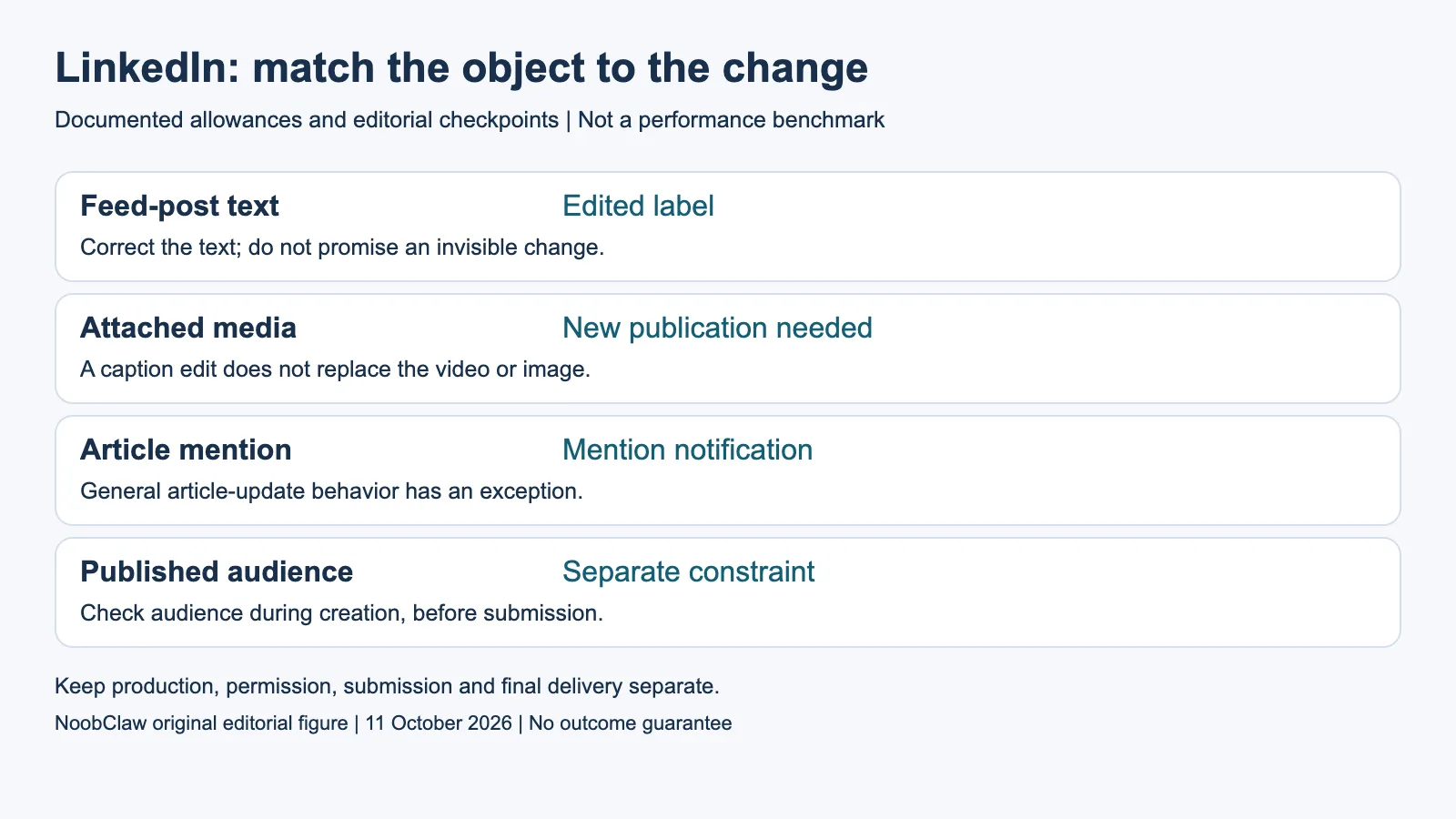
- Feed-post text: Edited label. Correct the text; do not promise an invisible change.
- Attached media: New publication needed. A caption edit does not replace the video or image.
- Article mention: Mention notification. General article-update behavior has an exception.
- Published audience: Separate constraint. Check audience during creation, before submission.
Worked decisions: typo, wrong video and new mention
Consider an illustrative three-item publishing checklist, not a test of a live LinkedIn account. Item A is a feed post with a misspelled product name; item B has the wrong attached video; item C is an article that needs a new expert mention. A text correction is suitable for A if the existing audience remains appropriate. For B, editing the caption does not solve the media problem. For C, the article's general update behavior does not make a newly added mention silent. These are different decisions even if the author calls all three actions editing.
For A, keep a copy of the earlier wording if accuracy or customer commitments matter. Make the correction readable and check any quotation or number affected by it. For B, decide whether the correction warrants a replacement publication, then inspect the new asset, intended audience and links before submitting it. Treat a replacement as a separate item with its own URL and history; do not silently combine engagement from the old item and the new one as if the change were only text.
For C, confirm the mention serves the reader and identifies the intended person or organization. Save a pre-edit copy when you need a change record, because an external editorial archive is easier to audit than memory. A factual correction may also need a visible editorial note, regardless of whether the interface supplies a marker. The point of that note is to explain a substantive change, not to manufacture more interaction.
Check the audience and the full asset before saving
Build your review around the fields the change can actually affect. Read the revised text with its existing image, video or document rather than judging the sentence alone. A corrected date in the caption can still conflict with the date burned into a video. A repaired link can still point to an outdated offer. The useful completion condition is a consistent publication, not merely an edit button that accepted your input.
Use the intended audience as a second decision gate. If the item belongs with a different audience, first compare what is currently visible with what you intended. Do not rely on a text correction to alter a separate audience setting. For a future item, select and check the audience during creation. Keep that audience choice in the approval record alongside the asset and caption, especially when someone else will schedule or publish the content.
NoobClaw's public local-production example contains a 441-character English script and a 32.6-second export at 1080 by 1920 pixels and 30 fps. Audio and subtitles were observed, while generic footage did not adequately match the subject and asset rights were not approved for release. This is a useful pre-publication review example: a technically produced file can still require editorial work. It does not demonstrate a LinkedIn upload, an edit notification or a distribution result.
An edit is not a controlled reach experiment
Do not turn an interface rule into a reach forecast. Correcting an error is worthwhile because the reader gets more accurate information. It does not follow that impressions will reset, that an early edit will be penalized, or that a late edit is irrelevant. The official editing pages cited here do not establish a reliable first-hour ranking rule. Use your actual analytics to describe observed performance instead of presenting speculation as a documented mechanism.
If you compare two versions published on different days, label the comparison as observational. Different audiences, timing, media, topic interest and distribution can contribute to the result. A new post with a new opening is not automatically a controlled A/B test. Record the exposure window, actual sample size and what changed, and avoid crediting the edit alone for a difference that could have several explanations.
The practical sequence is straightforward: identify the object, identify the field, correct the material, check its surrounding media and audience, then inspect the saved result. Maintain a record when the change affects a substantive claim. That gives an editor a concrete task they can complete today without promising invisibility or an algorithmic benefit. Where the cited rules are silent about a notification type, report the uncertainty rather than extrapolating from the article rule.
For the related content and workflow decisions, read Post to Multiple Social Media at Once: Methods and Checks and Upload to Multiple Platforms at Once: Free Options. Each review has its own evidence and scope.
NoobClaw publishes this article. Its script-to-video guide and public creative execution record document a local video result, not external-platform publication. Check the current product offer against the supported action you need.

Frequently asked questions
Does editing a LinkedIn feed post leave a marker?
Yes. The current shared-post Help page describes an Edited label. The article-editing page has a different rule; identify which publishing object you are changing.
Will editing an article notify my connections?
The official article page says updates do not generally notify connections, while members or Pages newly mentioned in an edit receive mention notifications. Do not extend that statement to every feed-post notification.
Should I repost a corrected item to improve reach?
Choose a replacement when the required field cannot be corrected in the existing item or a substantive correction needs a new publication. No reach improvement is guaranteed, and two separate posts are not automatically a controlled experiment.
Sources
Official sources checked on October 11, 2026. Current Help pages, program dates and limited rollouts are distinguished from historical reports. Documentary worked examples are illustrative, not tests of account enforcement, notification delivery, restoration or payment. The linked local-production record has a separate observed scope and limitations.