Grow an X Account with AI: Drafts, Rules and Evidence
- Use original material and inspect every proposed factual claim.
- Check X's allowed method and action-specific requirements.
- Measure publication, response and qualified inquiries separately.
AI can assist with preparing an X content draft, but an accurate draft and a permitted publishing method are separate decisions. Start with your own material and a clear viewer question, then review the proposed wording before selecting how it will reach the account. X's current automation rules place requirements on methods and actions; a local browser session or human-like delay does not override them. This article offers an editorial and permission framework, not a follower-growth benchmark or a claim that NoobClaw has platform approval.
A better draft needs evidence for its claims and permission for its destination.
Give the draft a source that an editor can inspect
A useful starting input is a concrete observation that the author can support: an original demonstration, a measured result with its sample, or an explanation of work the author actually performed. Ask AI for candidate ways to express that material, rather than asking it to invent a successful personal story. The editor should be able to connect each factual sentence to the source. A plausible anecdote is still unsupported when nobody can locate its record, even if it makes a more dramatic introduction.
For a hypothetical software team, the input might be one documented local export with an imperfect visual choice. A candidate post could explain what was produced, what still needs review and who may find that stage useful. Another candidate might claim the export generated customers. The second claim would require a different record, so the editor should reject it rather than make it sound more natural. Good revision improves the reader's understanding of the available evidence; it does not conceal the absence of the next outcome.
Separate choices of voice from statements of experience. A concise, friendly or technical tone can fit different readers while describing the same verified result. ‘I tested this for thirty days’ is a factual assertion, not a tone setting. The person approving the post must be able to support that assertion. Keep ownership and permission for any quoted material alongside the draft. Rewriting a public post does not by itself establish a right to present its author’s experience as your own.
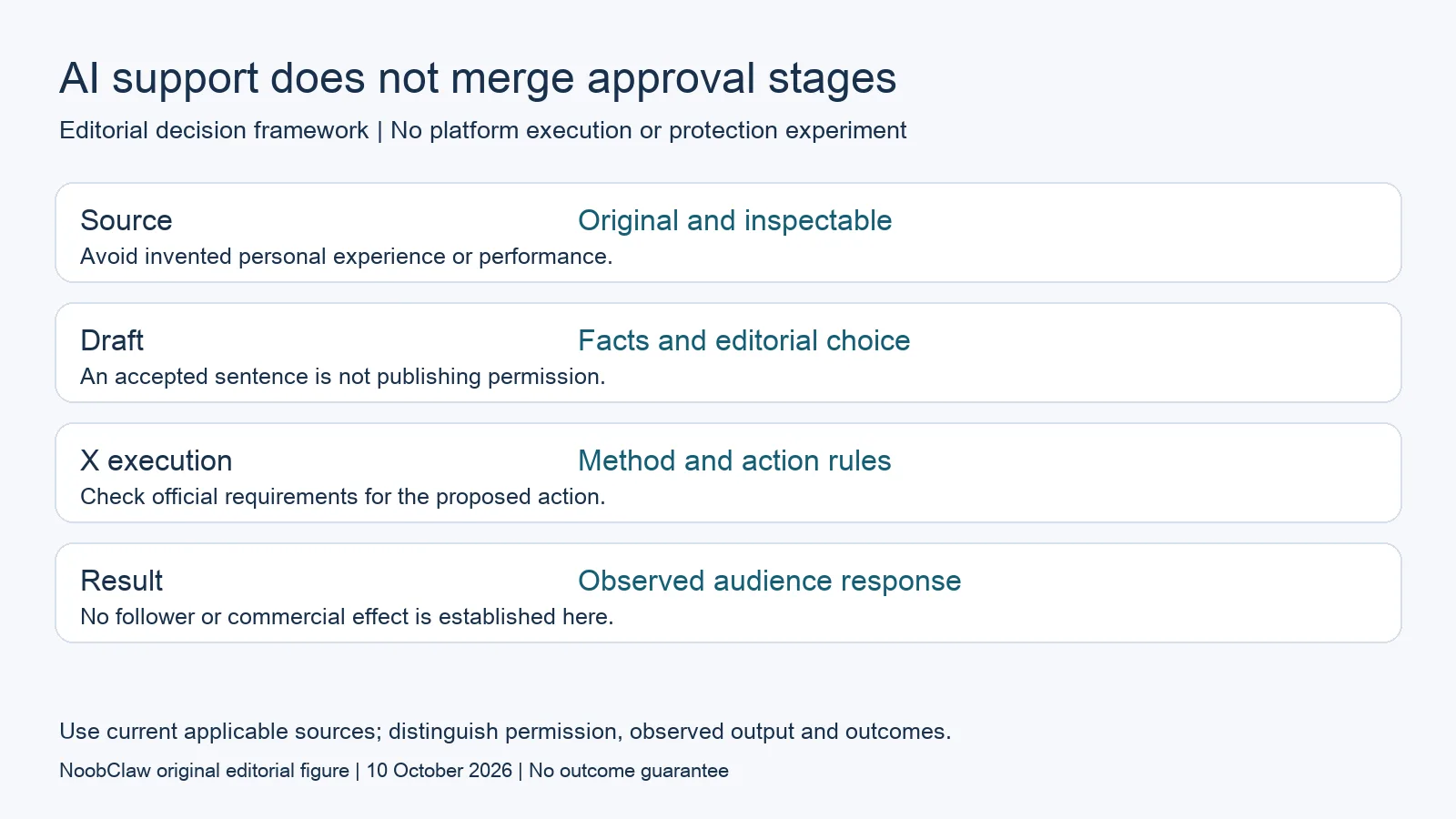
- Source: Original and inspectable. Avoid invented personal experience or performance.
- Draft: Facts and editorial choice. An accepted sentence is not publishing permission.
- X execution: Method and action rules. Check official requirements for the proposed action.
- Result: Observed audience response. No follower or commercial effect is established here.
Check X's execution rules before choosing a connection
The current official automation page restricts non-API automation such as scripting the X website and prohibits automated likes. It also places conditions on automated replies, including prior written approval for AI reply bots. These are action and method requirements, not settings that an operator can replace with randomized timing. A tool working through a logged-in browser therefore needs more than a claim that it uses an authentic session. Do not treat account access as evidence that the destination approves the proposed automation.
Keep the proposed action explicit. Preparing a local draft, publishing an original update and sending an automated reply are not interchangeable use cases. The owner can approve the wording while withholding approval for an unverified execution method. A recipient's consent question also does not disappear because the account owner likes the message. For current details, read X's automation rules and account-behavior guidance at the time of the decision, including the relevant conditions for the particular action.
A buying conversation should be able to stop when the method is unresolved. Ask the vendor what task it performs, what access it needs, how the result is confirmed and which permission evidence applies. If the vendor can only show that its software generated text, use that as text-generation evidence. It does not establish permission to send unsolicited replies or automate an otherwise restricted interaction. An attractive interface cannot supply a missing authorization record.
Evaluate an editorial cycle without promising followers
For a hypothetical account sharing product-development lessons, decide the audience question before composing an update. One post might explain why a sampled subtitle needed correction; another might compare two editorial versions of the same explanation. Their usefulness comes from the actual material and the decision being explained. Do not multiply substantially similar messages across accounts just to create the appearance of a broader conversation. The intention and originality of each destination need their own review.
After permitted publication, record what actually happened: whether the correct version appeared at the correct destination, what readers asked, and whether any qualified inquiry followed. Keep impressions, clicks, responses and purchases separate. A post with a larger audience may still fail to answer the intended question. Conversely, a useful response from the intended reader can reveal a missing explanation even when the sample is too small to evaluate a growth rate. A short observation window is not a controlled proof of an AI tool's effect.
The content-generation analysis separates drafting from video production and publication. The repurposing review describes editorial adaptation and source limits. Use those distinctions to decide what support is needed for the next update. An editor may choose to prepare fewer, more specific drafts if the available firsthand material is limited. That is a workload and quality decision; no follower total or platform recommendation is promised by adopting it.
For the related content and workflow decisions, read AI Content Generation for Social Media: Drafts to Video and Repurpose YouTube for TikTok and Shorts: What to Verify. Each review has its own evidence and scope.
A visible NoobClaw draft is not an X growth case
NoobClaw publishes this article and sells content tools. The public execution record documents one supplied script producing a local MP4 draft, with sampled subtitles and limitations in some stock visuals. It does not demonstrate X posting, approved AI replies, audience growth or customer acquisition. Readers can inspect the narrow output record and decide whether the creation stage fits their material. They should not interpret it as certification of another platform task. A hypothetical X update about that record could accurately describe the local draft and its review needs. It could not accurately call the same file a measured follower-growth result. Keep that boundary when evaluating any vendor's demonstration: ask which event was observed and which additional events remain unmeasured. The product guide supplies the operating instructions for the documented creation stage. Permission to publish or interact on X must be reviewed separately against the actual method and current official requirements.
Inspect the public script-to-video execution record and the script-to-video operating guide. Check the current product offer against the task you need.

Frequently asked questions
Does using my logged-in browser approve X automation?
No. Account access and the permitted execution method are separate. Read X's current automation rules for the actual action; local operation and random delays do not replace their requirements.
Can AI automatically reply to everyone mentioning a topic?
Do not infer permission from a keyword match. The official rules include consent and action-specific conditions, and AI reply bots require prior written approval. Inspect the current text before choosing a workflow.
Will AI increase my followers?
No follower effect is established here. Evaluate factual draft quality, confirmed permitted publication and actual reader response. Any growth estimate would need a defined sample, time period and a separate outcome record.
Sources
Official material reviewed on October 10, 2026. Document conditions apply to their stated service and scope; the editorial examples are explicitly hypothetical.