How to Repost TikTok to Instagram: Files, Audio and Rights
- Keep a usable master and inspect the full file before preparing a separate Reel.
- Different platform music conditions do not prove their catalogs never contain the same track.
- Your own recording can contain other rights or unapproved claims; a clean file is not permission or a reach guarantee.
To repost your TikTok content to Instagram, start with an approved source file, adapt the intended Reel and review its audio and other assets for the destination use. Keeping an editable project and clean master gives you an inspectable production route. It does not guarantee recommendation eligibility, ownership of every component or successful delivery. This guide proposes a workflow; it does not document a paired TikTok-and-Instagram publication experiment.
Use the documented condition and the observed account result; keep unsupported explanations unresolved.
Keep an inspectable master instead of assuming a universal removal trick
Prefer a project or approved master you can inspect directly. Record the file version, aspect ratio, duration, caption placement and included audio. If you only have a previously downloaded copy, inspect the complete playback before deciding whether it fits the new brief. A watermark can occupy different areas in a particular file, but this article does not establish that every crop always destroys every frame or that every download service produces the same artifacts.
Instagram's dated May31,2023 ranking explanation says it aims to make certain low-resolution, watermarked and other specified Reels less visible. That is a published historical explanation, not the exact current weight of a signal or a prediction for your upload. Removing a visible mark does not independently certify originality, rights or distribution. The source is useful for defining a production review, while actual performance needs its own measured outcome.
For a hypothetical project, retain the editable version and a named export intended for each destination. If a required change cannot be made safely in the rendered copy, revisit the project or decide whether a new recording is appropriate. Check what your own authorized tools actually offer rather than promising a particular no-watermark save option for every account. Editing capability, permission to use an asset and the intended publication are separate questions.
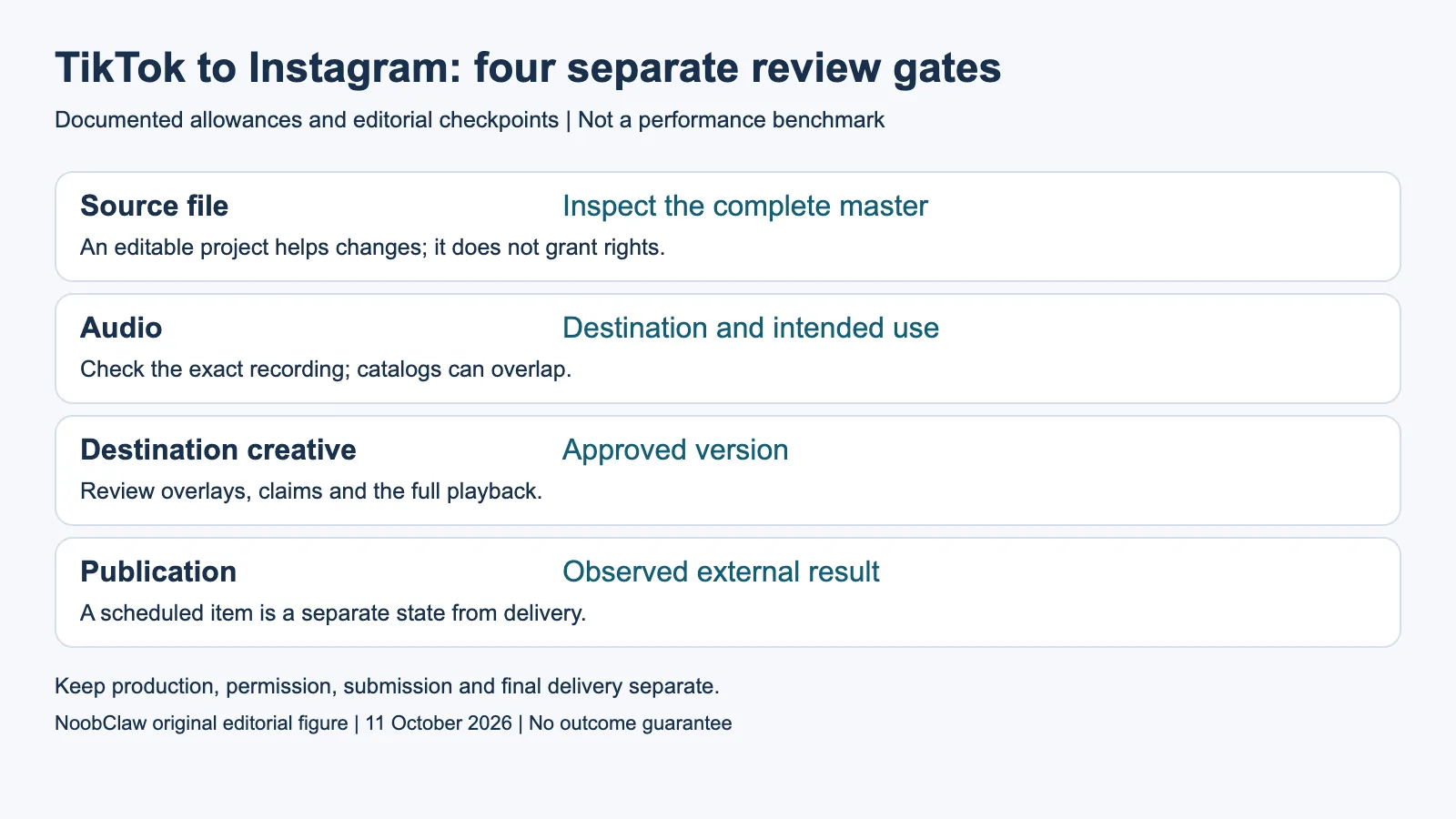
- Source file: Inspect the complete master. An editable project helps changes; it does not grant rights.
- Audio: Destination and intended use. Check the exact recording; catalogs can overlap.
- Destination creative: Approved version. Review overlays, claims and the full playback.
- Publication: Observed external result. A scheduled item is a separate state from delivery.
Check the audio for the destination and intended use
The current rendered Meta Music Guidelines say users are responsible for their content and that the terms do not grant music rights. Commercial or non-personal use requires the appropriate licenses. Unauthorized music can be blocked, muted or removed, and even licensed music may have geographic limitations. The rendered document identifies its effective date as March26,2024; it does not certify a particular track or campaign for this reader.
Different catalogs and use conditions do not mean that the same track cannot appear in both products. Identify the exact recording, destination, account context and intended use, then inspect the applicable permission. Do not treat a TikTok library selection as blanket evidence for the Instagram use. This guide has not audited either entire music catalog, negotiated a license or determined the rights applicable to a particular production contract.
An original voice recording also needs a complete asset review. Check whether it includes background music, another person's contribution or a claim that lacks evidence. Authorship of the voice is not a guarantee that every part of the file can be used without restriction. If the permission remains unresolved, leave that audio variant unapproved and choose an appropriately supported alternative. A different soundtrack should also be checked against the timing and meaning of the finished edit.
Adapt the Reel using a concrete review brief
Consider an illustrative forty-second source video with a product demonstration, two text overlays and a library soundtrack. Create a destination brief with three checks: the product claim remains supported, important overlays are readable in the preview, and the audio use is resolved. This is a proposed review case, not a completed cross-post or a claim that forty seconds is an optimal format. Keep the source and destination versions clearly labeled.
Play the full destination export at normal speed, then inspect the frames containing product details and text. Preview the interface that will show the content when available. If an overlay competes with an interface control, adjust it and review again. A generic central text zone is not guaranteed safe for every future interface. Keep the actual observed preview result with the file version rather than certifying that one universal layout always works.
Evaluate the opening against the destination brief. A joke, sound or reference that depends on one platform may need explanation or a different introduction. That is an editorial choice, not evidence that two seconds of editing reliably changes reach. Choose same-day publication or a later schedule for the actual audience and project requirement; this article provides no controlled timing experiment or universal advantage for delaying a repost.
Separate accepted creative from completed publication
Keep three stages in the record: the source approved for reuse, the destination creative accepted, and the intended external publication observed. A scheduler accepting a file or a future date is not the final public result. Check the actual destination when the post is expected and preserve any relevant error or pending state. The permitted method and account conditions must be assessed independently of file quality.
NoobClaw's public local example used a 441-character English script and exported a 32.6-second file at 1080 by 1920 and thirty frames per second. Audio and subtitles were observed, while generic footage was partly off-topic and voice quality and asset rights remained unapproved. The record contains no upload-only file-preservation test, before-and-after media hash comparison or paired platform publication. It cannot support a promise of no re-encoding or a guaranteed cross-posting result.
For recurring work, save the approved brief, source project, destination file and review decisions together. Name who resolves an unapproved component and who checks the external result. The useful completion condition is the actual task agreed with the editor or client, with each unresolved stage visible. More reposts do not resolve an unsupported product claim, an unclear music permission or a publication that has not been observed.
For the related content and workflow decisions, read Upload to Multiple Platforms at Once: Free Options and AI UGC Creator: Jobs, Deliverables and Disclosure. Each review has its own evidence and scope.
NoobClaw publishes this article. Its script-to-video guide and public creative execution record document a local video result, not external-platform publication. Check the current product offer against the supported action you need.

Frequently asked questions
Are TikTok and Instagram music catalogs completely different?
This article establishes no disjoint-catalog claim. Check the actual recording and the destination use conditions rather than inferring permission from its presence elsewhere.
Does my own voice recording always travel freely?
Inspect every component, contribution and claim in the recording. Authorship alone does not certify unrestricted use of the complete file.
Does removing a watermark guarantee more reach?
The cited dated ranking explanation describes a consideration, not a guaranteed result. Rights, content review, permitted publication and measured audience performance remain separate.
Sources
Sources inspected on October 11, 2026. Instagram and Meta Help or terms are read from the recorded rendered variants, including Chinese-language text; raw HTML shells are not treated as complete policy bodies. The TikTok Help bodies available through official search captures have crawl-date and direct-access limitations; they are not authenticated account tests. Dated announcements retain their scope. Worked cases are illustrative; publication, restoration, sales and payment are not observed results.