
AI UGC Creator: Jobs, Deliverables and Disclosure
- An AI UGC creator may deliver synthetic ads, AI-assisted human content, or a licensed likeness; these are different briefs.
- Agree on assets, revisions, usage and acceptance before choosing a generator.
- Apply the destination’s current disclosure rules; a metadata record does not replace a publishing decision.
An AI UGC creator produces or edits content that uses AI and resembles creator-made material. The useful buying question is what you will actually receive: a synthetic scene, a human performance edited with AI, or a licensed digital representation. Those outputs require different review and delivery arrangements. This guide explains the work and the checks a client can make; it does not promise creator income or advertising performance.
A convincing render is an asset to review, not proof that a person used or endorsed the product.
What does an AI UGC creator actually do?
A synthetic-ad brief starts with a message and produces generated scenes or performances. A human-led brief begins with someone’s real recording and uses AI for tasks such as script drafting, caption work or editing. A likeness brief asks for an identifiable person to be represented digitally. Treat these as working categories for a brief, not as an industry census or a claim that every client uses the same job title.
Ask what the visible speaker represents. A fictional demonstrator explaining a feature is different from a real customer describing an experience. If the line says “I used this every morning,” the client needs evidence for that experience; generating a voice does not supply it. Rephrase unsupported testimony into a supported product explanation, or commission and verify an actual experience before treating it as a testimonial.
The creator’s practical work can include researching the product, writing approved copy, preparing references, generating takes, editing sound and subtitles, checking the product depiction and preparing exports. Put the responsible person next to each step. This prevents an apparently finished video from concealing an unreviewed claim or a missing source asset.
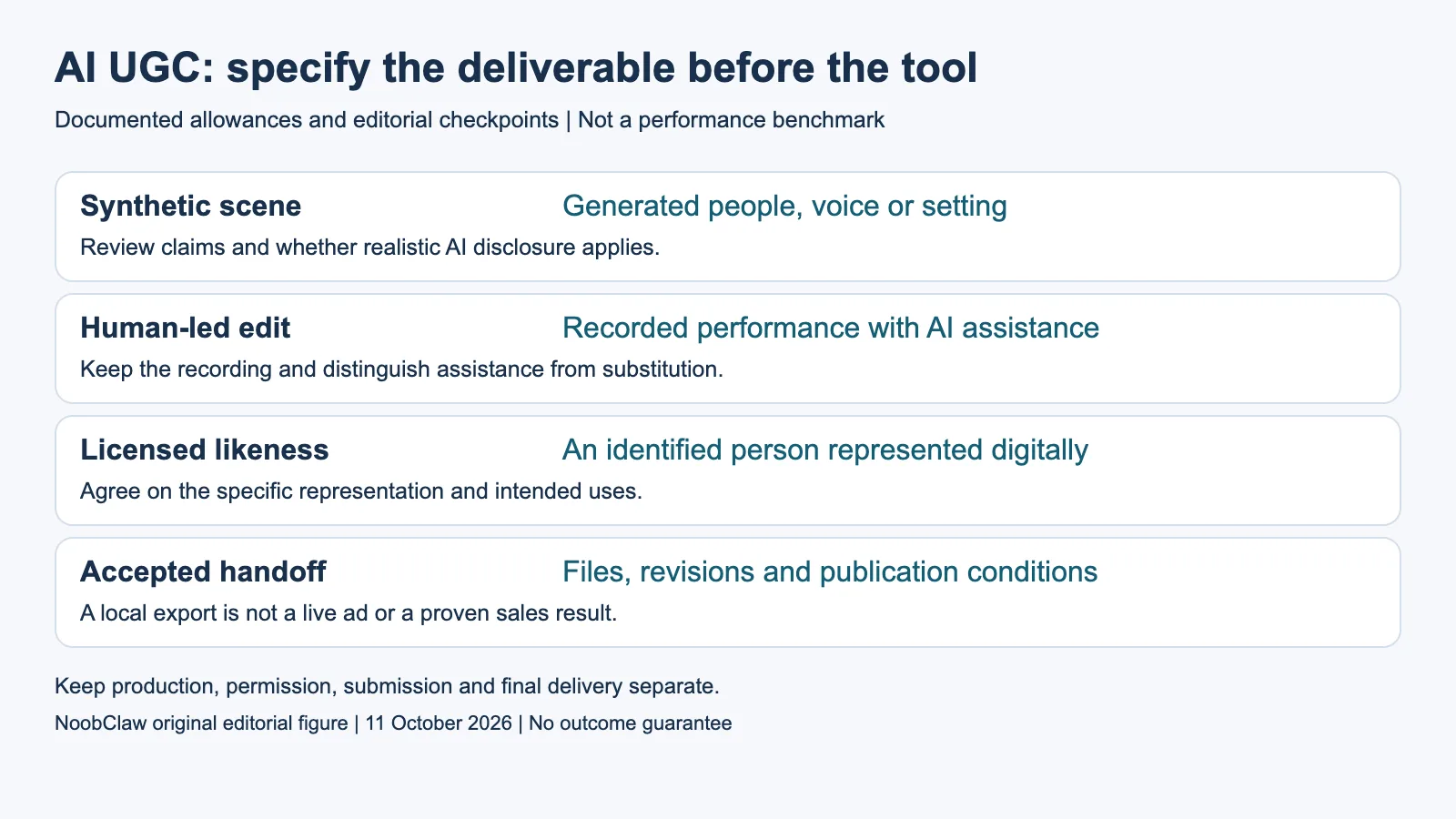
- Synthetic scene: Generated people, voice or setting. Review claims and whether realistic AI disclosure applies.
- Human-led edit: Recorded performance with AI assistance. Keep the recording and distinguish assistance from substitution.
- Licensed likeness: An identified person represented digitally. Agree on the specific representation and intended uses.
- Accepted handoff: Files, revisions and publication conditions. A local export is not a live ad or a proven sales result.
What should a client buy and a creator quote?
Write a deliverable list with the number of concepts, accepted exports, aspect ratios, languages and revision rounds. Specify whether you are buying editable project files or final renders. Name the voice and visual assets, the permitted advertising destinations and the intended use period. Those are briefing questions to settle with the parties, not a universal legal rule or a standardized market price.
For example, a hypothetical request for three concepts with two openings each produces six variants to review. It does not automatically purchase six separately accepted ads, six unique performances or six platform uploads. If two variants fail the agreed product-accuracy check, the handoff must say whether replacement is included or separately quoted. Keep the acceptance criteria observable rather than relying on “looks authentic.”
Separate the production fee from generator charges, licensed assets, review time and publication work. A client choosing only on a subscription price can overlook the person who verifies the offer or clears the voice. No income benchmark or return on ad spend is established here. A useful quote explains which output the fee buys and how a requested change affects that scope.
How do you review a synthetic ad?
Review the full exported file at normal playback speed and inspect the moments containing product details. Compare every spoken or written claim with the approved product evidence. Check whether a displayed screen, package, ingredient or action actually matches the product. Make a list of accepted and rejected takes with a reason, so the next generation changes the failed element instead of simply making more variants.
NoobClaw’s public local-production record provides a bounded example: a 441-character English script yielded a 32.6-second export at 1080 by 1920 and 30 frames per second, with observed audio and subtitles. Generic stock footage departed from the topic; voice quality and asset rights were not approved for publication. This is one inspectable local result, not evidence of a realistic customer, a cleared ad, an API generation benchmark or increased sales.
That distinction gives a client a concrete review gate. A render can pass the file and subtitle checks while failing the product-depiction or rights review. Keep those decisions separate and do not send the file to an ad account just because the export succeeded. Where a real recording or verified customer experience is central to the brief, a synthetic substitute may not satisfy the assignment.
When does YouTube require AI disclosure?
YouTube’s current help material requires disclosure for photorealistic content meaningfully generated or altered with AI. Its examples include making a real person appear to say something they did not say, changing a real event or place, and creating a realistic scene that did not occur. The current article also includes AI-generated music. Check the actual video against the published examples rather than treating “an AI tool was used” as the entire test.
The same article distinguishes minor or non-realistic work, including script assistance, caption creation, color adjustments and other listed examples that do not require that disclosure. For a realistic synthetic speaker, review the final representation and the current upload setting. YouTube says disclosure does not itself limit audience or monetization eligibility; that statement does not approve the content or establish its performance.
YouTube may apply labels using its own AI tools, C2PA metadata or internal detection. Its help explains different adjustment conditions, including labels associated with its AI tools, C2PA or manual review that cannot be adjusted. These are YouTube-specific conditions. The client still needs to check any other intended destination and advertising requirements; this article does not certify a video for every platform or jurisdiction.
What belongs in the final handoff?
Include the accepted file, the approved copy, relevant source assets and the intended uses agreed with the client. Keep a version record explaining which scenes are synthetic or meaningfully altered. If the brief represents someone identifiable, settle the specific likeness and voice permissions with the responsible parties. A file’s visual plausibility cannot answer that permission question, and this guide does not substitute for advice on a particular contract or jurisdiction.
Adobe’s Manage documentation distinguishes credentials embedded only in a file from copies stored in its Content Credentials cloud. Cloud storage can support recovery if metadata is stripped; embedded-only records are not viewable or deletable through Manage. It also says credentials applied to disclose generative AI cannot be deleted. These are documented storage and management conditions, not proof that every export keeps every record intact across every destination.
Inspect the actual final file and retain the supporting handoff record instead of assuming a provenance feature resolves publication. A sensible first assignment ends with a small accepted deliverable and documented review, after which the client can decide whether to publish and measure it. If a tool produces the wrong task, change the workflow. More generated takes do not resolve an unsupported testimonial or missing use agreement.
Choose the output you need: post-caption drafts, opening-line drafts or spoken-script drafts. These text tools have a limited anonymous allowance; they do not transcribe or publish a video.
For the related content and workflow decisions, read AI Video Generator API Pricing: Rates and Usable Clip Costs and Post to Multiple Social Media at Once: Methods and Checks. Each review has its own evidence and scope.
NoobClaw publishes this article. Its script-to-video guide and public creative execution record document a local video result, not external-platform publication. Check the current product offer against the supported action you need.

Frequently asked questions
Is an AI UGC creator the same as a traditional UGC creator?
The label alone does not establish the source of a performance. Ask whether the deliverable uses a real recording, a synthetic character or an identifiable licensed likeness, and specify the review and intended uses.
Does every AI-assisted YouTube video need disclosure?
No. YouTube distinguishes realistic, meaningful generation or alteration from minor and non-realistic examples. Apply its current examples to the finished video, including its AI-music condition.
Does a generated file prove it can be used in an ad?
No. Inspect the claims, assets, representation and agreed use conditions. A successful local export is not an approved ad, a platform upload or measured revenue.
Sources
Official material read on October 11, 2026. Prices identify their billing term; vendor allowances are not measured publishing results. Hypothetical inventory and cost examples are labeled; the public local-production record has its own limitations.