
Instagram Account Quality: Check Status, Not a Tool Score
- Start with Instagram Account Status and the decision or feature restriction it actually shows. A third-party quality score has its own methodology.
- Recommendation eligibility and measured reach answer different questions. An eligible account is not promised non-follower distribution.
- A clear panel does not prove that every possible access or distribution problem has been ruled out. Preserve the exact symptom and check the applicable help route.
- Review options depend on the decision and account access. Continued posting, profile separation and an engagement score do not guarantee recovery.
If you searched for Instagram account quality, first identify what you want to check: a removal notice, access to a feature, recommendation eligibility or the performance of recent posts. A score from a marketing tool cannot answer all four. Instagram documents Account Status for checking certain decisions about your account. That is a more useful starting point than trying to raise an unexplained number, but it also has limits. Read the category and the actual notice before deciding what to do.
Record the specific decision, the available action and the observed symptom separately. A clean status screen is an observation, not a complete explanation of reach.
Choose the question before choosing the dashboard
The phrase account quality can describe different services. An agency report might rate an audience, a creator tool might estimate engagement, and a platform surface might show a restriction. Ask who produced the result and what it measures. Do not treat a percentage, colored badge or numerical score as an Instagram enforcement decision simply because it appears beside a handle.
For an Instagram content or feature concern, use its documented Account Status categories. For a separate advertising or business-asset notice, follow the review destination provided by that notice. The right destination depends on the affected asset; a creator-facing screen and an advertising screen should not be assumed to cover the same decision. Save the name of the service, account and category you actually checked.
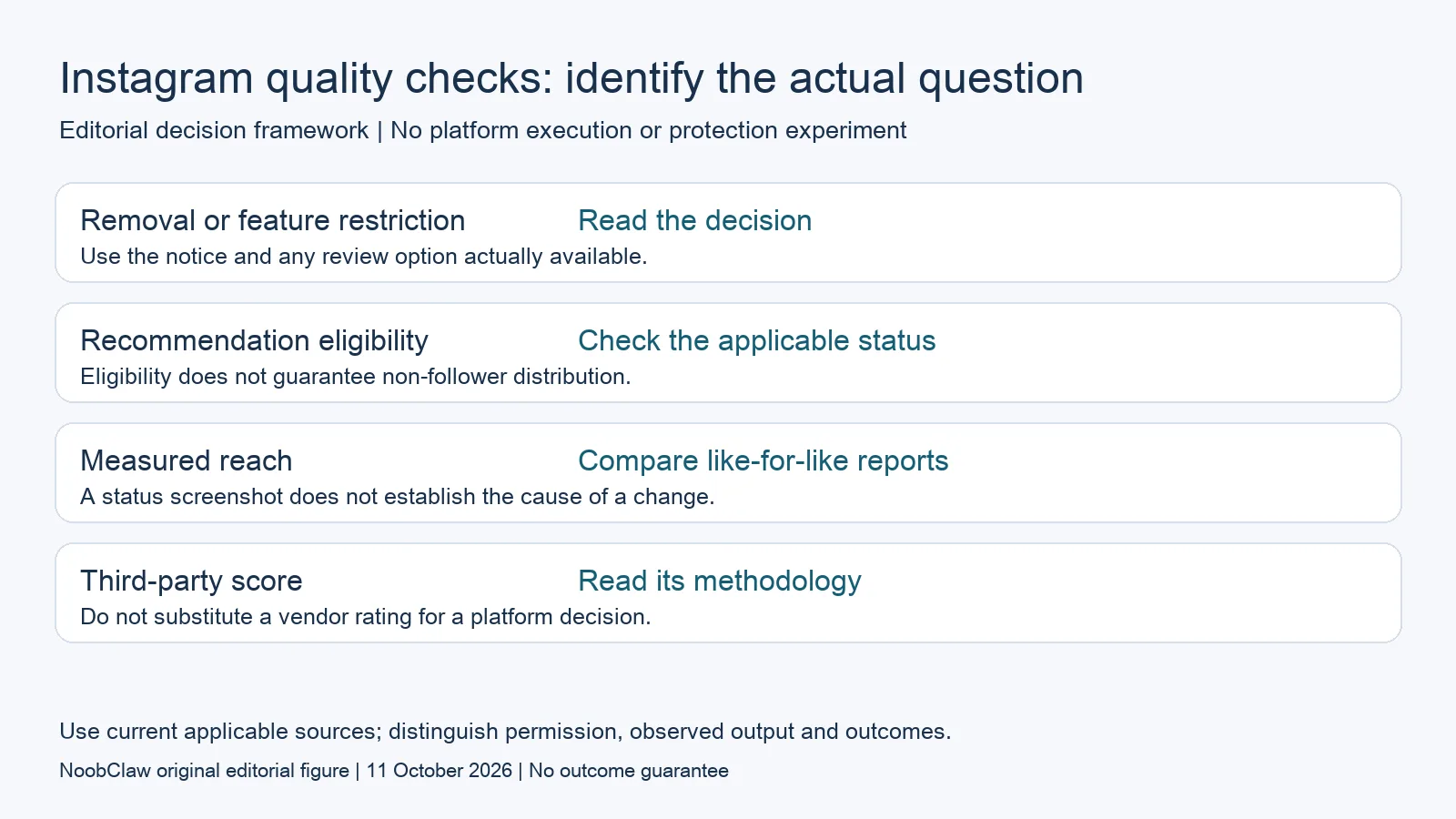
- Removal or feature restriction: Read the decision. Use the notice and any review option actually available.
- Recommendation eligibility: Check the applicable status. Eligibility does not guarantee non-follower distribution.
- Measured reach: Compare like-for-like reports. A status screenshot does not establish the cause of a change.
- Third-party score: Read its methodology. Do not substitute a vendor rating for a platform decision.
Read Account Status as a record of particular decisions
Instagram’s current Account Status help describes removed content, features you cannot use and options to request review. Its professional-account section also covers recommendation eligibility and content or profile elements that may conflict with the Recommendations Guidelines. These are distinct categories. Write down which one contains a notice instead of summarizing every issue as a bad account.
If a review option is offered, open the relevant decision and read its instructions. An available review is a request to reconsider that decision, not a promise that it will be reversed. If you cannot access the account or the expected category is unavailable, record that limit and use the appropriate access-help route. This article does not assume that every account or every decision has the same buttons.
Keep recommendation eligibility separate from reach
Instagram’s recommendation-eligibility help concerns content from public accounts appearing to people who do not follow them. Eligible content is not guaranteed to be recommended. An account-level finding of ineligibility and a post receiving few non-follower impressions are therefore different observations. The first is a status decision; the second is a distribution result that needs its own context.
A clear panel does not establish that content quality is the only remaining cause of a reach decline. Compare the same reporting window, content format and audience segment, then check any explicit notice about access or a particular post. Avoid declaring a hidden penalty, or declaring all enforcement impossible, from one screenshot. If a category changes after a review, save the new screen and separately measure what happened to reach.
Ask a quality checker what its number means
A third-party score may be useful for the task its methodology actually supports. Check the underlying data, date, formula, permissions and missing observations. A public engagement estimate is not equivalent to a platform decision. A tool using an authorized connection may expose different information from a public-profile calculator; this article does not claim that all tools use one dataset or have identical access.
For example, a hypothetical report could assign 68 out of 100 because of its own engagement thresholds. Before acting, ask whether the score is calculated by the vendor or is a named field documented by Instagram. Keep the vendor’s interpretation beside the underlying measurements. Do not buy recovery services or change an account’s identity solely because a checker labels it low quality. An unexplained score is a reason to request a definition.
Build a small evidence file before requesting help
Preserve the affected username, exact notice text, date, content identifier and the review route visible to you. Add the action you attempted and the result. This is an editorial recordkeeping method, not an official submission template. Keep credentials and recovery codes private. If the issue concerns a particular removal, explain that decision with relevant context rather than submitting a general complaint about reach.
For a hypothetical three-account workspace, one account might show a removed post, another remain eligible but receive fewer impressions, and a third fail to log in. Those belong in separate records. One account’s clean screen does not explain another’s login failure. Maintain contact information and security settings through official account controls; do not describe a browser profile or routine publishing schedule as protection from platform decisions.
For the related content and workflow decisions, read Instagram Recommendation Guidelines: Rules and Account Status and Instagram Not Reaching Non-Followers? Eligibility and Reach. Each review has its own evidence and scope.
What NoobClaw’s public evidence covers
NoobClaw publishes this article. Its public execution record covers a local creative task: 441 English script characters became a 32.6-second vertical video at 1080 × 1920 and 30 fps, with voiceover and subtitles. It does not document access to an Instagram status panel, submission of a review or a change in recommendation eligibility. Some stock imagery did not match the script well, and full audiovisual quality and asset licensing were not approved. If you use a creative tool while maintaining an account, assess the output and the account decision separately. A completed export is not evidence that Instagram accepts the content or restores distribution.
NoobClaw publishes this article. Its script-to-video guide and public creative execution record document a local video result, not external-platform publication. Check the current product offer against the supported action you need.

Frequently asked questions
Where should I look for Instagram Account Status?
Use the current Account Status entry in Instagram settings and consult its official help. Labels and options can vary with the interface and account. The documented categories concern particular content or feature decisions; they are not a complete diagnostic report for every login and reach problem.
Does a clean Account Status screen explain a reach drop?
It records what you saw in that category at that time. It does not establish every possible cause of the drop. Review the reporting window, audience and format alongside any specific notice. Preserve observations before asserting a cause.
Should I keep posting to make a restriction disappear?
Do not treat continued publishing as a guaranteed recovery method. Read the applicable notice, correct any identified issue and use a review option when offered. Different decisions have different conditions; a recommendation update for one category is not a universal recovery timer.
Are third-party account quality scores useless?
They may help with a defined analytical task. Their value depends on data, permissions, formula and limitations. Ask what the score represents and avoid presenting it as Instagram’s own enforcement or eligibility verdict without documentation.
Sources
Official material reviewed on October 11, 2026. Document conditions apply to their stated service and scope; the editorial examples are explicitly hypothetical.