TikTok Automation Pacing: Controls Are Not Safe Quotas
- A configured cap is an execution limit, not a safe quota.
- Check what actually ran and whether cancellation works.
- Separate permission and content review from timing controls.
A pacing setting can limit what software attempts; it does not establish a TikTok-approved number of actions or protection from enforcement. Evaluate delays, caps and cooldowns as operational controls with observable behavior. Keep the permitted task, the account's actual notices and the quality of its content in separate records. This review supplies no safe likes-per-day, warm-up period or account-survival rate. No automated TikTok execution, pacing comparison or moderation experiment was performed for this article.
Verify a control against its stated job; do not turn its value into a safety threshold.
Describe each control without inventing a platform threshold
A delay describes when a task is scheduled to attempt its next step. A cap describes how much attempted work a configuration permits. A cooldown describes a pause condition. These definitions support a practical software review: can an operator inspect the setting, understand its scope and compare it with the report? They do not describe the internal behavior of TikTok's moderation systems. A buyer should reject a leap from a visible interval to an undocumented promise that the activity resembles an approved human pattern.
Consider a hypothetical task that prepares candidate text for an editor. A configured output limit might make the review workload manageable, while a pause condition gives the editor time to examine results. That is an organizational reason for a control. A different task that attempts account actions introduces method and permission questions. Copying the first task's limit into the second does not transfer an approval. The review must identify which action the control actually governs and who has authorized it.
Controls also need clear units. Ask whether a limit applies to attempts, successful outputs, one account, one task or a shared session. A report should distinguish an attempt that failed from a completed result. Without those definitions, a displayed total can be misread even before any platform question arises. Do not infer an account's allowed capacity from a software counter; inspect the destination's actual notices and the current requirements for the proposed activity.
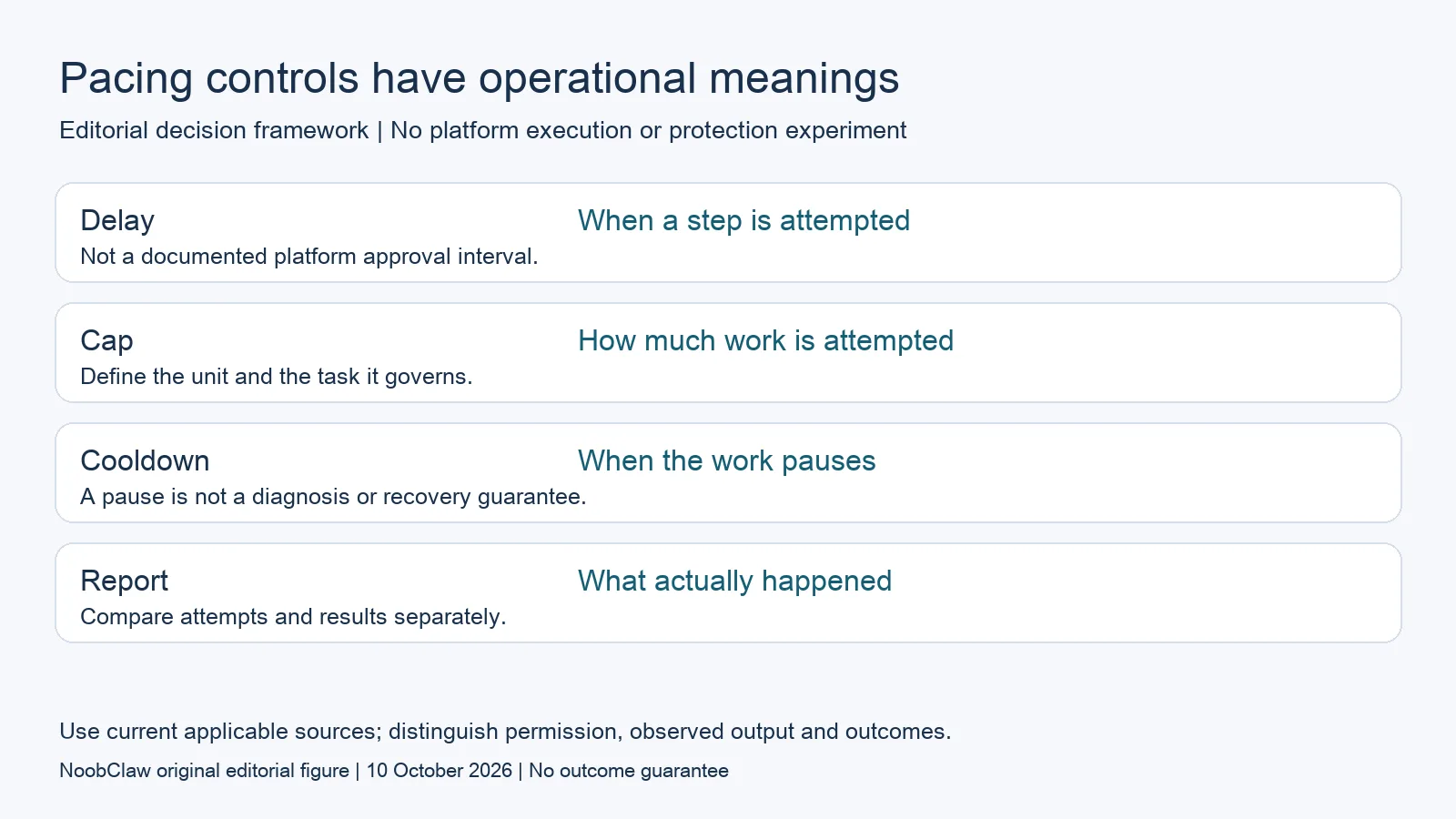
- Delay: When a step is attempted. Not a documented platform approval interval.
- Cap: How much work is attempted. Define the unit and the task it governs.
- Cooldown: When the work pauses. A pause is not a diagnosis or recovery guarantee.
- Report: What actually happened. Compare attempts and results separately.
Check control behavior with a bounded acceptance record
An operational acceptance record can identify the configuration, the intended input, the steps that were attempted, the returned results and the point where the operator stopped. For a permitted task, this lets the team examine whether the software behaved as described. It also makes unexpected additional work visible. The purpose is to verify control behavior, not to find the most activity that can avoid a warning. A trial should end when its stated question is answered, rather than escalating account actions until an unpublished boundary appears.
Decide in advance what an unexpected result means. If a draft contains an unsupported claim, reject or revise the draft. If a task reports an error, preserve the message and the affected stage. If an account supplies a notice, read that notice and follow the official route relevant to it. Do not automatically retry, switch identities or substitute a longer delay as though the cause had been diagnosed. An unexplained failure remains unexplained until there is evidence connecting it to a particular requirement.
Authentication is another scope. TikTok's official Security Checkup and its later security update describe backup authentication, two-step verification, logged-in-device review, alerts and passkeys. Those account controls are useful when investigating access. They are not specifications for a permitted posting cadence or evidence that a content tool protects accounts. Record account-security work independently so that a successful login review is not presented as acceptance of an unrelated automation workflow.
Budget editorial review before increasing attempted work
A hypothetical creator planning a product explanation can begin with one source demonstration, a list of verified facts and a limited set of candidate introductions. The editor checks which introduction makes the right promise, whether the example is understandable and whether the visuals support the script. The useful capacity question is how much the editor can review carefully. Increasing the number of generated drafts without reviewing their claims changes the workload; it does not demonstrate a better audience result.
Keep versions with their approval decisions. A changed script may need a new factual check even when the same account, browser and timing configuration are used. The explanation of caption, hook and script drafts helps identify what the editor is selecting. The repurposing analysis addresses adaptations for another destination. Neither supplies a percentage change, number of variants or delay that guarantees originality or recommendation eligibility. These are content decisions with their own evidence.
Pacing language should be especially careful when selling software. A provider can describe a visible setting and show a run report. It should not imply an account outcome that the demonstration did not observe. Buyers can ask for a cancellation demonstration, a clear definition of the attempted unit and the unresolved permission check. That makes the purchase review more concrete without promising that a smaller number, a rest day or an apparently natural rhythm transforms an unapproved action into an approved one.
For the related content and workflow decisions, read TikTok Caption vs Hook vs Script: Choose the Right Draft and Repurpose YouTube for TikTok and Shorts: What to Verify. Each review has its own evidence and scope.
The available case measures creation, not protective timing
NoobClaw publishes this analysis and sells content tools. Its public execution record is a single supplied-script-to-local-video case. The observable result is a draft file, with sampled subtitles and noted visual limitations; it contains no TikTok action sequence or pacing benchmark. It therefore cannot support a claim that a particular interval, cap or cooldown prevented enforcement. The record is still useful for evaluating the creation stage: a reviewer can inspect whether the output represents the input and whether it needs editing. Treat that as the acceptance question. If a buyer wants to assess another task, request a separate description of the action, its applicable authorization and an appropriately bounded result record. More detailed operating instructions for the documented creation task belong in the product guide. A successful local export should remain a local export in reporting, rather than becoming a confirmed upload, engagement or paid conversion.
Inspect the public script-to-video execution record and the script-to-video operating guide. Check the current product offer against the task you need.

Frequently asked questions
Are single-digit daily actions safe?
No validated safe count is supplied here. A low configuration value can limit attempted work, but that is not evidence that the destination approves the task or execution method.
Does a rest day establish human behavior?
It establishes a schedule choice. We have not measured how a platform classifies that choice, and a schedule does not settle ownership, consent or publishing permission.
What should a buyer inspect first?
Identify the action, unit and approval responsibility. Then inspect the actual input, report and stopping behavior for a permitted task. Preserve errors and account notices rather than promising a recovery.
Sources
Official material reviewed on October 10, 2026. Document conditions apply to their stated service and scope; the editorial examples are explicitly hypothetical.