YouTube API Upload Private? It's Not Always the Audit Rule
- Inspect requested privacy, returned state, schedule and processing separately.
- Current detailed reference text differs from the historical private-only note.
- No project audit, retry or video regeneration guarantees public access.
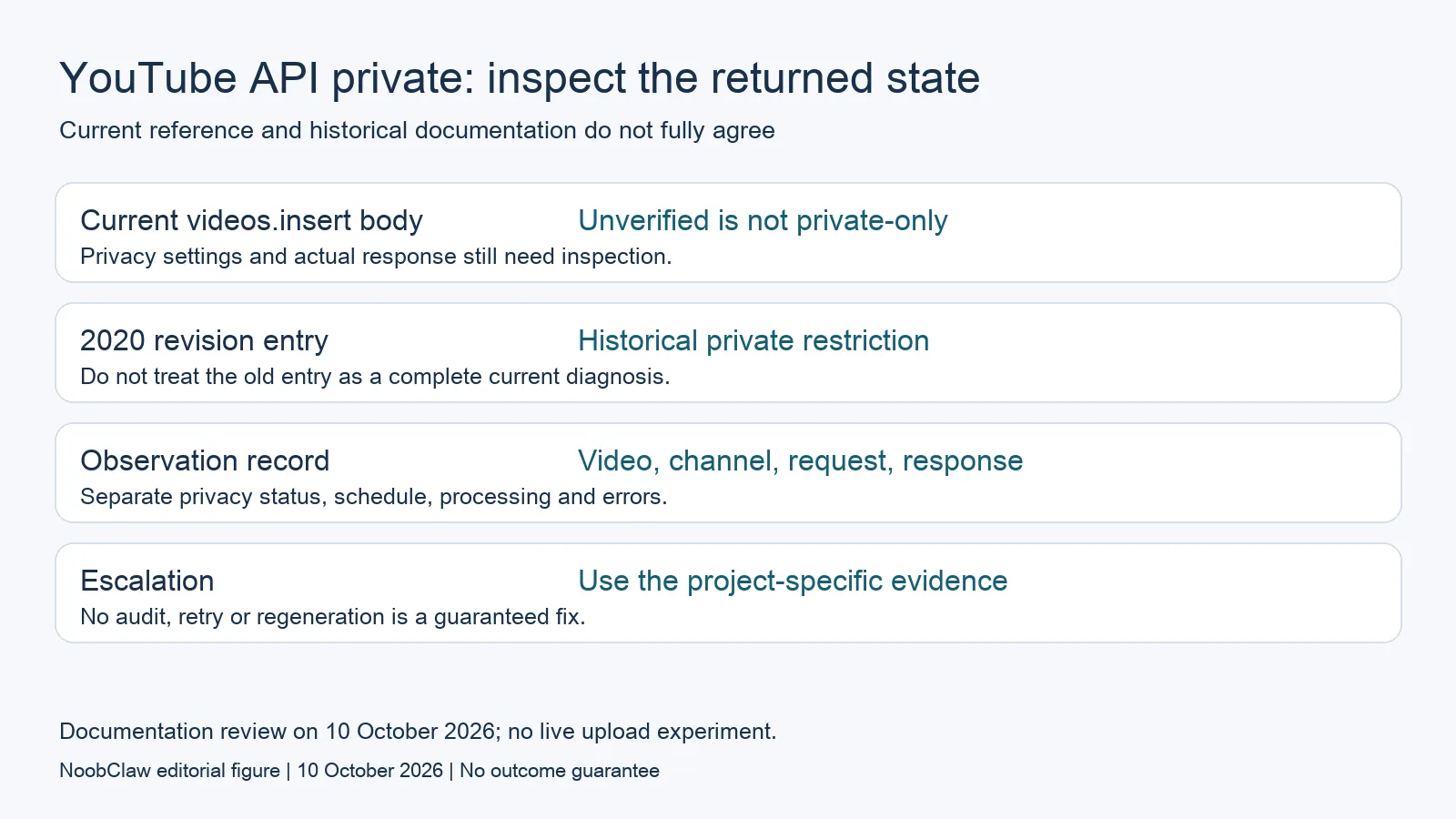
If a YouTube API upload is private, inspect the requested visibility, returned video status, schedule, processing state and the account's own notices. Do not assume that an API project audit is the only explanation. The current videos.insert reference body explicitly says unverified projects are not restricted to private viewing, while an older official revision entry describes a private-only restriction.
This documentation conflict matters. We checked the current pages on 10 October 2026 but did not perform a live upload experiment. The evidence supports replacing a universal “your project needs an audit” diagnosis with a record of the particular request and video. It does not support promising that every project can publish successfully.
An uploaded video ID, a processed file, a private video and a publicly viewable post are different states. Keep the returned evidence for each one.
Current reference text and historical advice disagree
The current method reference says omitting status.privacyStatus normally defaults to public, with some defaults affected by creator account settings. Its privacy paragraph also says unverified projects are not private-only. That is the current detailed reference text, not an independently tested account-specific result.
The 28 July 2020 revision entry describes a private restriction for uploads from certain unverified projects and an audit process. It remains a historical entry. Meanwhile, the video resource page includes a summary using the older explanation even though its detailed privacy text reflects the current statement.
Do not invent a date when the restriction changed or silently present the historical note as today's complete rule. When documentation and actual behavior differ, retain both the dated reference and the project-specific evidence. An account or project notice may supply information that a general article cannot establish.
Read privacy, scheduling and processing separately
The video resource describes privacy values, upload state and scheduling fields. Privacy answers who can view the video. Upload and processing information concerns what happened to the file. Scheduling concerns when the publication is intended to occur. Reading only one field can turn a normal planned state into a supposed failure.
A scheduled video is a relevant example: the documentation requires a private, previously unpublished video for status.publishAt. A private result before its intended publication time therefore needs a schedule check. Do not remove the schedule merely because a general troubleshooting article calls private visibility an error.
| Hypothetical observation | What it establishes | What still needs checking |
|---|---|---|
| The request explicitly asks for private | The submitted intention was private | Whether the returned state matches the intended workflow |
| A video ID is returned | The API returned that resource identity | Processing, visibility and the correct channel |
| The video is private with a future schedule | A scheduled state may be intended | The actual date, time zone and any reported error |
| Public was requested but private is returned | Request and observed state differ | Project/account notices, settings and support evidence |
These are interpretation examples, not observed tests. A row narrows the question; it does not establish why a particular backend accepted or changed a value. Preserve the response before retrying so you can distinguish the first outcome from a later one.
Build a record that can support a specific answer
A useful record contains the intended channel, video ID, request time, intended visibility, requested schedule and returned state. Include a sanitized description of the authentication context and any exact error or account notice. Keep tokens, client secrets and recovery information out of logs shared with colleagues or support.
Compare the intended channel with the channel shown for the video. A working upload into the wrong destination is a different problem from a private video in the correct destination. It also requires a different operational decision: establish authorization and ownership before changing public visibility.
If a workflow uses several components, record which component supplied the final privacy value. A queue configuration, generated request and returned response can differ. This is an engineering question about the data you can inspect, not a claim that any particular scheduler secretly changes visibility.
Use one authorized, bounded investigation instead of repeatedly uploading the same file or creating another project. A retry can produce another resource without answering the original question. The aim is to learn what the existing video and request show, not to make the evidence disappear under a series of new attempts.
Quota is another separate concern. The current insert reference describes its own Video Uploads bucket, and the June 2026 revision explains the granular quota transition. Consult the project's actual Cloud Console limits when investigating a quota error; an old generic quota calculation does not diagnose private visibility.
Keep production, upload and publication distinct
If the file itself is correct, regenerating it is not evidence that the visibility problem will disappear. Likewise, an exported MP4 does not establish that a platform accepted it, that the right account received it or that a viewer can access it. Track those milestones separately in a production record.
NoobClaw publishes this article and provides content tools. Its public script-to-video case demonstrates one local draft. It is not a YouTube API publication test, and it cannot establish that a project audit, privacy update or third-party uploader will succeed. Product instructions belong in the separate guide.
For the content decision before upload, see repurposing an original video for short-form audiences. For account structure, see YouTube channel management capacity. Neither content adaptation nor the number of channels explains a returned privacy state by itself.

If the project or account supplies an explicit audit requirement, preserve that message and follow the stated official process. If it does not, ask support about the observed mismatch with the current reference. Do not promise an approval date, recovery time or a public result merely because an application was submitted.
FAQ
Are all unverified YouTube API uploads private-only?
The current detailed method reference says they are not. Older historical documentation describes a restriction, and parts of the documentation still conflict. This review did not test every project; inspect actual returned states and project-specific notices before diagnosing yours.
Does a video ID mean the video is publicly available?
No. It identifies the returned resource. Privacy, processing, schedule and the actual destination remain separate checks. A valid resource identity is not proof of public access or successful audience delivery.
Should I make a private video public automatically?
First establish the intended visibility, ownership and schedule. Private may be intentional. This article supplies diagnostic interpretation, not code that changes an account's public content or a guarantee that a visibility update will succeed.
Sources
Checked 10 October 2026: videos.insert detailed reference, video resource fields and dated revision history. Current and historical statements are distinguished explicitly. Examples are hypothetical; no project audit or live upload was tested.