Bulk Upload Videos to YouTube: Drafts, Scheduling and Limits
- YouTube Studio accepts up to 15 videos per selection; channel daily limits and API project quotas are separate.
- Titles and descriptions are included in documented bulk edits; check the selected videos and resulting details.
- Record file versions, video IDs, visibility and release decisions separately; a local export is not an upload receipt.
To bulk upload videos to YouTube, use YouTube Studio's file selector, which currently accepts up to 15 videos at a time. Review the details for each video before release. That selection size is not a daily allowance: YouTube also documents a channel upload limit across desktop, mobile and API. The official upload guide distinguishes these steps.
If you have a folder of finished videos, start by deciding which files belong on which channel. A successful transfer is only one part of the job. The practical question is how to keep the file, metadata, review decision and final video together without losing track of a partially completed batch.
Separate the selection, daily limit and processing state
The 15-file selection limit answers how many files Studio accepts in one selection. It does not say how many a particular channel can upload that day. YouTube's uploading-error guidance says its daily limit covers a 24-hour period and can vary with country or region and channel history. For the named daily-limit error, its stated next step is to try again in 24 hours.
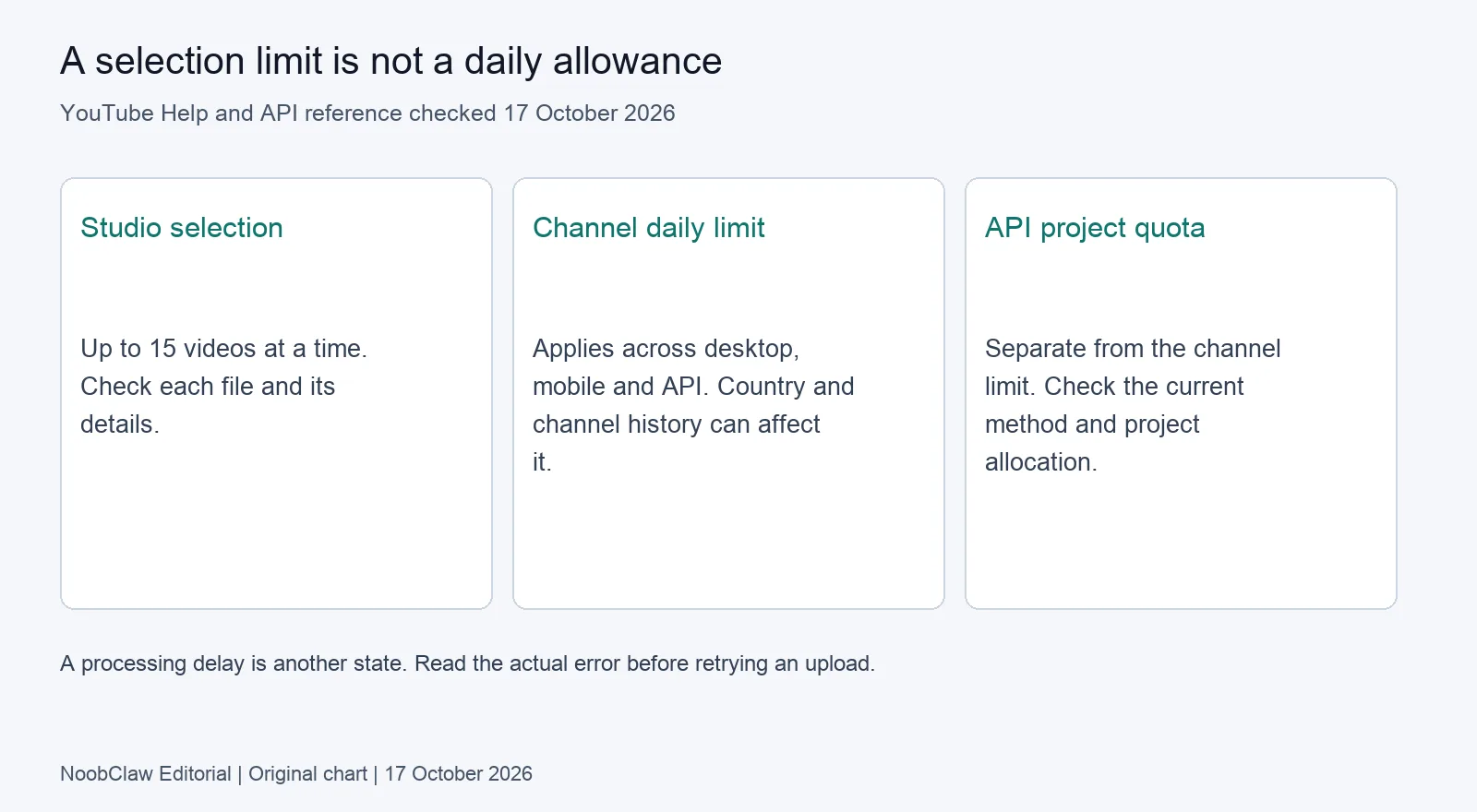
Processing is a different state again. Do not label a processing delay a daily cap, or dismiss an explicit limit message as a queue. Copy the actual message into your batch record, together with the file and channel. That gives you something specific to troubleshoot instead of repeatedly sending the whole folder.
API upload capacity also has its own layer. The current videos.insert reference lists a Video Uploads quota bucket. A project's quota and a channel's daily upload limit are different constraints; a quota figure is not a promise that every channel can publish that many videos. Check the actual project allocation when using an integration. Studio users do not need to calculate an API budget merely to select local files.
Count the files selected, the uploads confirmed and the videos released separately.
Batch common details without overwriting the differences
YouTube's bulk-edit documentation includes titles and descriptions among the fields that can be changed for selected videos. The choice is therefore more precise than saying metadata can never be edited in bulk. Check what the current editor offers for your selected set and read its confirmation before applying a change.
Our editorial recommendation is to separate shared settings from video-specific promises. A series may share a description footer, but its opening sentence should still describe that episode. A common label does not replace checking the title against the actual file. Keep an approved metadata row for each item so you can compare what you intended with what appears in Studio.
For example, suppose a team has an installation walkthrough, a troubleshooting demonstration and a product update ready together. This is a planning example, not a measured customer result. Grouping them for transfer is reasonable; giving all of them the same title would leave a viewer unable to tell which problem each solves. Review the common footer separately from each video's specific explanation.
Before making a broad edit, record the selected video IDs and the intended shared change. If a field should differ, remove that video from the selection or edit it individually. We recommend checking the resulting details afterwards. This is a control for editorial mistakes, not a claim that a particular batch size produces better reach.
Keep uploading, scheduling and publication as separate decisions
The Studio upload instructions distinguish transferring a file from publishing it and describe a scheduled release option. Choose the visibility you actually need while you review. Do not assume a file became public merely because the transfer completed.
Use a batch record with the following fields: local file and version; intended channel; approved title and description; observed video ID; processing state; visibility; intended release time and timezone; and reviewer decision. This is our suggested record, not a built-in NoobClaw dashboard. Keep a missing value visibly incomplete instead of substituting “done” for several states.
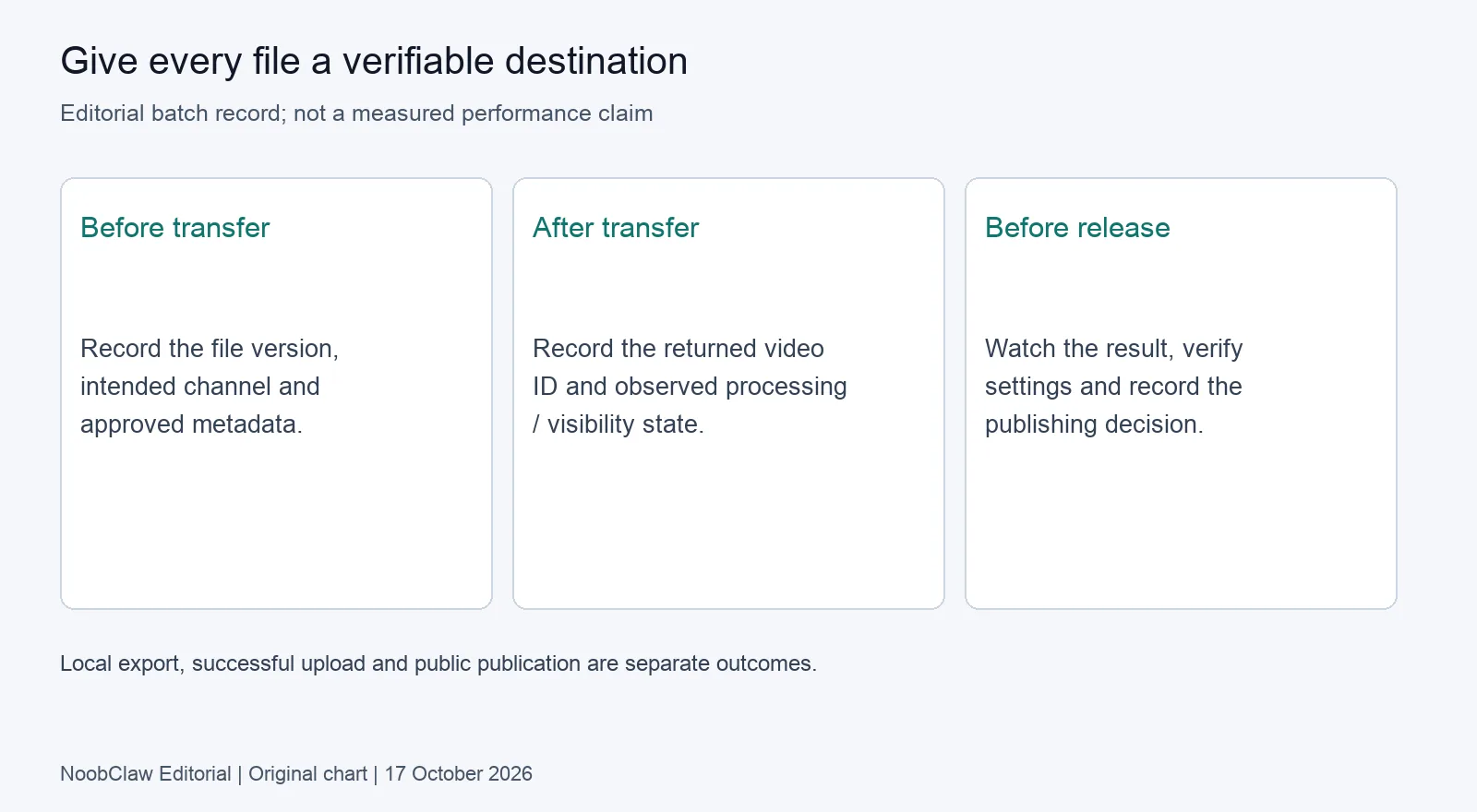
After an interruption, reconcile the saved video IDs against Studio before starting another upload. If the file already exists there, decide whether to finish its review rather than create another copy. Keep any retry narrow enough that you can identify what it changed. We recommend this procedure to make the work auditable; it is not a guarantee against every duplicate.
For several channels, add a distinct purpose and intended audience to each row. Different wording alone is not evidence of originality, platform permission or improved distribution. For the separate content decision, see our existing analysis of repurposing content across platforms. Check its sources against the particular reuse you plan.
A local video file is useful evidence, but not an upload receipt
In NoobClaw's public 10 October 2026 case, one manually started desktop run took a 441-character supplied English script and produced a local 32.6-second, 1080 × 1920 MP4. An audio stream and visible subtitle samples were observed. Some stock scenes were generic or off-topic, and the stock-source licences were not individually audited.
That example establishes a bounded local output. It does not establish a successful YouTube upload, bulk throughput, an approved licence for every scene or any channel result. Internet access and current plan or credits were required. If you need that production stage, the existing script-to-video Guide describes the tested setup; the feature page explains its prerequisites.
If your files are already finished, start with the upload and review decision rather than regenerate them. If the missing step is making a narrated draft, evaluate creation separately from distribution. The related n8n workflow analysis discusses that handoff. Neither analysis substitutes for checking the actual destination channel and uploaded file.
FAQ: bulk uploads and unfinished batches
Does selecting 15 files mean I can only upload 15 per day?
No. That is Studio's documented per-selection size. The channel's daily allowance is a separate limit. Use the specific channel notice rather than infer a universal daily count from the file picker.
Can I change titles and descriptions for several videos?
Yes, YouTube lists them in its bulk-edit guidance. Decide which change genuinely belongs across the selection, then check the result. Bulk editing is not a reason to give unrelated videos identical promises.
Should I upload the entire folder again after a failed run?
First reconcile any existing video IDs and observed states. A transfer interruption, processing delay and daily-limit error call for different checks. Resume only the unresolved work after confirming what already exists.
Review note, 17 October 2026: This analysis uses current official documentation and one bounded local-export case. The batch record is editorial advice; no live YouTube upload or release experiment was performed for this article.
Sources
- Upload YouTube videos — YouTube Help — current instructions, checked 17 October 2026; no publication date stated.
- Common uploading errors — YouTube Help — daily limits and error-specific guidance; checked 17 October 2026.
- Make bulk changes to videos — YouTube Help — editable fields; checked 17 October 2026.
- videos.insert — Google for Developers — project quota and API upload; checked 17 October 2026.
- NoobClaw public desktop case — observed 10 October 2026; single local export.