Browser Profile Management: Ownership Before Account Count
- Record the account owner and approved task before adding profiles.
- A recognizable context does not establish access or platform permission.
- Confirm the destination and result separately from attempted work.
A browser profile manager can be evaluated for organizing work, but profile quantity is not a measure of account permission, content quality or protection from enforcement. Start with the owner and approved task for each working context. Then determine how the editor identifies the right destination and confirms the result. This review offers an organizational framework rather than a personal account-loss story or a promise that one-profile-per-account prevents restrictions. No many-account workload or platform enforcement test was performed for this article.
The inventory should identify responsibility, not imply permission from quantity.
Map responsibilities before selecting a management interface
For a hypothetical agency, a useful inventory identifies the client, account owner, authorized editor, approving person and the intended publication destination. A shared label such as ‘client two’ is not enough if several people use the same workstation or if the approved content changes. Associate the specific work with its source and final version. This is an editorial-control proposal, not an assertion that any product automatically creates the required permission or audit record.
Chrome profiles organize separate browser information; device access can still permit switching between them. Treat that distinction as a reason to review access responsibilities independently. A profile name helps a person recognize context, but a name is not evidence that the person may act for the account owner. An organization should verify the relevant delegation and platform arrangement rather than relying on everyone recognizing a colored icon. Where a platform provides roles, examine what each role actually allows.
A workflow can also benefit from fewer, clearer contexts. If a team cannot locate the approved version or identify who may publish, adding another profile extends the inventory without resolving the uncertainty. Decide which tasks belong to which responsible person and whether a separate context serves a real organizational purpose. The useful comparison is how the proposed setup supports those responsibilities, not how many profiles can fit on a sales page.
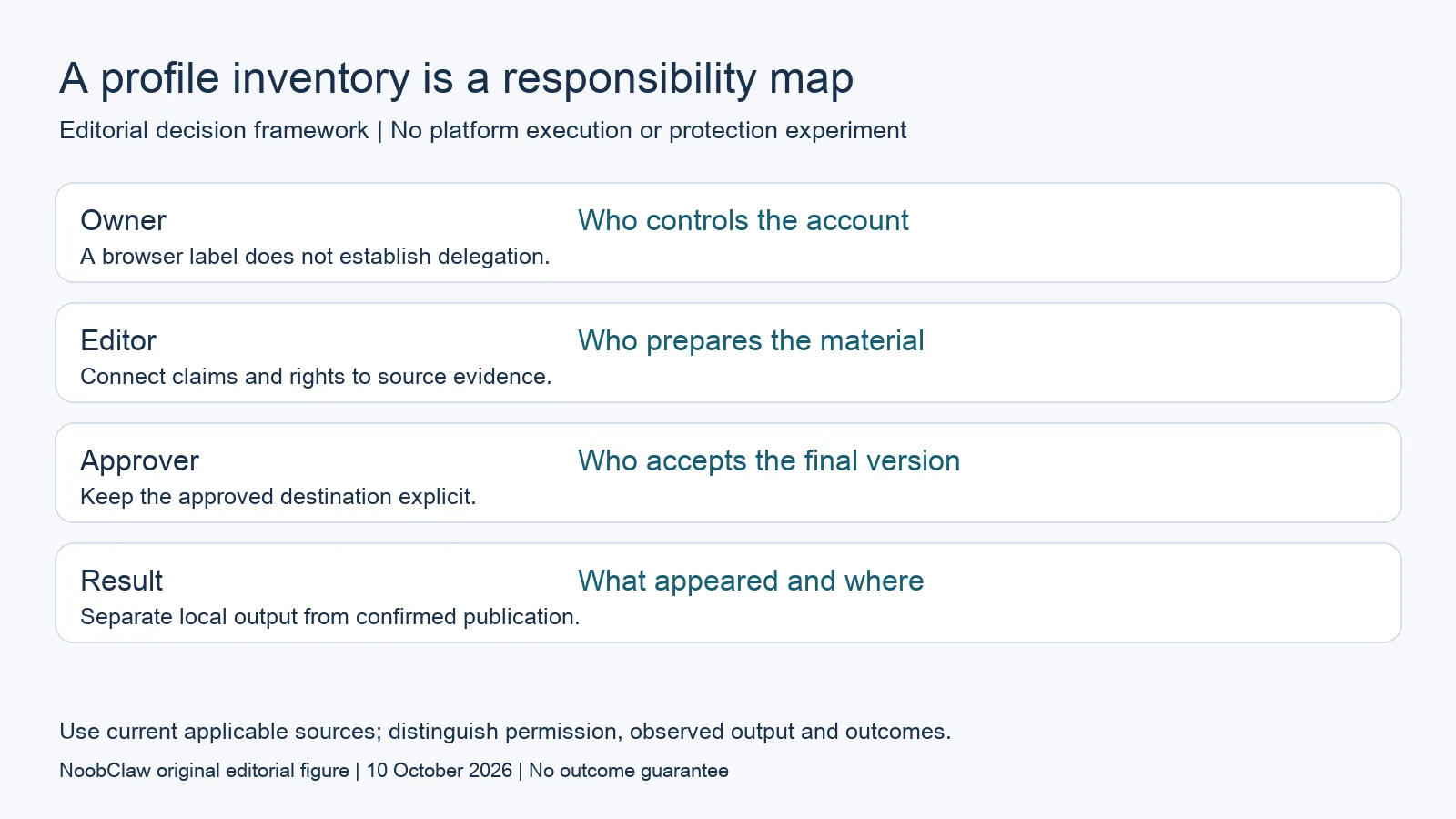
- Owner: Who controls the account. A browser label does not establish delegation.
- Editor: Who prepares the material. Connect claims and rights to source evidence.
- Approver: Who accepts the final version. Keep the approved destination explicit.
- Result: What appeared and where. Separate local output from confirmed publication.
Connect the draft to a confirmed destination
A hypothetical editor may prepare a draft for a client while another person performs publication. The handoff should specify the final text, source material, target account and approving person. After publication, record the actual destination and the version that appeared. A completed preparation task is not a confirmed post. If an output is stored locally, name it as a local output. That distinction prevents an internal activity report from being interpreted as a campaign result.
Unexpected events need their own records. If an editor opens an unintended working context, stop the proposed action and inspect what happened before resuming. If a task returns an error, preserve the message and stage. If the destination supplies a notice, review that notice rather than guessing that another profile will solve the problem. These recommendations concern observable workflow control; they are not an experiment showing that profile management changes moderation outcomes.
Define the unit used in reports. A counter might describe attempted tasks, generated drafts or completed outputs. A purchaser should ask which one is meant and how it is verified. An organization can make a meaningful improvement by removing ambiguity between those events. It cannot honestly claim increased audience response or account survival from the counter alone. Treat those as later outcomes with separate evidence, a defined time window and an appropriate sample.
Keep quantity, authorization and editorial capacity distinct
The YouTube management-capacity analysis illustrates a useful distinction: an account's management allowance does not supply enough original material or review time for every possible channel. A similar planning question applies to any working-context inventory. A hypothetical team with many destinations still needs someone to approve the factual claims, rights and purpose of each version. The amount of content the team can responsibly review is not established by the number of labels it can create.
For a hypothetical client with two audiences, an adaptation should explain why each destination needs a different version. A regional example or a different viewer question can justify editorial changes; merely changing a filename does not answer that question. The two-channel video review separates permission and original contribution from account quantity. Use those distinctions before creating a new context whose only purpose is to distribute another interchangeable copy.
The proposed execution method must also meet the destination's requirements. X's official automation page restricts non-API automation such as scripting its website, demonstrating that genuine account access does not settle method authorization. Do not generalize that exact rule to every platform; check each destination's current official guidance. A manager that makes contexts easier to recognize can still be unsuitable for a proposed action. The organization should be able to retain the useful preparation stage while declining the unresolved execution stage.
For the related content and workflow decisions, read How Many YouTube Channels Can You Have? The 100 Limit and Same Video on Two YouTube Channels: Upload vs Monetization. Each review has its own evidence and scope.
One local creation record does not validate a profile inventory
NoobClaw publishes this analysis and sells content tools. The public execution record shows one supplied script becoming a local video draft, with sampled subtitles and some unsuitable stock visual choices noted. It is not a many-profile management test, a delegation assessment or an account-protection case. The useful review asks whether that creation output accurately represents the source and what editing it still requires. An organization can connect such a local draft to a later approval decision, but the later publication and audience outcome need their own records. Do not report the file as a confirmed upload or a commercial conversion. Readers needing the documented creation controls can use the separate product guide. Buyers considering additional account tasks should request their actual scope and permission requirements. A clear evidence record is more useful than attaching an unsupported account-survival story to a profile manager.
Inspect the public script-to-video execution record and the script-to-video operating guide. Check the current product offer against the task you need.

Frequently asked questions
Must every account have its own browser profile?
No universal platform rule or safety result is supplied here. Choose contexts for a legitimate organizational requirement, and review actual ownership, access and destination permissions separately.
Does one profile per account prevent restrictions?
That outcome is not established. A working-context convention can help an editor identify an account; it does not certify the content or execution method.
What should an agency record after a task?
Keep the intended account, approved version, actual output and observed destination. Distinguish preparation, attempted execution and confirmed publication instead of combining them into a growth claim.
Sources
Official material reviewed on October 10, 2026. Document conditions apply to their stated service and scope; the editorial examples are explicitly hypothetical.