How Many YouTube Channels Can You Have? The 100 Limit
- YouTube states up to 100 managed channels per Google Account.
- Management capacity does not guarantee immediate creation or revenue.
- Separate ownership, delegated permissions and editorial capacity.
YouTube says you can manage up to 100 channels from one Google Account. Its help page also says you use one channel at a time. That answers management capacity; it does not promise that every person can immediately create 100 channels, or that running that many is a sensible publishing plan.
If your question is about a business, distinguish the Google Account that signs in, the channel that represents an audience, and the person who has permission to do a particular job. Those three identities affect ownership and daily work more than the headline number.
A management allowance is a capacity statement. It is not a production target, a safety threshold or a monetization guarantee.
What the official number actually means
The current YouTube channel-switching help page gives the up-to-100 management statement. Read it in that context. It describes channels associated with the signed-in Google Account and switching the active channel; it does not establish a universal daily creation allowance.
“How many channels can I have?” can mean several different things: how many channels appear when you switch, how many you personally own, how many a client has asked you to manage, or how many new channels you can create right now. A single number should not be used as the answer to all of those questions.
For a creator considering a second channel, the practical question is whether it serves a different audience and whether you can maintain it. For an agency, it is whether each client has supplied the correct access. Neither question is answered by dividing a desired view count across the maximum number of channels.
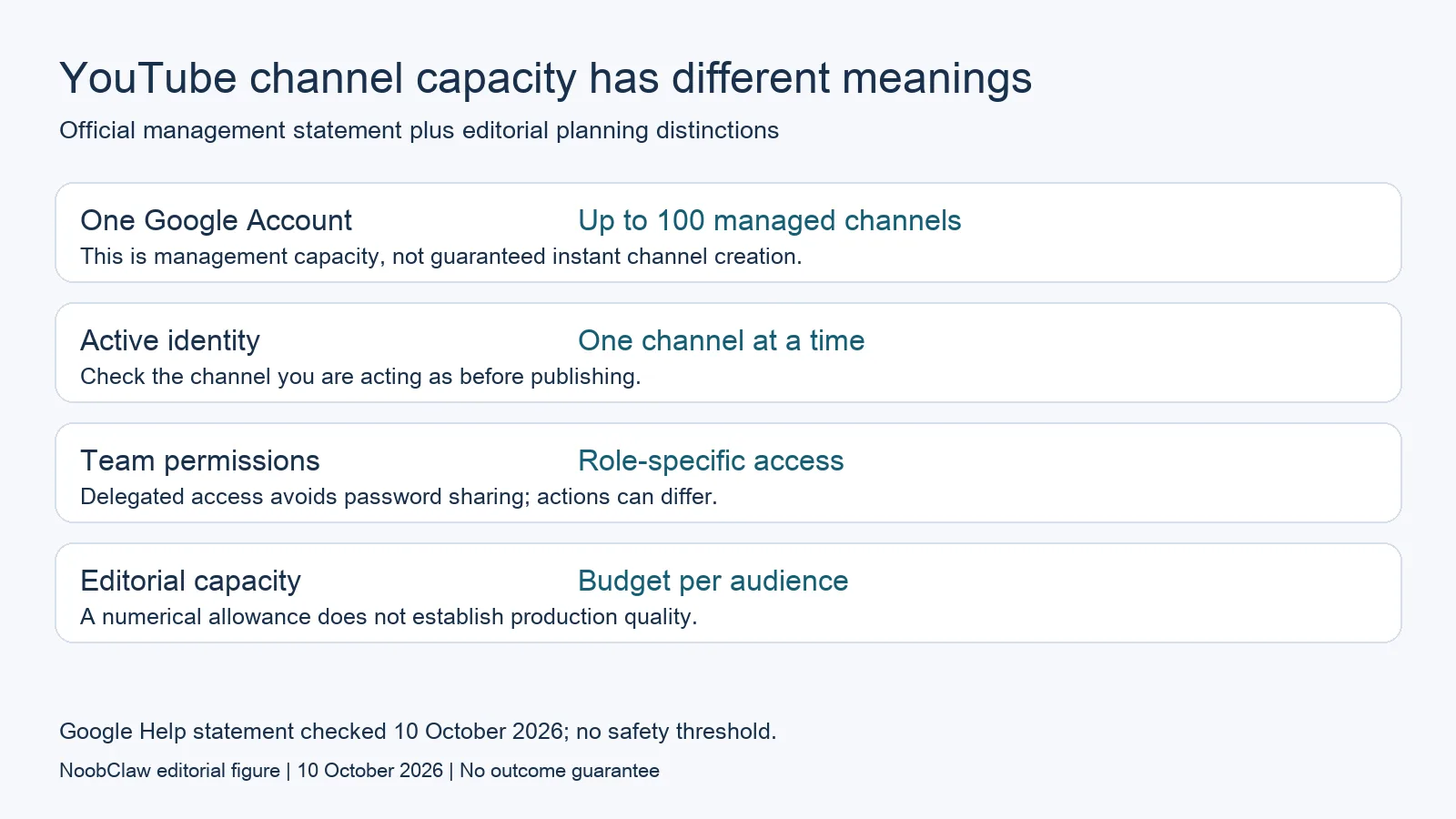
Ownership and delegated work are different
YouTube's channel permissions documentation explains role-based access without giving a colleague your Google Account password. Select access for the person's actual work. A person who needs to review information should not automatically receive the permissions used to manage a channel.
The documentation also notes that some actions are unavailable when acting as a delegate. Do not assume that access inside Studio automatically supports every action in a third-party product or API. Evaluate the particular publishing or reporting action you intend to use before the team depends on it.
An agency's access list is not a clean record of ownership. Someone may be invited to work on several clients' channels without owning those channels. Maintain a separate record of the owning organization, the authorized contact, the people with access and the work each person is allowed to perform.
For a hypothetical two-person team, one person might be responsible for editorial approval while another prepares uploads. That division is a work assignment, not a reason to create duplicate channels. Write the responsibilities first, then check the available permission levels. Avoid solving a staffing problem by adding more audience destinations.
Decide whether another channel deserves its own audience
Consider a separate channel when the viewer promise is substantially different. A detailed professional tutorial series and a casual entertainment series may need different editorial choices. This is a strategic judgment about audience needs, not a claim that YouTube requires a particular separation.
Keep content together when viewers benefit from the same subject, voice and continuing series. Adding a channel creates another place to maintain descriptions, review comments, organize uploads and assess results. Those responsibilities do not disappear because an automation tool can produce another file.
A useful planning sheet has one row per proposed audience: the viewer question, recurring format, responsible editor, material source and review capacity. Leave a destination inactive if nobody can explain what it will publish next month. The purpose is to make editorial capacity visible, not to forecast a fixed amount of traffic.
For example, an original interview could support a full conversation and a short explanation of one useful answer. That does not necessarily require two channels. Start by deciding whether the short serves the same audience. Our video repurposing analysis discusses adaptation and rights, rather than multiplying channels as a growth shortcut.
Keep publishing quality separate from account capacity
YouTube's monetization policies assess original value and distinguish reused content from copyright permission. A numerical channel allowance does not establish eligibility for the YouTube Partner Program. Permission to use footage also does not, by itself, resolve whether a channel adds enough original value.
Our editorial recommendation is to judge every draft by the answer it delivers, the material it uses and the context it preserves. A repeated introduction can be useful; interchangeable substance is a different issue. There is no supported percentage of changed pixels or words that guarantees policy compliance.
NoobClaw publishes this article and sells content tools. Its single public script-to-video record shows a local draft, not channel management, automatic publication or monetization. If the work is producing an approved video, inspect the separate product guide. If the work is access or ownership, use YouTube's documented controls.
The number of channels and the number of completed videos are different measures. Neither is a sale. A team should decide what successful audience engagement means before comparing results, and preserve the destination and date for each post. A combined total without those details can hide which audience actually benefited.

Before opening another destination, review the existing ones. Is each owned by the intended organization? Can the responsible person access it? Does it have a distinct viewer promise? Is someone available to approve the next draft? These questions make the next action concrete without pretending that a larger channel inventory produces better outcomes.
For a cross-platform team, keep a separate capacity column for each service. Instagram's simultaneous-login and email limits use different units from YouTube's managed-channel statement. A shared spreadsheet can organize those facts, but a combined “accounts allowed” total would conceal the differences that matter to daily access.
FAQ
Can one Google Account manage 100 YouTube channels?
YouTube's current help statement says up to 100. It describes management and channel switching. Do not interpret it as guaranteed immediate creation capacity or permission to ignore other account requirements.
Should an agency share the client's Google password?
Use the official channel-permissions options for supported delegated work. Check the available role and any action limitations. Sharing the account password is not necessary merely because several people help with a channel.
Will more channels increase views or revenue?
The management allowance supplies no such prediction. Additional channels need distinct editorial value, access and ongoing work. Evaluate actual results by destination; do not treat more accounts or exports as evidence of commercial success.
Sources
Checked 10 October 2026: switch between YouTube channels, channel permissions and channel monetization policies. Audience examples are hypothetical editorial planning, not observed customer outcomes.