n8n Social Media Automation Templates: Setup and Real Costs
- Inspect the actual publish operation; a template can use your own app or a supported provider integration.
- n8n Cloud plans and self-hosted editions have different offers; the software, hosting and downstream usage are separate costs.
- An accepted request or inaccessible public URL is not enough to diagnose a private post, audit problem or account penalty.
A useful n8n social-media template needs more than an attractive diagram. Inspect its actual operations, eligible connections, media inputs and evidence of final completion. Credentials can be one important setup requirement, but they are not the only possible difference between a working and a failing workflow. Choose a small approved content brief and identify what the template does before registering an app, subscribing to a provider or promising a completed campaign.
Identify the exact action, counting unit and available evidence before choosing a workflow.
Open the relevant operation and identify its dependency
Locate the operation that prepares or publishes the content and read its selected integration, destination and expected input. A template can orchestrate a platform app you control or a provider's supported connection. It does not follow that every user must register a separate developer app for every network. Conversely, a provider connection does not certify every account, scope, format or review requirement for your particular brief.
Keep the dependency inventory short and concrete: the trigger, approved content input, creative service if any, publishing operation and status record. Determine which part requires a user account, an app credential or a provider subscription. Store secrets through the appropriate credential mechanism rather than in a shared template or report. This inspection procedure does not claim that a downloaded template contains exactly three missing components or that every workflow has the same structure.
An unfamiliar node or an old template date is a reason to inspect support, not proof of failure. Compare the current operation with its documentation and available account grant. If a needed feature cannot be verified, record that gap. Do not infer that almost all working templates use an aggregator, that an integration will take twenty minutes to approve or that a missing connection is the sole reason people abandon workflows.
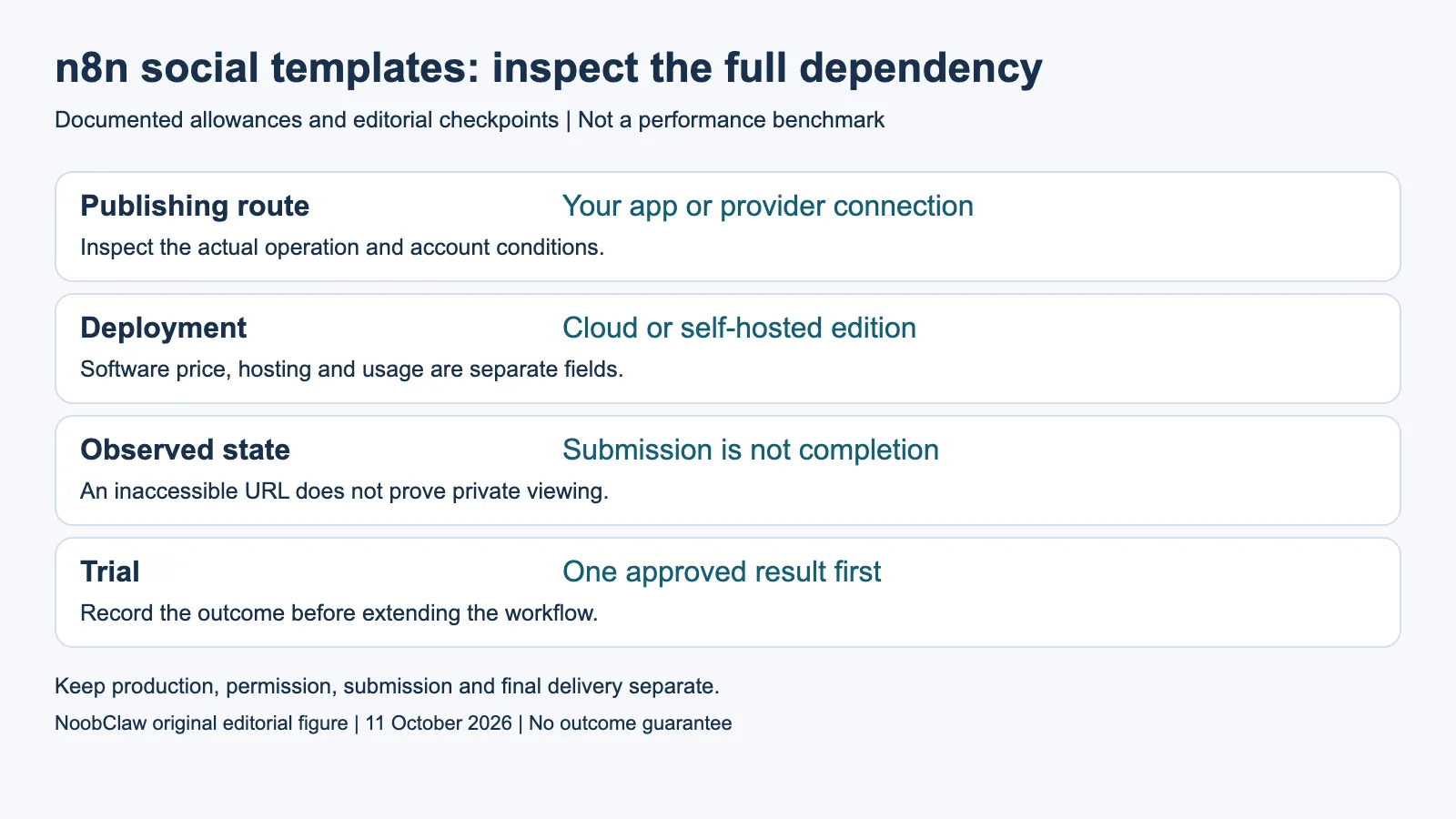
- Publishing route: Your app or provider connection. Inspect the actual operation and account conditions.
- Deployment: Cloud or self-hosted edition. Software price, hosting and usage are separate fields.
- Observed state: Submission is not completion. An inaccessible URL does not prove private viewing.
- Trial: One approved result first. Record the outcome before extending the workflow.
Separate deployment, creative usage and publishing costs
n8n's deployment guide distinguishes managed Cloud from self-hosted Community and paid editions. Community software is a free self-hosted option; infrastructure and maintenance remain the operator's responsibility. The current pricing page's selected annual EUR Cloud rows are Starter €20 monthly equivalent for 2,500 executions and Pro €50 for 10,000. These are annual commitments and whole-workflow execution units, not a price for each node or social post.
Choose the deployment first, then match the required features and usage to the eligible offer. A free Cloud trial is different from an ongoing Community installation; paid self-hosted features are another selection. Check the applicable current terms and license for the intended deployment. Do not call the n8n part universally free, or imply that every publishing leg must be paid simply because some providers sell subscriptions.
For an illustrative brief of twelve approved items across two destinations, record the intended twenty-four publication results separately from workflow runs and model attempts. A single run may contain several steps; retries or a different trigger arrangement can alter the workload. Build the cost ledger from the selected configuration rather than multiplying a desired post count by an unrelated execution or credit allowance. This is a hypothetical inventory, not a measured deployment or invoice.
Distinguish TikTok flows and verify the observed status
TikTok's Direct Post guidelines impose private-viewing restrictions and a five-posting-user control on unaudited clients, plus separate client and creator conditions. The upload endpoint is a different flow: it sends material for the creator to complete through an inbox notification. Determine which action the template requests before attributing a missing public item to an audit condition or a pending-share count from another endpoint.
The status reference separates an inbox-delivered stage from completed publication and publicly available results. It also identifies several possible failure reasons, including retryable service problems and cases where the publishing attempt should stop. Read the actual status and applicable guidance. A successful initial HTTP request is not proof of an intended public post, and an unavailable view from another browser is not proof that the post is private or that the account was penalized.
For a bounded acceptance check, retain the intended content, destination, returned identifier and observed final state. If a request times out, investigate whether the original action may already have completed before creating another item. If a grant was removed, inspect the applicable access state instead of blindly repeating a write. If the source or result cannot be accessed, mark it unverified. Do not turn a login wall or unavailable response into a diagnosis.
Test the unknown stage before extending the workflow
Begin with one destination and one approved item if that isolates the uncertainty in your own brief. This is an editorial test design, not a guarantee about setup duration or a mandatory week-long delay before adding a network. Keep the content and acceptance condition fixed while checking the relevant operation. Record the actual response and task state so another person can understand what was attempted and what remains unresolved.
NoobClaw's public example documents a 441-character script and a local 32.6-second 1080 by 1920 video at 30 fps. Audio and subtitles were observed, but the visual relevance, voice and rights were not approved for release. That bounded production result does not establish a tested n8n integration, platform audit, public posting, reliable uptime or a complete free workflow. It may inform the creative stage only when that is the missing deliverable.
Select a provider or template based on the complete supported brief and its observed result. A maintained connection may reduce some work, while your workflow still needs appropriate content review, task reconciliation and final evidence. A browser operation is not automatically permitted because it omits an API credential. Finish with the eligible deployment, actual integration, cost units and unresolved checks instead of a blanket claim that nodes are easy, audits explain nearly every problem or automation guarantees success.
For the related content and workflow decisions, read X API Free Tier: Current Credits, Costs and Posting Rules and Free Social Media Posting API: Access, Limits and Costs. Each review has its own evidence and scope.
NoobClaw publishes this article. Its script-to-video guide and public creative execution record document a local video result, not external-platform publication. Check the current product offer against the supported action you need.

Frequently asked questions
Must I register my own app for every template?
Not universally. Inspect whether the chosen operation uses your own platform app or a supported provider connection and what conditions apply.
Is every n8n social workflow entirely free?
No universal total is certified. Match the deployment offer, infrastructure, creative services and platform or provider usage to the actual brief.
Does a missing public TikTok URL prove an audit problem?
No. Identify the requested flow, returned status and account conditions. An unavailable external view is an unverified observation, not a unique diagnosis.
Sources
Sources inspected on October 11, 2026. Current technical and pricing documents retain their operation, account scope, billing units and eligibility conditions. The Threads API overview was read in its retrieved German-language official variant. Native scheduling announcements are dated product records, not authenticated current-account tests. Reused same-day primary copies retain their original retrieval records; they are not new GETs. Worked workloads and costs are hypothetical. The public local-production example does not establish platform publication, account protection or a paid conversion.