Repurpose.io Alternatives: Free Options and Workflow Limits
- Buffer Free fits scheduling finished content: three channels and ten refillable queue slots per channel.
- OpusClip Free is for clipping, with 60 monthly credits, a watermark and a three-day export window.
- Postiz and Mixpost Lite are self-hosted routes; server work and network coverage still matter.
- Repurpose.io offers a limited trial; NoobClaw is an adjacent drafting option, not equivalent video distribution.
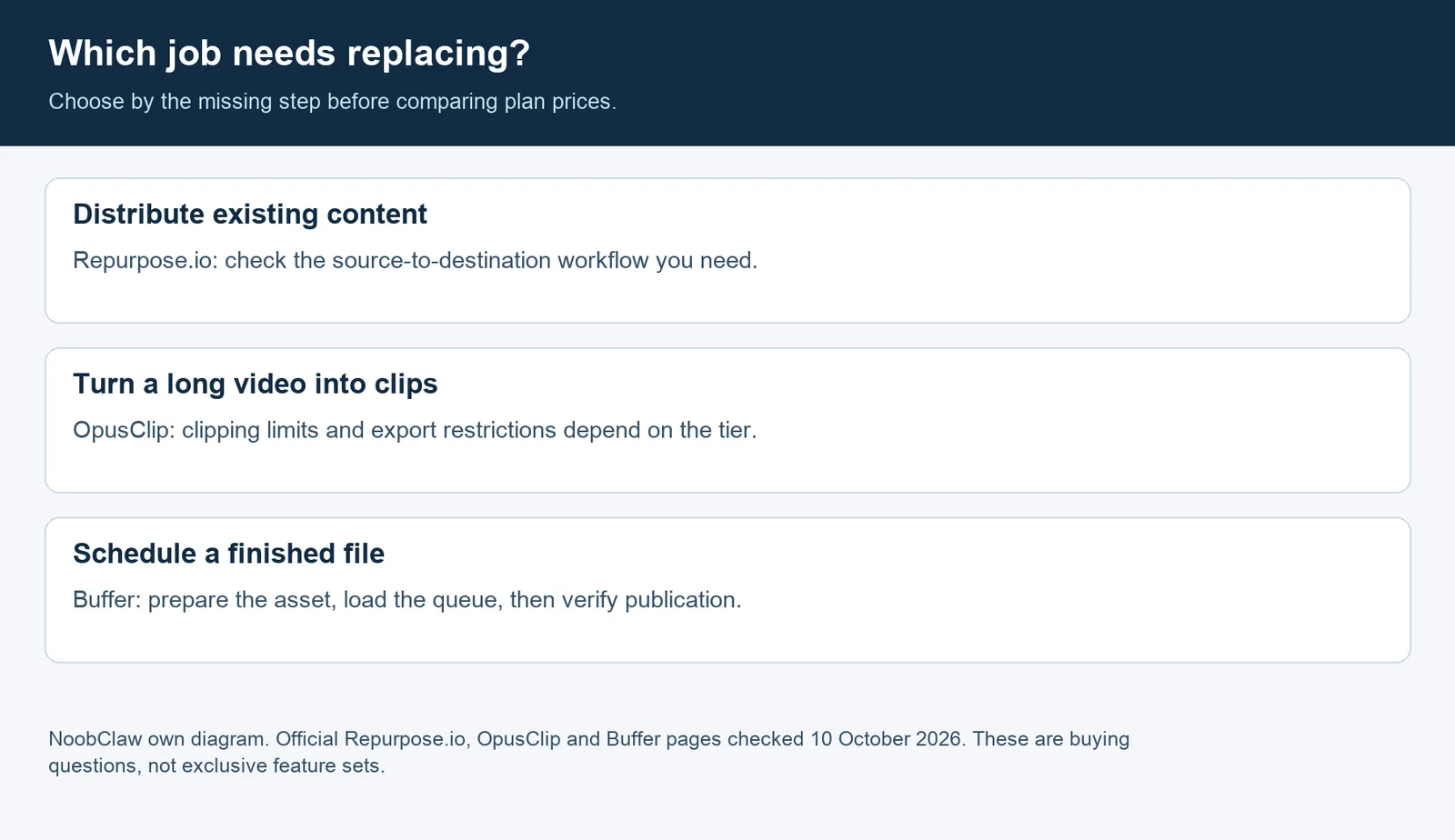
A free Repurpose.io alternative depends on which job you need to replace. Buffer is an option for scheduling finished videos; OpusClip has a limited free route for turning long videos into clips. Postiz and Mixpost Lite offer self-hosted publishing. None should be assumed to reproduce your existing source-to-destination workflow. Check the trigger, account type and output before choosing.
We compared official plan pages on 10 October 2026. The useful distinction is between creating a clip, loading a publishing queue and distributing newly uploaded content. This is a documentation-based comparison, not a hands-on test of every product. NoobClaw, our own product, appears separately as an adjacent content-creation option.
What does Repurpose.io cost, and is it free?
Repurpose.io's pricing page lists a trial lasting 14 days or ten published videos, whichever comes first. It is not a permanent free plan. Starter costs $35 billed monthly or $349 billed yearly, with three connected accounts per social network and 5,000 published videos per month. Pro is $79 monthly or $790 yearly, with ten accounts per network; Agency is $179 monthly or $1,790 yearly, with 25. Both higher plans list unlimited published videos.
Those account limits are per network, not a combined total across all destinations. Keep the annual invoice separate from the monthly subscription. The official product overview describes repurposing and distributing existing content through workflows. If that is already the job you need, staying with Repurpose.io can be sensible. A cheaper scheduler is useful only if it covers the work you actually want to remove.
Which free alternatives fit which workflow?
Shortlist by the missing step. The table separates hosted free plans, free software you operate yourself and our adjacent product. A free license does not pay for a server, and a free trial is not ongoing free publishing.
| Option | Useful job | Free route and boundary | Check before switching |
|---|---|---|---|
| Buffer | Schedule finished content | Hosted Free: three channels, ten queued posts per channel | Prepare the files; verify account type and publishing format |
| OpusClip | Create clips from longer video | Free: 60 credits per month, watermark, no editing; export access ends after three days | Export promptly; do not assume paid scheduling features are free |
| Postiz | Operate your own publishing stack | Self-hosted open-source route; infrastructure and provider setup remain your responsibility | Developer apps, upgrades and optional AI services |
| Mixpost Lite | Self-host publishing to a narrow network set | Free software for Facebook Pages, X and Mastodon | It does not cover a TikTok, Instagram or YouTube workflow |
| NoobClaw | Create account-specific content and run supported tasks | Free access with sign-up credits; AI usage consumes credits | Adjacent desktop workflow; not evidence of equivalent video distribution |
Sources: Buffer, OpusClip, Postiz cloud versus self-hosting, Mixpost packages and NoobClaw plans and credits.
Buffer: finished files and a refillable queue
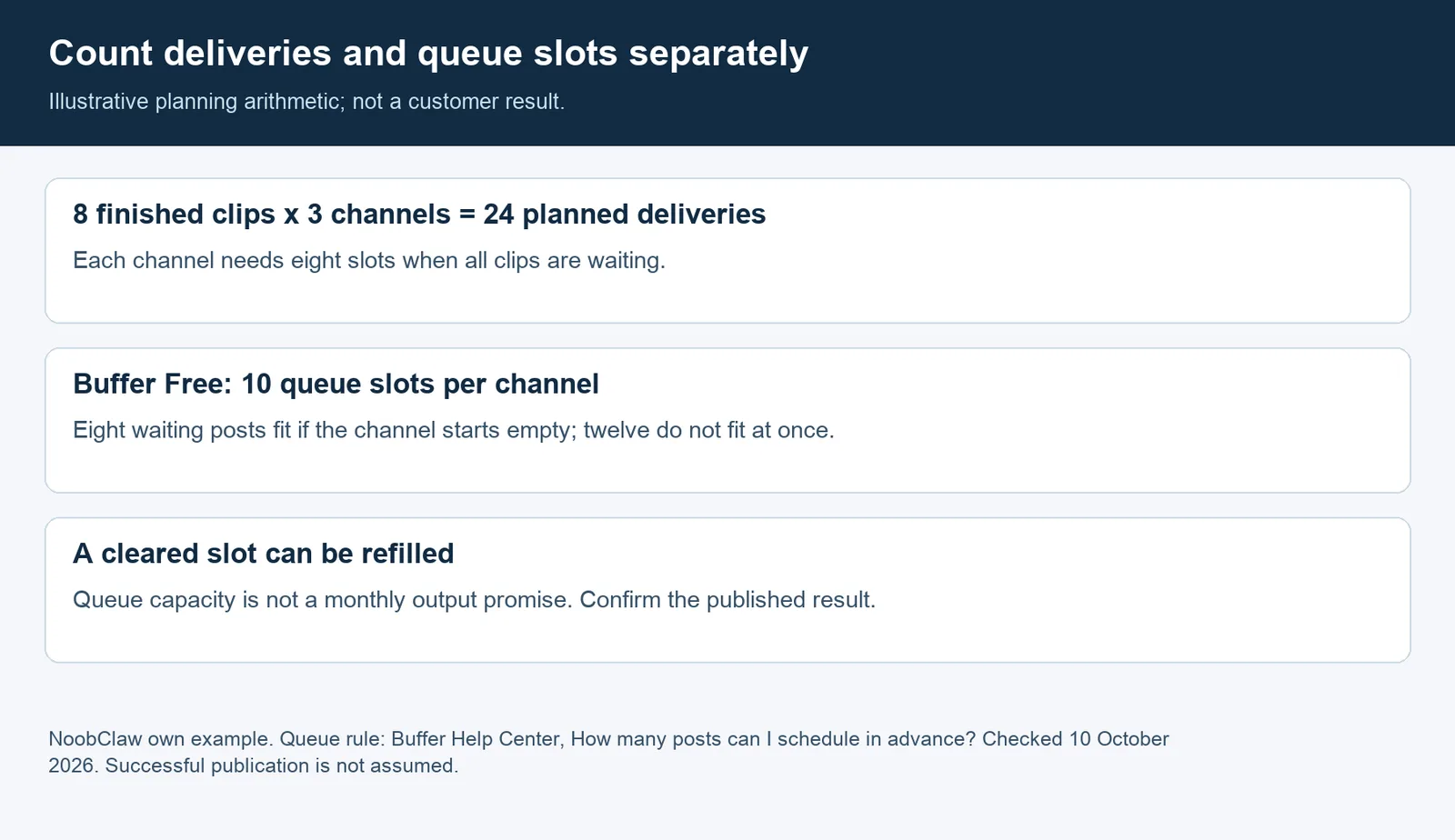
Choose Buffer when you can prepare the finished asset and want a small hosted calendar. Its queue documentation clarifies that ten posts is the number waiting in each channel, not a monthly allowance. A slot becomes available after publication. You still need to confirm the actual published output.
For a larger queue, Essentials starts at $6 per channel on monthly billing or $60 per channel billed yearly for channels one through ten, according to the official plan table. The annual equivalent is $5 per month. The same plan guide also limits Free to eight unique channel connections over the account's lifetime, including channels later disconnected. That matters if you plan to swap clients or accounts repeatedly. Our judgment: Free fits someone willing to refill a small calendar. It is a poor substitute for a workflow you expect to discover every new source upload automatically without additional setup.
OpusClip: editing the asset is a different purchase
If the bottleneck is finding short clips inside a longer recording, evaluate OpusClip before a scheduler. Its free restrictions matter for deliverables: watermark, no editing and a three-day export window. The paid Starter plan lists $15 billed monthly and 150 monthly credits, while Pro lists $29 monthly or $174 yearly, with 300 monthly credits. Scheduling and six social account connections appear on Pro's plan card. Check which tier provides each step rather than treating the free clipping allowance as free distribution.
Postiz and Mixpost Lite: free software, ongoing operations
Postiz's documentation says its cloud service has no permanent free plan and normally offers a seven-day trial; self-hosting has no subscription gate. Its hosted pricing starts at $29 per month on monthly billing. For most providers, you must register your own developer app and supply keys; the installation guide lists exceptions. The installation guide is the place to assess setup before promising a migration.
Mixpost Lite's listed networks are much narrower. A free edition restricted to Facebook Pages, X and Mastodon cannot replace a TikTok-to-YouTube route. Pro is a $299 one-time license for one domain or subdomain with one year of free updates; hosting is separate. If you need a paid network, verify its developer-app requirements too. Our Postiz versus Mixpost comparison covers that decision in more detail.
How should you compare limits before migrating?
Write the unit next to every number: connected accounts, queued posts, source credits or published deliveries.
Consider an illustrative plan: eight finished clips, each intended for three channels. That is 24 planned deliveries, not eight. Buffer's ten-slot queue on each channel can hold this plan if every channel starts empty. If twelve clips must wait on each channel, the full plan no longer fits at once. These are planning calculations, not measured publishing results or promises of reach.
Choose one representative asset and destination first. Check ownership or licensing, account permissions, the actual crop, caption and published URL. Keep your own original export where available; a scheduling service is not evidence that a burned-in watermark has been removed. This comparison does not claim that every platform automatically reduces reach for every reused video.
Record whether the new tool discovers an upload, whether you must select a clip manually and who verifies publication. Pause overlapping schedules during a trial so both tools do not send the same post. Keep the old calendar and original files until you have checked the output. For related evaluation criteria, see free scheduler limits.
When does NoobClaw belong on the shortlist?
NoobClaw belongs here when creating different content for your own accounts is the missing step. Our desktop app and browser extension support content drafting and selected publishing tasks from your own browser; platform coverage varies by workflow. It uses AI credits, so free access is not unlimited generation. It is not a substitute for OpusClip's long-video clipping or proof of a Repurpose.io-equivalent distribution pipeline.
A small public example makes that boundary visible. On 9 October 2026, we ran the public caption generator once and received five draft captions. The original request and response are available to inspect. It demonstrates draft generation only: no video clipping, desktop execution, social publication or business outcome was measured.
Our recommendation is to test NoobClaw only if that content-creation step matters to you. The X drafting workflow guide explains its draft-only setting; that setting should not be confused with an enforced team approval system. Check current plans and credits before deciding. For X, the official automation rules prohibit non-API automation such as scripting the website. Keep drafts for manual review and posting rather than treating browser automation as permission. Account rules and content rights still apply.
FAQ
Is there a completely free replacement for Repurpose.io?
There are free options for individual jobs. Buffer covers a limited publishing queue, OpusClip offers restricted clipping, and self-hosted tools require operations. Do not assume that any one free tier reproduces your complete source-to-destination workflow.
Is Repurpose.io's trial a free plan?
No. The pricing page says the trial ends after 14 days or ten published videos, whichever comes first, and continued use requires a paid plan.
Which route should I test first?
Start with the task you cannot do reliably today. Test clipping if you lack finished assets, a scheduler if the files are ready, or your source-to-destination workflow if automatic distribution is essential. Confirm one complete output before migrating more accounts.
Sources
Official product pages and help documents are linked beside the claims they support and were checked on 10 October 2026. Prices are USD unless stated otherwise; billing periods and plan units are kept separate. Features can change, so verify the selected tier before purchase.
Scope note, 10 October 2026: this comparison distinguishes clipping, queueing and distribution. The diagrams illustrate workflow choices and queue arithmetic; they are not measured customer results.