Postiz vs Mixpost: Cloud, Self-Hosting and TikTok Limits
- Postiz Cloud is managed; self-hosted Postiz transfers infrastructure and developer-app setup to you.
- Mixpost Lite covers Facebook Pages, X and Mastodon; Pro costs $299 once, with a year of updates.
- Mixpost documents Pro internal TikTok use through Sandbox, where Direct Post is unavailable.
- Budget hosting, provider access and maintenance before treating a license purchase as savings.
Postiz vs Mixpost comes down to who will run your publishing system. Choose Postiz Cloud if you want a managed service. Consider self-hosted Postiz if you can maintain infrastructure and developer apps; consider Mixpost Pro if you want workspaces and approvals on your own server. Mixpost Lite is narrower: its free edition covers Facebook Pages, X and Mastodon, not Instagram or TikTok.
Checked 9 October 2026. We compared official pricing and deployment documentation, not measured publishing performance. The decisive question is whether your required account can publish in the mode you need. A supported-network logo alone does not answer that question.
Postiz vs Mixpost: what do the plans actually buy?
The Postiz pricing page lists monthly-billed Standard at $29 for 5 channels, Team at $39 for 10, Pro at $49 for 30 and Ultimate at $99 for 100. Standard has no team support; Team and above list unlimited team members. Annual billing uses different monthly equivalents, so the table below uses monthly billing throughout.
| Option | Software fee, USD | What constrains the choice? |
|---|---|---|
| Postiz Cloud Standard | $29/month, monthly billing | 5 channels; solo use |
| Postiz Cloud Team | $39/month, monthly billing | 10 channels; team support |
| Postiz self-hosted | No software subscription | Your infrastructure and provider setup |
| Mixpost Lite | Free software | Facebook Pages, X and Mastodon |
| Mixpost Pro | $299 one-time | 1 domain/subdomain; 1 year of updates |
| Mixpost Enterprise | $1,199 one-time | Customer subscriptions and billing |
Sources: Postiz Cloud overview and Mixpost packages. Mixpost Pro lists approvals, multi-tenant workspaces, an AI assistant, API and webhooks. Paid packages include a year of updates; continued use is allowed after that, while further updates require renewal. It is a software purchase, not lifetime server management.
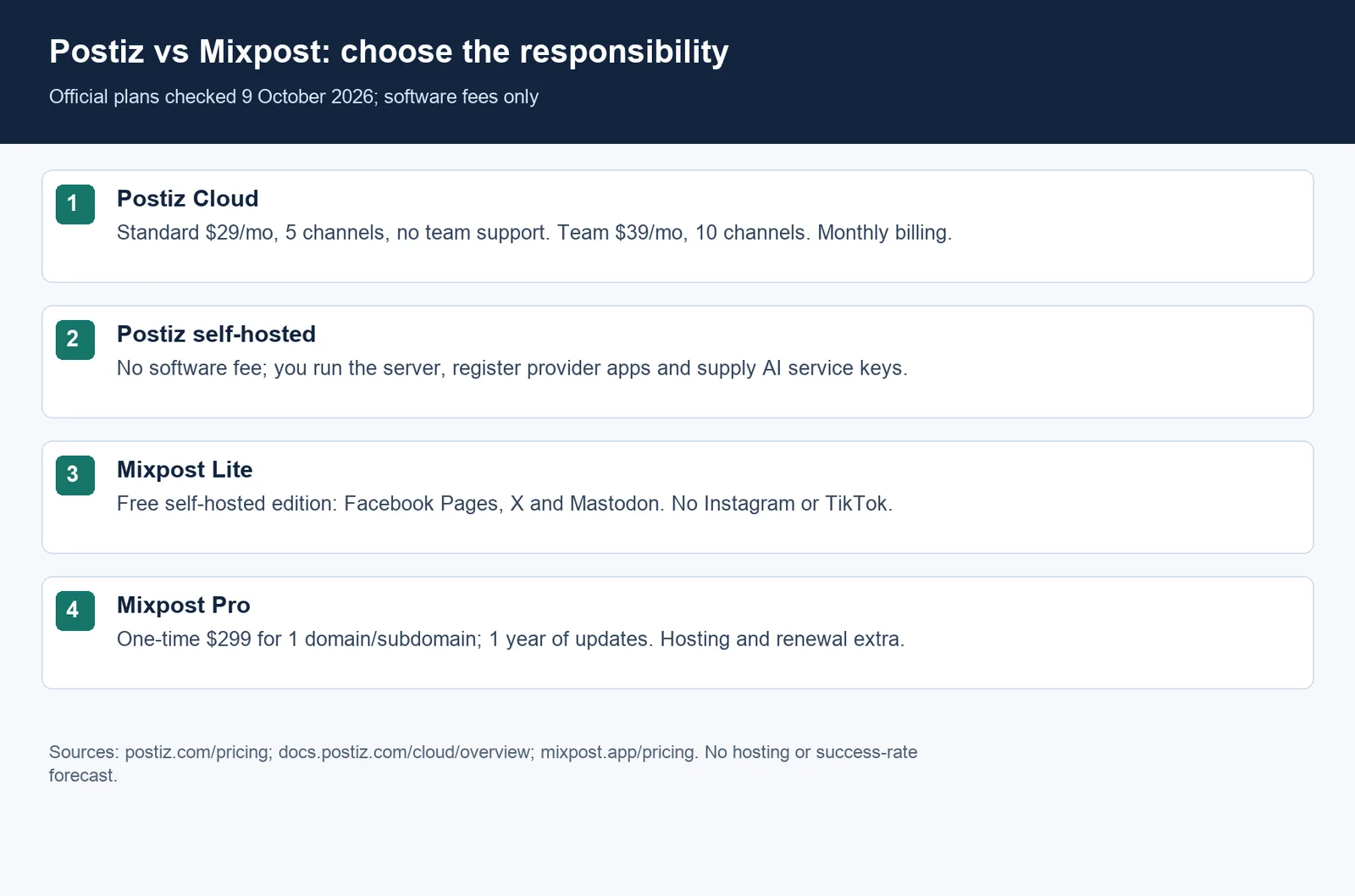
Postiz Standard costs $5.80 per included channel per month at full capacity; Team costs $3.90. These are divisions of the listed fees by the listed caps, not prices for adding a channel. For Mixpost, an unlimited-account claim is not a useful denominator: divide your total operating budget by the accounts you actually need, after confirming platform access.
Which free option can handle Instagram and TikTok?
Mixpost Lite cannot meet an Instagram or TikTok requirement. Its official package list names just three networks. Paid Mixpost includes those integrations, but the TikTok deployment case below shows why “included” does not necessarily mean unattended public publishing. The existing Mixpost Lite vs Pro comparison provides additional edition context; use current official documentation for purchase decisions.
Self-hosted Postiz removes the cloud plan gate, but transfers work to you. Its cloud/self-hosted comparison says cloud developer apps are already registered, while self-hosters register their own and supply credentials. Self-hosted AI images and video need your own service keys. Therefore, free software does not establish a zero-cost AI workflow or automatic provider approval.
Choose the delivery mode before you compare the software fee.
For Facebook Pages, X and Mastodon alone, Lite remains a reasonable candidate to evaluate. For a wider network mix, shortlist paid Mixpost or Postiz, then test a representative account. Keep a checklist of account type, provider app, permissions, media format and final visibility. A successful connection is only the first checkpoint; confirm that a scheduled item reaches the intended destination.
Why does the documented TikTok setup change the decision?
We found a limitation in Mixpost's TikTok integration guide that is more useful than a feature tick. It directs Pro users operating internally to Sandbox, allows up to 10 TikTok test accounts there, and says Direct Post is unavailable in Sandbox. Its app-review section identifies Enterprise users as eligible to request review. These are Mixpost's documented setup instructions, not a promise of TikTok approval.
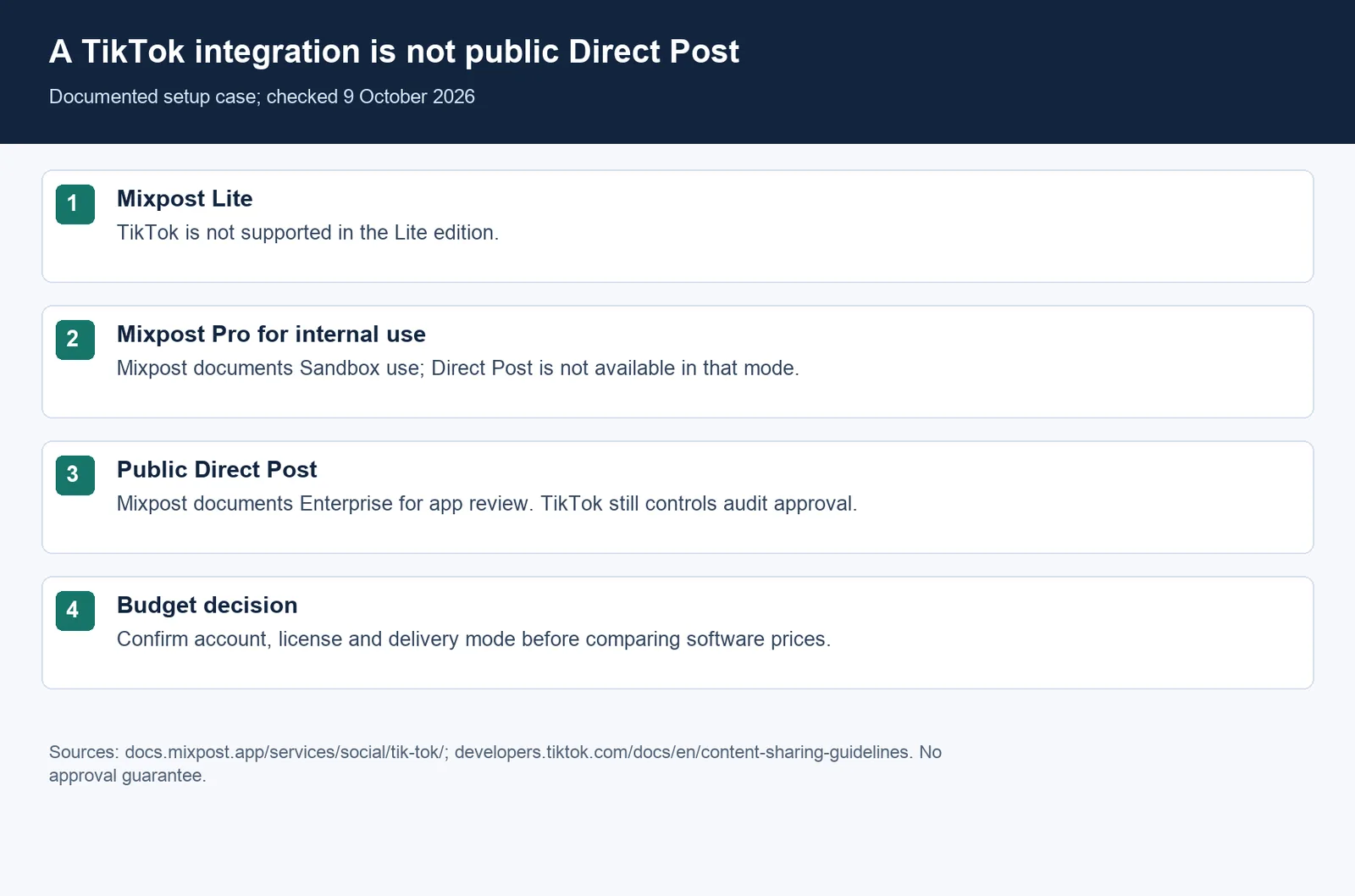
TikTok's Content Sharing Guidelines separately restrict unaudited Direct Post clients to private viewing. They also require a product intended for a wide audience and explicitly reject a private utility for uploading to accounts managed by you or your team. Buying a scheduler license does not change those platform conditions.
This is a documented implementation case, not our hands-on test or a customer success story. If public TikTok delivery is mandatory, ask the vendor to confirm the supported route for your exact deployment before buying. Evaluate Postiz Cloud's current TikTok workflow separately; do not assume every hosted or self-hosted route delivers identical privacy, review and account behavior.
When is self-hosting worth the maintenance?
Our recommendation is Mixpost Pro for a team that wants workspaces and approvals and already has someone responsible for a server. Self-hosted Postiz is a better candidate when you prefer its architecture and can operate its services. Postiz Cloud fits a team that would rather pay a subscription than maintain that stack. These are workflow recommendations, not reliability rankings.
The Postiz requirements describe a light-use floor of 2 GB RAM and 2 vCPU, with 8 GB RAM and 4 vCPU recommended for a small team. Its stack includes PostgreSQL, Redis and Temporal. The floor is not a capacity guarantee for your media workload. Upload storage and backup recovery still need an owner.
For manual installations, Mixpost's server guide requires PHP, a database, Redis, Supervisor and cron. It explains that the queue worker sends posts and the scheduler must run regularly; its Docker image includes the listed configuration. A running web interface is therefore not sufficient evidence that publishing jobs are healthy.
A concrete maintenance example is Postiz v2.24.0: its release notes flag new database models, environment variables and Temporal workflow versions. Read upgrade notes before changing a production instance, then check queued jobs and a permitted test post. This release is evidence of maintenance work, not proof that either scheduler fails more often.
For budgeting, use license or subscription fees plus hosting, storage, backups, provider charges, AI services and operator time. A software-only illustration: $299 divided by $39 is about 7.7 months. That compares Mixpost Pro's purchase with Postiz Cloud Team subscriptions before operating costs; it is not a break-even forecast and does not establish equivalent functionality.
Start a migration with one account, not the whole calendar. Confirm how content and schedules can transfer, recreate permissions and check the destination after publishing. We have not verified a one-click migration between these products. For a deeper operating-cost checklist, see the existing Postiz self-hosting analysis.
FAQ: which option should you shortlist?
Is Postiz Cloud permanently free?
No. The cloud overview describes a 7-day trial rather than an ongoing free plan. Self-hosting is the separate free-software route, with infrastructure and provider responsibilities retained by you.
Does a Mixpost Pro license guarantee public TikTok scheduling?
No. Check the documented Sandbox and app-review conditions above. “TikTok included” describes an integration; it does not grant the platform's audit approval.
Where does NoobClaw fit alongside these schedulers?
NoobClaw is our AI Social Media Assistant for content creation, account organization and supported tasks from your own browser. Postiz and Mixpost also offer AI features, so this is not a “creation versus distribution” split. If your specific need is an X content workflow, inspect the X Auto Post guide and current NoobClaw plans. NoobClaw does not provide LinkedIn publishing; it is not a like-for-like replacement for these schedulers' network coverage.
Updated, 9 October 2026: this comparison clarifies deployment responsibilities and Mixpost's documented TikTok limits. Select your required accounts and delivery mode, then assign an owner to the remaining setup and maintenance.
Sources
- Postiz Pricing — Postiz — retrieved 9 October 2026 — Plans and monthly billing.
- Postiz Cloud overview — Postiz — retrieved 9 October 2026 — Cloud and self-hosted responsibilities.
- Mixpost Pricing — Mixpost — retrieved 9 October 2026 — Editions, licensing and updates.
- TikTok Integration — Mixpost — retrieved 9 October 2026 — Sandbox and app review.
- Content Sharing Guidelines — TikTok — updated 4 August 2026, retrieved 9 October 2026 — Direct Post restrictions.
- System Requirements — Postiz — retrieved 9 October 2026 — Infrastructure planning.
- Server Configuration — Mixpost — retrieved 9 October 2026 — Queue and scheduler requirements.
- v2.24.0 release — gitroomhq/postiz-app — retrieved 9 October 2026 — Upgrade notes.