
Same Reel on Multiple Instagram Accounts: Your Options
- A Collab or Repost shares the original Reel across profiles without creating another upload. A separate re-upload creates a new post.
- Instagram does not explicitly classify every second-account upload of a creator's own work as unoriginal.
- For a recommendation restriction, check its specific reason in Account Status. Existing followers may still see the account's content.
- The rolling 30-day originality condition is not a guarantee that every recommendation restriction ends after one month.
If you have the necessary rights and the accounts can publish, you can upload your Reel to separate Instagram accounts. But re-uploading is only one of three ways to put a Reel in front of several accounts' audiences, and it is the only one that creates extra copies. The other two, Collab posts and Reposts, are built into the app and keep the Reel as a single post.
The difference matters because of a rule Instagram widened on April 30, 2026: "accounts that primarily post unoriginal content in photos or carousel posts, in addition to reels, will no longer be shown in places where we recommend content." Instagram's own originality guidance points to Collabs and Reposts instead of re-uploads, and neither creates a second upload on the other account. A re-upload does. The rest of this page is about choosing between the three and checking whether the choice has cost you anything.
What are the three ways to put one Reel on several Instagram accounts?
1. Collab post. Meta's August 11, 2023 Collab announcement explains the basic mechanism: after invited collaborators accept, the same post or Reel can reach their audiences and appear on participating profile grids. Choose which account should create the original post, then invite the others. Check the current collaborator limit and available editing controls in your app; a historical announcement is not evidence of today's limit.
The useful distinction is shared publication versus separate uploads. We checked the official Collab and Repost announcements together: both describe sharing the original content, while a separate upload starts another post. Neither announcement promises recommendation eligibility for every participating account.
2. Repost. Repost works with public Reels and feed posts. Meta launched reposts on August 6, 2025: "Reposts will be recommended to your friends' and followers' feeds, and they'll also be in a separate tab on your profile." Reposts are "credited to the original poster." The April 2026 originality post points to the same tool when it says to "share content to your story or use reposts" instead of re-uploading. The trade-off is placement: a repost lives in its own tab, not in the second account's main grid.
3. Re-upload. A separate post on each account, with its own likes, its own comments and its own entry in that account's posting history. It is the only method that gives the second account a grid post it fully controls, and the only one that adds a new upload to that account's own history. That history is what the originality rule reads, which is our reason for treating re-uploads as the risky option; Instagram has not said Collabs or Reposts are excluded from it, only recommended them instead of re-uploading.
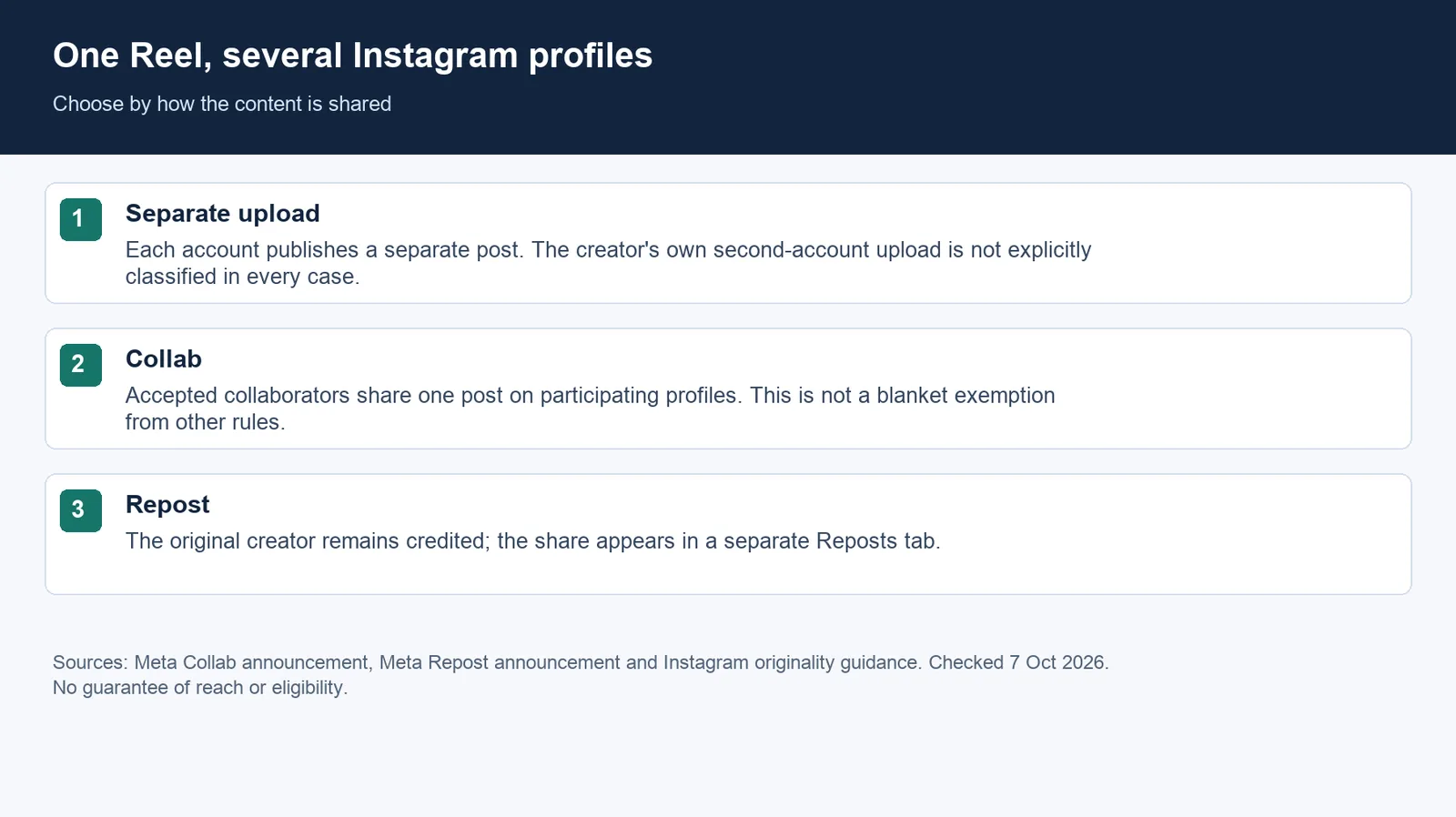
What does re-uploading do under the April 2026 originality rule?
Four details define the originality policy and its limits.
- The unit is the account. The trigger is accounts that "primarily" post unoriginal content. The rule targets accounts whose output is primarily unoriginal. Instagram does not explicitly classify every second-account upload of a creator's own work as unoriginal.
- Recovery is measured over 30 days. Accounts "can become eligible again when most of their recently posted photos, carousels, and reels are considered original in a 30-day period," calculated on a rolling basis. Instagram gives no time window for losing eligibility, only the word "primarily".
- The penalty is the stranger-facing surface. The update "does not impact how we show people content from accounts they follow." Instagram's recommendations help page spells out how wide the loss is: "If your account is not eligible to be recommended, none of your content will be recommended regardless of whether or not all of your content goes against our Recommendations Guidelines." Those guidelines only apply to public accounts.
- The recommendation surface is mostly original. Instagram says "75% of recommendations in the US now coming from original posts."
Is your own Reel "unoriginal" on your own second account? Instagram's definition describes "Re-uploading someone else's work ... without adding meaningful creative input," and lists "a border, watermark, subtitles, or a credit in the captions" as not enough. It does not say how it treats a creator re-uploading their own work on an account they also own. So the honest answer is: not clearly. Two things push us toward caution anyway. The system judges an account by what "most" of its recent posts look like, and Meta's spam policy says it "may place restrictions on accounts that are acting at lower frequencies when other indicators of Spam (e.g., posting repetitive content)" are present. A Collab shares one post across participating profiles without a separate re-upload. Instagram recommends its collaboration tools, but does not say that every Collab is exempt from all recommendation or spam rules.
This originality update does not change how content is shown to existing followers. An ineligible account loses recommendation placement; that does not establish that every non-follower is unable to find it. Check Account Status for the reason.
The rule has been reported since the April change: TechCrunch covered it the same day under the headline "Instagram cracks down on content aggregators", reporting that, according to Instagram, low-effort edits such as adding watermarks or changing a video's speed do not count. The checklist below starts with the reason shown in Account Status before choosing an action.
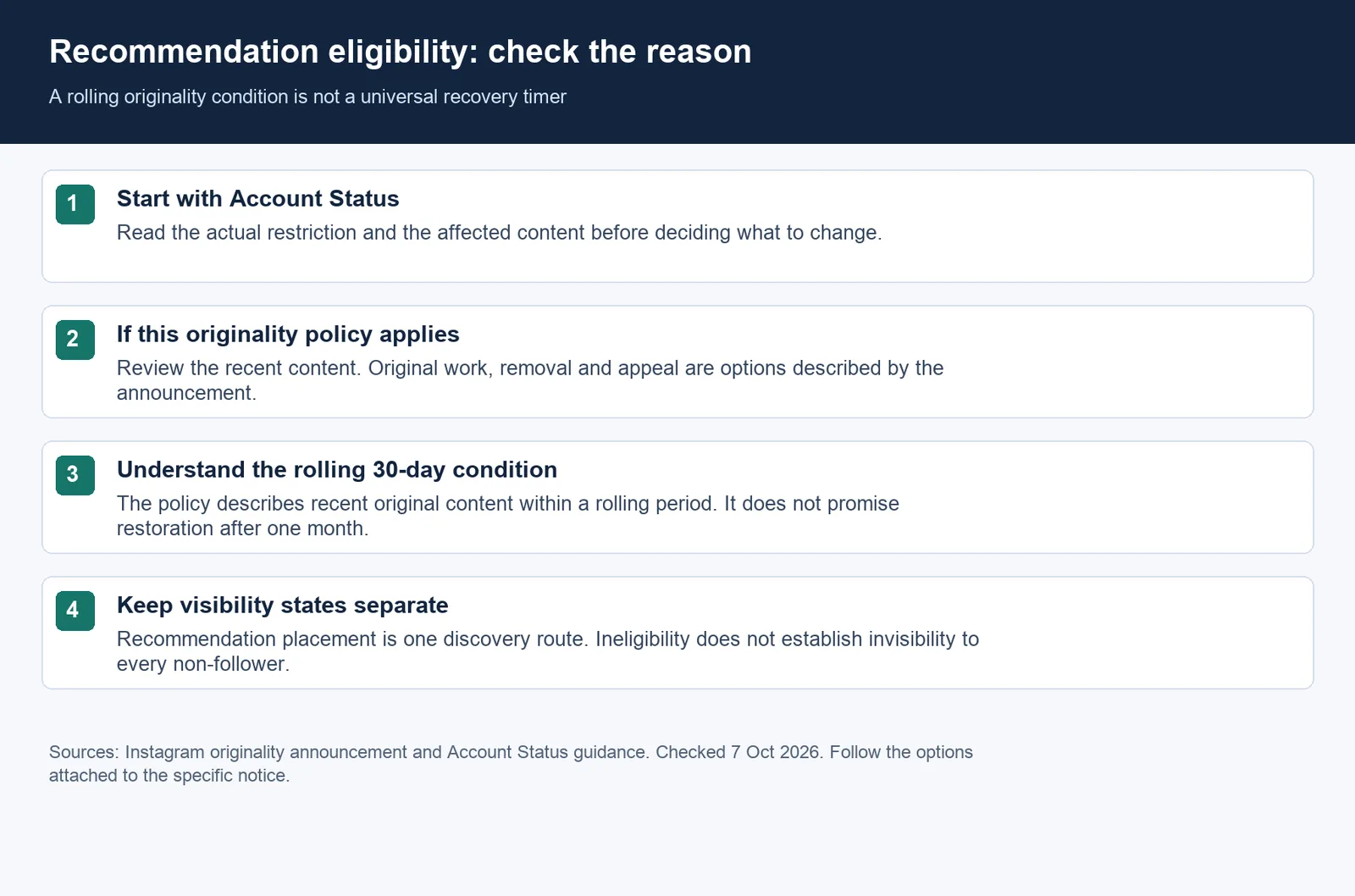
How can you tell whether the second account is being held back?
Instagram's originality announcement directs affected creators to Account Status. Recommendation-eligibility details described in the recommendations help page are for professional accounts. Read the reason and any available content-removal or review options shown for your account. The step-by-step path is in how to check Instagram Account Status.
The symptom to watch in insights is the split between followers and non-followers. If total views hold up because followers still watch, but the non-follower share of a new Reel collapses on the account that re-uploads, the rule above is the first thing to rule out, before hashtags or posting time.
If Account Status identifies this originality policy as the reason, stop posting unoriginal copies and publish original work. The rolling 30-day condition is not a guarantee of restoration after one month. The April post also allows removing the content in question or appealing; use the options that apply to the actual notice.
How do you run several Instagram accounts without feeding them one file?
For a multi-account workflow, keep each account's audience and content purpose distinct and check any restriction separately. A workable split:
- One home per Reel. Decide which account owns it. If a second account's audience should see it, invite that account as a collaborator instead of re-uploading.
- Different language. For a Spanish-language audience, consider localized narration and on-screen text. This is an editorial choice, not a guarantee of recommendation eligibility.
- Each account needs its own pipeline. If four accounts can only be fed by duplicating, the realistic options are fewer accounts or more production.
The production side is where NoobClaw fits for people running several accounts: each account generates its own Reels and captions from its own niche and persona, and posts from its own logged-in browser session on its own schedule. It does not turn one Reel into four original ones. These describe product functions, not permission from Instagram for an automated workflow. Review the applicable platform rules before using the task. Check the live workflow catalog and plan credits and account limits before choosing a setup. The same account-level logic on TikTok is covered in posting the same video on two TikTok accounts, and how the three big platforms price reposting differently is in reposting penalties on three platforms.
FAQ
Does waiting a few weeks before re-uploading the same Reel help?
Waiting alone is not a published eligibility guarantee. The recovery condition concerns recent original content within a rolling 30-day period; the announcement gives no safe delay for a creator's own re-upload. Use a Collab when the invitation option is available for the post; otherwise check the sharing options currently shown in your app.
What if the accounts are in different languages?
A genuine translation with re-recorded audio and localized examples is, in our reading, much closer to new content than a re-upload; Instagram has not ruled on it. The announcement lists subtitles alone as insufficient when re-uploading someone else's work without meaningful creative input; it does not explicitly decide every translation of your own Reel. For posting to several accounts in one session, see how to post on multiple Instagram accounts at once.
Can an account get recommendation eligibility back?
The originality-policy announcement says affected accounts "can become eligible again when most of their recently posted photos, carousels, and reels are considered original in a 30-day period." That is a rolling condition for this policy, not a promise that every restriction expires after a month. Check the reason in Account Status and request a review when the available option fits.
Sources
- Rewarding original creators on Instagram — Instagram for Creators — 2026-04-30 — creators.instagram.com/blog/rewarding-original-creators-on-instagram
- New Instagram Features to Help You Connect (reposts) — Meta Newsroom — 2025-08-06 — about.fb.com/news/2025/08/new-instagram-features-help-you-connect
- Recommendations on Instagram and Account Status — Instagram Help Center — checked 2026-09-26 — help.instagram.com/653964212890722
- Spam policy — Meta Transparency Center — checked 2026-09-23 — transparency.meta.com/policies/community-standards/spam
- Instagram cracks down on content aggregators — TechCrunch — 2026-04-30 — techcrunch.com
- New Ways to Create With Music and Collaborate With Friends on Instagram — Meta Newsroom — 2023-08-11, checked 2026-10-07 — Meta Collab announcement
Correction, 7 October 2026: clarified recommendation eligibility and account-specific notices, removed unsupported reach or restoration predictions, and updated the explanatory charts.