TikTok Symphony Creative Studio: Credits, Access and Exports
- Symphony is documented for organic and paid creative work; the access prerequisite is a TikTok for Business login, not a claim about your ordinary profile category.
- Certain generation actions consume plan-based weekly credits. Check the current account offer and displayed action quote rather than assuming unlimited video generation.
- Download and Ads Manager synchronization are documented routes. Export is distinct from a verified organic-profile publishing result or audience response.
TikTok Symphony Creative Studio can help with video generation, avatars, dubbing and editing. The useful buying question is which of those jobs you need, what your account can access, and where the finished asset must go. Its free creation positioning does not establish unlimited video generation. This review separates current documented capabilities from an output-quality test we have not performed.
Choose the creative action first, then check its current credit quote and destination. A generated file, an Ads Manager export and a published organic post are different outcomes.
What Symphony is designed to create
TikTok describes Symphony as a creative tool for both organic and paid content. Its overview lists video and image generation, avatar-based output, translation and dubbing, and an editor. These are vendor-documented capabilities, rather than a measured claim that every output is ready to publish. A creator making an organic explainer and an advertiser testing a product concept may both have a reason to consider it.
The generation documentation distinguishes text, image and reference inputs. That distinction matters more than a broad AI-video label: animating an existing product image is a different task from inventing a scene from words. Before comparing another product, specify the input you actually possess and the asset you need back. Similar model-family names do not establish identical settings, permissions, quality or workflow.
This article evaluates the documented decision points. It does not include a fresh Symphony render, a generation-speed benchmark or a test against another vendor. Claims about excellent output, improved retention or being the best TikTok generator would need different evidence. The overview itself says Symphony has no direct connection with the TikTok algorithm; using the tool does not certify distribution.
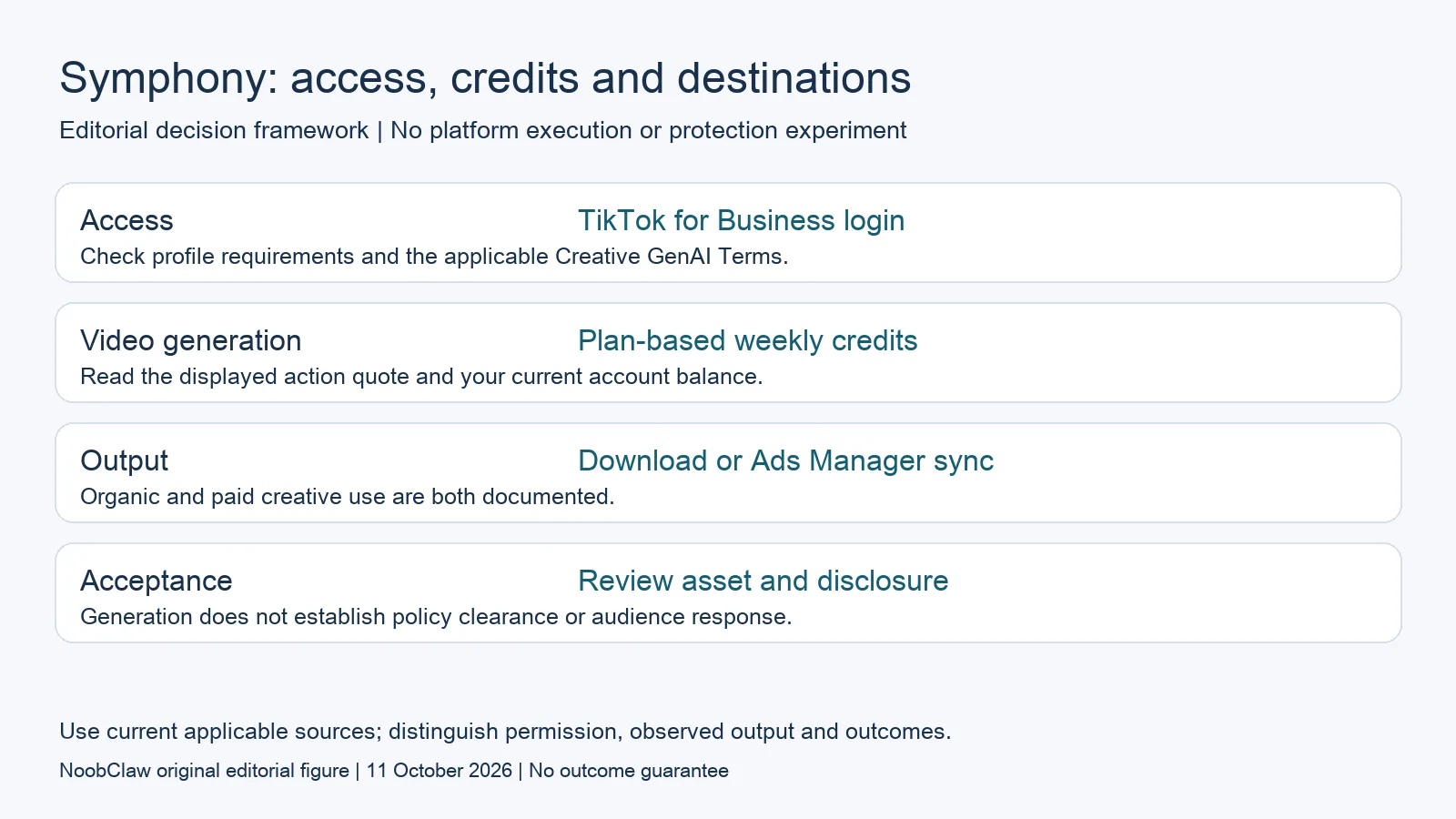
- Access: TikTok for Business login. Check profile requirements and the applicable Creative GenAI Terms.
- Video generation: Plan-based weekly credits. Read the displayed action quote and your current account balance.
- Output: Download or Ads Manager sync. Organic and paid creative use are both documented.
- Acceptance: Review asset and disclosure. Generation does not establish policy clearance or audience response.
The login requirement is not your TikTok profile category
The documented prerequisite is a TikTok for Business login. First-time access also includes completing a profile and accepting the Creative GenAI Terms. That is a service-access requirement. It should not be rewritten as a claim that your ordinary TikTok profile must use the business account category, or that a personal creator profile is inherently excluded from using a downloaded creative asset.
Account access and access to a particular feature are separate checks. The current credits page identifies Symphony Agent as available to selected customers. A general list of features is therefore not proof that every signed-in person can use every action. Look at the actual feature and allocation displayed for the account you intend to use, without assuming another account has the same offer.
For a team, identify who will manage that login, who can review the draft and which account owns the intended destination. Those are planning questions, not a claim about a verified Symphony collaboration feature. Do not give a tool broader access merely to test a feature mentioned in a roundup; establish the specific action and applicable terms before committing a production workflow.
How free creation and weekly generation credits coexist
The September 2026 credits documentation describes weekly, plan-based allocations. Video generation and the selected-customer Agent use credits; the listed image generation, avatar video, translation and dubbing, and editing actions do not require those generation credits. These statements concern the current documented credit system, rather than a promise that every operation will remain free under every future offer.
The account plan can depend on linking an Ads Manager account and qualifying advertising activity. More than one linked ad account does not mean all spend is automatically pooled: the document uses the single account with the highest spend to determine the plan. It does not supply a universal base allowance that this article can responsibly promise to a new reader.
The document meters generated video length at one credit per second and displays the action cost before generation. Weekly balances refresh on Monday at midnight UTC, and unused credits expire rather than carry forward. Check the current balance and action quote before planning several variants. Advertising expenditure is a separate financial decision; increasing spend merely to unlock generation capacity should not be treated as a free upgrade.
Downloads and ad exports answer different questions
The generation guide documents downloads to a computer and synchronization with Ads Manager, including batch export options. That is compatible with the overview describing both organic and paid creative uses. A download gives you an asset to review and place in the appropriate workflow; an ad sync supplies an advertising destination. Neither statement is proof that Symphony directly published an organic post to your profile.
Treat any next publishing step as a separate action. Its account authorization, file requirements, content rights and destination rules still need checking. The current documentation reviewed here does not establish a direct organic-profile publishing test. It also does not establish that downloaded assets can never be used outside TikTok. The exact permitted use depends on the applicable terms and rights, rather than an inference from the sync button.
This distinction changes a comparison with a writing tool or desktop video workflow. If you only need a post description, creating a new video may be unnecessary. If you need an edited asset, a text generator cannot supply the missing footage. If your main problem is delivery to an account, generation alone leaves that step unresolved. Compare those separate jobs instead of treating all products as interchangeable.
AI labeling and draft acceptance remain part of the job
The current export guide says exported videos receive an AI-generated label under TikTok ad policy, and generated content undergoes further moderation and policy review before publishing clearance. Do not treat the first-party origin as an exemption from disclosure or as automatic approval. This is the scope of the documented Symphony export process, not a universal diagnosis of how every platform handles every AI asset.
For a hypothetical product demo, check whether the visuals actually show the claimed product behavior, whether narration invents a benefit, and whether on-screen text is readable. For a dubbed clip, have someone who understands the target language review names, meaning and timing. These are proposed acceptance checks. They are not findings from an unperformed comparative experiment.
NoobClaw publishes this review. Its public desktop execution record documents one local video draft with narration and subtitles, not a Symphony test or an external social post. The creative result still needed review of footage relevance, full audiovisual quality and rights. A publisher interest disclosure should be paired with that evidence boundary, instead of an unsupported claim about superior quality, speed or account protection.
Choose the output you need: post-caption drafts, opening-line drafts or spoken-script drafts. These text tools have a limited anonymous allowance; they do not transcribe or publish a video.
For the related content and workflow decisions, read Free TikTok AI Tools: Captions, Scripts and Video Credits and AI Content Generation for Social Media: Drafts to Video. Each review has its own evidence and scope.
A bounded choice for a product explainer
Suppose you have a product image and an approved spoken message. Symphony may be a candidate for a generated clip; an existing-footage editor may be more appropriate when showing real behavior matters. Compare a reviewed output at the required duration and destination, including actual credits consumed and any necessary edits. This is a hypothetical selection scenario, not a test result. If your remaining task is only writing the opening, description or narration, use the corresponding text tool and keep its output separate from video creation.
NoobClaw publishes this article. Its script-to-video guide and public creative execution record document a local video result, not external-platform publication. Check the current product offer against the supported action you need.

Frequently asked questions
Is Symphony unlimited because it is described as free?
No. The current documentation assigns weekly credits to certain generation actions and distinguishes actions that do not consume those credits. Read the account offer and displayed action cost; this review does not promise a universal allowance.
Do I need to change my TikTok creator profile to a business profile?
The generation guide specifies a TikTok for Business login. That requirement is not the same statement as changing an ordinary TikTok profile category. Check the actual service access and destination requirements.
Can Symphony make organic content?
Yes, the official overview explicitly includes organic and paid content. The reviewed export guide documents download and Ads Manager sync. A direct organic-profile publishing result was not verified here.
Sources
Official material reviewed on October 11, 2026. Document conditions apply to their stated service and scope; the editorial examples are explicitly hypothetical.