Free TikTok AI Tools: Captions, Scripts and Video Credits
- Choose the required output before a tool: post caption, video opening, spoken script, edited footage or generated video.
- TikTok describes Symphony Creative Studio as free, with plan-based weekly credits for certain generation actions. Free does not mean unlimited video generation.
- NoobClaw's browser caption, hook and script tools return text drafts with limited anonymous access; signed-in generation uses account credits.
- A downloaded video, a generated draft and a published social post are different results. Review the output and current conditions before the next step.
Free TikTok AI tools cover several different jobs, from writing a post description to generating an entire video. A useful shortlist starts with the missing output and the current allowance. It should not award a universal best tool without a comparison test, promise permanent unlimited access or treat a caption as subtitles. This guide compares TikTok's documented Symphony creation tools with NoobClaw's public text tools and a separate local desktop video record, keeping the evidence and prerequisites visible.
Choose the output first. Then check the allowance, required account and review work for that particular action.
Match the tool to a concrete creative task
For a post description, start with a caption writer. For an opening line, choose a hook tool. For the spoken content, work on a script. Editing an existing video and generating new footage are separate tasks again. A product can advertise several of these capabilities, but its support for one action does not prove it satisfies the others. Write the missing output in your brief before collecting feature lists.
Imagine a beginner demonstration that shows one desk cable-management change. The description should introduce that change, the opening should make a promise the demonstration fulfills, and the narration should describe the visible steps. These are proposed editorial examples, not generated or published test results. If all you need is the description, requesting a complete AI video adds a different production and review requirement without resolving the original writing question.
This distinction also clarifies what a free comparison can establish. A screenshot of a returned caption shows text, not a successful upload. A downloadable video shows a file, not cleared music rights or a destination post. Keep a simple acceptance check for each stage: correct words, usable media, reviewed final version and the specific publication method. Do not combine them into an unsupported claim that a free tool completes the entire workflow.
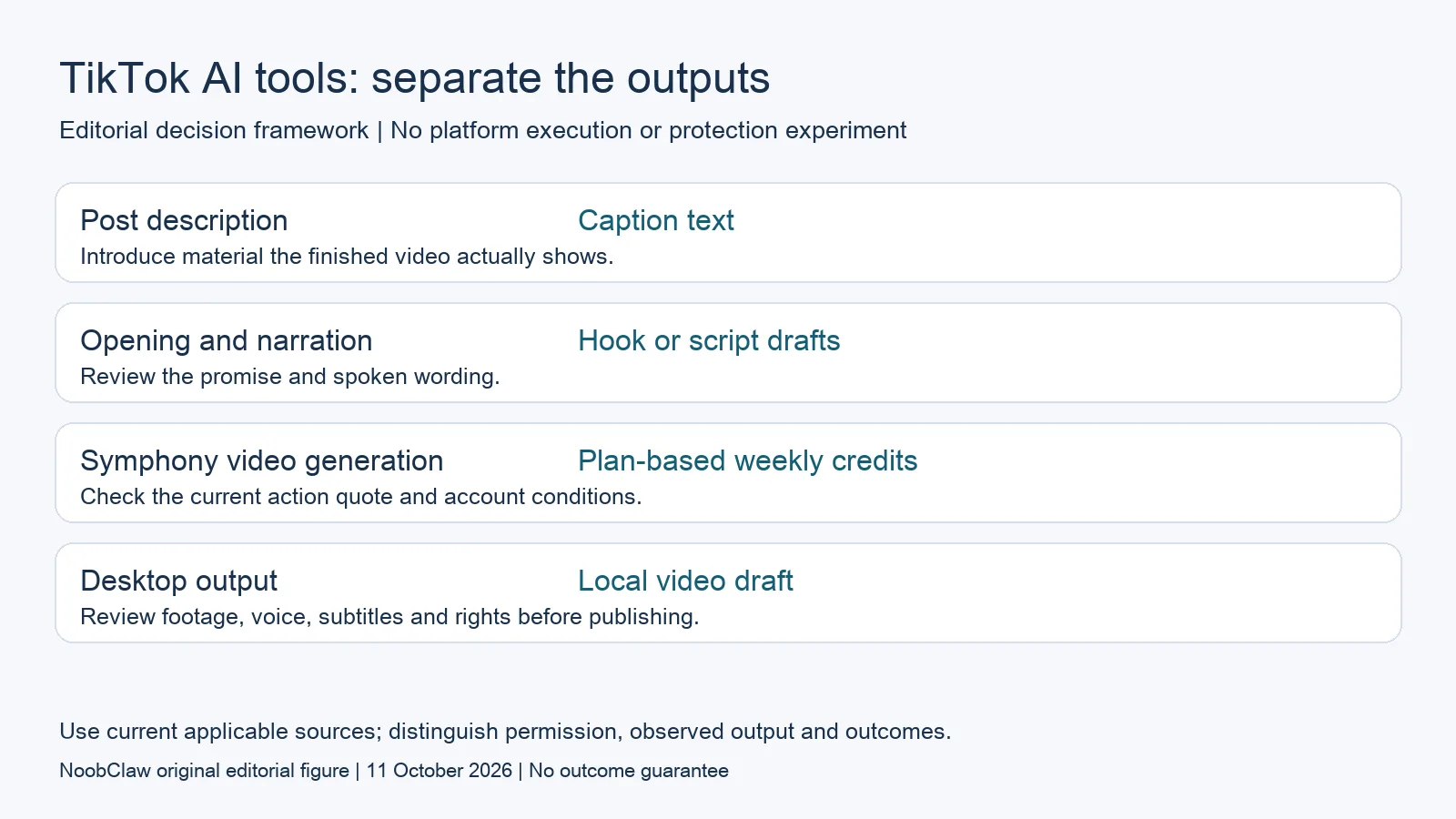
- Post description: Caption text. Introduce material the finished video actually shows.
- Opening and narration: Hook or script drafts. Review the promise and spoken wording.
- Symphony video generation: Plan-based weekly credits. Check the current action quote and account conditions.
- Desktop output: Local video draft. Review footage, voice, subtitles and rights before publishing.
Understand Symphony's current free and credit conditions
TikTok describes Symphony Creative Studio as a free creation tool that can produce material for organic and paid content. Its generation guide requires a TikTok for Business login and, for first access, profile completion and acceptance of Creative GenAI Terms. That is more specific than saying anyone can immediately use every feature with a normal TikTok login. Check the prerequisites and available features for the action you want to evaluate.
The current September credits documentation sets plan-based weekly allocations for video generation and the Symphony Agent, which is available to select customers. It lists other creative actions separately. For the credit-consuming generation described there, usage is based on generated video length at one credit per second, with the cost displayed before generation. A free product description is therefore not evidence of unlimited video output or universal access to the Agent.
The same documentation links plan qualification to advertiser-account connection and advertising activity. Credits refresh weekly on Monday at midnight UTC, and unused weekly credits do not roll over. Check the allocation shown for your account instead of adopting another advertiser's reported balance as your allowance. This article did not open a Symphony advertiser account, spend on ads or measure its generation quality; these are documented conditions rather than our execution results.
Use browser text tools for bounded draft creation
NoobClaw's public caption tool takes a short text description and tone and returns post-caption options. It does not transcribe an uploaded video or burn subtitles into footage. Its related hook and script tools address opening lines and spoken narration. For those text tasks, the useful question is whether a returned draft matches your actual material and can be edited, not whether the page advertises a complete automatic publishing system.
Anonymous visitors have a limited allowance of up to five successful generations per tool, subject to shared browser/IP allowance and rate limits. Signing in uses account credits. Do not describe that as unlimited free writing, a guaranteed daily reset or free desktop execution. The current desktop pricing separately includes sign-up credits and optional top-ups or subscriptions; consult the current task quote before using the installed product.
The public October 9 caption record preserves one request and five returned options. Its brief described explaining a three-account organization workflow, but the generation did not manage those accounts or perform the proposed tasks. A first-person claim in an option would need the author's own supporting experience before publication. Use the record as an example of text returned for a particular request, not a measured traffic, growth or automation result.
Evaluate a local script-to-video task separately
When the missing output is a video with narration, inspect an actual creation record and its limitations. NoobClaw's October 10 desktop test used a supplied English script and produced one local 32.6-second, 1080-by-1920 draft with an audio stream and visible subtitles. Some selected stock material was generic or off-topic. This is a concrete output for one configuration and input, not a benchmark against Symphony or evidence that every script produces publishable footage.
Review whether the visual sequence supports the spoken claims, whether text is readable and whether the audio says what you intend. Check the sources and permitted use of included media rather than treating successful export as a licence decision. The public execution record did not independently approve the entire audiovisual result or publication rights. Its guide provides the operational steps; this article helps decide whether that creative task belongs in your shortlist.
A local workflow also has prerequisites and usage costs. Installation, internet access and the selected workflow configuration matter, and the current app quote is authoritative for the task. Do not turn the example's duration into a universal price, speed or reliability estimate. If your need is a simple caption for existing footage, start with that output; a video task is a separate choice with a separate review burden.
Make the free shortlist useful without outcome promises
For each candidate, record the input, expected output, current allowance, required account and work left for a person. Then try a legitimate representative task using material you can submit. Preserve the request and returned version, and document which edits made it accurate. If an interface cannot accept a detailed brief, adapt the input to its fields rather than claiming the same prompt method always works across every model.
Publication remains a separate decision. Symphony's current generation guide says exported videos carry an AI-generated label and undergo further moderation and policy review before publishing clearance. That condition concerns the documented Symphony export; it should not be generalized into a complete policy explanation for every text or video tool. Check current requirements for the exact material and destination, without promising that a label or an official creative tool guarantees reach or account safety.
Select the tool around a supported task and an affordable routine. Avoid calling one free product universally most capable without a defined comparison, or predicting a permanent offer from a supplier's incentives. A generated opening line does not prove increased retention, and multiple different drafts do not prove successful multi-account operation. The useful deliverable is content you can review, plus a clear next step whose conditions are known.
Choose the output you need: post-caption drafts, opening-line drafts or spoken-script drafts. These text tools have a limited anonymous allowance; they do not transcribe or publish a video.
For the related content and workflow decisions, read TikTok Caption vs Hook vs Script: Choose the Right Draft and AI Content Generation for Social Media: Drafts to Video. Each review has its own evidence and scope.
One request is not an entire workflow
The saved web caption response demonstrates returned text for one brief. The separate desktop case demonstrates a local video draft for one supplied script. Neither record includes an external TikTok post, account recovery, a measured audience change or paid conversion. The comparison does not claim that we executed Symphony or that its advertiser credit balance matches NoobClaw's units.
NoobClaw publishes this article. Its script-to-video guide and public creative execution record document a local video result, not external-platform publication. Check the current product offer against the supported action you need.

Frequently asked questions
Is Symphony Creative Studio completely unlimited?
No unlimited video allowance is established by its free label. The current credits guide sets plan-based weekly allocations for specified actions and account qualification conditions; check your displayed balance and action quote.
Do free caption tools make subtitles?
The NoobClaw caption tool returns post-description text. Transcription and subtitles in footage are different actions and require a tool that supports them.
Will using an official AI tool guarantee a successful TikTok post?
No. A creative capability or export does not establish publishing clearance, distribution or account safety. Review the material and the current requirements for the intended destination.
Sources
Official material reviewed on October 11, 2026. Document conditions apply to their stated service and scope; the editorial examples are explicitly hypothetical.
- TikTok: Symphony Creative Studio scope
- TikTok: current Symphony credits and allocation conditions
- TikTok: current video generation prerequisites and steps
- NoobClaw: current post-caption tool and allowance
- NoobClaw: current hook tool
- NoobClaw: current spoken-script tool
- NoobClaw: actual public caption-generation record