Vista Social vs Buffer: Prices, Seats and Channel Costs
- Vista monthly Professional/Advanced/Scale prices are $99/$199/$449, with 15/30/70 profiles.
- Buffer’s channel bands accumulate; Team is not a uniform doubling of Essentials.
- Confirm Vista user entitlements and the X add-on before comparing complete eligible offers.
Vista Social vs Buffer is easiest to evaluate with the accounts and people you actually need. Vista lists fixed profile bundles; Buffer bills channels through graduated bands and separates solo access from Team. Current official prices read on October 11, 2026 differ from older comparisons, and Vista’s user FAQ conflicts with its current matrix. The examples below retain that uncertainty instead of promising a universal winner.
Compare the supported task and the full required configuration before calling a plan cheaper.
Current Vista Social and Buffer pricing structures
Vista’s current matrix gives Professional fifteen profiles and two users for $99 monthly, Advanced thirty profiles and three users for $199, and Scale seventy profiles and four users for $449. Annual totals are $950, $1,910 and $4,310, paid for the stated commitment. Enterprise is custom. Its current card and matrix counts supersede older figures in an ongoing buyer comparison.
Buffer Essentials includes one user and Team includes unlimited team members, approval workflows and access controls. Monthly channel bands are $6 and $12 respectively for the first ten, $4 on either plan for channels eleven through twenty-five, $3 for twenty-six through fifty, and $1/$2 above fifty. Each rate applies only to the channels in that band.
Vista’s same-page FAQ instead says Professional has three users and Advanced six. That conflict is unresolved by this catalogue review. Use the actual configured entitlement or a vendor-confirmed quote before relying on an additional collaborator. Do not silently choose the larger count, treat an older Scale figure as current, or assume the matrix proves runtime access.
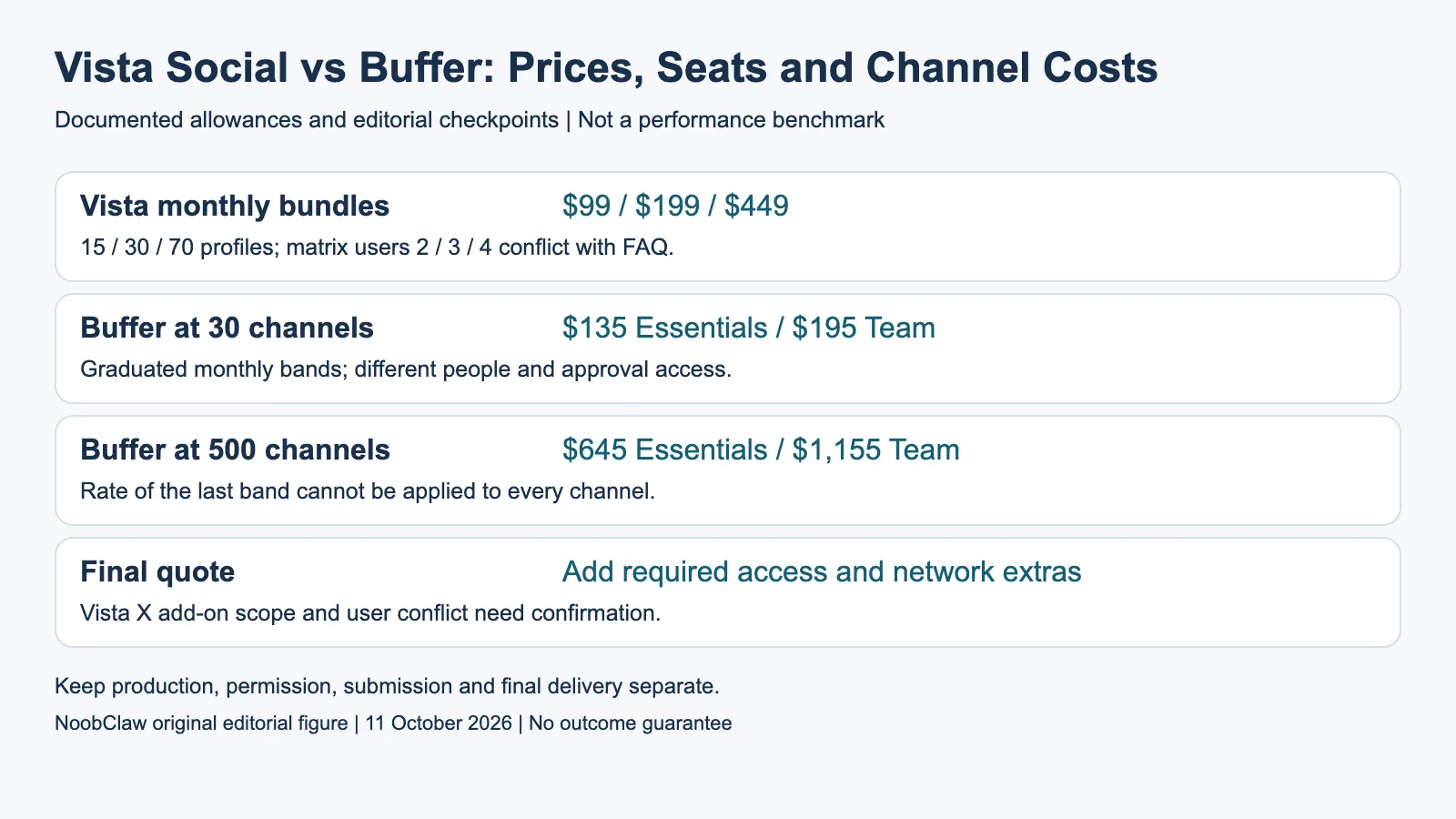
- Vista monthly bundles: $99 / $199 / $449. 15 / 30 / 70 profiles; matrix users 2 / 3 / 4 conflict with FAQ.
- Buffer at 30 channels: $135 Essentials / $195 Team. Graduated monthly bands; different people and approval access.
- Buffer at 500 channels: $645 Essentials / $1,155 Team. Rate of the last band cannot be applied to every channel.
- Final quote: Add required access and network extras. Vista X add-on scope and user conflict need confirmation.
Monthly totals at the counts that matter
Ten Buffer channels cost $60 Essentials or $120 Team monthly. Fifteen cost $80 or $140. Thirty cost $135 or $195, because the latter total is $120 for ten, $60 for fifteen and $15 for five. At seventy channels Essentials is $215 and Team $295. These are calculations from the current bands, not amounts paid in our experiment.
For a single-user fifteen-profile task, Buffer Essentials’ $80 is below Vista Professional’s $99 base price. If multiple users and a required workflow are involved, first check that the selected plan includes them. Thirty-channel Team at $195 is slightly below Vista Advanced’s $199 base before add-ons, but the catalogue totals alone do not prove identical inbox, reporting or approval behavior.
At five hundred channels, Buffer’s graduated totals would be $645 Essentials and $1,155 Team, not five hundred times the final $1 or $2 rate. Vista’s comparable large configuration requires a quote; its seventy-profile bundle cannot be extrapolated into a universal five-hundred-profile tariff. This is why one person, a specific account count or a plan name does not establish an all-counts cheaper vendor.
Add the required network and workflow extras
Vista’s current page lists an X integration add-on at $29 per month, covering its described publishing, boosting, automation and analytics functions. Confirm how that add-on applies to the proposed account configuration rather than inventing a per-profile or all-profiles scope. Its broader listening starts at $75 monthly and employee advocacy has another separately described package.
Buffer’s current channel matrix varies by network and profile type. For example, automatic publishing and analytics are separate feature columns; an X connection does not establish identical analytics for free and premium X profiles. Include the functions needed for your particular account rather than assuming a connected network grants every management capability.
If approvals matter, Buffer lists them in Team. Vista describes planning workflows and advanced collaboration functions with distinct plan gates; verify the relevant stage and external-reviewer access in the proposed configuration. A two-user base allowance is not a complete specification of the approval path. Test the handoff you need before using a lower subscription total as the purchasing conclusion.
Unlimited scheduling is not unlimited successful output
Buffer’s paid scheduling is subject to the published fair-use clause naming five thousand posts per channel. The current wording does not establish a monthly or annual published-output counter, so it should not be normalized into guaranteed yearly deliveries. Its Free queue holds ten posts per channel and releases a slot after publication; that is a reusable queue, not ten lifetime posts.
Vista advertises unlimited post scheduling while listing other quantities, including AI credits and contacts, separately. Its Professional, Advanced and Scale AI allowances are 1,000, 2,000 and 3,500 monthly in the matrix. The existence of unlimited scheduling does not prove unlimited creative output, no other policy conditions or guaranteed destination delivery. Buffer’s AI Assistant is also a listed creative-writing function, so neither product should be described as having no creation capability.
Record generation, approval, scheduling, submission and final destination checks as separate events. If a task fails, inspect the actual status rather than treating the purchase of profile capacity as evidence of successful publishing. No pricing comparison here measures platform enforcement, account protection, future audience size or paid conversion.
Who should evaluate each option?
Evaluate Buffer when its supported channel modes and solo or Team workflow fit your task and you prefer the graduated connection structure. Evaluate Vista when the proposed bundle’s inbox, reporting, project and collaboration functions meet the requirements and the actual user entitlements are confirmed. The right choice follows the complete task, not a universal rule about a single operator or many accounts.
If the missing step is producing an assembled creative draft, inspect that separately. NoobClaw’s public local record shows one 441-character script resulting in a 32.6-second vertical 1080-by-1920, 30fps export with audio and subtitles. Generic footage and voice/asset review remained unresolved. This is not a Vista-versus-Buffer experiment and does not establish that either competitor lacks content functions.
Before migration, list the accounts, people, approval stages, assets, reporting history and integrations you must retain. Confirm the proposed quote and reconfiguration work with the vendors; this article does not prove automatic transfer. Keep the current tool until the required workflow is verified, then measure the actual operational result rather than declaring a saving from unused maximum capacity.
For the related content and workflow decisions, read Social Media Scheduler Prices: Compare the Actual Total and Social Media Scheduler for Multiple Accounts: Plans and Costs. Each review has its own evidence and scope.
NoobClaw publishes this article. Its script-to-video guide and public creative execution record document a local video result, not external-platform publication. Check the current product offer against the supported action you need.

Frequently asked questions
Is Vista Social always cheaper for teams?
No universal conclusion is supported. Match actual profiles, confirmed users, required workflows and add-ons; the thirty-channel base example is $199 Advanced versus $195 Buffer Team.
How many Vista users are included?
The current cards and matrix show2/3/4, while the same-page FAQ says3/6 for the first two plans. Confirm the account’s actual entitlement before relying on additional users.
Does Buffer charge every large account $1?
No. Essentials only uses the $1 band above fifty, after earlier bands have accumulated. Five hundred channels calculate to $645 monthly on current Essentials bands.
Sources
Official material read on October 11, 2026. Prices identify their billing term; vendor allowances are not measured publishing results. Hypothetical inventory and cost examples are labeled; the public local-production record has its own limitations.