Buffer Free Plan Limits: Queue Slots, Users and Upgrades
- Buffer Free has three connected channels, ten scheduled posts per channel at a time and one user. A published post releases its queue slot.
- The queue rule is not a monthly published-post quota. Other account, format and platform requirements still apply.
- A second contributor or formal approvals calls for a different workflow; Buffer Team advertises unlimited members and approvals.
- Before paying, identify the actual blocked action. A plan upgrade does not establish that a reminder-only channel will become automatic.
Buffer Free can fit a small publishing routine, but its ten-post figure answers a narrower question than many comparisons suggest. It describes how much can wait in each connected channel, rather than a monthly allowance of finished posts. That distinction matters when deciding whether to upgrade, and it does not remove the other conditions of the service. This guide separates planning depth, people and publication method so you can check the limit that actually affects your work.
A queue slot measures work waiting to publish. It does not certify that the content, account or publishing method meets every other requirement.
What the free queue does and does not count
The current official pricing material specifies three channels and ten scheduled posts per channel, refillable as posts publish. Suppose one channel contains ten future posts and the first is successfully published. One slot becomes available for another scheduled item. Moving an unfinished item around your calendar is a different action; do not assume that editing a date creates extra queue capacity. Inspect the current queue count before loading another batch. The current Help Center also specifies a lifetime maximum of eight distinct channel connections on Free, counting previously disconnected channels. Rotating profiles is therefore a separate constraint from keeping three connected at once.
Here is a hypothetical planning example, not an observed publishing test. At one post per day, ten waiting posts represent roughly ten days of preparation. At two per day, they represent roughly five days. Neither calculation tells you how many posts will actually publish in a month. A failed connection, content problem or reminder you do not complete can change the result. Use the calculation to plan a refill session, rather than to promise an output total.
The important constraint is the amount waiting at one time. A launch with fourteen future posts for a single channel exceeds ten waiting slots even if the launch spans a whole month. Conversely, replenishing a shorter queue does not by itself establish a monthly ceiling. Keep drafts outside the scheduled queue until you are ready to assign them a slot, and inspect the service interface for the current treatment of each item.
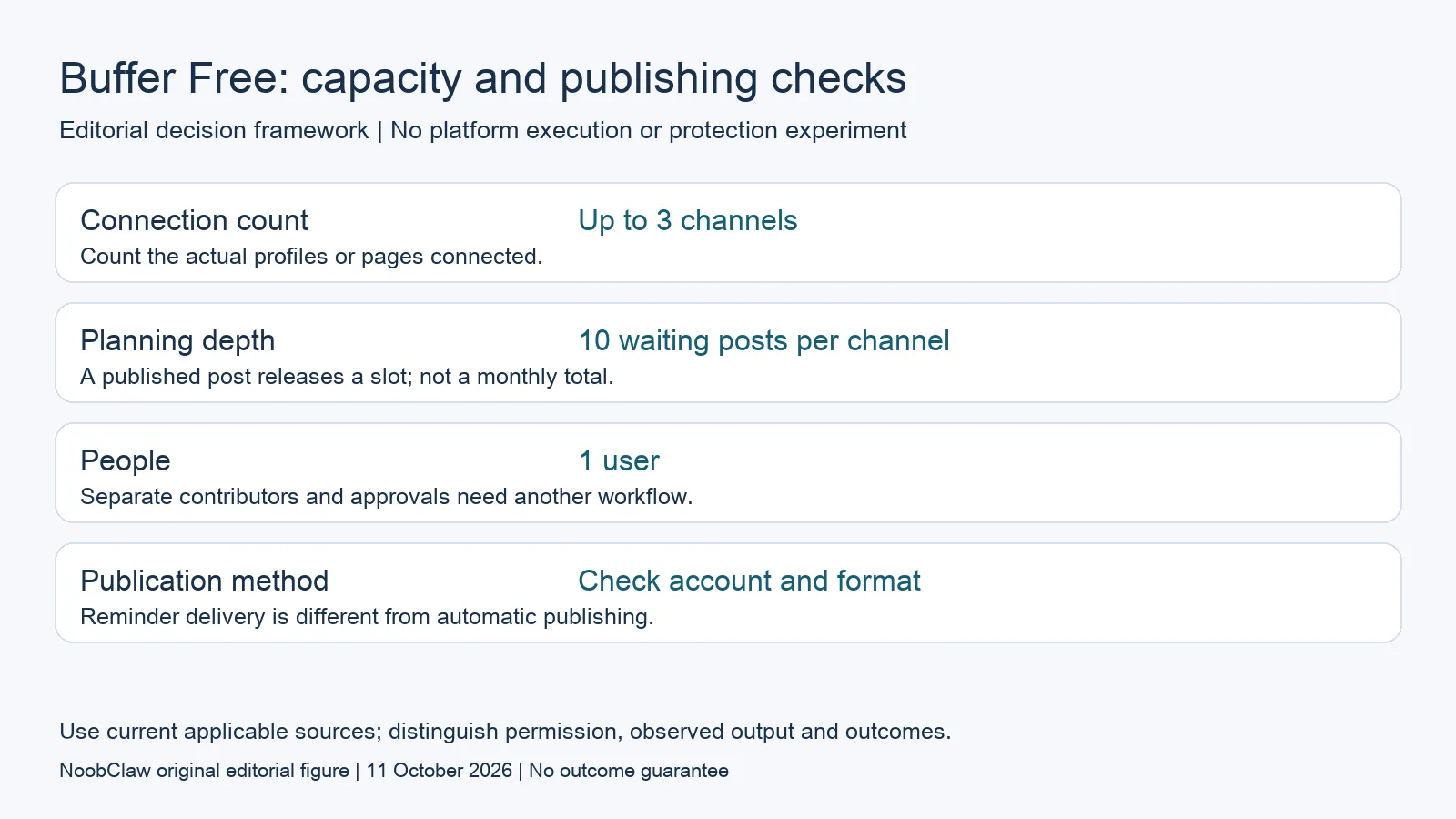
- Connection count: Up to 3 channels. Count the actual profiles or pages connected.
- Planning depth: 10 waiting posts per channel. A published post releases a slot; not a monthly total.
- People: 1 user. Separate contributors and approvals need another workflow.
- Publication method: Check account and format. Reminder delivery is different from automatic publishing.
Separate a one-person plan from a team workflow
Buffer Free includes one user; Essentials also includes one, while Team advertises unlimited team members and approval workflows. A cheaper paid plan is therefore not automatically a solution for a second contributor. Describe who must draft, who can approve and who can publish before choosing a tier. You may only need an external editorial checklist, or you may need permissions enforced in the scheduling service itself. Those are different requirements.
Consider an illustrative owner-and-contractor arrangement. The contractor could deliver text and licensed media in a shared document while the owner alone operates the scheduling account. This is a proposed manual process, not a statement that the contractor has a separate Buffer login or in-app approval rights. If both need service access and distinct permissions, verify the plan that supports those actions instead of describing password sharing as collaboration.
Content assistance is another separate feature. The current Free offer includes an optional AI writing assistant. A free scheduler is not necessarily limited to delivering material written elsewhere. Generated text still needs your factual, brand and rights review. Whether the assistant is useful for your particular brief cannot be established by the price table, and a generated draft does not demonstrate better engagement or successful platform publication.
Check the publishing method before diagnosing a failure
The official channel table distinguishes automatic publication from notification reminders. Instagram personal profiles and Facebook groups are listed for reminders rather than automatic publishing. Supported business or creator account types can have different capabilities. Check the actual profile type, selected format and integration documentation. A network name on a marketing page is less specific than the conditions of the account you connect.
A reminder means there is still a step for you to perform. Put that step into the calendar and identify who owns it. For an automatic method, record the expected publication time and the result shown by the service. If an item fails, preserve its error and connection status. A user review that says a post became a reminder does not, without this configuration, prove which condition caused the experience.
Do not buy an upgrade on the assumption that every failed post is a free-plan limitation. First identify whether you hit the waiting-post count, a disconnected account, an unsupported format or a documented platform requirement. Reproduce only the authorized action you actually need, using material you can publish. A successful test of one supported post is useful evidence for that setup, not permission or reliability evidence for every other connected account.
Calculate the upgrade around the blocked action
For monthly billing, the current official examples show three channels at $18 on Essentials or $36 on Team. These are distinct plans, before any applicable taxes; annual billing is a different commitment. Upgrading does not leave the original three channels free alongside the paid ones. If you need a fourth channel, calculate the paid total for all connected channels instead of budgeting only for the new addition.
Paid scheduling is advertised as unlimited subject to Buffer's fair-use condition of 5,000 posts per channel. The quoted condition does not specify a counting period here, so it should not be converted into a verified annual publishing allowance. Check the current rule if your proposed volume approaches that number. This is separate from the free queue's ten waiting slots and from the number of people allowed into the account.
Write the reason for the upgrade next to the quote: deeper preparation, additional connections, team permissions or a named reporting requirement. If the reason is merely that you misread ten waiting posts as ten monthly publications, inspect your routine before paying. If the reason is a required account type that does not support automatic publication, verify that method separately. Compare the available action, rather than collecting premium features without a use for them.
Run a bounded check with your own material
Create a small worksheet for one representative channel: owner, profile type, permitted format, publishing method, intended date, queue count and result. Start with a legitimate low-volume item that you can review. Keep its media source and caption version together. If a reminder arrives, record whether someone completed it; if automatic publication was expected, inspect both the scheduler result and the destination post. This is an editorial test plan, not a test we performed for this article.
Then check whether the routine fits the human work you can actually do. A ten-slot queue may be enough for weekly preparation and awkward for a month planned in one sitting. Refill time, review time and people are practical costs even when the subscription is zero. The useful outcome is a documented workflow with an accountable owner, not a claim that a free plan produces unlimited results or that an upgrade removes all external constraints.
For the related content and workflow decisions, read Buffer Pricing at Scale: Channel Tiers and Team Costs and Postiz vs Buffer: Current Plans, Channel Costs and Approvals. Each review has its own evidence and scope.
An illustrative weekly refill decision
A hypothetical solo owner has three channels and prepares seven posts for each every weekend. Seven is within each ten-item queue. Adding a second independent editor changes the access requirement, while preparing fourteen future items changes queue depth. These are separate decisions; this example is arithmetic and process design, not a measured customer outcome.
NoobClaw publishes this article. Its script-to-video guide and public creative execution record document a local video result, not external-platform publication. Check the current product offer against the supported action you need.

Frequently asked questions
Does ten scheduled posts mean ten posts a month?
No. The documented figure is ten waiting posts per channel at a time, with a slot released after publication. Other service and platform conditions still apply.
Will paying make a reminder-only channel publish automatically?
Do not assume that. Check the official account-type and format table; a paid subscription alone does not establish support for a different publishing method.
Does Free include team approvals?
Free lists one user. Buffer Team advertises unlimited members and approval workflows; verify the current plan and permissions for the people who need access.
Sources
Official material reviewed on October 11, 2026. Document conditions apply to their stated service and scope; the editorial examples are explicitly hypothetical.