Mixpost vs Buffer: License, Hosting and Channel Costs
- Mixpost Lite, Pro and Enterprise have different features and license conditions.
- Buffer has an ongoing Free plan and progressive paid channel bands.
- A license-only cost ratio omits hosting, updates, maintenance and destination access.
Mixpost vs Buffer starts with a deployment decision. Mixpost’s self-hosted editions put installation and provider configuration in your operation; Buffer is a hosted service with channel-based plans. Mixpost also has a separate Cloud offering, so self-hosting is not its only route. The October 11, 2026 official material supports a cost comparison with conditions, not an automatic winner based on unlimited account arithmetic.
Use the accounts you actually need as the denominator, then add the work required to operate the service.
Separate self-hosted editions from the hosted offer
Mixpost’s self-hosted pricing page lists Lite as free, Pro at $299 and Enterprise at $1,199, excluding VAT. Pro and Enterprise include one year of updates and have a perpetual fallback: the usable version remains available if you do not renew updates. Do not call this unlimited lifetime updates. The page describes paid source access, while the terms restrict resale and redistribution; having source code does not remove license conditions.
The self-hosted terms license one domain or subdomain and describe an additional license for a separate business instance. Enterprise adds the SaaS-oriented features and rights described for that edition; it is not a blanket unlimited-domain license. Confirm the intended installation and client arrangement before buying. Lite’s documented social support includes Facebook Pages, Mastodon and X; it does not stand in for all paid integrations or collaboration features.
Mixpost’s provider documentation distinguishes the deployments: self-hosted operators configure provider services, while Cloud uses the vendor’s configured applications and asks users to connect accounts. Cloud has its own subscription and terms. This comparison focuses its license calculations on self-hosted Pro; it does not claim a $299 license includes the Cloud subscription. A hosted route may reduce server work, but the actual account, format and permitted action still need checking.
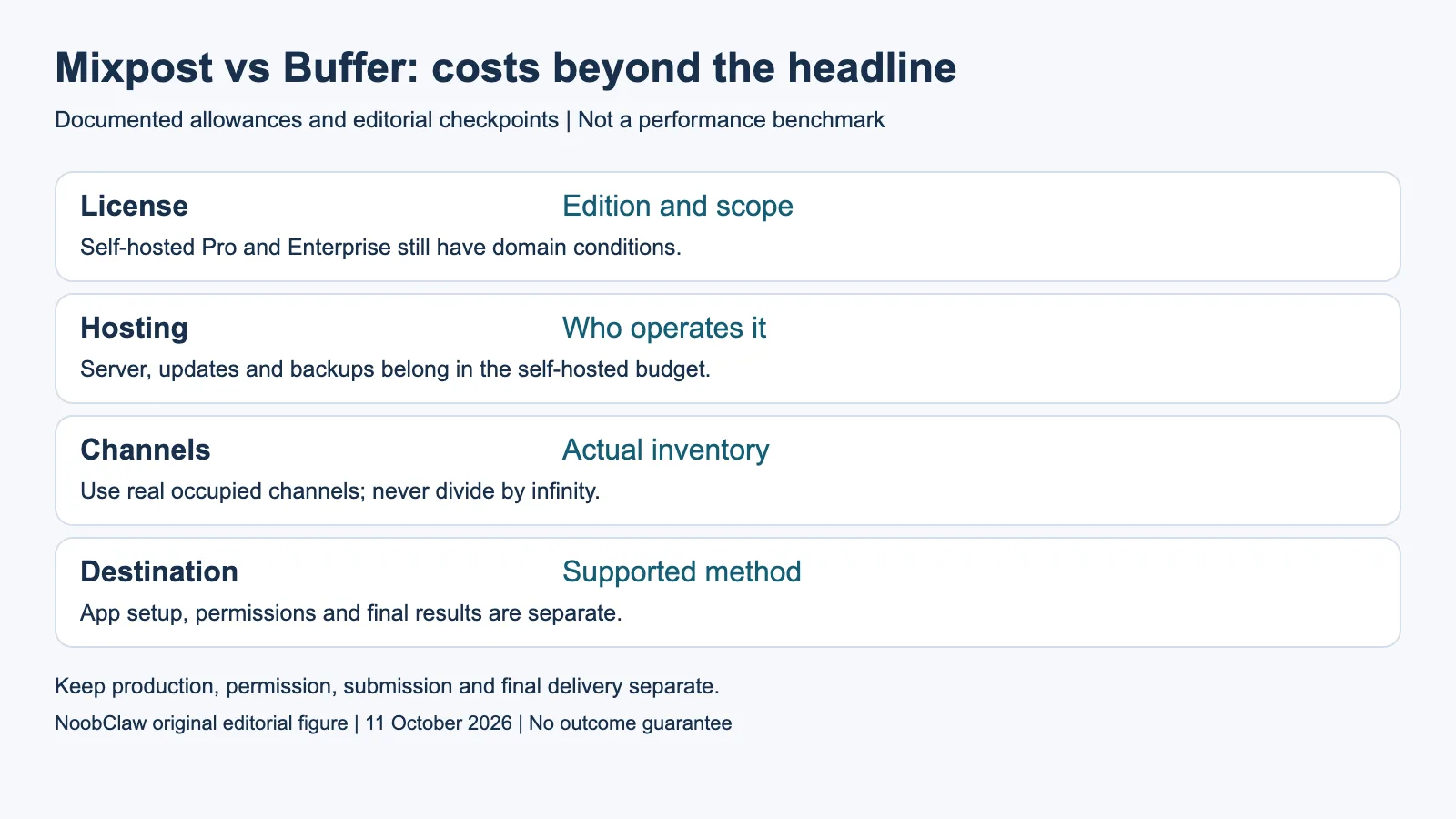
- License: Edition and scope. Self-hosted Pro and Enterprise still have domain conditions.
- Hosting: Who operates it. Server, updates and backups belong in the self-hosted budget.
- Channels: Actual inventory. Use real occupied channels; never divide by infinity.
- Destination: Supported method. App setup, permissions and final results are separate.
Buffer’s progressive bands depend on the plan
Buffer’s current Free plan lists three channels, ten queued posts per channel and one user. A queued slot becomes available after publication. Essentials’ monthly channel bands are $6 for channels one through ten, $4 for eleven through twenty-five, $3 for twenty-six through fifty and $1 thereafter. These are progressive bands, not a single final rate applied to every channel. Annual billing has its own displayed equivalents.
Team starts at $12 per channel for the first ten, then $4 for eleven through twenty-five, $3 for twenty-six through fifty and $2 beyond fifty. The final Team band therefore differs from Essentials. For fifty channels, the monthly sums are $195 for Essentials and $255 for Team before taxes or other charges. Choose the plan containing the required collaboration and reporting rather than selecting the cheapest arithmetic alone.
Mixpost’s vendor-side unlimited account allowance cannot be divided into a meaningful infinite denominator. At ten actual accounts a $299 license is $29.90 per occupied account for that purchase, before operation costs; at fifty it is $5.98. These are illustrative allocations of one license, not monthly subscription rates or measured cost per published post. Buffer’s recurring channel charge and Mixpost’s purchase plus operation costs have different periods.
A license-only ratio is not complete payback
For ten hypothetical Essentials channels, Buffer’s published monthly bands total $60. Dividing the $299 Pro license by $60 gives about 4.98 months of that subscription amount. This is a license-only ratio. It assumes you need the paid plan, the Mixpost edition provides the required functions, and the compared channels and billing terms stay fixed. It omits the self-hosted server, storage, backup, maintenance time, update renewal, VAT and any destination or provider charges.
At three channels, a Buffer user whose needs fit Free has no channel subscription to eliminate. Dividing the license by a hypothetical paid $18 bill would answer a different question. At higher counts, compare the actual cost of the necessary plan with the complete self-hosted budget. Keep estimated expenses labeled as estimates. This review did not collect operating invoices, measure staff hours or conduct a head-to-head cost experiment.
The first year of updates and the retained version afterward also have different implications. A retained license does not guarantee continued compatibility with every platform API or future server version. Conversely, the end of included updates does not prove that publication stops immediately. Review the renewal offer and the maintenance you actually need. A broad claim that one product always pays for itself hides these assumptions and the feature decision.
Platform configuration and creative assistance still differ
Mixpost’s current self-hosted TikTok guide is specific: a Pro user using the internal Sandbox route can add up to ten test accounts, with Direct Post unavailable in that mode. The guide describes the public App Review route for Enterprise and possible additional Direct Post audit. It also distinguishes Inbox from Direct Post. These are deployment and method conditions, not a promise that purchasing Enterprise wins approval or publishes every account.
Buffer’s current table distinguishes automatic publishing from notifications for particular account types, including personal Instagram notification publishing and Facebook Groups notifications. Its YouTube row names Shorts. Compare the exact destination and media format instead of treating either general platform list as proof of feature equivalence. Record whether the final job is a reminder, a queued item, an upload draft or a completed destination post.
Both products also help with preparation. Buffer lists an AI Assistant and ideas; Mixpost’s paid pricing includes an AI Assistant and its usage guide supports per-account content and media versions. Describing both as incapable of writing or customizing content is inaccurate. AI assistance does not establish footage rights, a useful script or reliable delivery. Inspect the candidate output and confirm the feature in the selected edition and deployment.
Choose ownership or hosted operation for the real workload
Mixpost self-hosted is a candidate when your team wants to operate the service, the edition and domain license fit, and you can maintain the required integrations. Buffer is a candidate when its hosted workflow, supported channels and plan functions fit, including Free for eligible small inventories. If server ownership is the only reason you are leaving Mixpost, evaluate its separate Cloud offering before treating a migration to another vendor as necessary.
NoobClaw publishes this comparison. Its public October 10 record supports one supplied 441-character English script becoming a local 32.6-second, 1080 by 1920 video at thirty frames per second, with audio and subtitles observed. The record identifies partly irrelevant stock footage and unresolved voice-quality and rights review. It supplies a bounded production observation, not a Mixpost or Buffer publication test, maintenance measurement or account-safety result.
Keep production and delivery decisions together without claiming they are interchangeable products. An approved local export may still need a supported publishing route; an AI caption feature may still need editorial correction. Before switching, check account authorization, media, schedules, approvals and historical records in the actual products. Exportability and migration success are not established by a pricing page. Do one supported acceptance check and record what really finished.
For the related content and workflow decisions, read Postiz Self-Hosted Costs: Server, Providers and Maintenance and Buffer Free Plan Limits: Queue Slots, Users and Upgrades. Each review has its own evidence and scope.
NoobClaw publishes this article. Its script-to-video guide and public creative execution record document a local video result, not external-platform publication. Check the current product offer against the supported action you need.

Frequently asked questions
Does Mixpost Pro include unlimited lifetime updates?
The current self-hosted offer includes one year of updates with a retained-version fallback. Renewals, domain scope and third-party compatibility remain separate.
Are Buffer Essentials and Team volume bands identical?
No. The first ten channels differ and the band beyond fifty is $1 on Essentials versus $2 on Team in the monthly offer read here.
Does a Mixpost Enterprise purchase guarantee TikTok Direct Post?
No. The current self-hosted guide describes a review route and method-specific conditions. A license does not itself establish approval or publication.
Sources
Official material read on October 11, 2026. Prices identify their billing term; vendor allowances are not measured publishing results. Hypothetical inventory and cost examples are labeled; the public local-production record has its own limitations.
- Mixpost: current self-hosted editions and prices
- Mixpost: self-hosted license and separate Cloud terms
- Mixpost: provider setup for self-hosted versus Cloud
- Mixpost: current self-hosted TikTok Sandbox, review and Direct Post conditions
- Mixpost: workspaces, per-account versions and approval states
- Buffer current pricing