Content Repurposing Tools: Formats, Credits and Rights
- Choose the task first: extract a segment, create a new output or adapt and deliver an existing asset. Products may combine these tasks and use more than one meter.
- A connected-account limit, waiting-queue limit and generation-credit balance count different things. Read the actual format and billing conditions before comparing prices.
- YouTube’s reused-content review and copyright are separate questions. Permission to use a source does not by itself establish eligibility for channel monetization.
- NoobClaw’s documented local video export can inform a production evaluation. It does not establish third-party clipping, copyright clearance, publication or monetization approval.
Content repurposing tools can help turn an existing idea or asset into another useful format, but the right choice depends on what you already own and what you need next. A long recording, an accepted script and a finished video create different purchasing questions. This review separates extraction, new production and delivery, explains what the meters count and distinguishes rights from platform monetization policy. The examples are editorial scenarios, not a benchmark of conversion, audience growth or platform acceptance. Official material was reviewed on October 11, 2026.
An exported file demonstrates an output. It does not demonstrate rights clearance, a published post or an approved monetization application.
Choose the missing task rather than a generic winner
Extraction starts from a longer recording and selects or edits a segment. New production turns a source or brief into a script, carousel, narration or video. Adaptation and delivery prepare an existing asset for another destination and account. These are useful evaluation categories, not a claim that all products belong to exactly one category. A platform can combine functions, and its advertised meter may cover only part of the workflow.
For a hypothetical podcast team with several hour-long recordings, ask whether a candidate accepts those files, provides the needed selection and editing controls and exports the intended format. Do not buy a writing allowance solely because it is inexpensive if extraction is the missing step. For a team with approved talking points but no video, ask about production. For a finished video awaiting delivery, inspect destination and account requirements.
Write one acceptance example before comparing prices. It could be a complete spoken explanation edited into a vertical clip with readable text, or an original product demonstration made from an accepted script. Identify what must remain correct after the change, including context and attribution. A short sample can reveal an unsuitable output even when a product advertises ample capacity; the example is a purchasing criterion, not a claim of measured quality.
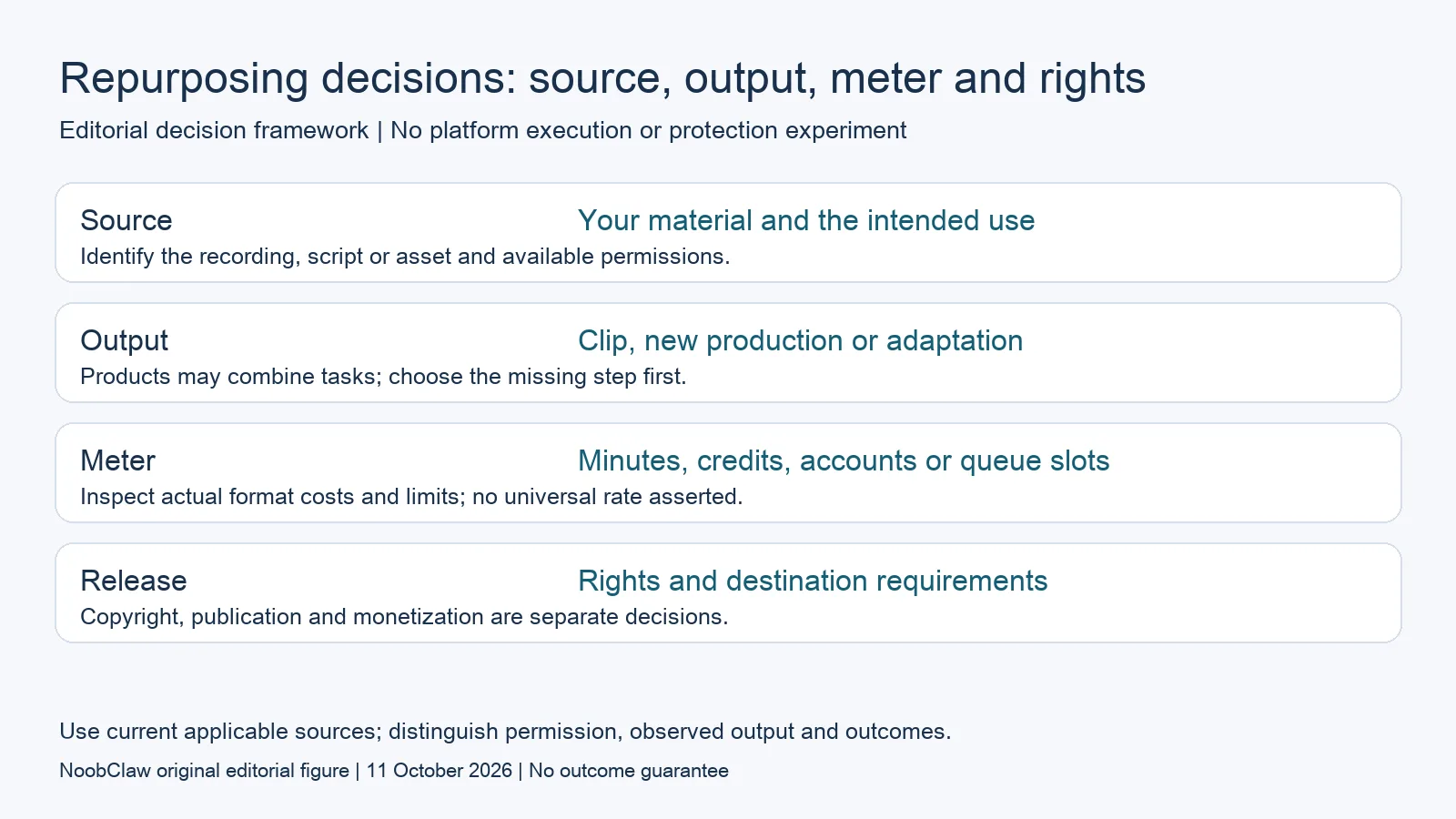
- Source: Your material and the intended use. Identify the recording, script or asset and available permissions.
- Output: Clip, new production or adaptation. Products may combine tasks; choose the missing step first.
- Meter: Minutes, credits, accounts or queue slots. Inspect actual format costs and limits; no universal rate asserted.
- Release: Rights and destination requirements. Copyright, publication and monetization are separate decisions.
Read generation credits against the intended format
Predis.ai’s current annual-billing Core card displays $24 per month equivalent, $288 billed yearly and one thousand three hundred monthly credits. Its FAQ says content types and models have different credit costs, and the approximate output counts on the pricing page are estimates. They are not a universal seconds-per-credit exchange rate. We have not run its generator or validated the cost of the reader’s intended format.
The same pricing page states that its three-day trial requires a card and charges when the third day ends unless cancelled beforehand. Those terms matter when evaluating a tool; a trial is not permanent free production. Keep the annual invoice distinct from a month-to-month price and check the selected offer, add-ons and actual checkout before purchasing. This is a public reference, not a paid account or a US checkout quote.
For an illustrative project requiring twelve approved videos, list the target duration, model, acceptable export and likely revisions. Obtain the applicable generation cost and decide whether failed attempts or variations consume capacity. If the public documentation does not resolve an item, record it as unknown and check the permitted evaluation route. Do not convert every credit into finished video seconds or assume the first generated result will be accepted.
Separate a queue slot from a monthly publication count
Buffer’s current pricing document describes Free as three channels with ten waiting scheduled posts per channel. A slot can become available after publication, so the queue is not a ten-post monthly publication allowance. Its pricing FAQ also describes a five-thousand-post per-channel fair-use cap without specifying a monthly reset there. Preserve that unspecified period rather than inventing one to compare with another product’s monthly counter.
Suppose a team has one finished video to adapt for three destinations. It must check the three channel connections, the waiting entries on each channel and the actual asset support. One file does not eliminate destination-specific work such as framing, captions and account permissions. A calendar entry is not evidence of a successful live publication. These distinctions make the capacity calculation useful without promising that a tool supports every requested format.
A production credit balance also cannot substitute for queue or account capacity. Keep separate lines for generation, connected destinations, pending entries, approval access and any required add-ons. Compare products using the same scenario and billing term. This may expose a need for more than one tool, but it does not mean one vendor is universally cheaper or that feature lists demonstrate complete workflow equivalence.
Keep copyright and platform monetization separate
YouTube’s current channel policy describes reused content as repurposed source material without sufficient added commentary, modification or audience value. Review can concern the channel as a whole; it is separate from copyright enforcement and can apply even with the original creator’s permission. The page also covers other monetization requirements. A transformation checklist therefore cannot establish approval by itself or guarantee that an application succeeds.
The US Copyright Office explains fair use through a case-specific analysis of purpose, the source work, the amount used and market effect. It gives no fixed safe percentage or word count. Those US principles do not establish clearance for an individual asset or govern every market. Repurposing and reposting are editorial descriptions, not a rule that their legal consequences are identical. A disputed intended use needs its own assessment.
In a hypothetical repurposed interview, record the source owner, permissions available, the intended destination and the contribution in the new edit. Also inspect music, imagery and any other material with separate rights. An internal note saying original footage is not a complete licence record for every component. Keep the rights question distinct from whether the finished output offers useful context and meets the destination’s actual publishing requirements.
Review the contribution in the finished asset
For a demonstration based on your own material, ask whether the edit retains enough context for the viewer to understand the claim. A short extract can remove a limitation or make a speaker appear to endorse something they did not endorse. Check the narration, captions and selected visuals together. This is an editorial check of the actual output, not a tool-specific formula for satisfying all platform policies or legal obligations.
NoobClaw’s documented script-to-video workflow is relevant when the missing task is producing a local file from a script. Its public example does not establish upload of a long third-party recording, automatic selection of the strongest excerpt, rights clearance or external account delivery. The caption, hook and spoken-script tools provide separate text outputs; a caption draft is not automatic transcription or subtitle timing. Evaluate the supported action rather than assume complete repurposing coverage.
After review, preserve the accepted source and output versions beside the next action. If a destination later supplies a notice, retain the actual notice and corresponding policy instead of predicting account penalties from the tool used. Different prompts, fresh background music or a locally generated file do not establish publication permission or monetization approval. The appropriate next check depends on the asset and intended destination, not a blanket promise that a method survives review.
Choose the output you need: post-caption drafts, opening-line drafts or spoken-script drafts. These text tools have a limited anonymous allowance; they do not transcribe or publish a video.
For the related content and workflow decisions, read Client Content Calendars: Approvals, Templates and Plan Limits and Buffer Free Plan Limits: Queue Slots, Users and Upgrades. Each review has its own evidence and scope.
A bounded example of local production
NoobClaw publishes this article. Its public October 10, 2026 execution record documents one local creative run: 441 English input characters became a 32.6-second video at 1080 × 1920 pixels and 30 frames per second. This establishes the input and exported file for that run. It does not establish a client approval, scheduler integration, external publication, copyright clearance, monetization acceptance or audience response. Generic or off-topic stock footage still requires scene-by-scene review, and voice quality and footage rights were not independently approved. Use the bounded example to assess the separate production step. A paid plan or a successful export cannot replace review of the actual asset, the rights available for its intended use and the destination’s requirements.
NoobClaw publishes this article. Its script-to-video guide and public creative execution record document a local video result, not external-platform publication. Check the current product offer against the supported action you need.

Frequently asked questions
Which type of tool fits an existing podcast?
Begin with the actual recording and desired output. Evaluate extraction and editing if a segment is missing; evaluate production or delivery when those are the missing tasks. Check the candidate’s actual supported input and meter rather than infer them from a category name.
Does permission establish YouTube monetization eligibility?
No. YouTube describes reused-content review separately from copyright and permission, and its monetization policies cover additional requirements. A licence record and a useful new contribution answer different questions; neither guarantees an application outcome.
Are repurposing and reposting legally identical?
Those labels do not resolve an asset’s legal position. Rights, the intended use and the applicable jurisdiction matter. The US Copyright Office describes fair use as case-specific, with no fixed safe portion. Keep that assessment separate from a platform’s eligibility rules.
Sources
Official material reviewed on October 11, 2026. Document conditions apply to their stated service and scope; the editorial examples are explicitly hypothetical.