Client Content Calendars: Approvals, Templates and Plan Limits
- A useful client calendar connects an account, asset version, approver and publishing decision. A date grid alone does not establish approval or a completed publication.
- Planable Basic lists four pages and sixty created posts per workspace per month; Pro lists ten and one hundred fifty. Count creation separately from publishing dates.
- The current monthly references are $39 for Basic and $59 for Pro per workspace before tax. Required approval appears in Pro; Basic supports none or optional approval.
- Choose a creation tool when you need an asset, and an approval or scheduling tool when you need that workflow. NoobClaw’s local video record does not establish client-approval integration.
A social media content calendar for clients should show what will be published, where it belongs, which version the client reviewed and who can authorize the next action. Start with a small shared structure that matches your relationship, then evaluate software against actual permissions, approval requirements and capacity. This article gives an editorial planning framework and a worked workspace example. It is a selection aid rather than an authenticated walkthrough of a client account. Official product material was reviewed on October 11, 2026.
Keep the approved asset version beside the decision: approval of an earlier script is not approval of a revised video.
Build the calendar around the client decision
Use fields for client, destination account, format, proposed date and time zone, asset link or version, owner, approver, status and result. A hook can be a separate field when it needs explicit review. These are suggested fields, not a claim that one template works for every team. The account field should identify the particular page or channel; a platform name alone cannot distinguish two clients’ accounts on the same network.
For a hypothetical product launch, one row might describe Client A, its Instagram account, a short video, a proposed local-time release, asset version v3, the editor and the client contact who can approve the claim. Keep that row linked to the actual exported file. If v3 is replaced by v4, preserve the earlier decision and decide whether the changed material needs approval again. This makes the record useful when someone asks what was reviewed.
A status sequence can include drafting, internal review, client review, approved, scheduled and published. Adapt it to the relationship rather than forcing every collaborator through unfamiliar vocabulary. Write down who changes each status and what evidence is required. A calendar entry marked published should point to a successful publication or live destination when available; it should not merely mean that the planned date has passed.
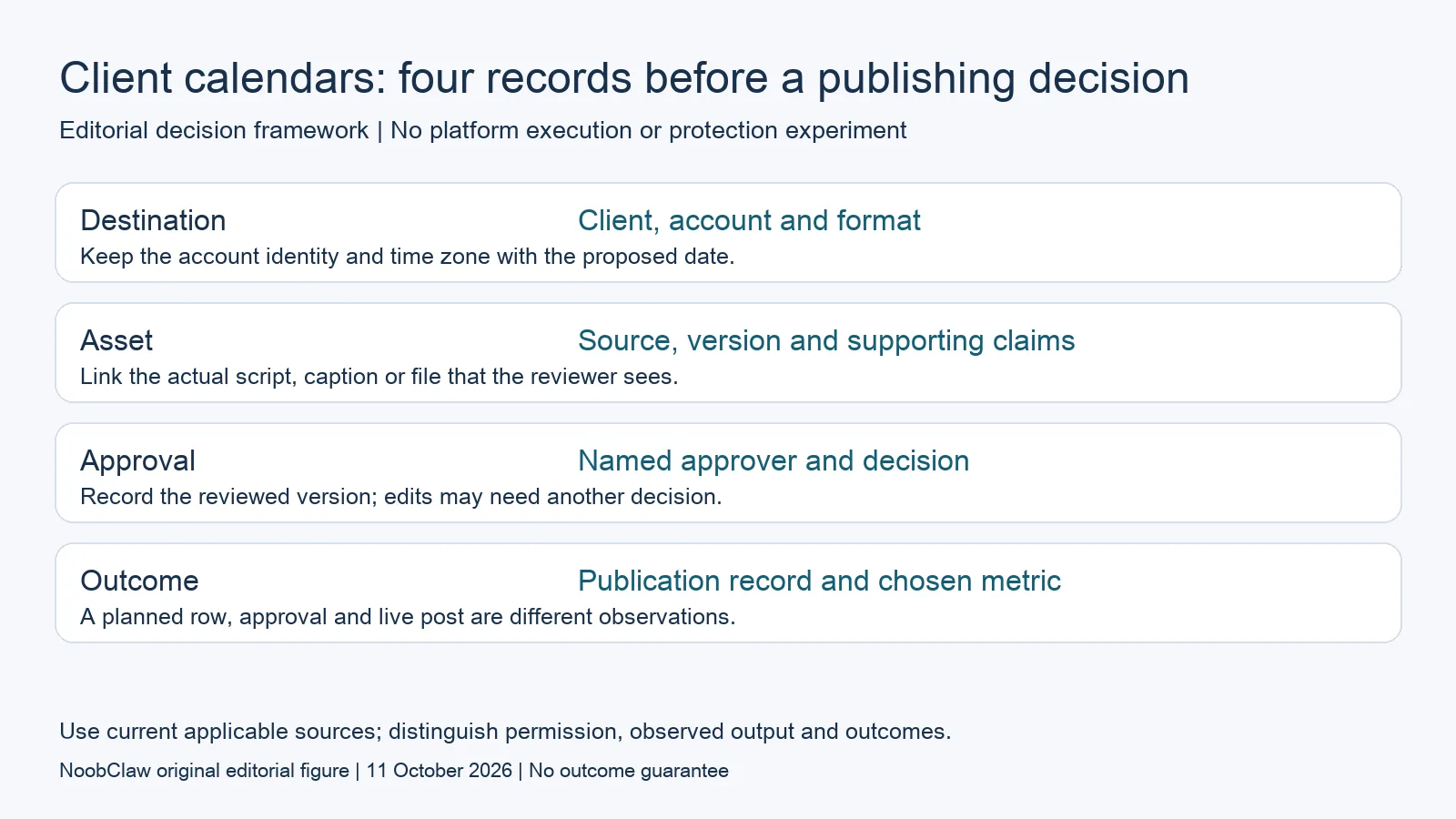
- Destination: Client, account and format. Keep the account identity and time zone with the proposed date.
- Asset: Source, version and supporting claims. Link the actual script, caption or file that the reviewer sees.
- Approval: Named approver and decision. Record the reviewed version; edits may need another decision.
- Outcome: Publication record and chosen metric. A planned row, approval and live post are different observations.
Decide whether a spreadsheet or approval system fits
A shared spreadsheet can be sufficient for a small workflow when access, version control and the approval record meet the client’s requirements. It does not automatically provide a technical publishing block after a rejection. A specialized system may be useful when the team needs enforced approval, separated workspaces or internal drafts hidden from client-facing reviewers. Test those requirements directly rather than infer them from the number of clients.
Planable’s current pricing material distinguishes none and optional approval on Basic from required approval on Pro, with multi-level approval in Enterprise. All paid plans list unlimited users and workspace pricing. If a contract requires sign-off before release, optional approval is not the same purchasing criterion as required approval. These are documented feature distinctions, not a successful trial of your account’s permissions or publishing workflow.
During evaluation, ask one editor and one reviewer to inspect the same sample. Check whether the reviewer can see the intended client material, whether rejected content can proceed and whether an approved version can change without a renewed decision. Verify the configured workflow with harmless draft material before relying on it for delivery. A vendor’s general feature description does not demonstrate that your chosen settings enforce the relationship you intended.
Count posts when they are created, not only when published
Planable Basic currently lists four social pages and sixty created posts per workspace per month; Pro lists ten pages and one hundred fifty. The comparison table says the creation counter spans the workspace’s pages and resets on the first of the month. The vendor’s linked pricing document gives monthly USD references of $39 and $59 per workspace, excluding applicable taxes. Annual references have a different billing commitment.
Suppose one client uses four connected pages and creates thirty distinct post entries for each during one month. That is four times thirty, or one hundred twenty entries: all four Basic page slots are used, while the proposed creation count exceeds its sixty-post allowance. It is not half the page allowance. The date the cap is reached depends on when entries are created, so a daily publication calendar does not prove that creation stops on the fifteenth.
For four clients with three pages each and twenty entries per page, the illustrative total is two hundred forty entries and twelve connections. With one workspace per client, each workspace has three pages and sixty created entries. Do not compare that two hundred forty total with one workspace’s quota or assume capacity pools between clients. Revisions, duplicate entries and the product’s actual counter behavior still need checking for the intended workflow.
Separate production capacity from delivery capacity
If the calendar has approved ideas but no finished captions or videos, the immediate task is production. If the assets exist but await client decisions, it is review. If approved files cannot reach the intended accounts, it is delivery. One product may cover several steps, but a purchasing decision should identify the step actually missing. Buying more connected accounts will not by itself produce the assets that the client expects.
NoobClaw offers post-caption, hook and spoken-script outputs alongside its documented local script-to-video workflow. Those are relevant when preparing material for review. The public execution record does not establish Planable integration, client access controls, approval enforcement, white-label reporting or automatic publication to the accounts in a calendar. Choose the supported output you need and assess it before treating it as ready for a client.
A reviewer should inspect the actual claim and demonstration together. A correct script can sit beside an irrelevant scene, and a caption may need changing after a video edit. Keep the production owner responsible for supplying the reviewed version, while the person authorized to release it owns the publishing decision. These are suggested responsibilities, not a promise of faster approvals, increased reach or measured savings from a tool.
Use the result field without making a causal claim
Choose the metric that answers the campaign’s question and record its source and observation window. A live post URL establishes where content appeared; an impression count describes exposure; a click count describes recorded clicks. Neither a planned row nor a click proves a sale. If the objective is paid conversion, connect the relevant analytics evidence rather than relabel a social metric as revenue.
For an illustrative retrospective, compare planned, approved and actually published items, then review the result available for each. Keep cancellations and failed publications visible instead of silently deleting their rows. Differences between formats, times or messages are observations that can motivate another experiment. They do not establish that timing always outweighs copy or that one format produces higher reach for every client.
When a result is missing, mark it unverified and assign the next check. Do not turn a collection failure into zero engagement. The same discipline applies to price checks and account limits: preserve what was read and what was not tested. A compact calendar can remain practical while keeping uncertainty visible, because the next owner can see exactly which decision still needs evidence.
Choose the output you need: post-caption drafts, opening-line drafts or spoken-script drafts. These text tools have a limited anonymous allowance; they do not transcribe or publish a video.
For the related content and workflow decisions, read Buffer Free Plan Limits: Queue Slots, Users and Upgrades and Content Repurposing Tools: Formats, Credits and Rights. Each review has its own evidence and scope.
What the local creative record establishes
NoobClaw publishes this article. Its public October 10, 2026 execution record documents one local creative run: 441 English input characters became a 32.6-second video at 1080 × 1920 pixels and 30 frames per second. This establishes the input and exported file for that run. It does not establish a client approval, scheduler integration, external publication, copyright clearance, monetization acceptance or audience response. Generic or off-topic stock footage still requires scene-by-scene review, and voice quality and footage rights were not independently approved. Use the bounded example to assess the separate production step. A paid plan or a successful export cannot replace review of the actual asset, the rights available for its intended use and the destination’s requirements.
NoobClaw publishes this article. Its script-to-video guide and public creative execution record document a local video result, not external-platform publication. Check the current product offer against the supported action you need.

Frequently asked questions
Which fields should a client calendar include?
Begin with the client, destination account, format, proposed time and time zone, asset version, owner, approver, status and result. Adapt the fields to the actual review process; the suggested structure does not enforce permissions by itself.
Does a paid calendar tool create the missing content?
Some tools include creation features, but a calendar or connected-account allowance does not guarantee an accepted asset. Evaluate production, client review and delivery separately. NoobClaw’s example establishes one local export, not an approval integration.
Is Planable’s free allowance monthly?
Its current pricing FAQ describes fifty created posts total with no monthly reset. The trial has its own feature conditions. Check the current plan and approval type rather than treating the trial as unlimited ongoing production.
Sources
Official material reviewed on October 11, 2026. Document conditions apply to their stated service and scope; the editorial examples are explicitly hypothetical.