Free TikTok Transcript Options: Native Captions or Local ASR
- Visible captions, editable text and timed subtitles serve different jobs. A native caption feature does not automatically establish a downloadable transcript.
- The official Whisper project documents local audio-file transcription under the MIT license, with dependencies and hardware requirements. A hosted per-minute bill is not universal.
- Review the recognized words against the recording. NoobClaw’s public caption tool drafts post descriptions; its public records do not demonstrate transcription of an existing TikTok video.
If you need the spoken words from a TikTok video, first decide whether you need to read captions, edit a transcript or reuse timed subtitles. A tool that produces a good paragraph may still leave your subtitle workflow unfinished. Free hosted offers are one option, while native caption features and local speech recognition are different routes with their own conditions. This comparison does not certify every search result or promise transcription of any public link.
Match the source and output before comparing the price. Reading visible captions is different from obtaining an editable transcript with timing, and generating a post caption does not transcribe audio.
Decide whether you need captions or a transcript file
A native caption display helps you follow speech while watching a video. A plain transcript is useful for reading, searching or editing that speech. Timed subtitles also connect text to moments in the media. These outputs can overlap, but they are not interchangeable for every job. Specify the result before handing a hosted service a file or creating an account.
TikTok’s May 2025 European accessibility announcement lists auto-generated video captions among its existing features. That is a dated first-party description, not proof that every video, account or region currently exposes an identical caption interface. Look at the actual video and your available controls. Captions being visible does not by itself establish that a downloadable text or subtitle file is offered.
The English help URL attempted during this review redirected to a page that could not be read through the current browser connection. We did not turn that failure into a claim that captions were removed. The accessible announcement supports the existence of a documented caption feature; the precise current export or availability conditions still need verification in your intended interface.
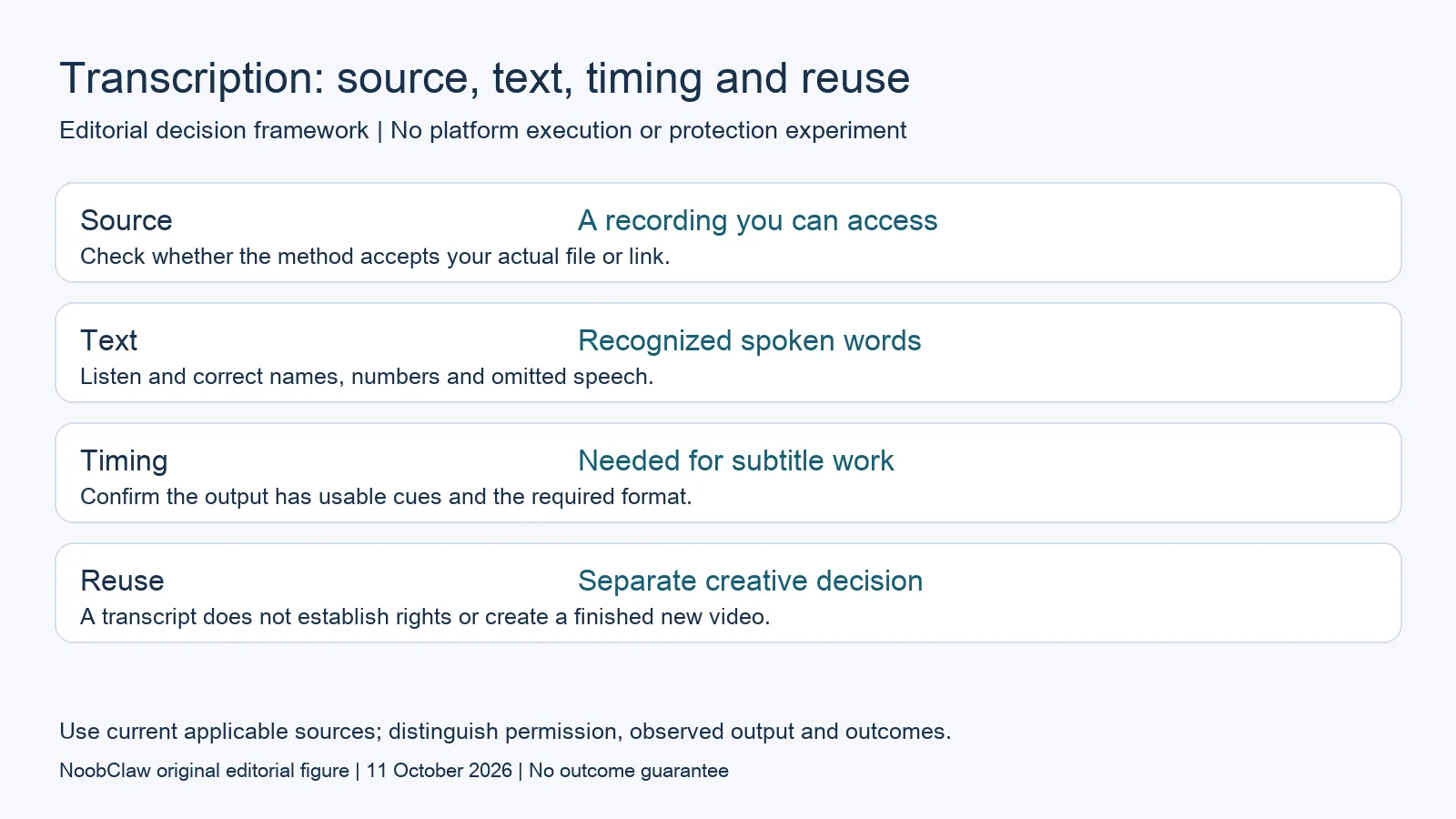
- Source: A recording you can access. Check whether the method accepts your actual file or link.
- Text: Recognized spoken words. Listen and correct names, numbers and omitted speech.
- Timing: Needed for subtitle work. Confirm the output has usable cues and the required format.
- Reuse: Separate creative decision. A transcript does not establish rights or create a finished new video.
Local speech recognition changes the meaning of free
The official Whisper project provides speech-recognition models and code under the MIT license. Its repository documents transcription from audio files and dependencies including Python and FFmpeg. That gives technically prepared users a local route for material they can access. It contradicts the idea that every transcription tool must charge a vendor fee per minute of audio.
Local execution still involves a computer, model downloads, setup and processing time. Those are practical costs even when there is no hosted subscription bill. The repository discusses model sizes, language support and performance tradeoffs; it does not guarantee that your laptop will process a clip at a particular speed. This article has not run a representative local Whisper benchmark.
The documented audio-file input is also different from a service that accepts a TikTok URL. A public webpage URL is not itself a locally accessible recording, and a private, unavailable or otherwise restricted source cannot be assumed to work. Start with the original recording when you have it. Establish the permitted source access separately from choosing a speech-recognition model.
Test accuracy against the recording
Whisper’s model card explicitly notes that predictions can include words not spoken in the input. It also describes uneven performance across languages and accents, and repetitive output. A readable paragraph is therefore not sufficient evidence of an accurate transcript. Listen to the relevant audio and correct proper names, product names, numbers, negation and missing phrases before using the text.
For a hypothetical product clip, changing “not available” to “available” would reverse the meaning even if the rest of the paragraph looked polished. For a clip mixing languages, a fluent-looking translation can obscure a transcription error upstream. These examples describe what to check; they are not measured error rates for TikTok videos or findings from a comparison between vendors.
The model card advises evaluation in the actual domain and context. A short, quiet recording cannot certify accuracy on long clips, music-heavy audio or overlapping speakers. Choose a representative sample that you are entitled to process and record what you corrected. If the source is incomplete, label the resulting transcript as incomplete instead of letting an export filename imply completeness.
Check timing, export and translation separately
Plain text can be perfectly useful when you need a searchable note or a new writing brief. It is less direct for aligning subtitles to a video because the text alone does not identify when a phrase occurs. If subtitle editing is the task, check the actual timed output and the format accepted by your editor before subscribing. A landing-page headline is not an export test.
Transcription preserves speech as text; translation changes the language. Whisper’s documentation distinguishes these tasks and identifies limitations for its turbo model in translation use. Do not infer that every model or hosted wrapper produces the same translation output. Decide whether you need the original-language transcript, a translation, or both, then verify the chosen route on that particular job.
A dubbed video adds further work: revised wording, a new voice track, timing and the final visual review. A transcript does not create those assets on its own. It also does not establish permission to reuse someone else’s footage, soundtrack or likeness. Keep source access and reuse conditions explicit rather than describing extraction from a public link as complete authorization.
Keep writing tools and published product evidence in scope
NoobClaw publishes this article and offers separate TikTok description, hook and spoken-script generators. These take a text brief and produce draft text. They are not publicly demonstrated audio-transcription tools. A post-description generator may help write the accompanying copy after you have understood a clip, but it cannot be substituted for speech recognition merely because both outputs are called captions.
The public October 9 caption record shows a text request returning five candidate descriptions. The October 10 desktop record shows a local video draft with narration and subtitles, generated from a written brief. Neither record demonstrates extraction of speech from an existing TikTok video, language-preserving transcription accuracy, a completed dubbing workflow or external-platform publication.
Current public tool pages describe a limited anonymous allowance and credit-based signed-in use. That is a writing offer, rather than a quote for transcribing minutes of audio. If your job is recognition of an existing recording, evaluate a documented recognition route. If the remaining job is a new opening or narration, a text tool may help at that later stage without proving the earlier step.
Choose the output you need: post-caption drafts, opening-line drafts or spoken-script drafts. These text tools have a limited anonymous allowance; they do not transcribe or publish a video.
For the related content and workflow decisions, read Free TikTok AI Tools: Captions, Scripts and Video Credits and TikTok Caption vs Hook vs Script: Choose the Right Draft. Each review has its own evidence and scope.
A transcript decision for your own original clip
Suppose you have the original recording of a short product explanation. Native captions may satisfy a viewing task if the feature is available; a local recognition model may help produce editable text if you can run its documented dependencies. A hosted offer may be convenient if its current input, export and privacy conditions fit. Compare the same authorized recording, listen to the outputs, and record corrections and actual formats. This is a proposed evaluation method, not a benchmark result or a guarantee that one route is free for every workload.
NoobClaw publishes this article. Its script-to-video guide and public creative execution record document a local video result, not external-platform publication. Check the current product offer against the supported action you need.

Frequently asked questions
Can transcription work without a hosted signup?
A local open-source project such as Whisper documents audio-file transcription without requiring a hosted transcription account for that route. You still need its dependencies and a recording you can access; arbitrary TikTok URL extraction was not verified.
Does viewing TikTok captions give me a downloadable transcript?
Not automatically. Visible text and a file export are different capabilities. The cited dated announcement documents caption features, while current interface availability and the export you need must be checked separately.
Can NoobClaw’s caption generator transcribe a video?
Its public tool is documented for post-description drafts from a text brief. The cited public records demonstrate text generation and a separate local video draft, not recognition of speech from an existing video.
Sources
Official material reviewed on October 11, 2026. Document conditions apply to their stated service and scope; the editorial examples are explicitly hypothetical.