Free Instagram Desktop Schedulers: Queue and Account Limits
- Buffer Free lists three connected channels and ten waiting posts per channel; a channel is not a month’s publishing allowance.
- The inspected Instagram Help variant documents native app scheduling; it does not certify every desktop control.
- Meta One’s paid advanced features do not establish that an existing free feature was removed.
A free Instagram desktop scheduler should be judged against a specific brief: which supported accounts, which formats, how many items waiting at once, and whether a person must finish publication. These details are more useful than a list sorted by the word free. A paid add-on announcement is also not evidence that every native option became paid. Start with your actual workload and compare the relevant controls.
Plan the content separately from the permission and the final published result.
Begin with the connected-channel and queue limits
Buffer’s current Free pricing specifies three connected channels, one user and ten scheduled items waiting per channel. Its description explains that a queue slot becomes available after publication. This is a queue-depth limit, not a ten-post monthly allowance. Up to three supported Instagram channels can fit the account count if you use no other connected channels; exact account, format and publishing support still need checking.
Suppose your illustrative brief has two Instagram accounts and one Facebook Page. That is three destinations in the connection inventory. Adding another Instagram account requires a new decision about the channel limit; the calendar having empty days does not create an extra connection. Keep the number of connected destinations beside the maximum number waiting on each destination, rather than compressing both quantities into a single free-post figure.
Consider a second hypothetical brief with fourteen prepared items for one destination. Holding all fourteen at once differs from loading seven, verifying publication and then preparing the next seven. Decide whether replenishing a shorter queue fits your working routine. Weekly planning is not automatically below the cap: the relevant variable is how many items are waiting at the same time, not the name you give the planning interval.
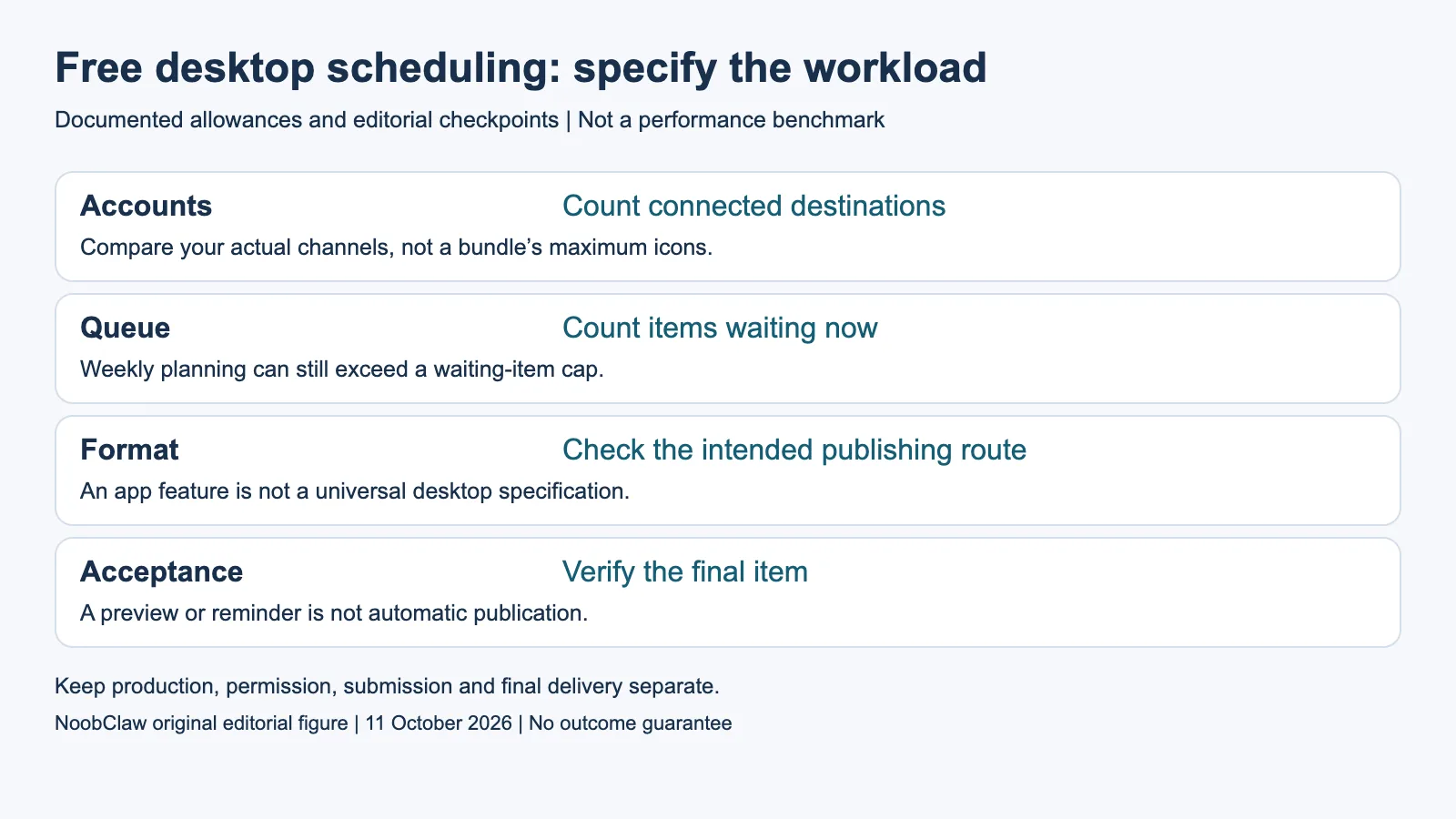
- Accounts: Count connected destinations. Compare your actual channels, not a bundle’s maximum icons.
- Queue: Count items waiting now. Weekly planning can still exceed a waiting-item cap.
- Format: Check the intended publishing route. An app feature is not a universal desktop specification.
- Acceptance: Verify the final item. A preview or reminder is not automatic publication.
Distinguish the native app from the desktop workflow
The current Instagram Help body we rendered in Chinese describes scheduling for public accounts in the Instagram app, with up to twenty-five scheduled items per day and thirty days ahead. It names limitations involving product tags, collaborations, sponsored posts and fundraisers. These are the conditions of the inspected Help variant. They are not a universal desktop feature specification or a test of your particular account.
Check the surface you intend to use rather than assuming the app and a desktop calendar expose identical options. In an evaluation, record the account type, interface, intended format and whether the required scheduling control is actually available. If the control is missing, record that observation and consult the relevant current Help route. Do not invent a rollout date or claim that all accounts in every region have received the same feature.
For a hypothetical captioned Reel, evaluate whether the final text, media, audience and sound fit the chosen route. An item can look correct in a preview while needing a different publication step. Include the actual final check in the workflow brief. A tool’s general network logo is weaker evidence than support for the exact format, account configuration and action you need to perform.
Read the paid add-on without inventing a free-feature removal
Meta’s September 15, 2026 Meta One announcement identifies Advanced plans from US$49.99 per month and names story scheduling up to thirty days, team access and other advanced capabilities. It says the core experience remains free and conditions vary by region, app and account. Naming a paid advanced capability does not establish that an existing free Business Suite capability was removed. The announcement must be read within its actual scope.
Compare the relevant paid capability only if it is part of your brief. A solo operator preparing ordinary posts has a different decision from a team that requires a particular approval process or a supported Story workflow. Do not buy an expensive tier to solve a task you have not yet specified, and do not reject it merely because a different free tool covers another task. Keep both the desired action and its owner explicit.
When comparing annual prices, retain the currency, term and required number of connections. A monthly equivalent billed annually is a different commitment from a monthly subscription. Divide by the actual billable unit rather than by every network icon in a bundle. A theoretical maximum spread across several networks is not necessarily useful capacity for three Instagram accounts, so evaluate the destinations you will actually connect.
Test the brief before moving a whole content calendar
Prepare an evaluation item using material you have the right to publish. Review its format, caption, sound, audience and destination before submitting it. Retain the visible queue state, any error and the final item location. This is a proposed acceptance check, not an account test carried out for this article. A successful local preview or a populated calendar does not, by itself, establish external publication.
Set the pass condition before assessing the result. For example, a hypothetical brief might require a reviewed Reel to appear on the intended account at the selected time with the intended text. If it appears only as a reminder, record that and decide whether manual completion is acceptable. If the result is unknown, reconcile it before repeating the write. Do not turn an unverified submission into a count of published posts.
NoobClaw should be evaluated for a supported production task rather than presented as a free scheduler substitute. Its public example documents a local video export; it does not prove Instagram publication, password isolation or follower growth. If your immediate problem is caption drafting, a caption tool can address that step. If it is queue capacity, compare the scheduler’s actual waiting limit. A clear task prevents an attractive product label from replacing the evidence.
For the related content and workflow decisions, read Free Social Media Schedulers: Queue Limits and Plan Fit and Social Media Scheduler Prices: Compare the Actual Total. Each review has its own evidence and scope.
NoobClaw publishes this article. Its script-to-video guide and public creative execution record document a local video result, not external-platform publication. Check the current product offer against the supported action you need.

Frequently asked questions
Can Buffer Free cover more than one Instagram account?
Its three-channel allowance can cover up to three supported Instagram connections if no other channels use those slots. Confirm the relevant account and format support before relying on publication.
Does Meta One prove free desktop scheduling ended?
No. The cited announcement describes added paid capabilities and conditions. It does not establish removal of an existing free Business Suite feature.
Is one week of planning always below a free queue limit?
No. Count the items waiting per channel at the same time. A dense week can require more waiting slots than a sparse month.
Sources
Sources inspected on October 11, 2026. Meta Graph API v19 was read in its retrieved German-language official body. Instagram Help and Meta Terms were read in their retrieved Chinese-language rendered bodies; the inspected account, app and regional scope is retained. TikTok policy versions were parsed from the complete official original-language payload through Google Translate public transport after original-site access failed; the cited access link is that transport, not a direct-origin HTTP200 claim. The current policy chapters do not certify a historical diff. Reused same-day primary copies retain their original receipts and are not new GETs. Workloads are illustrative; local creative output does not demonstrate publication, protection or paid conversion.