Meta Business Suite vs Buffer: Free Plans and Workflows
- Check supported accounts, formats, permissions and reviewer handoff before paying.
- Buffer Free has three channels, ten refillable slots each and one user.
- Native queue capacity was not independently verified; do not call it unlimited.
Meta Business Suite vs Buffer starts with the destinations and workflow you actually need. The native console is a candidate for supported Meta work; Buffer offers a separate multi-network scheduling workflow with its own plan conditions. Verify native capabilities inside the intended account, and compare Buffer’s current billing term and collaboration requirements. “Free” alone does not establish that either option completes your task.
A sufficient workflow is more useful than an assumed unlimited queue.
Start with the destination and the supported task
Meta’s September 2020 Business Suite announcement describes posting to Facebook and Instagram and bringing messages, notifications and insights into one interface. Its March 2022 small-business article calls Business Suite a free tool. Those are dated first-party descriptions, not a current full account-specific specification or a promise that features will remain unchanged forever.
The current public product request in this review returned a login page, so the exact native queue cap and feature availability are unverified. Check the intended Page, Instagram account, content format, connected access and scheduling interface in your own account. This source limitation does not prove that a feature is absent, free forever or unrestricted. Do not replace a missing specification with an unlimited claim.
List what the team must actually do: draft, review, schedule, inspect a result, handle a message or compare metrics. For work outside the native destination set, verify the other required tools and supported connections. A cross-network calendar can be useful, but the value depends on the actual accounts, formats and handoffs rather than a general claim that everyone needs another subscription.
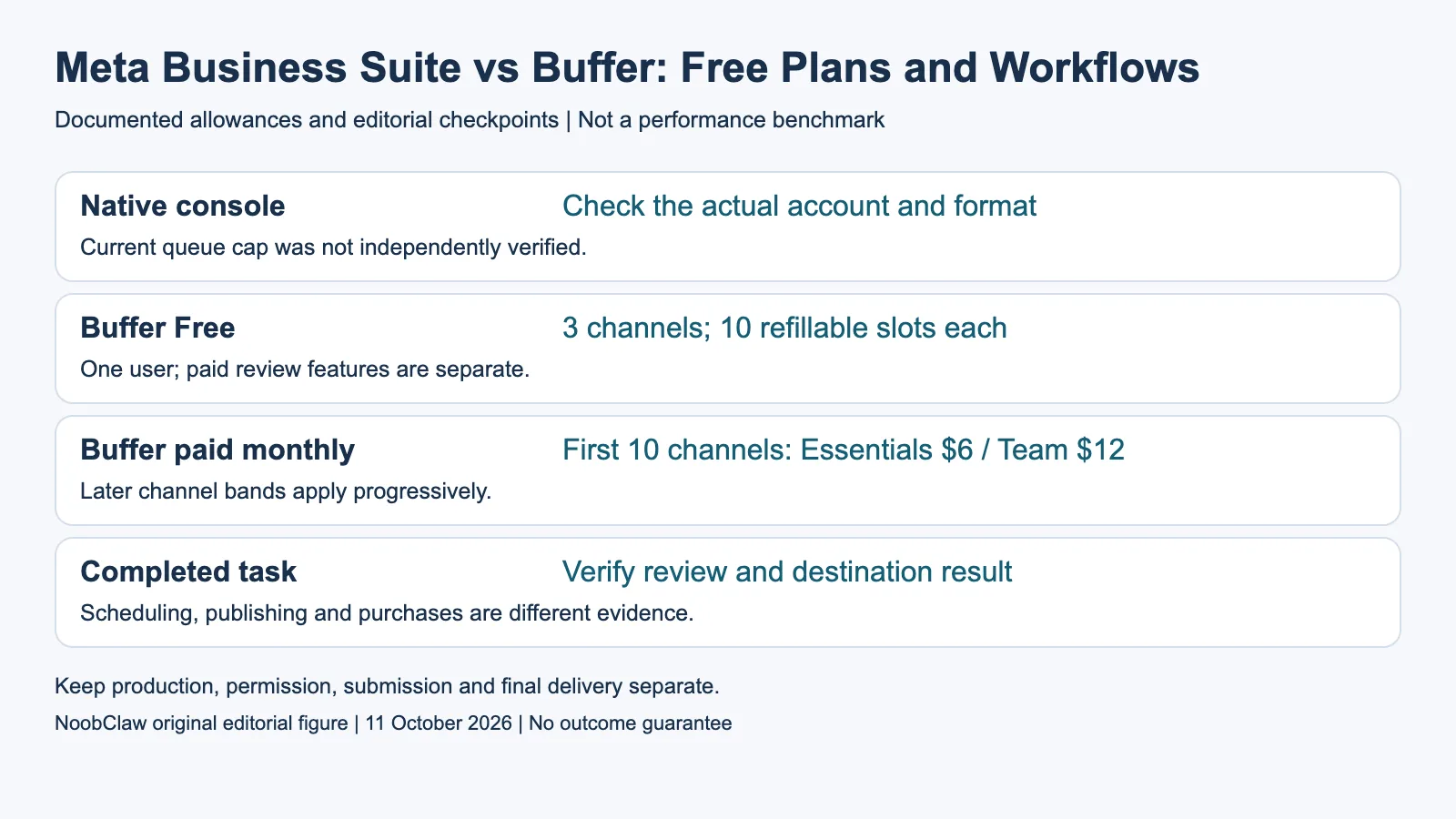
- Native console: Check the actual account and format. Current queue cap was not independently verified.
- Buffer Free: 3 channels; 10 refillable slots each. One user; paid review features are separate.
- Buffer paid monthly: First 10 channels: Essentials $6 / Team $12. Later channel bands apply progressively.
- Completed task: Verify review and destination result. Scheduling, publishing and purchases are different evidence.
What Buffer Free and paid plans currently cover
Buffer’s current pricing document lists a continuing Free plan with three channels, ten scheduled posts per channel that refill when used, and one user. A refillable queue is not a lifetime total or a daily allowance. If the required small task fits those conditions, investigate Free before selecting a paid configuration. It does not include every collaboration or review feature of paid plans.
For the first ten channels, current monthly prices are $6 per channel for Essentials and $12 for Team. The advertised $5 and $10 monthly equivalents require annual billing. Team’s users and approval workflow are separate reasons to consider it; paying for Essentials does not automatically solve a multi-person review requirement. Match the people and release process, not just the account count.
Paid plans use an unlimited-scheduling label with a stated fair-use ceiling of 5,000 posts per channel. The captured wording does not establish a monthly, daily or lifetime reset period, so this article does not supply one. A plan label or queue allowance also does not guarantee that the destination accepts every format, publishing attempt or schedule.
Use the actual progressive channel bands
Buffer publishes the discounted channel rates, rather than requiring you to infer all of them at checkout. Monthly Essentials rates are $6 for channels one through ten, $4 for eleven through twenty-five, $3 for twenty-six through fifty, and $1 above fifty. Team uses $12, $4, $3 and $2 across those respective bands. Each band applies progressively to its own channels.
For a hypothetical thirty-channel configuration, the monthly base calculation is $60 plus $60 plus $15, or $135 for Essentials. Team is $120 plus $60 plus $15, or $195. These are catalogue calculations before any other applicable terms, not actual invoices. Team is therefore not universally twice the total Essentials price after the first band.
For only two destinations, Buffer Free may cover the channel count, but that alone does not establish sufficient users, format support or approval. For a larger configuration, compare the progressive total with the supported native arrangement and actual operating effort. There is no evidence here that having only Meta destinations makes a paid review workflow worthless, or that having more networks always makes Buffer the correct purchase.
Check the handoff, not an assumed platform advantage
Have the intended contributor create a draft, the intended reviewer inspect it and the authorized person release it through the supported workflow. Record what each person can access and whether the system actually requires the review you need. A role setting that prevents one action is different from an independent approval step. Native feature availability and the selected Buffer plan must each be checked.
Keep a small test record for the intended account and format: requested schedule, returned status, any visible failure and the final destination result. This article has not conducted that account-specific test. A successful scheduling response is not the same as a completed post, and a completed post is not evidence of audience response or a paid conversion.
Do not assume a native console bypasses every restriction or that a third-party vendor always loses a feature first. Either arrangement can depend on account access, supported formats and platform changes. Choose the documented workflow and an incident owner, then keep a fallback appropriate to the actual task. A second tool is not a guarantee that no outage or access issue can affect publication.
Keep creation, scheduling and business results separate
A scheduler is useful when the asset is ready and the missing work is supported review or distribution. A creative workflow is useful when the asset itself still needs a script, voiceover or edit. Separate those tasks before comparing products. A writing assistant, a calendar and a video export are different outputs, and this article does not treat them as equivalent on price or capability.
NoobClaw’s public local-production record documents one 441-character script and a 32.6-second 1080-by-1920, 30fps export with observed audio and subtitles. Generic footage, voice and asset-rights review remained unresolved. It does not document a Business Suite or Buffer posting run, shared-account protection, account permission or a measurable sales outcome.
Use the native option when the intended account exposes a sufficient supported workflow. Investigate Buffer Free for a small one-person queue, or a suitable paid plan when the supported multi-network or review requirements justify it. Confirm the actual configuration before committing. The choice follows what you can verify, without inventing a native queue limit or declaring every two-account operator should use the same tool.
For the related content and workflow decisions, read Social Media Scheduler Prices: Compare the Actual Total and Post to Multiple Social Media at Once: Methods and Checks. Each review has its own evidence and scope.
NoobClaw publishes this article. Its script-to-video guide and public creative execution record document a local video result, not external-platform publication. Check the current product offer against the supported action you need.

Frequently asked questions
Is Meta Business Suite free forever and unlimited?
Dated first-party material describes it as a free tool; that does not certify a permanent promise or unlimited current queue. Check the actual native account and task.
Is Buffer paid access necessary for two channels?
Free covers that count within its three-channel, one-user and refillable-queue conditions. Check the required format and review workflow before deciding it is sufficient.
Are Buffer volume discounts published?
Yes. The current official pricing document gives progressive rates by channel band and billing term. Use the bands rather than multiplying every channel by the last rate.
Sources
Official material read on October 11, 2026. Dated Meta announcements are historical records, not an account-specific current specification. Prices identify their billing term; vendor allowances are not measured publishing results. Hypothetical inventory and cost examples are labeled; the public local-production record has its own limitations.