Social Media Schedulers for Nonprofits: Access and Discounts
- Count actual accounts, people and review stages before choosing a nonprofit offer.
- Buffer lists a 50% nonprofit discount; Mixpost lists30% on Pro, both subject to qualification.
- Vista’s cited special pricing is for US nonprofits on selected plans; Hootsuite’s current discount offer requires application.
A social media scheduler for nonprofits should fit the organization’s real account inventory, people and approval process. Nonprofits differ in staffing and volume, so a volunteer-heavy example is a scenario rather than a rule about the sector. Below are current official offers and workflow checks read on October 11, 2026, with discounts kept separate from entitlement and actual qualification.
Compare the supported task and the full required configuration before calling a plan cheaper.
What the organization needs before it applies
Start with the specific destinations and formats: which pages, profiles or channels receive which assets? List the people who draft, approve, schedule and respond to comments. A person who only supplies source material may not need the same product access as a coordinator who publishes. Do not infer that every nonprofit has many volunteers and little content or that every staff member needs a full publishing seat.
Specify the review path as an observable handoff. A role restriction can limit who schedules, but it does not by itself prove a draft must receive independent approval. Ask whether the tool supports the required reviewer, channel permissions and release step. The relevant feature gate can change the eligible plan even when the nonprofit discount is real.
Use an illustrative inventory to explore cost, then replace it with your actual organization’s numbers. Four collaborators and five channels is one possible scenario, not an industry average. Include training and the records needed when someone leaves. The preferred structure follows those requirements, not a universal rule that per-seat pricing is always unsuitable.
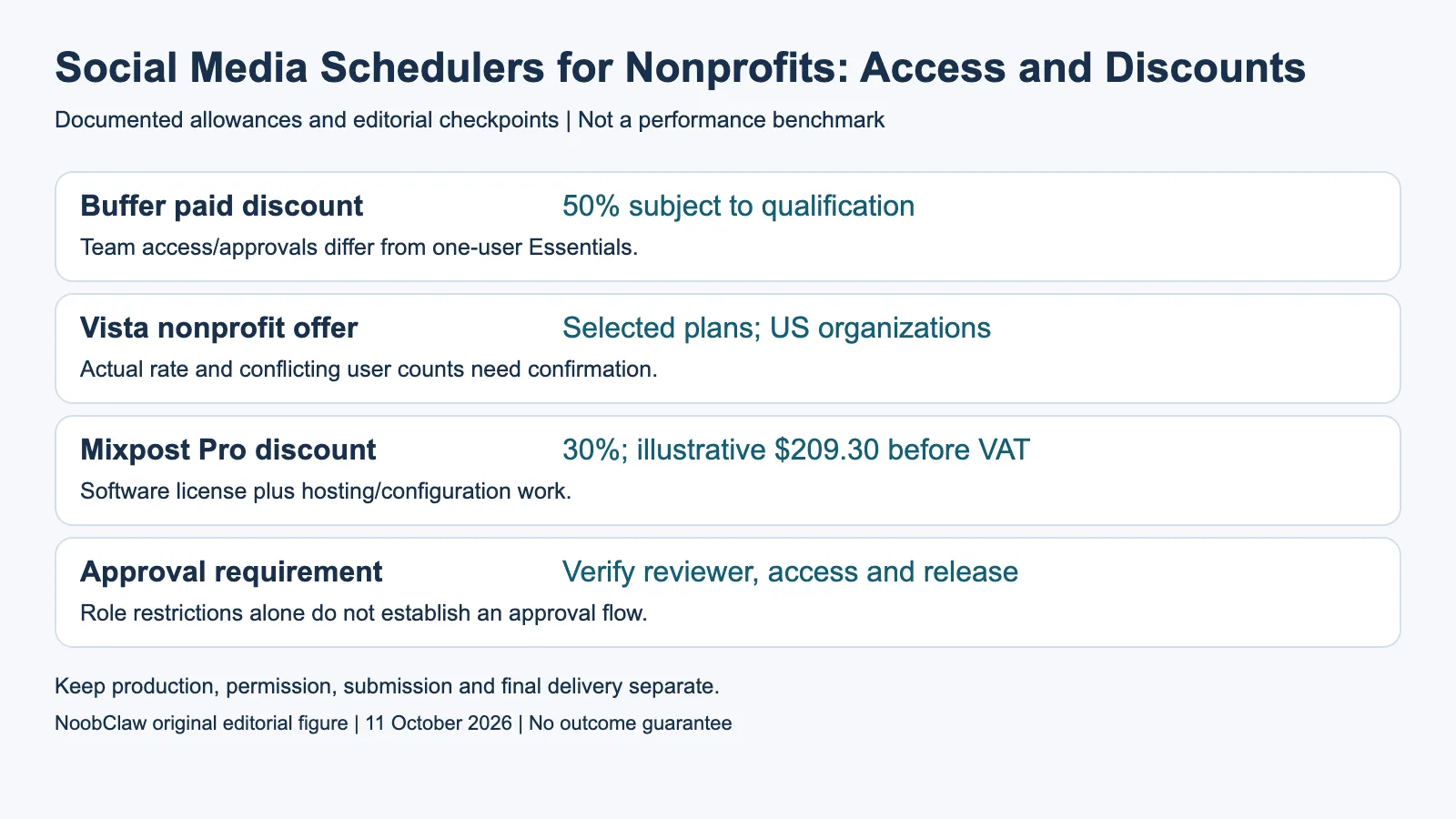
- Buffer paid discount: 50% subject to qualification. Team access/approvals differ from one-user Essentials.
- Vista nonprofit offer: Selected plans; US organizations. Actual rate and conflicting user counts need confirmation.
- Mixpost Pro discount: 30%; illustrative $209.30 before VAT. Software license plus hosting/configuration work.
- Approval requirement: Verify reviewer, access and release. Role restrictions alone do not establish an approval flow.
Buffer: continuing Free access or qualified paid discount
Buffer’s current Free plan includes three channels, ten reusable scheduled slots per channel and one user. Its AI Assistant can help create and revise post copy. This can fit a single-coordinator task if the supported channels and queue are enough, while other contributors work through an agreed external handoff. It does not grant multiple product users or the Team approval system.
The current pricing FAQ lists a 50% discount on paid plans for nonprofit and charity organizations. Team includes unlimited members, approvals and access controls; Essentials has one user. At five channels, Team’s listed monthly base is $60, so a qualified50% reduction would be $30 monthly before tax or other terms. That is catalogue arithmetic contingent on qualification, not our purchased nonprofit quote.
Annual offers use a different commitment and should be calculated separately from monthly prices. Check eligibility and the actual approved rate with the vendor before budgeting. A discount on a plan that lacks the required user or approval access does not solve the workflow. Keep the reusable queue limit separate from a monthly published-post allowance.
Vista Social and Hootsuite: verify the eligible package
Vista’s current FAQ says it offers special nonprofit pricing on Professional and Advanced for nonprofit organizations in the US. The reviewed pricing page does not supply a universal discount percentage or guarantee eligibility abroad. Its matrix gives Professional fifteen profiles/two users and Advanced thirty/three, while its FAQ gives different user counts. Confirm the proposed nonprofit package’s actual access before onboarding contributors.
Vista’s current undiscounted monthly references are $99 Professional and $199 Advanced; those are not the nonprofit quote. Its X integration is separately listed at $29/month with configuration scope to confirm. Ask for the actual amount, included people, needed approval stage and addons. Do not treat an unresolved FAQ count or discounted package as a runtime entitlement.
Hootsuite’s current page offers nonprofit discounts on some plans through application. It sells user seats and places formal content approvals in Advanced rather than assuming Standard provides them. This guide does not import an older fixed nonprofit percentage or historic per-seat tariff into the current offer. Obtain the eligible configuration and commitment, then compare it with the supported alternative.
Mixpost: discounted software with an operating responsibility
Mixpost’s current pricing lists a 30% nonprofit and NGO discount on Pro, after verification through support. The $299 listed license would therefore have a $209.30 discounted reference before VAT if the organization qualifies and receives that offer. That is an illustrative calculation, not a granted code, current invoice or managed Cloud subscription price.
Pro is source-available self-hosted software, with a one-domain-or-subdomain and one-business license arrangement, one year of updates and a perpetual fallback to the purchased version. Its catalogued team and approval functions require an actual setup. Free Lite supports a smaller network set. Determine whether the selected edition covers the task before assigning hosting and maintenance to the nonprofit team.
A one-time license is useful only when someone owns the operational work. Keep the hosting quote, backup plan, update responsibility and provider configuration in the budget. “Unlimited members” does not establish an unlimited-support service, an unrestricted software-resale right or guaranteed destination delivery. Compare the supported operating arrangement with a hosted discounted offer, rather than the software price alone.
Use a clear contributor handoff and review actual output
Give each person access appropriate to the task where the selected product supports it, and verify that departing contributors can be removed. Shared access can complicate attribution and revocation, but a login alert does not prove everyone will always be locked out. A draft-only role also is not a substitute for checking that an actual approval requirement exists and works.
For the creative step, NoobClaw’s public local record documents one 441-character script producing a 32.6-second 1080-by-1920, 30fps export, with observed audio and subtitles. Generic footage and voice/asset review remained unresolved. That is not a nonprofit deployment, cleared campaign, successful post or measured donation increase. Inspect the guide and current product offer if a local creative draft is the missing task.
Before choosing, get the qualification result and complete quote, then check a small task with the intended contributors and accounts. Record who approved the asset and what the destination actually received. Keep discounts, access permissions, creative acceptance and audience or donation results as separate evidence. A suitable plan is one your organization can operate and review, not the largest advertised percentage.
For the related content and workflow decisions, read Social Media Scheduler for Multiple Accounts: Plans and Costs and Free Social Media Schedulers: Queue Limits and Plan Fit. Each review has its own evidence and scope.
NoobClaw publishes this article. Its script-to-video guide and public creative execution record document a local video result, not external-platform publication. Check the current product offer against the supported action you need.

Frequently asked questions
Is Buffer free for nonprofits?
Its continuing Free plan is available for the listed three-channel, one-user task. It separately lists a 50% qualified nonprofit discount on paid plans; that does not add Team features to Free.
Do all nonprofit discounts apply internationally?
No universal eligibility is established. Vista’s cited offer names US nonprofits and selected plans; every organization must confirm the current vendor conditions and approved quote.
Does limiting who can schedule prove approval is required?
No. Check the actual draft, independent-review and release workflow. A role gate and a formal approval step are different controls.
Sources
Official material read on October 11, 2026. Prices identify their billing term; vendor allowances are not measured publishing results. Hypothetical inventory and cost examples are labeled; the public local-production record has its own limitations.