Mixpost Lite vs Pro: Networks, Updates and Publishing Limits
- Lite lists Facebook Pages, X and Mastodon. Paid editions list additional networks and collaboration features; check the specific action.
- Lite lists lifetime updates, while paid licenses include one year and a fallback right to use the downloaded version.
- The current self-hosted TikTok guide describes internal Pro Sandbox use without Direct Post and an Enterprise review path.
- Workspaces and per-account versions help organize work; neither proves unique content, successful publication or audience performance.
Mixpost Lite versus Pro starts with the required network and workflow, then the license and operating conditions. Lite’s narrower feature set may fit an essential publishing job; a paid edition can add capabilities while leaving provider setup and approval unresolved. The relevant question is not whether an account allowance says unlimited. It is whether your chosen edition and installation can complete the action you need. This review uses current official documents checked on October 11, 2026; it is not an installation or publishing benchmark.
Compare edition coverage, license scope and provider eligibility separately. A longer update entitlement does not make a narrower edition fit every network.
Check network and feature coverage before price
Mixpost’s current self-hosted price page lists Lite as free with Facebook Pages, X and Mastodon, basic analytics, a calendar and media library. Pro is $299 and adds listed networks, approvals, AI Assistant and integration features. Enterprise is $1,199 and adds SaaS billing capabilities. These are advertised edition differences, not a guarantee that every format or action is available for every connected account. Verify the part of the workflow that matters to you.
Start with a required-action sheet. For each destination, state the account type, media format, approval need and expected output. A network outside Lite’s listed coverage gives you a reason to evaluate a paid edition, not a complete purchasing decision. The eligibility of the account, the provider configuration and the actual requested operation can still change the choice. Do not conclude that Pro is sufficient solely because a network appears on the price page.
Keep absence and uncertainty distinct. When a feature is not documented for an edition, do not turn that into a permanent statement about every future version. Conversely, a broad marketing phrase cannot fill a missing operation-level requirement. Ask for the applicable document or a representative demonstration. This approach is more useful than treating the three-network free edition as either useless for everyone or a free replacement for any scheduler.
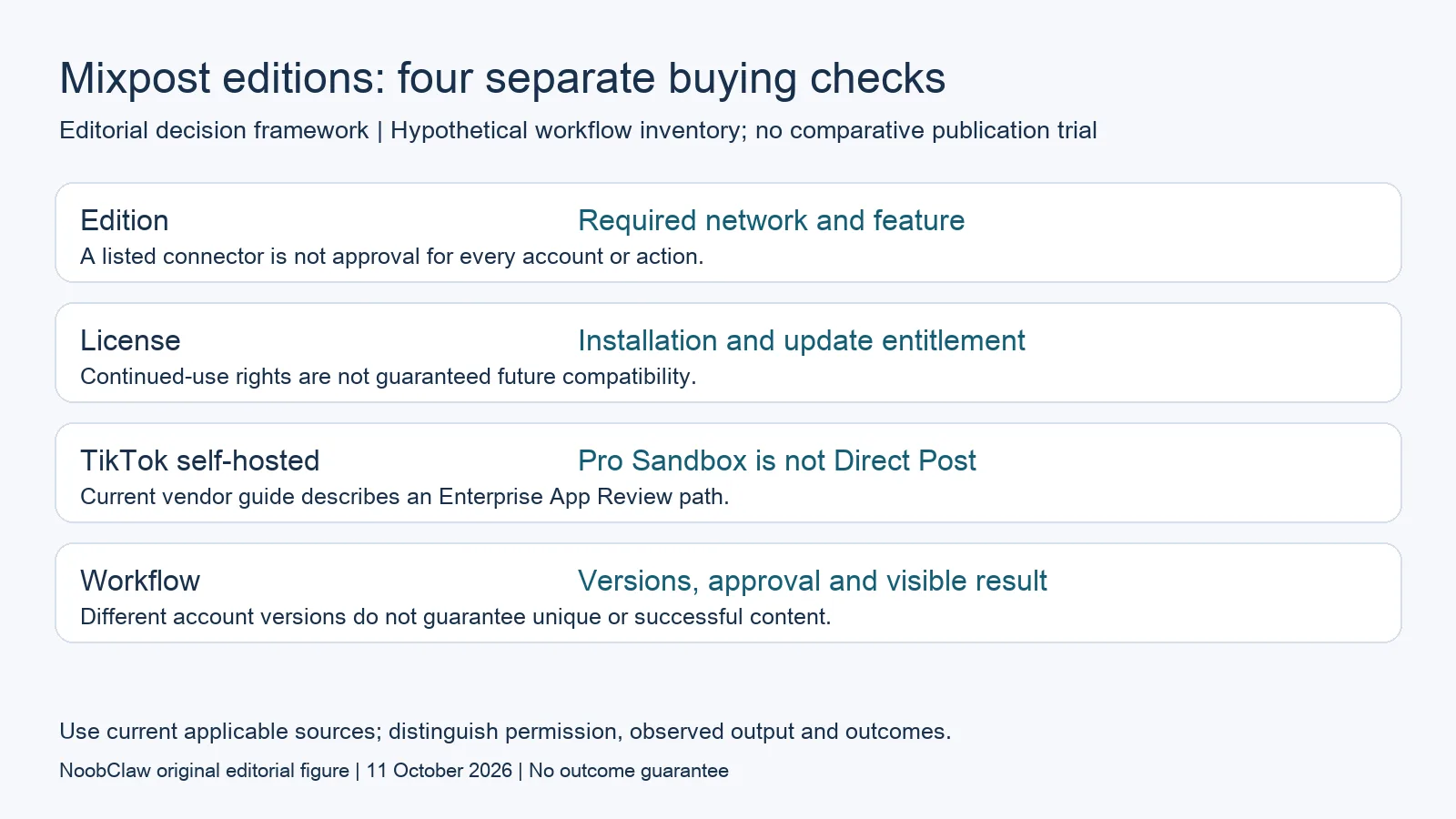
- Edition: Required network and feature. A listed connector is not approval for every account or action.
- License: Installation and update entitlement. Continued-use rights are not guaranteed future compatibility.
- TikTok self-hosted: Pro Sandbox is not Direct Post. Current vendor guide describes an Enterprise App Review path.
- Workflow: Versions, approval and visible result. Different account versions do not guarantee unique or successful content.
Understand update entitlement and installation scope
Lite lists lifetime updates, while the current paid cards include one year and a fallback license. The self-hosted terms allow continued use of the downloaded version after expiry, but another domain or subdomain needs another license. The terms also distinguish Pro internal use from an Enterprise SaaS arrangement. Keep those conditions beside the edition price instead of reducing the choice to the number of connected accounts.
The update window and integration compatibility answer different questions. A right to keep software is not a guarantee that changing external services continue to accept its requests. An expired update entitlement also does not prove that the installation immediately stops working. Record your installed version, required providers and the update options available for that version. When a relevant change arrives, check its effect rather than predicting universal failure on a particular month.
For a multi-year budget, obtain the actual applicable renewal terms rather than inserting an assumed fee. Decide who will assess releases, maintain any customization and recover from a failed update. These are operating questions, not evidence that one edition is inherently unsafe or that paying for updates prevents every problem. If you have no capacity to maintain the instance, compare the hosted option under its own conditions instead of dismissing the work as included in a one-time purchase.
Read TikTok’s self-hosted action conditions
The current Mixpost integration guide identifies Pro’s internal TikTok use with Sandbox mode, limited to ten test accounts and without Direct Post. It describes an Enterprise App Review path for an application intended for a wider audience. The same guide separates uploading content for further editing from automatic Direct Post, which needs the applicable approval. This matters when public automatic publication is a required buying condition.
The broad platform listing and automatic-publishing marketing text should therefore be read alongside that specific self-hosted setup guide. This review reports the vendor’s documented paths; it does not establish that buying Enterprise guarantees TikTok approval or that a particular application already has it. Confirm your hosting model, application mode, intended audience and share type. Keep unresolved permission questions visible instead of assuming an edition upgrade completes the provider process.
A useful evaluation records the configured mode, authorized account, requested action, returned state and visible result. A draft sent to an inbox and a publicly published post are different outputs. Do not call a private test proof of public production delivery, and do not reuse a generic demonstration as evidence of your application’s approval. This review has not submitted an application or run the publishing flow, so it supplies no approval-time or delivery guarantee.
Inspect workspaces, versions and review roles
Mixpost’s current workflow guide describes workspaces as boundaries for accounts, media, posts and people. A post can have a default version and a different version for a particular account. That documented model allows differentiation; it is inaccurate to assume every scheduler necessarily forces identical content across destinations. Whether a version is suitable or original still requires review of its actual words and assets, rather than a claim based on the number of connected accounts.
The guide distinguishes draft, scheduled, needs-approval, publishing, published and failed states. It also separates approval rights from the member role. Those distinctions give a team concrete questions to evaluate: who edits, who approves, which version is approved, and what happens when the final action fails? Verify the workflow for your edition and installation. A named status is evidence of the service’s state, not a substitute for inspecting the destination result.
For a hypothetical client review, preserve the original brief, the account-specific version, the approval record and the scheduled asset. If somebody changes the file or copy, determine whether the review still applies before sending it. This is a proposed acceptance check, not a claim about the product’s reapproval behavior. Document the actual handoff during an authorized evaluation and keep the observed result separate from feature-list expectations.
Choose an edition for the work you can operate
Lite deserves consideration when its listed networks and basic features match your requirement and you can run the installation. Pro deserves evaluation when you need its additional capabilities for an internal workspace, subject to provider conditions. Enterprise is relevant to the documented SaaS arrangement and the specific review path above. These are starting points for a shortlist; the required network, action, installation and licensing scope determine whether an option is eligible.
Make the operating responsibility explicit. The services overview says self-hosted instances configure provider apps and keys, while Cloud has that setup in place. The setup differs by provider and is not repeated automatically for every workspace. Record who maintains the instance, checks credentials and inspects failed actions. Self-hosting and local browser use are different implementation choices; neither removes all vendor allowances or establishes an exemption from platform requirements.
If the missing output is a caption, script or local video, inspect a production tool for that narrower task. NoobClaw’s bounded creative record below does not demonstrate replacing Mixpost’s approvals, workspace management or integrations. Use a representative asset to review the production step, then retain the other requirements in your budget. Choosing a supported edition and a suitable draft is more useful than assuming unlimited connections imply unlimited acceptable content or a commercial result.
Choose the output you need: post-caption drafts, opening-line drafts or spoken-script drafts. These text tools have a limited anonymous allowance; they do not transcribe or publish a video.
For the related content and workflow decisions, read Mixpost Pricing: License, Updates and Self-Hosting Costs and Postiz Self-Hosted Costs: Server, Providers and Maintenance. Each review has its own evidence and scope.
A bounded production step outside the scheduler
NoobClaw publishes this review and sells a desktop product. Its public October 10, 2026 record documents one local run: a supplied 441-character English script produced a 32.6-second video at 1080 × 1920 and 30 frames per second. Some sampled visuals were generic or off-topic. The record establishes an exported file, not a Mixpost integration, client approval, external publication, rights clearance or audience result. Voice quality and footage rights were not independently approved. Inspect the actual draft and the work needed to make it acceptable before budgeting a production layer. This single case does not establish scheduler parity or a cheaper finished deliverable.
The script-to-video guide and public creative execution record document a local video result, not external-platform publication. Check the current product offer against the supported action you need.

Frequently asked questions
Should I use Lite or Pro?
Evaluate Lite when its three listed networks and essential features fit. Evaluate a paid edition for additional required capabilities, then check the actual operation, hosting and provider conditions. A platform name or unlimited-account allowance is not enough to settle the purchase.
Do paid updates expiring mean the software stops?
The current terms retain use of the downloaded version, with later updates requiring the applicable renewal. That right does not establish future compatibility with external platforms. Check the installed version and relevant changes rather than assuming either immediate failure or indefinite successful publishing.
Does Pro automatically publish publicly to TikTok?
The current self-hosted integration guide documents internal Pro Sandbox use without Direct Post and an Enterprise App Review path. Buying an edition does not establish application approval. Verify the intended action, mode and share type; this review has not run an application or delivery test.
Sources
Official material reviewed on October 11, 2026. Document conditions apply to their stated service and scope; the editorial examples are explicitly hypothetical.