Multi-Account Social Media Schedulers: Compare Billing Units
- Inventory the network, owner, account type, format and collaborator requirements before comparing schedulers.
- Buffer channels, Blotato connections and Upload-Post client profiles are different units. Calculate against the destinations you need.
- Separate content production, approvals, scheduling and visible publication; one successful step does not prove the others.
- NoobClaw’s local creative example can help assess production. It does not certify unique content, scheduler parity or platform permission.
A social media scheduler for multiple accounts should support the destinations, formats and people in your actual workload. Start with that inventory, then compare the eligible subscription and the process for reviewing results. A price divided by an advertised account allowance is not enough: one provider may count each network connection while another bundles networks into client profiles. This review explains three current official examples and a practical evaluation method. It does not claim an exhaustive ranking of twelve tools or a cheapest provider for every buyer.
Twenty destinations can mean five clients on four networks or twenty accounts on one network. The arithmetic is the same; the subscription capacity can be different.
Build a connection inventory before a shortlist
Create one row for every required destination. Include its owner, network, account type, URL, required format and the people responsible for drafting and approval. Five clients with four networks each produce twenty rows. Twenty Instagram accounts also produce twenty rows. They share the same connection count, but a provider’s client-profile bundle may accommodate them differently. That difference is a capacity question, not a sign that either business owns better content.
Add the expected workflow to each row: produce the asset, approve it, queue it, attempt publication and inspect the visible result. Some work may happen outside the scheduler. For example, your team may already approve assets in another system; in that case, document the handoff instead of assuming you must pay for a second approval feature. If everyone works in one tool, check that the required people can participate with appropriate access.
Do not start with a winner selected by its largest advertised number. First remove plans that do not meet the required connection or action. Mark uncertainty as a question for the provider, especially when a platform name appears without the exact account type or format you need. A comparison sheet with fewer verified candidates is more useful than a long ranking that assumes every connection has equivalent support.
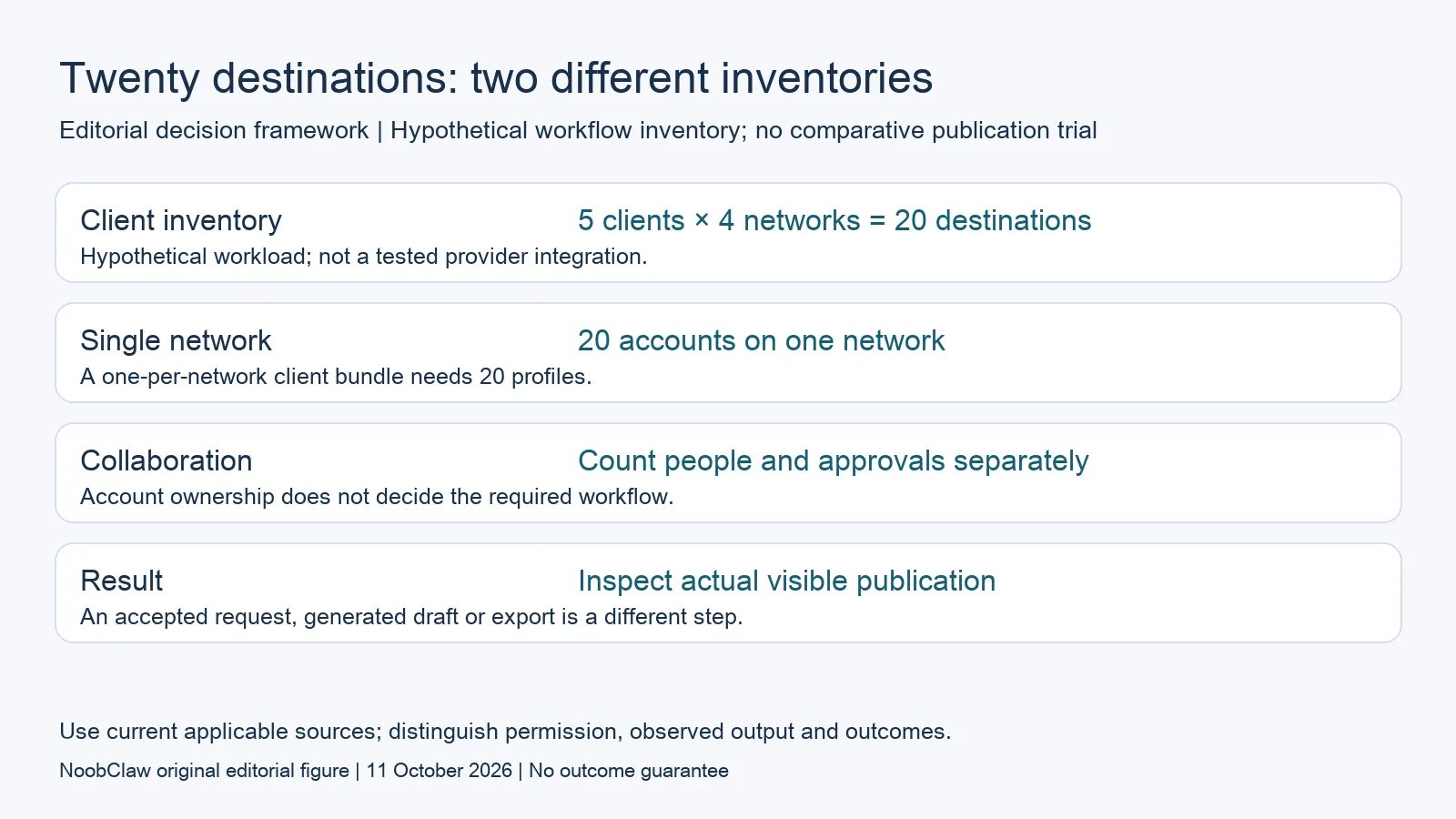
- Client inventory: 5 clients × 4 networks = 20 destinations. Hypothetical workload; not a tested provider integration.
- Single network: 20 accounts on one network. A one-per-network client bundle needs 20 profiles.
- Collaboration: Count people and approvals separately. Account ownership does not decide the required workflow.
- Result: Inspect actual visible publication. An accepted request, generated draft or export is a different step.
Compare three different connection definitions
Buffer defines a channel as one connected social account, such as an Instagram profile or Facebook Page. Its current document prices channels in graduated bands and separates monthly from annual billing. Team adds unlimited members, approvals and access controls. For your worksheet, count the required channels and collaborators separately; do not multiply a starting channel rate by every future account without checking the applicable price band.
Blotato’s October API overview counts each Facebook Page and LinkedIn company Page as a connection. Starter covers twenty total connections but has a separate three-TikTok-account limit. Its monthly Starter price is $29. That combination illustrates why a total capacity is not interchangeable with capacity on one network. Check the actual mix rather than interpreting twenty connections as twenty of every platform, and verify the required API operation separately.
Upload-Post’s current definition bundles one account per platform into a client or person profile. Five clients with four distinct networks could therefore occupy five profiles; twenty accounts on one network require twenty profiles. Its annual Basic and Professional commitments are $192 and $400 for five and twenty-five profiles. These are annual prices with a different denominator, not comparable monthly charges for five and twenty-five individual network accounts.
Calculate used capacity rather than theoretical averages
Keep actual required connections as one cost denominator and bundled client profiles as another. Label each average. In a hypothetical $100 monthly plan, using twenty required destinations gives a $5-per-destination average; using only five gives $20. Dividing by an unused maximum does not establish what your operation costs. These are arithmetic examples, not quotes, and they do not measure client profitability or the quality of any output.
Use two inventory scenarios when growth is uncertain. A present scenario should include only the accounts you actually manage. A prospective scenario can add named potential destinations and people, clearly marked as assumptions. Compare both under the vendor’s rules and billing term. This reveals where a new client, network or collaborator changes your eligible plan without treating possible growth as an observed saving. Do not assume a flat marginal price or that all optional bundles stack.
Budget content production independently where needed. An editor-minute allowance is not automatically the duration of every uploaded file, and an analysis counter is not a connection. Upload-Post labels its video-minute allowance as FFmpeg editing and lists AI Shorts analyses separately. Determine which operations your workflow uses before pricing them. An unused editor allowance does not make ordinary distribution more expensive by the same unit, and unlimited uploads does not establish unlimited access to every included service.
Evaluate reviews and delivery as separate steps
Design a small authorized test that represents your normal work: a real format, an account you are permitted to operate and the same approval roles you expect to use. Keep the input asset, the reviewed version, the queue entry and the final visible result as separate records. If a service returns an accepted request or a scheduled status, record that status. Do not translate it into successful publication without checking the destination.
For collaboration, ask who can edit, approve and publish, and whether an approval applies to the exact version that will be sent. For an existing external approval process, inspect whether the correct file and copy reach the scheduler. These are evaluation questions rather than a claim that all listed products implement the same workflow. A plan can have enough connections while still failing a required handoff, or it can fit with a deliberate step outside the product.
Treat a demo as evidence for the tested step, not an outcome forecast. A working upload does not establish future reach, revenue or immunity from moderation. A generated caption does not establish rights to accompanying footage. A local session does not grant permission for an automated action. Keep platform-specific conditions outside a universal comparison claim, and confirm the current terms for the action you actually intend to perform before enabling it.
Choose the production layer when that is the real need
Multiple client brands and multiple brands you own can both need original assets, approvals and scheduling. Ownership alone does not prove that a scheduler is structurally unsuitable. Inspect its actual workflow and your desired outputs. If reviewed assets already exist, generation may add little to the purchasing decision. If scripts and videos are the missing work, price and evaluate production before treating a larger connection allowance as the solution.
NoobClaw’s current caption, hook and spoken-script tools provide a way to inspect creative drafting, while its public local video record provides one bounded exported-file example. Use those outputs to evaluate wording and scenes for your intended brand. The record does not guarantee uniqueness across accounts or verify a managed scheduling integration. Check the current product offer for the specific action; do not infer parity with an API scheduler from the ability to export a video.
Finish with a short decision record: required inventory, eligible plans, current terms, observed output, approved handoff and unresolved questions. Prefer the setup that covers your actual requirements with a process you can maintain, rather than a maximum-capacity leaderboard. Recheck the comparison when the network mix or team changes. This approach gives you a defensible shortlist without assuming that more accounts, a different publishing method or a cheaper average will improve audience results.
Choose the output you need: post-caption drafts, opening-line drafts or spoken-script drafts. These text tools have a limited anonymous allowance; they do not transcribe or publish a video.
For the related content and workflow decisions, read Social Media Tool Pricing Models: Compare Workflow Costs and Blotato Pricing: Plans, Credits and Account Limits. Each review has its own evidence and scope.
What one local video output establishes
NoobClaw publishes this article. Its public October 10, 2026 execution record documents one local creative run: 441 English input characters became a 32.6-second video at 1080 × 1920 pixels and 30 frames per second. This establishes the input and exported file for that run. It does not establish client approval, scheduler integration, external publication, copyright clearance, monetization acceptance or audience response. Generic or off-topic stock footage still requires scene-by-scene review, and voice quality and footage rights were not independently approved. Use that example to assess a separate production step, then review the actual asset for its intended destination.
The script-to-video guide and public creative execution record document a local video result, not external-platform publication. Check the current product offer against the supported action you need.

Frequently asked questions
What is the cheapest scheduler for twenty accounts?
This review does not establish a universal winner. Specify the networks, account types, collaborators, formats and production needs first. Count required eligible destinations, use the same billing term, and include services outside the base plan. A total connection cap may still have a smaller network-specific allowance.
Can the same scheduler manage client and personally owned brands?
Possibly, when the required features and account conditions fit. Ownership does not prove that every output will be duplicated or that a scheduler is unsuitable. Evaluate access, approvals, production and handoffs for the actual workload rather than selecting a category from who owns the accounts.
Does a browser-based workflow bypass platform requirements?
No bypass is established by this review. A browser session is an implementation detail, not evidence of permission, higher reach or an exemption. Check the current platform conditions for the intended action, and keep the observed output separate from claims about future publication or audience performance.
Sources
Official material reviewed on October 11, 2026. Document conditions apply to their stated service and scope; the editorial examples are explicitly hypothetical.