YouTube Channel Automation: A Publishing Review Plan
- Assign an approval owner to the script, media file and final release decision.
- YouTube documents authorized uploads and native scheduling; verify the intended channel and actual result.
- Fake engagement is a separate prohibited activity, not a production stage made acceptable by slower timing.
- No safe action ramp, 24-hour recovery guarantee or multi-channel survival comparison is established here.
A YouTube channel automation plan should identify the approved content, intended channel, publishing method and observed release state. It should not begin with a likes-and-comments schedule claimed to protect accounts. This page has no preserved six-account comparison, 90-day survival experiment or evidence that a browser publishes more safely than an official API. Use a production and publication record to decide which work can be completed and which step still needs a creator's judgment.
A channel plan needs an approved file and a confirmed destination. It does not need an invented formula for making artificial engagement look human.
Build the plan around a channel's actual content
Start with the explanation your channel is meant to provide. Record the audience, confirmed information and material you have permission to use. A channel producing product demonstrations needs a different brief from a channel explaining a research topic. The software task should be based on that brief, not a generic plan to leave comments elsewhere. The useful output is something viewers can understand and the creator can review.
Assign ownership for factual review, creative review and release. One person can hold several roles, but the decision should still be visible. A draft containing an invented testimonial should return to factual review before it becomes a video. A rendered video with an unrelated visual should return to creative review before upload. The purpose of this division is controlling the work and the accepted version, not predicting how recommendations will treat the channel.
If several channels share a production team, keep their destination versions separate. A script may need a different language, product scope or explanation for another audience. Retain the approved text and file identity for each destination. Do not mark every channel ready because one version was approved. This is a proposed production method rather than an account matrix we operated or a recorded comparison of channel outcomes.
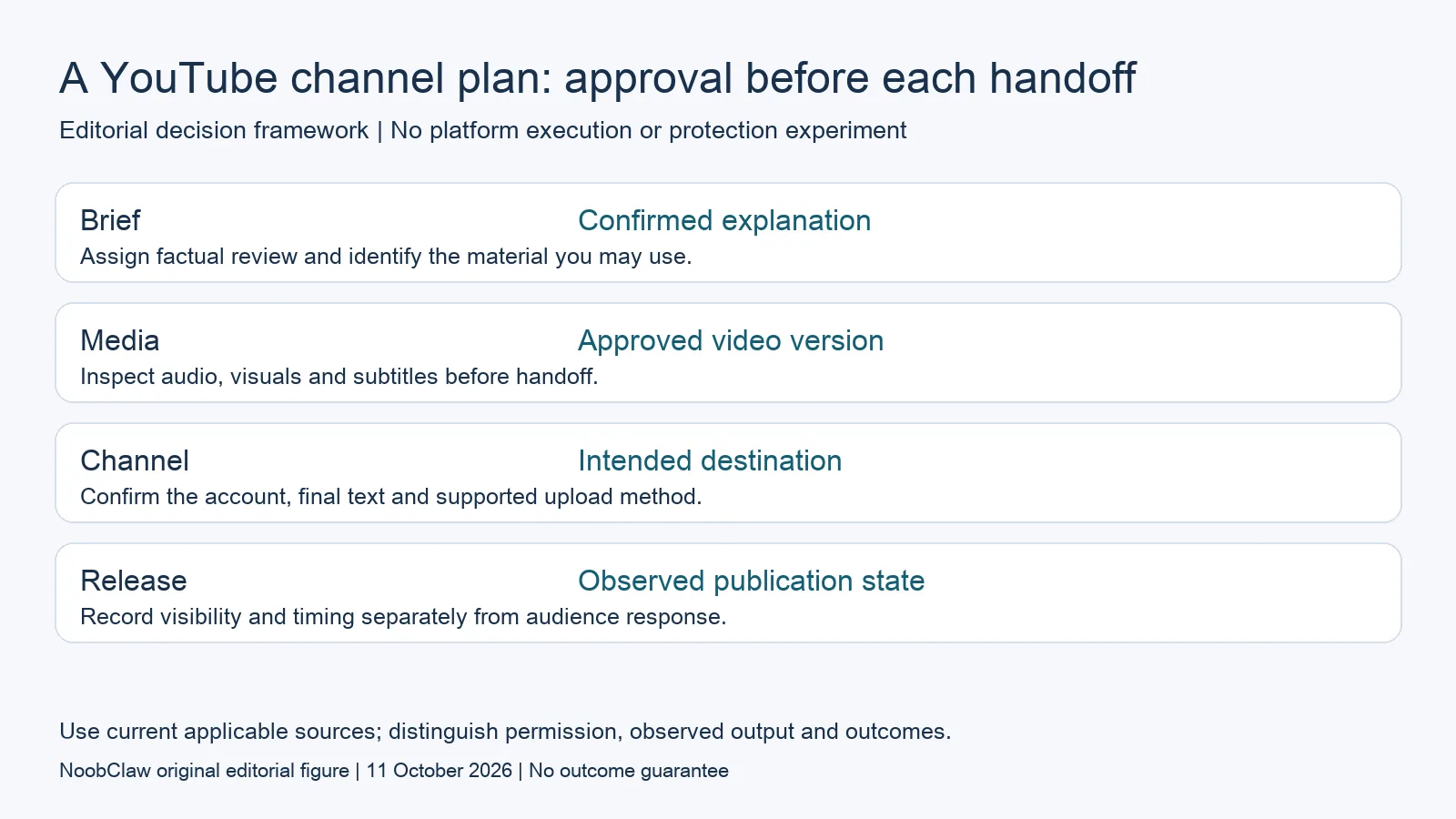
- Brief: Confirmed explanation. Assign factual review and identify the material you may use.
- Media: Approved video version. Inspect audio, visuals and subtitles before handoff.
- Channel: Intended destination. Confirm the account, final text and supported upload method.
- Release: Observed publication state. Record visibility and timing separately from audience response.
Use the current upload and release methods at their scope
YouTube's current videos.insert reference documents an authorized upload method returning a video resource. Its scheduling help describes choosing a date, time and time zone for a private video to become public. These are documented publishing capabilities, not proof that every application or channel has completed a live test. Ask the tool provider which stage its demonstration actually covered.
At the handoff, confirm the intended channel and final version. After a request, retain the returned identity and inspect processing, visibility and schedule rather than treating an upload initiation as a public video. If a result is unclear, inspect the existing resource before retrying. A second upload can create another resource while leaving the first one's state unresolved. That is an operational reason to preserve the first result.
A scheduler should preserve the approved content and intended release values. A creation product should hand over a file that can be inspected. An upload product should identify its destination and result. Keep these responsibilities visible even when one product covers several steps. This plan does not establish a browser-only publishing advantage, certify a NoobClaw YouTube integration or supply an account-specific explanation for an unexpected result.
Remove the engagement ramp from the publishing plan
YouTube's fake-engagement policy restricts artificial increases in views, likes, comments and other metrics, including automatic systems. Random delays do not change the purpose of manufacturing metrics. Drafting a video explanation is a different task. A plan should distinguish creating content for viewers from creating an appearance of audience interest, rather than combining them under a single automation label.
No preserved test here supports the old claims about six accounts, a 14-account action ramp, survival for 90 days or a comparison showing API accounts terminated while browser accounts survived. There is also no verified numerical ceiling for interactions, guaranteed CAPTCHA cooldown or rule that a new channel earns permission after two weeks. Those claims cannot be used as purchase evidence or operational instructions.
For a channel result that needs investigation, preserve the actual notice, destination state and available measurements. Do not infer a private classifier's decision from timing, profile separation or a decline in views alone. A public policy, an account notice and an editorial hypothesis are different forms of evidence. This review offers a production record, not an appeal service, recovery promise or diagnosis of a hidden restriction.
Evaluate NoobClaw for the creative task actually observed
NoobClaw publishes this review and sells content software. Its public execution record documents a local 32.6-second vertical MP4 from a 441-character English script, at 1080 by 1920 and 30 frames per second, with voiceover and subtitles. The record demonstrates that bounded creation step. It is not an observed YouTube upload, public release, channel-growth campaign or multi-channel test.
Some sampled stock material needed further relevance review. Inspect the actual output and remaining corrections before selecting it for a channel. The existence of a file does not establish complete audiovisual review or rights for every asset. If your reason for buying is a long explanation, require a demonstration of that input and output rather than extrapolating from one short vertical export.
Consider a hypothetical channel explaining how a product feature works. The brief includes the confirmed steps and owned footage. A production assistant returns a video draft; a reviewer checks the explanation, corrects a subtitle and replaces an unrelated visual. The approved file then enters a separately authorized publishing step. This example describes an acceptance process, not a feature campaign we ran or evidence of improved retention.
For the related content and workflow decisions, read AI Content Generation for Social Media: Drafts to Video and YouTube API Upload Private? Check Status and Current Rules. Each review has its own evidence and scope.
Keep a channel release record that answers practical questions
For each intended release, retain the factual brief, approved script, media version, reviewer, destination, requested release values and actual result. Record remaining work rather than calling a draft published. After release, define the audience measurement and observation period separately: a completed upload, public video, view, subscriber and paid order are different events. If several channels use a similar topic, compare the available data without claiming that the publishing method caused a difference. This proposed record also helps identify the missing tool: creation assistance when the file is unfinished, publishing coordination when the file is already approved, or reporting when the question concerns actual audience response. It does not supply a universal schedule or a growth forecast.
NoobClaw publishes this article. Its script-to-video guide and public creative execution record document a local video result, not external-platform publication. Check the current product offer against the supported action you need.

Frequently asked questions
Does slower automatic engagement become acceptable on YouTube?
Timing changes do not change the purpose of artificial metric inflation. The fake-engagement policy and a content-production task must be considered separately.
Does a returned video resource establish public release?
Check the channel, processing, visibility, schedule and actual destination. The returned resource is one stage of the workflow.
Does profile separation guarantee channels will not be linked?
No such guarantee or multi-channel protection experiment is established in this review. Keep ownership and destination checks separate from that claim.
Sources
Official material reviewed on October 11, 2026. Document conditions apply to their stated service and scope; the editorial examples are explicitly hypothetical.