YouTube Remix Settings: Shorts and Long-Form Video Controls
- Current YouTube Help distinguishes ordinary Shorts video controls from partner audio/video controls.
- Remix preferences can be edited in bulk and during upload; available scope still matters.
- Restricting a source can affect existing audio and video remixes, not just future ones.
- Measure actual remix referrals; availability does not guarantee reach, permission for other uses or monetization.
YouTube remix settings determine which eligible material other creators can use through Shorts tools. Changing them can affect Shorts that already depend on your upload, as well as future remixes. Before restricting a source, identify whether the dependency is audio or video and read the current consequence. Keeping a setting on is not a measured promise of extra reach.
The important distinction is between controlling your original and controlling a derivative you made from someone else's source. In the first role you choose available permissions. In the second, your finished Short may depend on a source that its creator can later restrict, edit or delete. Save the source reference before treating a remix as a durable production asset.
Which remix permission are you actually changing?
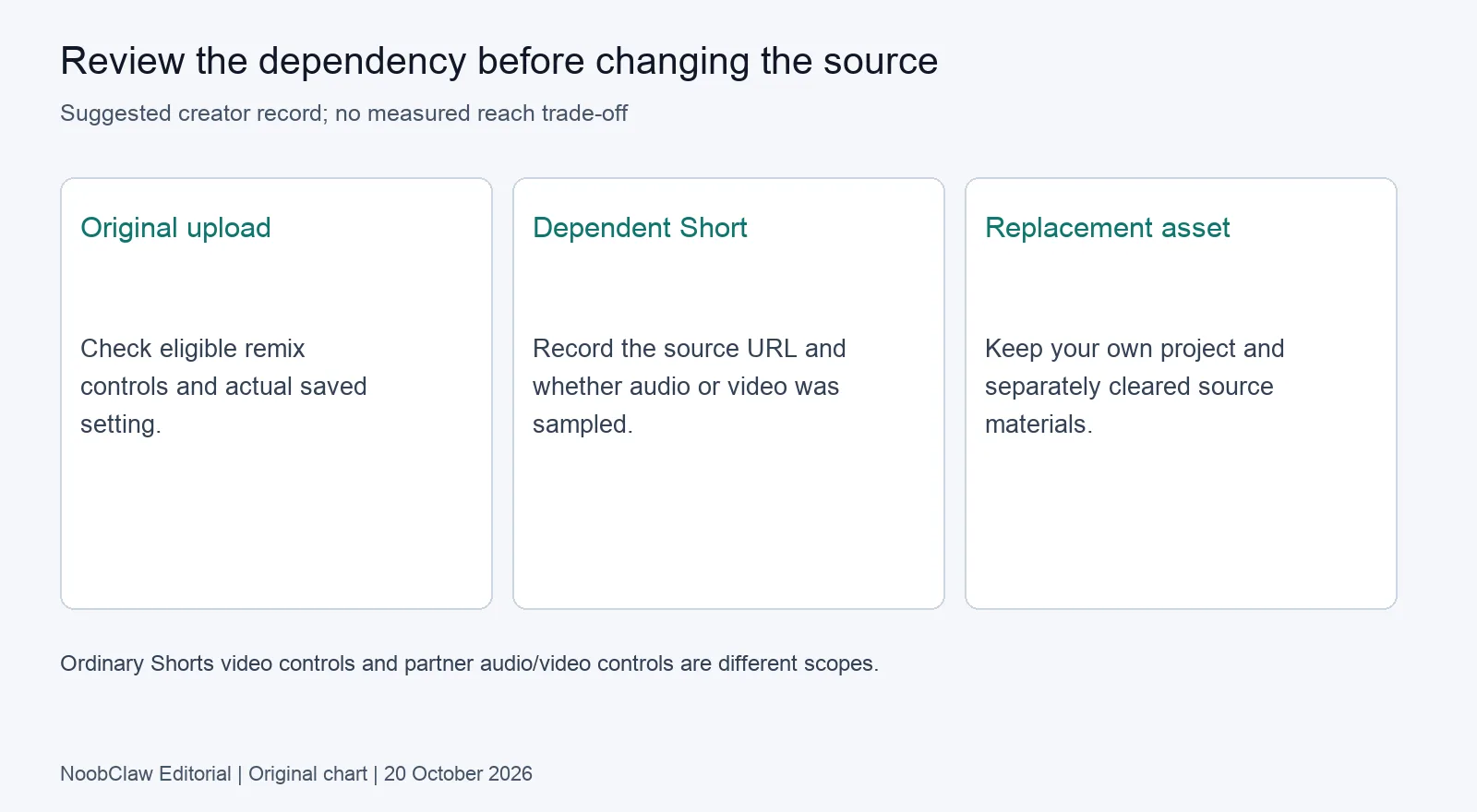
Ordinary Shorts video controls and partner audio controls have different scopes. The current YouTube remix Help page says Shorts are automatically opted in and creators can opt their Shorts out of video remixing. Partners with YouTube Studio Content Manager can opt them out of both audio and video remixing. Do not assume that every creator sees the same options.
The documented Studio path is in the video's expanded details, under Shorts remixing. Crucially, the current page also says these preferences can be edited in bulk and during upload. A policy choice may be made per asset without requiring a separate manual visit to every asset. Our earlier claim that ordinary users necessarily needed a video-by-video pass was too broad.
The Content Manager section describes default sampling for eligible Shorts and long-form uploads and directs partners to a partner manager for a full-catalogue restriction. That partner route is a specific administrative scope. It does not establish a single universal channel switch for all account types, or prove that a control missing in your account is a bug.
| Question | Evidence to inspect | Decision it supports |
|---|---|---|
| Can this Short's video be remixed? | Actual saved setting and current Help | Whether to allow the eligible video use |
| Can I control audio as a partner? | Content Manager access and its documented controls | Whether the broader partner route applies |
| Do several uploads need review? | Bulk-edit options and each asset's purpose | A consistent review without assuming every asset should match |
Our recommendation is to group uploads by the permission decision they need, rather than by upload date alone. An original explanation, a licensed interview and a music asset may warrant different reviews. Check the underlying permissions before applying one setting to the entire selection.
What happens to Shorts that already used the source?
Restricting use is not only a forward-looking change. YouTube's current Help distinguishes audio and video consequences when an original creator deletes or restricts the source. Audio remixes are muted, made Unlisted and scheduled for deletion in 30 days. Video remixes are deleted. The platform says it emails affected remix creators.
The same source also describes effects when the original creator blurs or trims a video in Studio: audio remixes are muted, made Unlisted and scheduled for deletion, while video remixes are deleted. Restricting remixing or deleting the source stops new remixes too. Read the particular action and notice instead of assuming all changes leave earlier derivatives untouched.
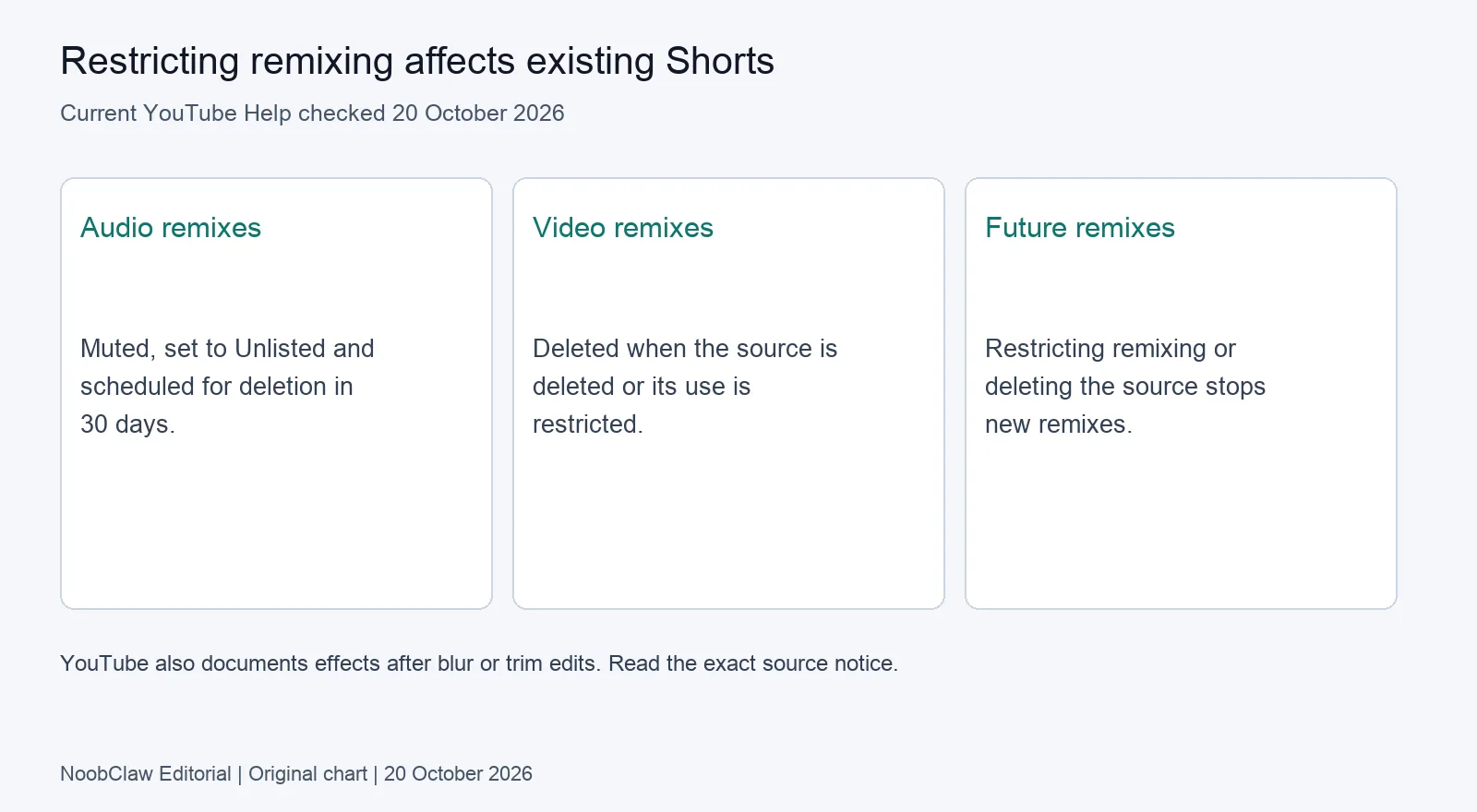
For an affected audio remix, YouTube describes downloading a copy without the remixed audio before deletion and uploading again with different audio. That is a new upload route, not a guarantee that an old URL, comments or distribution will be restored. For a removed video remix, the Help warns that permission to upload again with the original sampled video may no longer exist.
This dependency is why we recommend retaining your own project and separately cleared materials. A copy of the finished Short does not, by itself, resolve the missing permission. Start with the emailed reason and the source relationship before changing the soundtrack or deciding to publish another version.
What are the formats and the discovery trade-offs?
Choose based on the asset and the actual use, not a universal reach calculation. In its music-video remix explanation, YouTube describes Cut as a 1–5 second audio-and-video sample and Sound as up to 90 seconds of audio; some videos are limited to 30 seconds by partner agreements. Those figures describe that documented context, not a promise for every source or remix feature.
The page also describes Green Screen for a sampled background and Collab for a shared-screen presentation. The labels describe different ways material enters another work. Reviewing only visible footage would miss a soundtrack dependency; checking only the soundtrack would miss a video segment whose source can be restricted.
YouTube says remix attribution links back to the source and that visual remixes can bring viewers to the original channel. Its suggested measurement is the Remixed video traffic source in Reach reports. This supports checking your actual traffic; it does not establish that most channels gain more than they lose, or put a price on permission you have not granted.
Decide whether a particular asset may be reused, then measure the actual referral traffic. Attribution alone does not decide the trade.
Nor does remix availability settle monetization. YouTube channel monetization policies separately review originality and reused content, and distinguish those questions from copyright. If the question is whether a finished channel can earn revenue, use the content-policy analysis rather than reading the remix button as approval.
How should a multi-video workflow record the decision?
Keep source dependencies next to the production record. A suggested record includes the source URL, whether audio or video was sampled, the setting you checked, the check date and any replacement material you have permission to use. For your own original, record the intended setting and verify the saved result after a change.
A useful comparison is our 10 October local script-to-video record: one 441-character supplied script produced a 32.6-second MP4 at 1080 by 1920 pixels. It records an export with audio and subtitles; it did not create a YouTube remix or change a Studio setting. Some selected footage needed review and individual stock licences were not audited. A local file and its rights record remain separate deliverables.
NoobClaw's existing creation Guide is the operation reference for that preparation task. Use it to make a reviewable draft, then handle YouTube permissions in the actual destination account. When one work goes to other platforms, the source-file and cross-posting analysis helps separate the export from the destination's rights and settings.
Before a large change, check a representative saved result and the affected sources. This is our suggested verification step, not a claim that a sample proves every item changed. If a save fails, keep the actual error and revisit the current Help route; do not infer the cause from a community report about another account.
FAQ
Does opting out leave existing remixes alone?
No. The documented audio and video consequences differ, including muting, Unlisted status, scheduled deletion or deletion. Read the source action and affected-work notice.
Must every remix preference be edited individually?
No. Current Help documents bulk editing and upload-time preferences. Available controls still depend on the content and account scope; Content Manager partner controls are separate.
Does allowing remixing guarantee revenue or discovery?
No. Attribution and a traffic-reporting route are documented. Neither establishes the amount of traffic you will receive or that your finished channel meets monetization and rights requirements.
Review note, 20 October 2026: corrected existing-remix consequences and the unsupported no-bulk-edit claim; distinguished Shorts video controls from Content Manager audio/video controls.
Sources
- Create YouTube Shorts with remixed content — YouTube Help; current page; update date not stated; checked 20 October 2026.
- YouTube channel monetization policies — YouTube Help; current page; dated 2025 updates distinguished from current text; checked 20 October 2026.
- Local script-to-video record — NoobClaw; 10 October 2026; checked 20 October 2026.